

Needs review
Project:
Content Construction Kit (CCK)
Version:
6.x-3.x-dev
Component:
General
Priority:
Normal
Category:
Bug report
Assigned:
Unassigned
Reporter:
Created:
8 Mar 2010 at 05:57 UTC
Updated:
7 Mar 2013 at 21:33 UTC
Jump to comment: Most recent file

Comments
Comment #1
dboulet commentedComment #2
dan3h commentedI am having a similar problem. I have date-field that accepts multiple values. Drupal's date field widgets have 4 fields in them: from-date, from-time, to-date, to-time; and I used a #pre_render hook to set one of them to hidden. This works just like I want it to.
The problem arises when you click the "Add another item" button; the AHAH call which adds in the extra fieldset also reformats all the previous values to the original formatting. That is, the fields which I had hidden so carefully all become visible again.
Here is the code I am using to hide the fields:
Dan
Comment #3
dboulet commented@dan3h, did you try my patch? Did it fix your problem?
Comment #4
dboulet commentedStill experiencing this issue, any chance of getting this patch reviewed?
Comment #5
karens commented@dan3h, that is a different issue. It's better not to confuse things.
I can't replicate any problem. If I set an admin theme, that is the theme that is used for both the original form and any new elements added by AHAH. If you're seeing behavior like this, it is likely something specific to the way you have things set up. No one else is having or ever has reported this problem.
If this is broken for multigroups, it would also be broken for everything else that uses AHAH, the field add more button, the Poll module add more button, etc.
Comment #6
dboulet commentedThanks for the feedback KarenS.
I am actually able to reproduce this quite easily. The reason that this is hard to spot is that most themes will return very similar markup for fieldsets.
Try this:
This should not happen, the fieldset being loaded through AHAH is being rendered using the wrong theme.
Comment #7
karens commentedAgain, this works the same everywhere that AHAH is used, including the add more button for fields and the Poll module questions. I don't see how this can only be a multigroup issue, and it's not clear to me why multigroup would need this bit of code but nothing else would.
Comment #8
dboulet commentedYou're right KarenS, I tested the field add more button, and looks like the wrong theme is used in that case as well. So, like you said, this works the same everywhere that AHAH is used—but doesn't mean that it's not a bug.
Comment #9
karens commentedI've never tried switching themes in a javascript callback. Might be the right thing to do, just don't know for sure how to handle it. And if we're going to do it it has to be done everywhere, not just in multigroup.
Comment #10
dboulet commentedThanks KarenS, I'll get a new patch in for review.
Comment #11
dboulet commentedI searched through the module to try to find all AHAH callbacks for node forms, and only found 2: the one used for the 'Add another item' button for fields, and the other for the 'Add more values' button for multigroups.
I've added a check in both of those callback functions that switches the theme if the admin theme is set to be used for content editing. My logic is that those callbacks will only be used on node forms, and should therefor respect the "Use administration theme for content editing" setting.
Comment #12
R-H commentedI'm having a weird bug and I'm guessing that it might be best logged here.
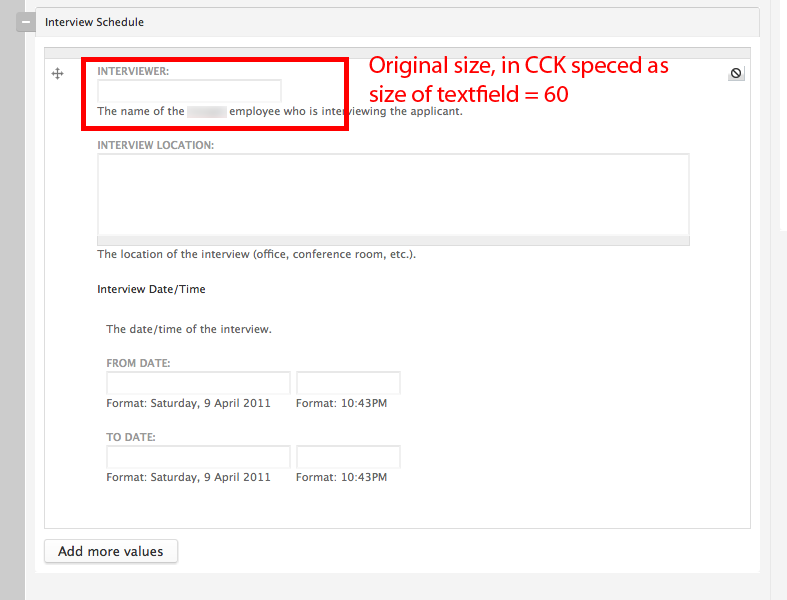
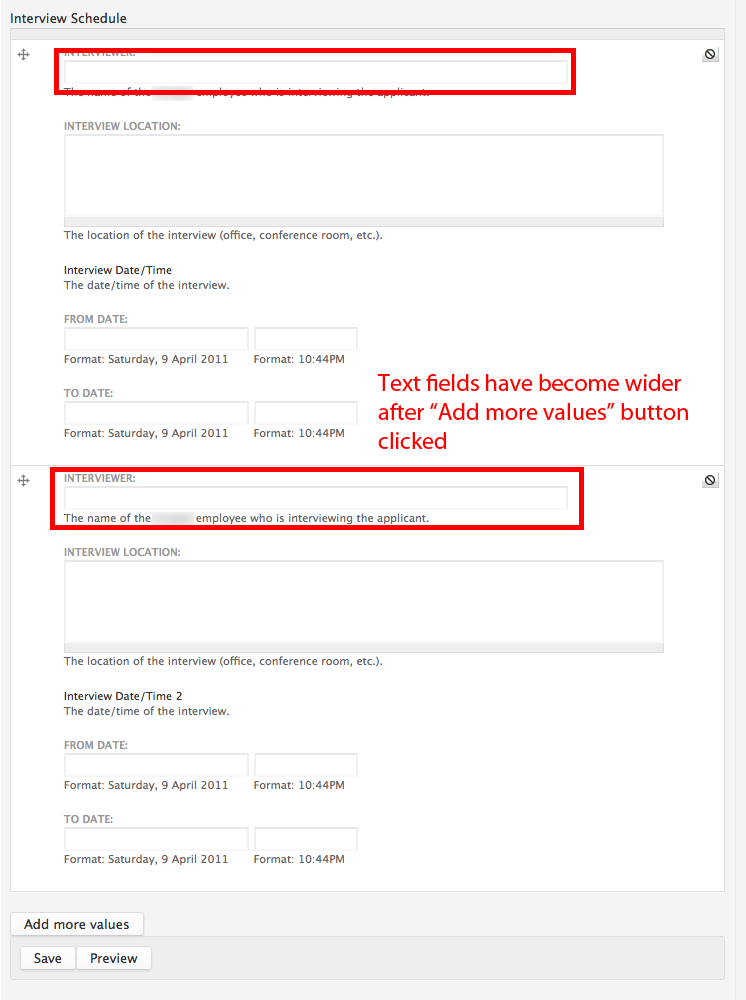
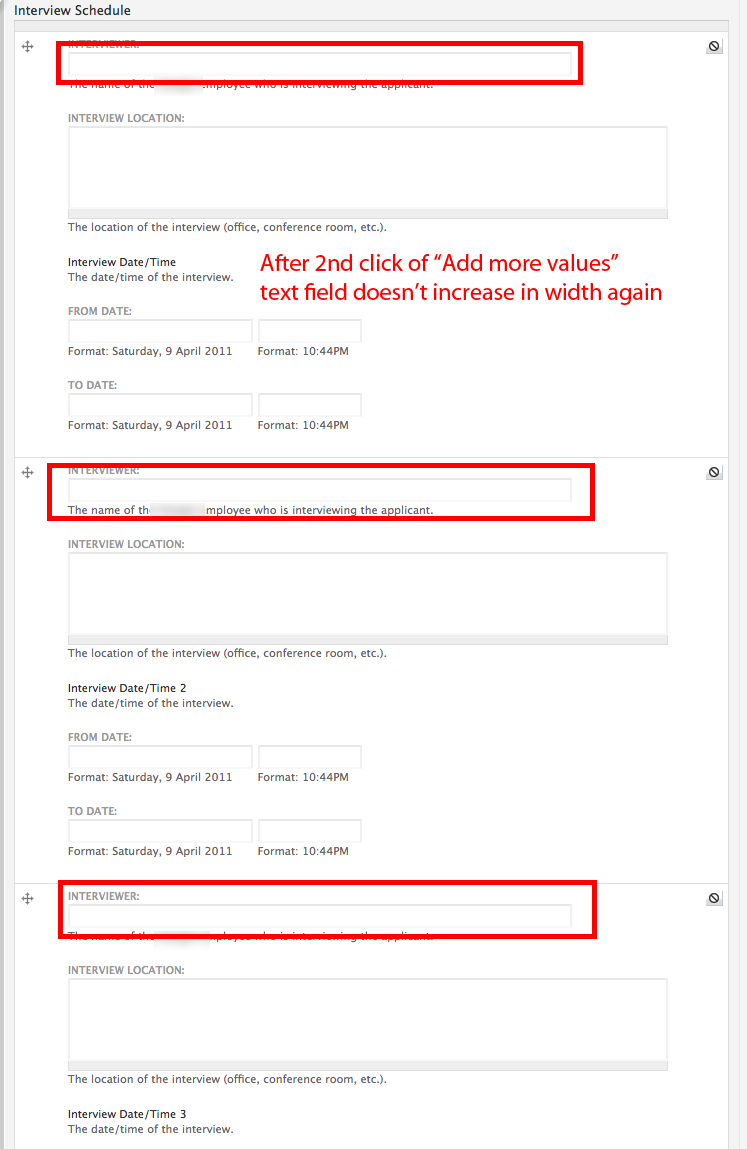
With a multigroup if I have a text input field in that group and Click the "Add More Values" button the width of that text input increases. It only happens on the 1st click of the the "Add More Values" button. On the 2nd click the inputs are the same new wider width. Text areas do not scale in width on click of the add more values button.
I have the Rubik theme installed and am using it to add new content.
See attached screen shots.
Comment #13
dboulet commentedHi Ryan Hanau, I'm not sure if that is the same bug but maybe try the patch in #11 to see if it solves the problem.
Comment #14
hhopkins commentedFor those that are comfortable writing custom modules and do not want to modify the CCK code, here is what I did fix the issue.
Adding the code from #11 using hook_init() allowed me to check the arg parameters and set the custom theme. One caveat is to make sure your custom module is called prior to any other modules that call theme functions in hook_init(). In our case another module was executing a theme function prior to our module and so the theme was being set before we could check to apply the custom admin theme. Here's the modified code:
Credit goes to dboulet for the original idea.