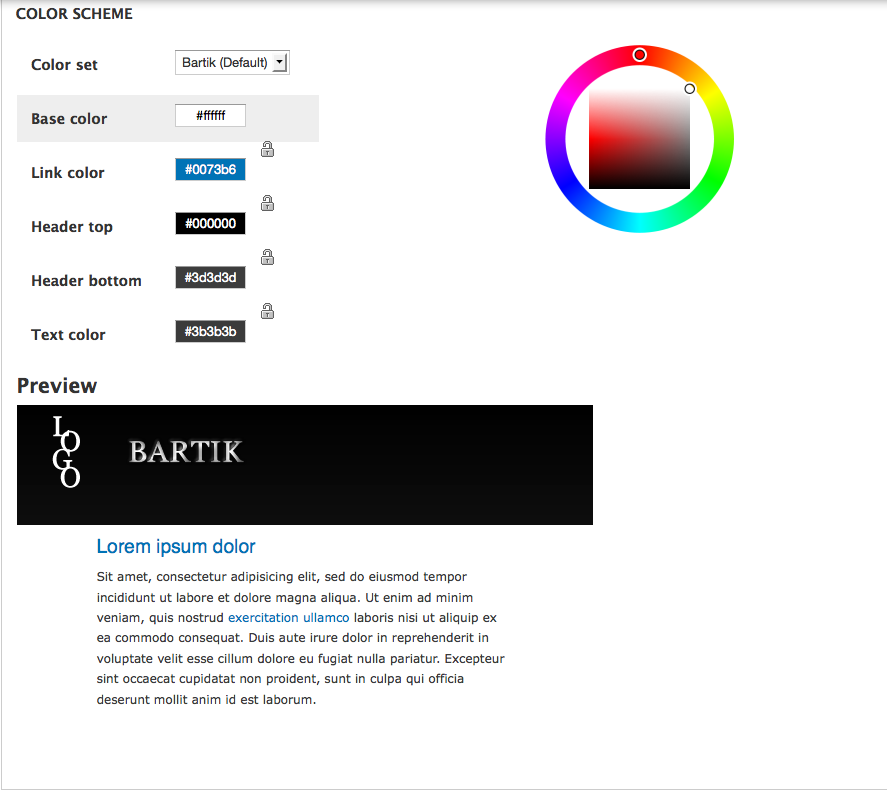
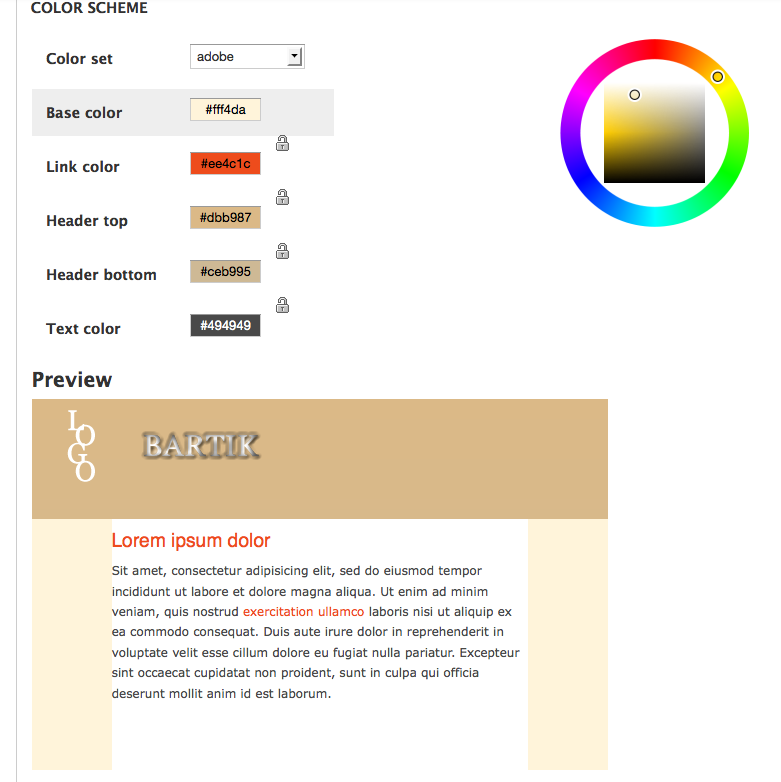
Color module uses html generated by color.module and color.js applied to preview.png and modified by preview.css. Since bartik's preview.css is empty the preview block displayed on the appearance page is a default block and has no actual connection to the Bartik theme other than the colors displayed. The only css file modified by color.module in bartik is color.css, which, even though applied last, affects minimal parts of bartik.
preview.png is not appropriately sized to hold all the preview text and the header gradient. Base.png should be sized to match the theme's actual size. Base.png and preview.png don't really match the bartik theme unless you don't want to colorize the header bottom, tryptich, and footer areas, or any of the menu and other areas. It should at least have the menu tabs at the bottom of header top. And if the base color is supposed to be used, then color.css needs to be modified to override style.css.
The preview.css from Garland can be modified for Bartik, but I think this is something for a designer to look at because the base and preview pngs should be rebuilt.
Lastly, though it doesn't make any difference to bartik the way it is currently set up, the Garland theme doesn't apply the color module to style-rtl.css, so no color changes will be visible to clients using that style sheet.
We should fix this.





Comments
Comment #1
dcrocks commentedI grabbed images of the color module display block in the garland settings page using seven,garland, corolla, and bartik as the 'admin' theme. I think the problems shown in corolla and bartik are due to problems with color/preview.css. I think that the color module uses 2 files to style its part of the settings page: modules/color/color(-rtl).css and theme_name/color/preview.css.
Not being familiar with drupal, is it common for modules to stylize individual display blocks on the settings page like the color module does?
Comment #2
dcrocks commentedHere are some files I put together to make the bartik color module settings page look better. But I am at the limit of my skills with photoshop here as well as general web design. Please someone look and see if they can make it work right. I stole a lot from garland, and this is probably not what you want to see, but I think it is closer. Someone needs to come up with a design spec for the bartik color module preview, maybe a target image.
This does not fix the problems with bartik as the admin theme.
I also had to change some file types to get them attached.
How do you attach a psd?
Comment #3
dcrocks commentedThat png file certainly looks strange in my firefox browser, but looks OK when viewed with anything else. Is this just because of the type of png I created?
Comment #4
dcrocks commentedI switched to Firework and tried again. Attached are screenshots of some samples. I modified the code some more, but I don't think I should do anymore without some comment on the appearance.
Comment #5
Melissamcewen commentedHuh, one of the problems seems to be that at least in my install, Bartik doesn't load the color.css style sheet from contexual.
Comment #6
Melissamcewen commentedI mean the color module
Comment #7
dcrocks commentedBelow is snippet from Firefox 'view frame source' when I have appearance page up and color module settings displayed, showing "modules/color/color.css". I saw the same with all versions of bartik that had color module support. What versions of drupal and bartik are you running?
*********
@import url("http://localhost/drdev43/misc/ui/jquery.ui.core.css?l0qa53"); @import url("http://localhost/drdev43/misc/ui/jquery.ui.theme.css?l0qa53"); @import url("http://localhost/drdev43/modules/system/system.css?l0qa53"); @import url("http://localhost/drdev43/modules/system/admin.css?l0qa53"); @import url("http://localhost/drdev43/modules/system/system-behavior.css?l0qa53"); @import url("http://localhost/drdev43/modules/system/system-menus.css?l0qa53"); @import url("http://localhost/drdev43/modules/system/system-messages.css?l0qa53"); @import url("http://localhost/drdev43/modules/node/node.css?l0qa53"); @import url("http://localhost/drdev43/modules/user/user.css?l0qa53"); @import url("http://localhost/drdev43/modules/forum/forum.css?l0qa53"); @import url("http://localhost/drdev43/modules/shortcut/shortcut.css?l0qa53"); @import url("http://localhost/drdev43/sites/all/themes/bartik45/color/preview.css?l0qa53"); @import url("http://localhost/drdev43/themes/seven/reset.css?l0qa53"); @import url("http://localhost/drdev43/themes/seven/style.css?l0qa53");Comment #8
dcrocks commentedSorry, all the link statements were deleted out of the message by the text editor. I'll try again but I'll change '<'
to ''
style type="text/css" media="all">@import url("http://localhost/drdev43/misc/ui/jquery.ui.core.css?l0qa53");
@import url("http://localhost/drdev43/misc/ui/jquery.ui.theme.css?l0qa53");
@import url("http://localhost/drdev43/modules/system/system.css?l0qa53");
@import url("http://localhost/drdev43/modules/system/admin.css?l0qa53");
@import url("http://localhost/drdev43/modules/system/system-behavior.css?l0qa53");
@import url("http://localhost/drdev43/modules/system/system-menus.css?l0qa53");
@import url("http://localhost/drdev43/modules/system/system-messages.css?l0qa53");
link type="text/css" rel="stylesheet" href="http://localhost/drdev43/misc/farbtastic/farbtastic.css?l0qa53" media="all" />
style type="text/css" media="all">@import url("http://localhost/drdev43/modules/node/node.css?l0qa53");
@import url("http://localhost/drdev43/modules/user/user.css?l0qa53");
@import url("http://localhost/drdev43/modules/forum/forum.css?l0qa53");
@import url("http://localhost/drdev43/modules/shortcut/shortcut.css?l0qa53");
@import url("http://localhost/drdev43/sites/all/themes/bartik45/color/preview.css?l0qa53");
link type="text/css" rel="stylesheet" href="http://localhost/drdev43/modules/color/color.css?l0qa53" media="all" />
style type="text/css" media="screen">@import url("http://localhost/drdev43/themes/seven/reset.css?l0qa53");
@import url("http://localhost/drdev43/themes/seven/style.css?l0qa53");
Comment #9
Melissamcewen commentedYeah, if anyone else has this problem, change the color scheme back to default and then change it back to the one you want. Guess the old style sheet got cached or something.
Comment #10
Melissamcewen commentedDoes anyone know why this preview.css file in the color directory is refusing to load? When I put it anywhere else and change the color.inc file it works, just not in the preview.css?
Comment #11
dcrocks commentedattached re the modified files used to generate images in #4.
Comment #12
Steven Merrill commentedLet's see what we can do with this.
Comment #13
Steven Merrill commentedSee also http://drupal.org/node/776684 , since three divs, an h2 and a p won't cut it to preview what Bartik has to offer. ;)
Comment #14
Steven Merrill commented-- wrong issue, sorry --
Comment #15
Steven Merrill commentedYou know what helps? Replying to the right issue.
Sorry about that.
Comment #16
Steven Merrill commentedWork in progress: http://skitch.com/00sven/n9483/appearance-bartik.local .
However, it turns out the JS preview mechanism does not, in fact, load or recolor the color.css file from the theme being previewed, so this one will probably require some patching beyond what's in #776684: The color.module preview HTML is hardcoded in order to work.
Comment #17
dcrocks commentedNot sure this is a problem. As I understand it:
color.module and color.js are hard coded to use the modules/color/color.css to style the "palette div' block of the appearance settings page. They use theme/color/preview.css to style the "preview div" block of the appearance settings page, and then settings in theme/color/color.inc with theme/color/preview.png and the hard coded "preview div" to render the new color scheme on the appearance settings page.
When the configuration is saved they use settings from theme/color/color.inc with theme/color/base.png to 'slice' the colorized images of the theme and to create the 'color modified' files in default/files/color/themename. They don't care what you name the style files specified in theme/color/color.inc. Bartik happened to chose the file name color.css to selectively separate things modified by the color module from those in style.css that are to be untouched by the module.
color.inc, preview.css, and preview.png are used to output the the appearance settings page.
color.inc and base.png are used to create and/or modify files to be moved to default/files/color/themename, and consequently to render the theme.
Despite what the documentation says, base.png is required, even if not used to to create any slices.
I don't know that the preview object on the appearance settings page has to closely resemble the themed pages rather than to simply indicate the 'general' re-colorization result of the chosen color scheme.
The color module already has too many things clearly hard coded for Garland. The effort should be to reduce hard coded items in the color module rather than to add more and I think a 'preview.html' file will help that. Better documentation and better use of the color.inc configuration file would also help.
Comment #18
EvanDonovan commentedI think that the concept of a custom preview.html file is an excellent improvement to the color.module, especially since it is backwards-compatible. Steven, do you have a patch for us to test that builds on the work from #776684: The color.module preview HTML is hardcoded?
Comment #19
bleen commentedwe need to fix this before officially submitting Bartik for consideration
Comment #20
Steven Merrill commentedHere's the first patch. When you apply it and #776684: The color.module preview HTML is hardcoded, you will be able to preview a fairly representative view of Bartik, including the CSS3 gradients.
Things that are still broken (which might be something to fix in #776684: The color.module preview HTML is hardcoded):
Comment #21
Steven Merrill commentedWhoops.
Comment #22
Steven Merrill commentedThis is surely an issue in color.module. It persists when I undo my local mods to color.module. I'll work to get it into #776684: The color.module preview HTML is hardcoded.
Comment #23
Steven Merrill commentedSwitching color themes doesn't change the preview until you make the next color change.This is surely an issue in color.module. It persists when I undo my local mods to color.module. I'll work to get it into #776684: The color.module preview HTML is hardcoded.Nope. These were both issues in Bartik's color.inc file. Whoops.
Comment #24
Steven Merrill commentedAnd so, another patch with those two small fixes. Next step is to add another recolorable thing to test that the new color.module really is all that and a bag of chips.
Comment #25
dcrocks commentedIs it really good to add all that code to style.css for a preview image that will be seen rarely, at best?
Comment #26
bleen commentedin response to #25, I think it's ok since a whole lot of the content being added to styles.css is just this sort of thing:
If we added it in a separate stylesheet than we would be duplicating lots of styles. No one is ever going remember to go into the preview style sheet and make changes there too.
One quick note:
white space: empty lines should have no white space at all
Powered by Dreditor.
Comment #27
Jeff Burnz commentedThese are awesome improvements, lets hope #776684: The color.module preview HTML is hardcoded gets in!
Just the issue of the hard coded path-to-logo to resolve (do we need the logo?).
Comment #28
jensimmons commentedYeah, it is sad to add all those attributes to the CSS for the regular theme. I think it's true that if we put it somewhere else, people won't change it — ever. So I guess it has to be where it is. :(
Dang color module!
Also.... that hardcoded link to a logo doesn't work at all. I agree that needs to go before this can be committed to Bartik.
Comment #29
Steven Merrill commentedYeah - unfortunately I think that without doing all that, we would get out of sync pretty fast. The other avenue to explore would be an iFrame, but that also feels rather slimy.
Comment #30
EvanDonovan commentedI've never used Dreditor before, but this looks like unneeded whitespace.
Powered by Dreditor.
Comment #31
dcrocks commentedIn latest 7.x bartik dev(4-21), preview.css is empty again. New files(empty) have been added. Was this intentional?
Comment #32
jensimmons commentedYes — I added new empty files earlier today so that smerrill could write patches putting stuff in them without having to add the files in CVS inside his patch.
The patch he created has not been committed yet. As soon as it is, the files won't be empty. So no worries...
Comment #33
jensimmons commented#776684: The color.module preview HTML is hardcoded was committed! So this just needs to be finished up, and I'll commit it, too.
Comment #34
Steven Merrill commentedJust about done for now with this one. Per EvanDonovan's suggestion, I changed the poorly-named "base color" to "main background," which it is.
This is what it's looking like for now until we have the later discussion on what's colorable:
I just need to figure out getting the real logo in there. The current solution I have in mind is a tad hacky, but I want to try to finish up without ANOTHER color.module patch ;)
Comment #35
Steven Merrill commentedPatch re-roll sans logo fix. This should fix any other code style issues and it includes the change to the color module field title.
Comment #36
Steven Merrill commentedHere's the simple fix using the relative path from /admin/appearance/settings/bartik to load the logo file.
Note: this will now only work if bartik is install as DRUPAL_ROOT/themes/bartik .
My thought for the proper way to tackle this is to put the path to the logo into Drupal.settings when Bartik's color.inc is loaded. That's next. As always, reviews.
Comment #37
Steven Merrill commentedThis patch now depends on #778880: Add static caching to color.module getting in.
If not, I can still make this work, but it will just be messier, since Drupal.settings.color.logo will be an array with four copies of the path to the logo in it.
Here's my local copy of Bartik once set to use the Garland logo as its logo. The preview will now contain the real image selected for the site logo.
Please review this and #778880: Add static caching to color.module once testbot has finished with it.
Comment #38
Steven Merrill commentedFinal patch for six colors, a nice live preview and live preview of the logo in Bartik.
Still depends on #778880: Add static caching to color.module.
Comment #39
Steven Merrill commentedVery last patch. I promise.
Fixes some small inconsistencies in the preview CSS.
Comment #40
Steven Merrill commented#778880: Add static caching to color.module is in. Please test.
Comment #41
jensimmons commentedCommitted!
Comment #42
Steven Merrill commentedw00t
Comment #43
bleen commentedhazah!! well done