

 Come together with the global Drupal community in Rotterdam, 28 Sept – 1 Oct 2026. Sessions, contribution, connection, and Early Bird savings until 8 June.
I am struggling with the PHP Java Bridge step: Install PHP/Java Bridge. It is strongly recommended to install the standalone version instead of the Tomcat/J2EE version. Please make sure it works correctly before proceeding.
I am not actually sure how to do this. Currently I am stuck in Windows 7 and Wamp 2.0i.
This is not a PHP Java Bridge supportforum, but I am having trouble figuring out how to get by this point.
Maybe a Windows guru is reading this and can point me in the right direction: http://www.wampserver.com/phorum/read.php?2,63540
Just flame me ;-)
| Comment | File | Size | Author |
|---|---|---|---|
| #2 | DrupalStatusJava.jpg | 101.17 KB | grn |
| #1 | test.php_.htm_.txt | 68.33 KB | grn |
| #1 | INSTALL.J2SE.txt | 2.66 KB | grn |
| #1 | php.ini_.txt | 68.98 KB | grn |
| #1 | DrupalStatusJava.jpg | 101.31 KB | grn |

Comments
Comment #1
grn commentedI think I have come a step closer.
I have followed the JSE2 installation guide (attached), and it worked somehow.
My localhost:8080 is responding. The test.php output is attached. The only problem is that my phpinfo does not say anything about the java bridge.
I think I have to make some changes in the php.ini file. How does your php.ini look (mine is attached)? Remark my java lines are commented out.
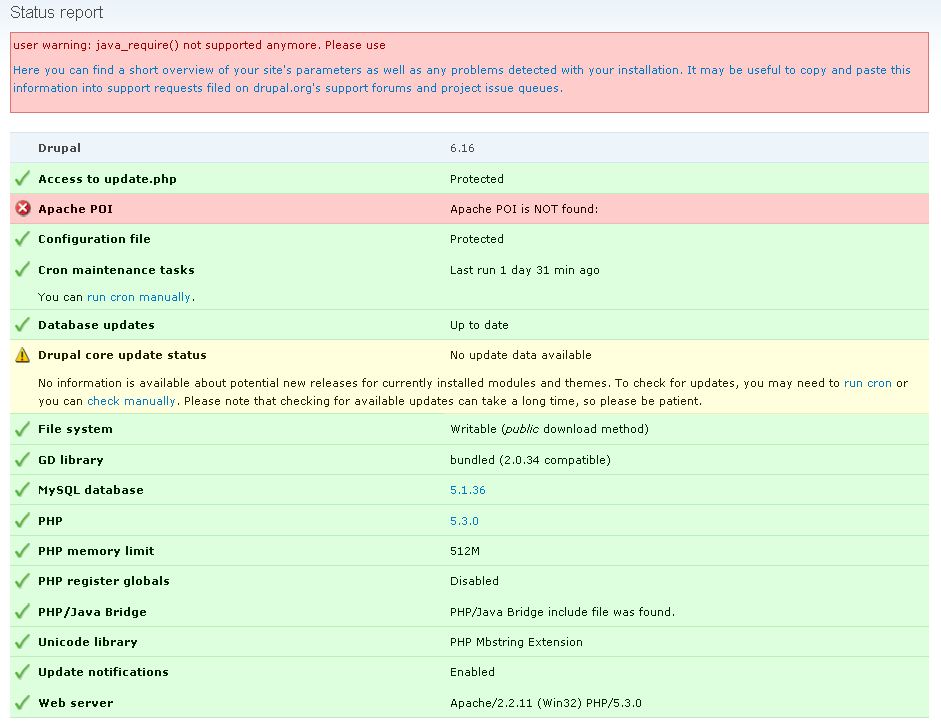
What is Drupal saying?
The attached image... the link is pointing at php-java-bridge-docu: http://php-java-bridge.sourceforge.net/pjb/webapp.php%3Etomcat%20or%20je...
Hmm:
URL path: /pjb/webapp.php>tomcat or jee hot deployment</a> instead in C:\wamp\www\drupalsheet\sites\all\java\META-INF\java\Java.inc on line 1630.</div> <div class=I thought you did not have to use tomcat.... I am confused.
Comment #2
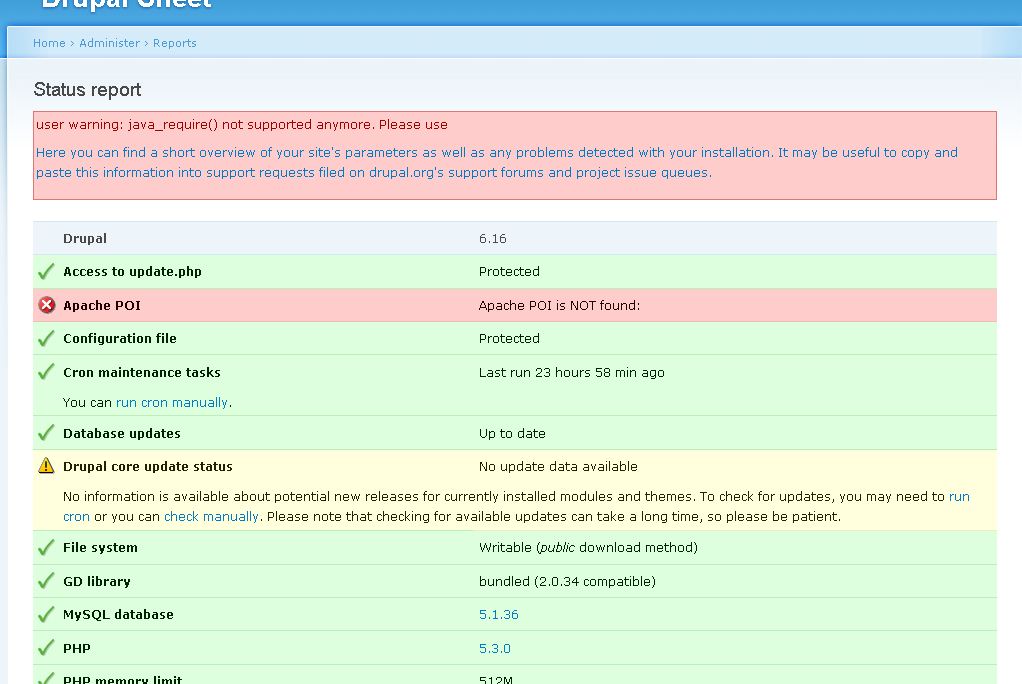
grn commentedHere is a better attachement of the Drupal status.
Comment #3
infojunkieYou're using a version of PHP/Java Bridge that is not yet supported by Sheetnode. I'll work on this within a month. In the meantime, you can try an earlier version of PHP/Java Bridge (5.4.4.2 should be fine).
Comment #4
grn commentedThanks!
Could you please notify about 5.4.4.2 on the frontpage (http://drupal.org/project/sheetnode). It could have saved med a couple of hours of work ;-)
Note: I can now import xls files in office 2003 format. Even simple spreadsheets in 2007 format xlsx can't be imported.
I am looking forward to future releases :-)
Comment #5
grn commentedChanging status.
Comment #7
n_nelson350 commentedWell I also tried it for a localhost. It didn't work for me too. Any suggestions if any body knows the step for PHP/JavaBridge.
Comment #8
grn commentedI not sure if these instructions are necessary: http://drupal.org/files/issues/INSTALL.J2SE.txt
But this is a must in my case:
Run:
java -classpath JavaBridge.war TestInstallationComment #9
infojunkieThe latest 1.5-beta3 version has removed the Java dependencies and replaced them with PHPExcel library. Please delete your sheetnode folder and install the latest version as per the instructions on the module page.
Comment #10
grn commentedThanks!
Comment #11
n_nelson350 commentedThanks infojunkie for your help :)