

 Come together with the global Drupal community in Rotterdam, 28 Sept – 1 Oct 2026. Sessions, contribution, connection, and Early Bird savings until 8 June.
I have a content type, Team, that contains a multi-select CCK user reference field, field_original_members. The Team content type is an Organic Group and when a new Team node is created, I want to use Rules to call a VBO that adds the selected users in field_original_members to the Team's list of members.
I created a VBO which queries the user names in field_original_members, and a custom Action which adds them as members of the Team. I tested this VBO / custom Action combination successfully on some existing Team nodes. The selected users in field_original_members became group members; It worked just as i had hoped!
Next I called the VBO and my custom Action from a Rule triggered by the "After updating existing content" event, and used the "Execute a VBO programmatically on node" action. I edited and saved an existing Team node and everything worked perfectly (though I had to enable and configure the Actions permissions module in order for my custom Action to successfully execute for all user roles).
I then created an identical Rule, this time triggered by "After saving new content." I tried creating a new Team node and... nothing happened. It seemed that the NID of the newly created node was not being passed to the VBO.
To test this, I hard-coded the Node ID of an exising node in the "View arguments" text box of the Execute a VBO programmatically on node" action with the following code: return array('xx'); where xx was the existing node's NID. I then created a new Team node and the VBO acted on the existing node xx as expected. The last node I'd created had a NID of 60 so I hard coded the Rule to pass a node id of 61 to the VBO. I created a new Team node (which had NID = 61) and i got the following message:
•No results for view 42.
•Team My Team has been created.
... where '42' was the view id of my VBO.
I'm stumped. I can't figure out if this is a Rules issue or a VBO issue. Can anyone else confirm that Rules triggered by the "After saving new content" event DO NOT pass their node arguments to a VBO? How might I test this further?
| Comment | File | Size | Author |
|---|---|---|---|
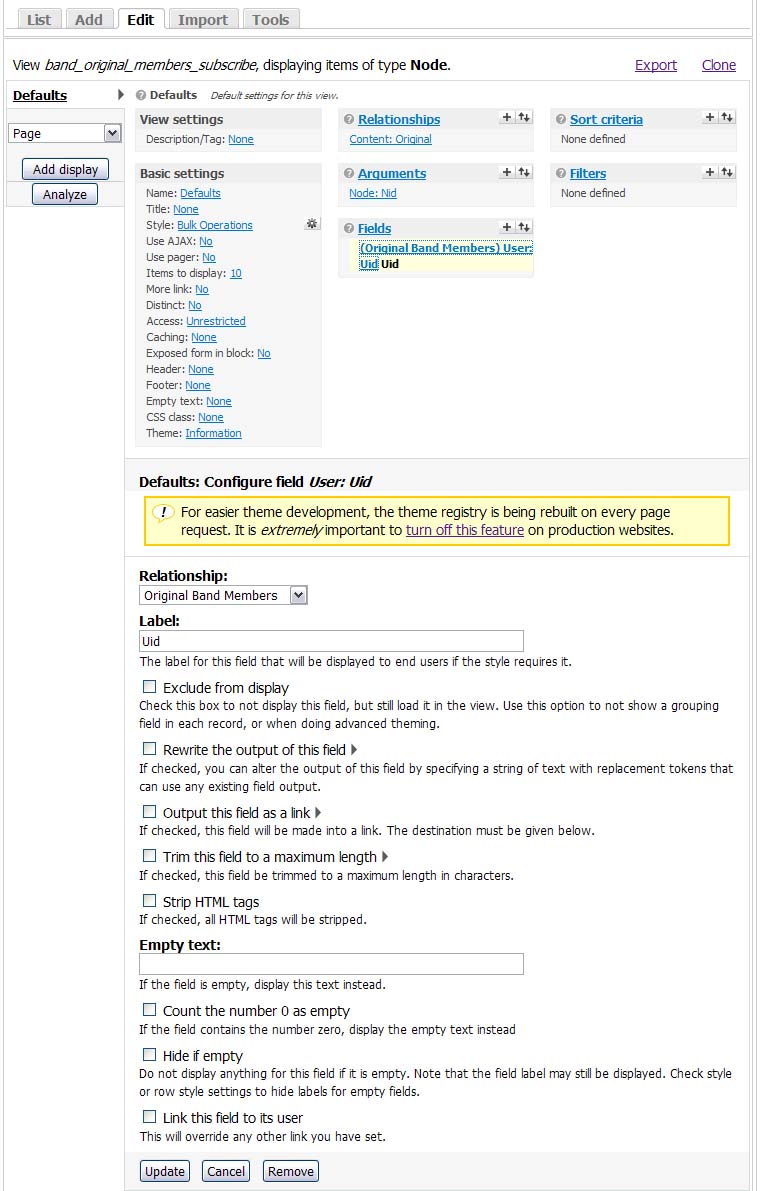
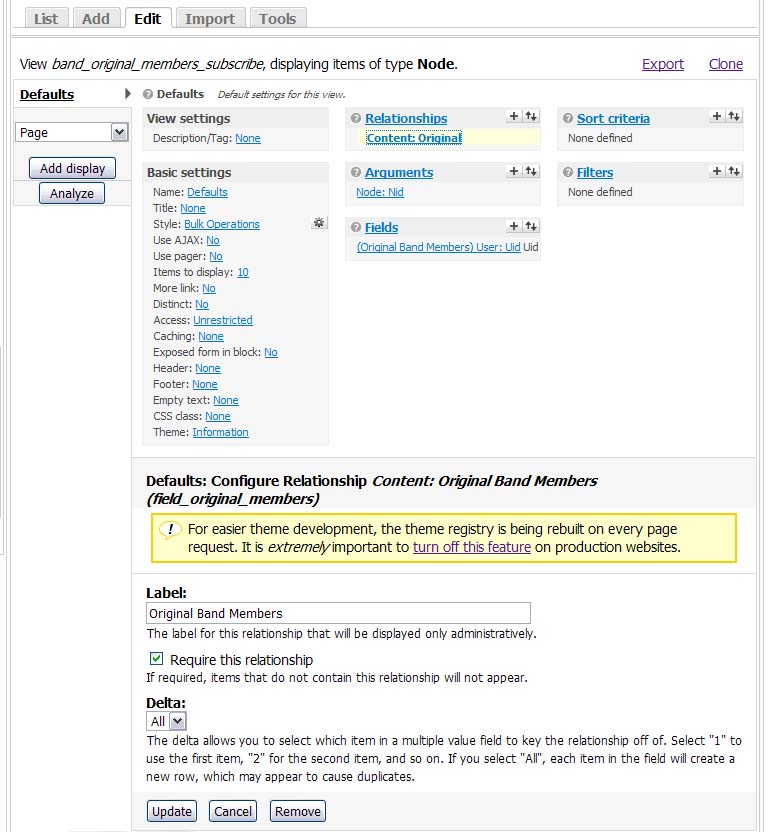
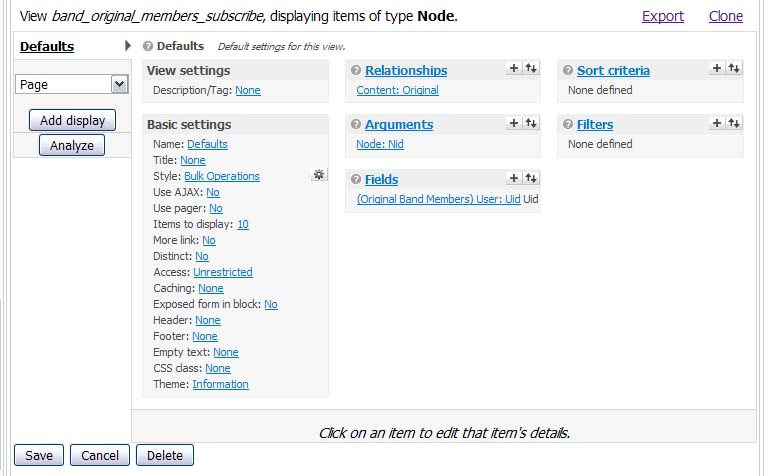
| #6 | ViewStyle.jpg | 311.38 KB | nodecode |
| #6 | ViewField.jpg | 156.14 KB | nodecode |
| #6 | ViewArgument.jpg | 161.21 KB | nodecode |
| #6 | ViewRelationship.jpg | 117.4 KB | nodecode |
| #6 | View.jpg | 61.37 KB | nodecode |





Comments
Comment #1
infojunkieYou can test by adding to your rule a PHP custom code action that calls
dsm($node)(or whatever your node variable is called.) Do you see the node object that VBO is otherwise missing?Comment #2
nodecode commentedFollowing your instructions, I used the following code for my custom action:
Result: the node DID NOT appear in my site's message box when the Rule was triggered by "After saving new content" but, as I suspected, it DID appear when the same rule was triggered by "After updating existing content."
I don't think it's *necessarily* an issue with Rules itself because I CAN display the newly created node's NID using a message action within the rule itself. I'm willing and able to test this further if you can suggest what I might look at next.
Comment #3
infojunkieCan you show me screenshots of the configuration of your rule and VBO? This will help me debug your setup. Also, there were many rules fixes that went into the dev version of VBO, maybe you can try the latest dev version instead.
Comment #4
nodecode commentedsorry, i am in fact using the dev version. I'll try and get those screenshots out. what exactly do you want to see as far as the configurations go?
Comment #5
infojunkieI'd like to see the configuration for the VBO that does the work, as well as the rule. Specifically, I'd like to see the config page for the VBO action as invoked by the rule.
In the latest dev, the VBO action should be labeled "Use node object to execute a VBO programmatically" instead of "Execute a VBO programmatically on node". Is this what you see?
Comment #6
nodecode commentedSorry for the 40-day delay in my response. In my previous posts I was using the dev version from September 2010. I've since updated to the latest dev and the problem still persists. I have attached the screen shots of my Rule and View. I am also including some php code of the custom Action that I want to call with VBO.
NOTES:
1. remember this does work on existing content, but does not work on new content.
2. the custom Action, "Spit out the node to DSM," that you see checked at the bottom of "ViewStyle.jpg" is the code from #2 above and it too does work on existing content, but not on new content.
3. the "Team" content type mentioned above will hereafter be called "Band" (as you will see in the screen shots).
Please feel free to ask questions. I promise to respond and test promptly. I would love to figure out why the NID of New content is not available to my VBO actions.
Comment #7
infojunkieYour view argument is automatically derived from the URL. In order for your action to work, it must be explicitly passed in the Rule VBO action configuration. In the "View arguments" section, use:
This way, it will be available to the action as
$context['view']['arguments']['0'].Comment #8
nodecode commentedExcellent, it worked! thanks!
Comment #9
infojunkieComment #10
nodecode commentedLooks like i spoke too soon. This ONLY appears to work for the Superuser account.
I've enabled the Actions permissions module and gave permission to the appropriate role (in this case my own "Owner" role) to execute the action i created. Unfortunately when logged in as an "Owner" the results are the same as I have described above: It does execute on EXISTING content but not on NEW content.
Again, it works properly when logged in as superuser. I tried creating a different type of Action "Display a message to the user..." thinking that it might be a factor, but it still does not work for non-superusers creating new content.
Any clues how i can test this further?
Comment #11
infojunkieIf you disable actions_permissions, it works correctly?
Comment #12
nodecode commentedNo it does not work correctly for NEW content with actions_permissions disabled. The Rule itself fires but the call to the VBO action does not execute. I don't even see the expected PHP execute error:
I tested 3 scenarios with my non-superuser role on both NEW and EXISTING content:
1: actions_permissions disabled
NEW: Rule fires, VBO action does not fire, no error msg
EXISTING: Rule fires, VBO action fires w/ PHP error msg (above) as expected
2: actions_permissions enabled, execute perms granted:
NEW: Rule fires, VBO action does not fire, no error msg
EXISTING: Rule fires, VBO action fires as expected
3: actions_permissions enabled, execute perms NOT granted
NEW: Rule fires, VBO action does not fire, no error msg
EXISTING: Rule fires, VBO action does not fire, no error msg
Comment #13
nodecode commentedThis does work for my "Owner" role when that role is granted the "Administer Nodes" permission.
I'm going to take a look at your code. Any suggestions on what variables/functions/files I might pay special attention to?
Comment #14
infojunkieStart with
views_bulk_operations_action. Make sure the view has non-empty results.Comment #15
nodecode commentedOk this could mean something... The logging system shows that an error occurs (actually it appears twice) right before a new Band node is created by a user with the "Owner" role. This is the error:
Type: views_bulk_opera
Message: No results for view xx.
Severity: warning
Comment #16
infojunkieThat's your clue. Either the argument that is passed to the view is not valid at this point, or the view fails for some other reason.
Comment #17
nodecode commentedOk, the error does not appear when the same user is granted the "Administer Nodes" permission (as i suspected). So in this case the view has results and the VBO fires, which makes no sense to me.
I don't know enough about vbo/views architecture to make an educated guess at what might be happening. Perhaps its a timing issue between VBO and views. After all, the watchdog error message is delivered by VBO (line 46 of views_bulk_operations.module)
I'm not sure what to look at next.
Comment #18
bojanz commentedClosing old support request.