BUEditor
ufku - February 3, 2007 - 14:47
#D7CX pledge: There will be a BUEditor 7.x release on the day that Drupal 7 is released.
A plain textarea editor aiming to facilitate code writing.
- Editor interface and button functionality are completely customizable through administration pages.
- It supports role based editor interfaces.
- It's possible to create image or text buttons.
- Buttons can be customized to generate code snippets, html tags, bbcode tags etc.
New in 6.x:
- custom icon and library paths for each editor.
- support using different editor templates for differnet textareas in a page.
- alternative editor assignment for user roles.
- theme buttons that provide unlimited theming options.
- Headers (h1, h2, h3, h4) button and separators in default editor.
- changed key variable from "editor" to "BUE". (ex: editor.active is now BUE.active)
- another popup dialog(BUE.quickPop) that has no title or close button.
- jquery effects. (ex: effects in popup openings)
- In default buttons' library:
- new eDefTagChooser function that uses BUE.quickPop to allow users choose among predefined tags.
- new eDefTagger function that toggles(inserts or removes) a predefined tag in the selection.
- eDefTagDialog accepts a special attribute name, "html", that represents the inner html of the tag.
- eDefTagDialog accepts "textarea" as a field type.
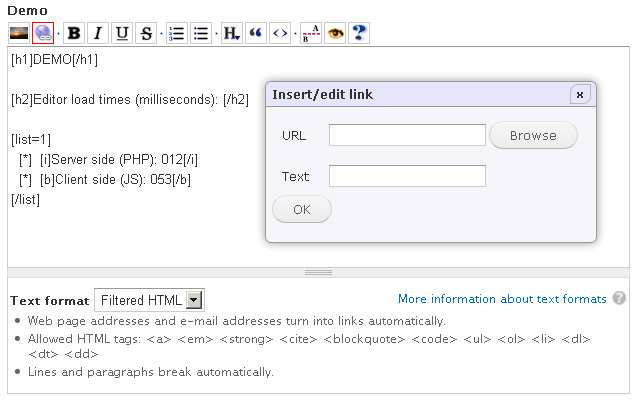
It comes with a default editor that has predefined buttons. The default buttons are:
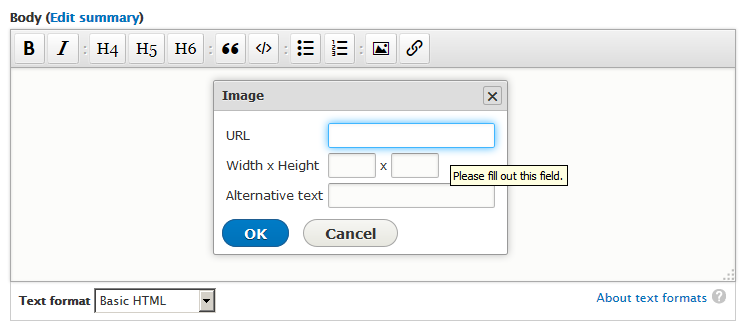
- Insert/edit image: Inserts image html. IMCE is used for file browsing, if it is installed. Editing a previously inserted image is possible if the html code of the image is selected with no extra characters.
- Insert/edit link: Inserts link html. It works the same way as the image insertion.
- Bold: Encloses the selected text with the tag <strong>
- Italic: Encloses the selected text with the tag <em>
- Ordered list: Converts the lines in the selected text to a numbered list. It is also possible to start a new list with no selection. If the selection is a list created by this button, the lines in the text are restored.
- Unordered list: Creates a bullet list.
- Teaser break: Inserts Drupal teaser break which is <!--break-->
- Preview: Instant preview of the content at client side. Lines and paragraphs break automatically as in Drupal preview.
- Help: Displays the title(hint) for each button in the editor.
Releases
| Official releases | Date | Size | Links | Status | |
|---|---|---|---|---|---|
| 6.x-1.3 | 2009-Apr-13 | 35.66 KB | Download · Release notes | Recommended for 6.x | |
| 5.x-1.1 | 2008-Jan-06 | 33.05 KB | Download · Release notes | Recommended for 5.x | |
