

This project is not covered by Drupal’s security advisory policy.
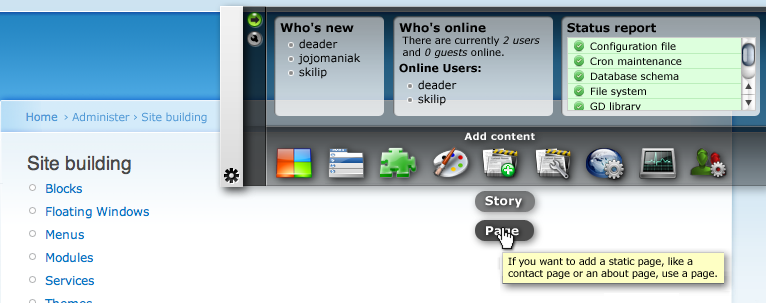
This module will provide a sort of control panel for users with administrative rights. It can be used to store commonly used links or to add block content to the 'dashboard' region.
On installation of the module, a Dashboard menu is created in the menu system. The menu is configurable, just like other menu's.
After installation you can configure the Dashboard by either assigning blocks to it's region or by changing the menu structure on admin/build/menu-customize/dashboard, or by navigating to the Dashboard Settings page.
By clicking the 'Toggle default visiblity'-button (the little green one) you can tell the Dashboard whether the Dashboard must remember it's last state (shown or hidden) for after a page-refresh. If this is disabled, the Dashboard is always hidden after a page-refresh.
In the permission table you can set the permissions for using an configuring the Dashboard.
It would be really nice letting the Dashboard be user dependent. This way all privileged users can change the Dashboard to their needs. Then the dashboard settings should be reachable from a tab next to the user settings.
Project information
- Project categories: Administration tools, Developer tools
 2 sites report using this module
- Created by skilip on , updated
 This project is not covered by the security advisory policy.
Use at your own risk! It may have publicly disclosed vulnerabilities.

