


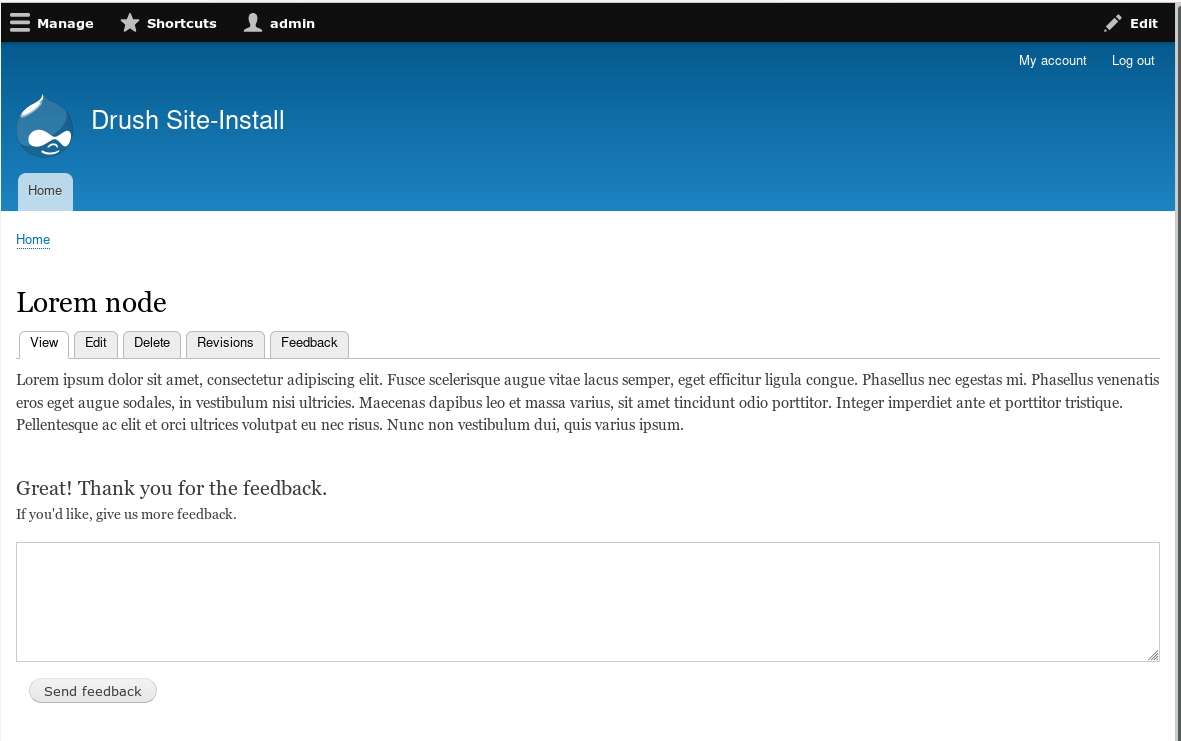
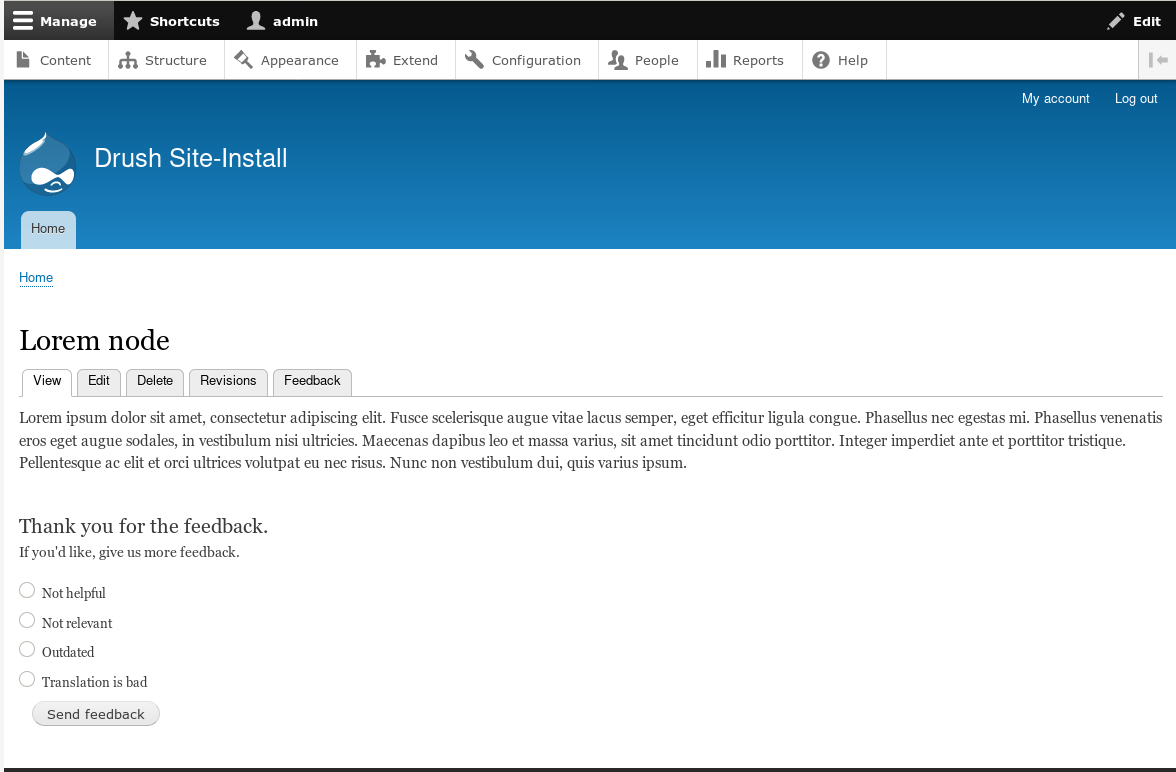


Advanced Content Feedback (initially named admin_feedback) makes it very easy to analyze, view statistics and gather user information about the content of your site.
Description
Module for gathering user feedback on content (nodes). Allows users to submit feedback to content via ajax requests (so the client is never redirected). Dashboard is provided for the administrators to easily monito, analize and inspect the content feedback.
- Perfect for FAQ or help pages to get feedback about the contents and improve upon it
- Easy way to improve the content of the website through actual client feedback
- Permission system to allow only certain roles give feedback and/or analyze it
Features
Feedback block
This module ships with a block which can be placed on different content types.
The feedback block contains a form where users can leave positive or negative feedback and a message (optional) about the current content.
The text labels of the block can easily be changed in the admin UI (/admin/feedback/settings). That includes the question that is asked, yes/no buttons and all other copies and responses that the user sees.
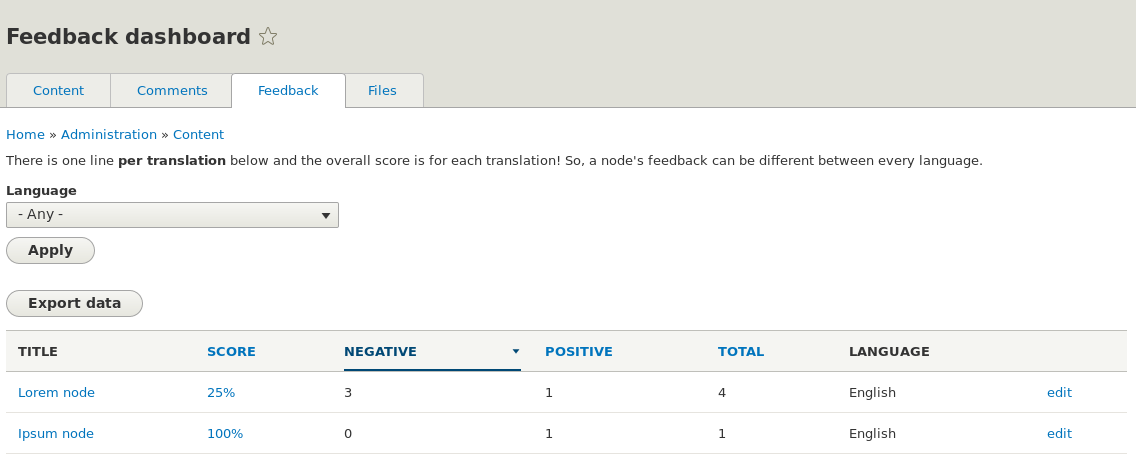
Content Feedback Dashboard
Dashboard is located at /admin/content/feedback and there are permissions to configure who can access it.
Dashboard contains all the feedback from the users.
Dashboard has two view displays to display the information:
1) Displaying all the nodes which have at least 1 feedback record.
Displays each node's title, average positive score in percentage, total count of positive and negative feedback's, link to the detail view.
Users who have the permission can also download the feedback data from the database as .xls file for further study and analyze.
2) Detail view - Contains a list of all feedback's with their messages and creation date for specific node. Admins can click "inspected" on each feedback record to mark them as solved.
Setting up / Installation
1) Download and install the module as usual.
2) Add the feedback block (Admin Feedback Block) to the block layout.
3) Navigate to /admin/feedback to see the dashboard.
After that it's advised to also review the permissions, as all roles will have the permission to give feedback, but only admins can use the Admin Dashboard.
Similar modules
- https://www.drupal.org/project/helpfulness - D8 module which provides a similar block, but the form is not based on ajax.
- https://www.drupal.org/project/feedback - popular D7 module, D8 module is still being ported. Adds a textarea where users can provide feedback about a page, AJAX based.
- https://www.drupal.org/project/vote_up_down - Allows votes on some drupal entities and provides the base for implementing votes on other entities.
- https://www.drupal.org/project/like_dislike - D8 module, allowing to like and dislike actions on any content. It is powered by Drupal field concept.
- Some modules missing? Some info is correct? Pleas refer to this issue to update the list.
Additional Information
No D7 release will be made, as this module was created for D8 and there are similar modules already for D7.
For any issues, please feel free to create an issue in the Issue Queue.
Project information
- Project categories: Administration tools, Content editing experience, User engagement
 329 sites report using this module
- Created by anuar.alfetahe on , updated
 Stable releases for this project are covered by the security advisory policy.
Look for the shield icon below.
Releases
released 16 September 2026
Neutralize formula triggers on CSV exports
Development version: 8.x-2.x-dev updated 16 Sep 2026 at 09:59 UTC


