

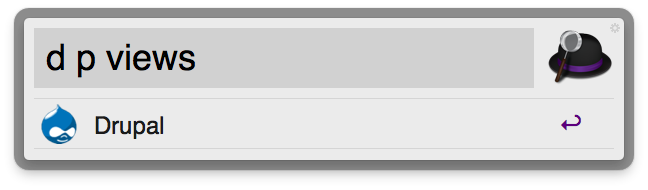
Alfred is a productivity application for Mac OS X, which aims to save you time in searching your local computer and the web. With the release of Alfred 0.9.9, they added an extension interface, so lets have some Drupal extensions!
Extensions are part of the Alfred Powerpack, so make sure you have the powerpack enabled, see http://www.alfredapp.com/powerpack.
Usage
7.x-3.x (Download Workflow) for Alfred 3
Drupal API lookup
d5 [substring_of_hook] (cached for 365 days)
d6 [substring_of_hook] (cached for 365 days)
d7 [substring_of_hook] (cached for 30 days)
d81 [substring_of_hook] (cached for 2 days)
d82 [substring_of_hook] (cached for 2 days)
g.d.o
dg [nid or group]
d.o
do [string]
- Search projects by name
- Open project url with shortname shortname
- Open nid
doi [project] (Load a project issue page at d.o)
dor [project] (Goto drupalcode.org repository page for project)
dc [project] (Goto drupalcode.org repository page for project)
Search Drupal
ds [string to search]
- Search Drupal site network for [string]
- Search Drupal issues for [string]
- Search Drupal groups for [string]
Find a user
du [user id or name]
- Find by Drupal username
- Find by IRC nick
Drush (drush as per Alfred v1 Drupal plugin)
dd d [command] (a Drush alias with a Drush command command
Action - Invokes Drush
dd o [command] (a Drush alias Action - Opens the URI associated with the Drush alias in a browser)
7.x-2.x (Use with Alfred 2)
7.x-1.x (Use with Alfred)
Commands
d a* [function_name] (* = api version)
d s [query] (search drupal.org)
d g [nid] (goto nig on g.d.o)
d p|m|t [query] (Arguments - project|module|theme Action - goes to a project page on d.o)
d [query] (nid|project Action - goes to a page on d.o.)
d d [query] (Arguments - a Drush alias with a Drush command command Action - Invokes Drush)
d o [query] (Arguments - a Drush alias Action - Opens the URI associated with the Drush alias in a browser)
Project information
- Created by dstol on , updated
 Stable releases for this project are covered by the security advisory policy.
There are currently no supported stable releases.


