

Background images is a collection of modules that allows users to add background images to html elements on pages of the site. Three module are included with the project:
Background Image (bg_image)
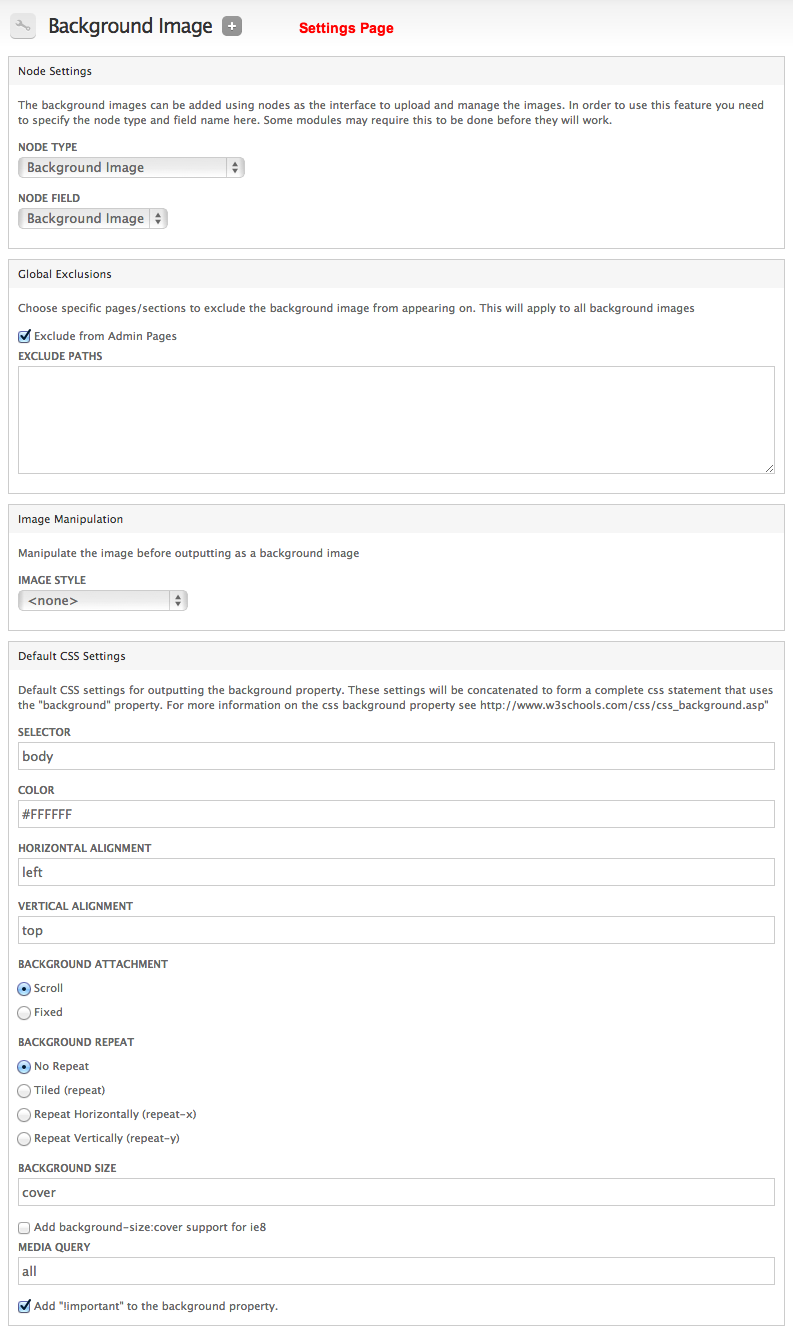
This is an api module that provides tools to add background images to html elements using the css "background" property. A basic settings page is supplied as well as functions to easily add the "background" property to the page.
An exisiting content type with an image or media field, can be used as the interface to manage the images, but is not required. Modules implementing bg_image can use their own interface for image uploads if they don't want to bother with nodes. bg_image_context and bg_image_ui (explained below) use nodes as the image managing interface.
Background Image Context (bg_image_context)
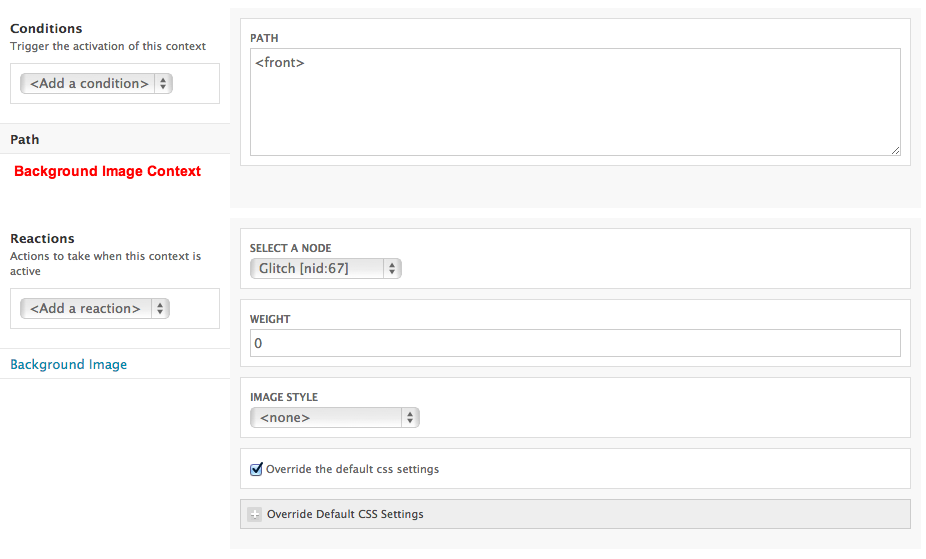
This module defines a new context reaction called "Background Image" which will let you add background images based on any criteria you can craft with context's conditions.
Background Image UI (bg_image_ui)
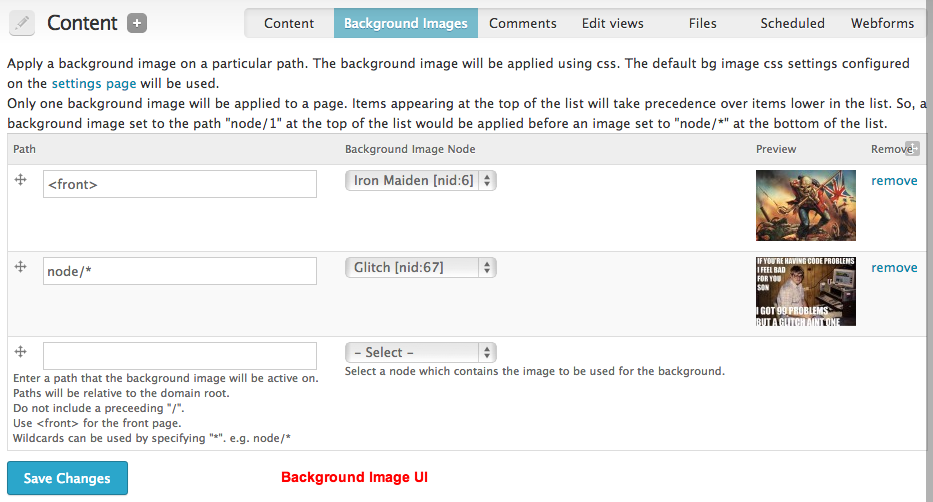
This module provides an interface to apply background images on specific pages.The background image paths administration page can be found at admin/content/background-images.
Here, you can pair up a path with a node. When that path is reached, the node's image field will be used to apply a css background image on the page (using the bg_image default css settings)
See each module's respective README file for more more in depth explanations
Modules that extend Background Images
Background Images Formatter
Provides a background image field formatter. This module is great if you just want the image to be used as the background of the node/entity it's uploaded to.
Other Notes
A basic understanding of CSS is expected to use this module effectively. The background images are added by creating a css statement that uses the css "background" properties:
- background-image
- background-color
- background-repeat
- background-attachment
- background-position
- background-size (CSS3)
You can also add !important to the property to override any other background images added by the theme
Here's an example of what your bg_image css selector might look like:
body #main-wrapper {
  background-color: #FFFFFF !important;
  background-image: url('http://example.com/sites/default/files/image.jpg') !important;
  background-repeat: no-repeat !important;
  background-attachment: scroll !important;
  background-position: left top !important;
  background-size: cover !important;
  -webkit-background-size: cover !important;
  -moz-background-size: cover !important;
  -o-background-size: cover !important;
}
Version Information
The above is for Version 7.x only.
Version 6.x only provides the background image context reaction all rolled into the one bg_image module. It will probably remain like this for a while if not forever...
Special Release Note: As of January 21, 2012 (with the release of 7.x-1.0-beta1), the structure of Background Images has changed. Anyone updating from an older version will need to disable (but not uninstall) all bg_image modules before updating to the new version. Any contexts and settings that you had set before should remain intact through the process.
Development sponsored by: Fuse Interactive
Project information
 1,900 sites report using this module
- Created by drclaw on , updated
 Stable releases for this project are covered by the security advisory policy.
There are currently no supported stable releases.

