

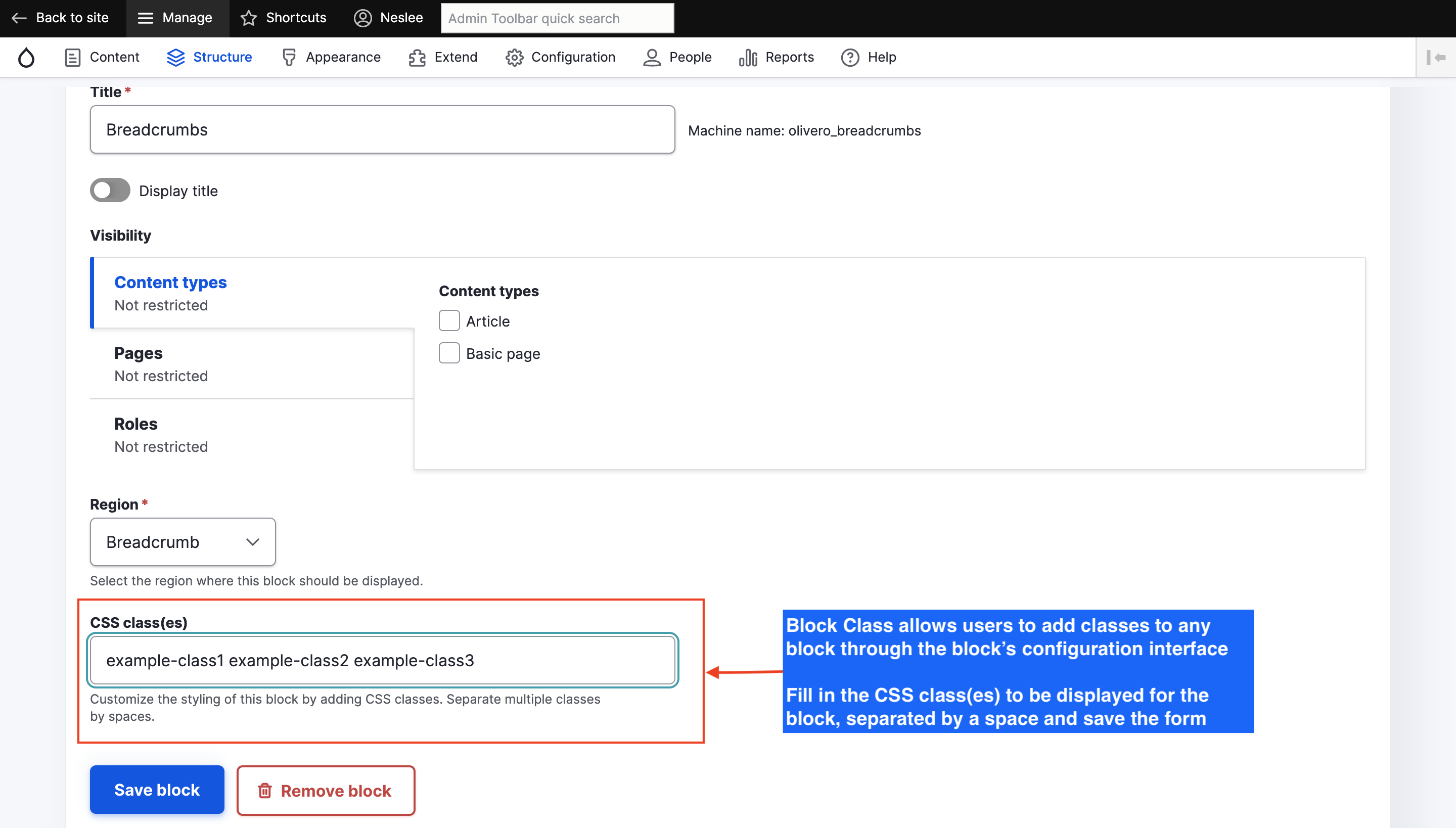
Block Class provides a field to add CSS classes to a block from the user interface. No change needed to the theme and no tech knowledge required to control CSS classes for any block from the standard admin interfaces. Exports Block classes to configuration and integrates with all Drupal core API modules.
- Usage example
- Should I use version 3 or 4?
- Installation and configuration
- Integration
- Similar modules
- Support and maintenance
- Download
Usage example
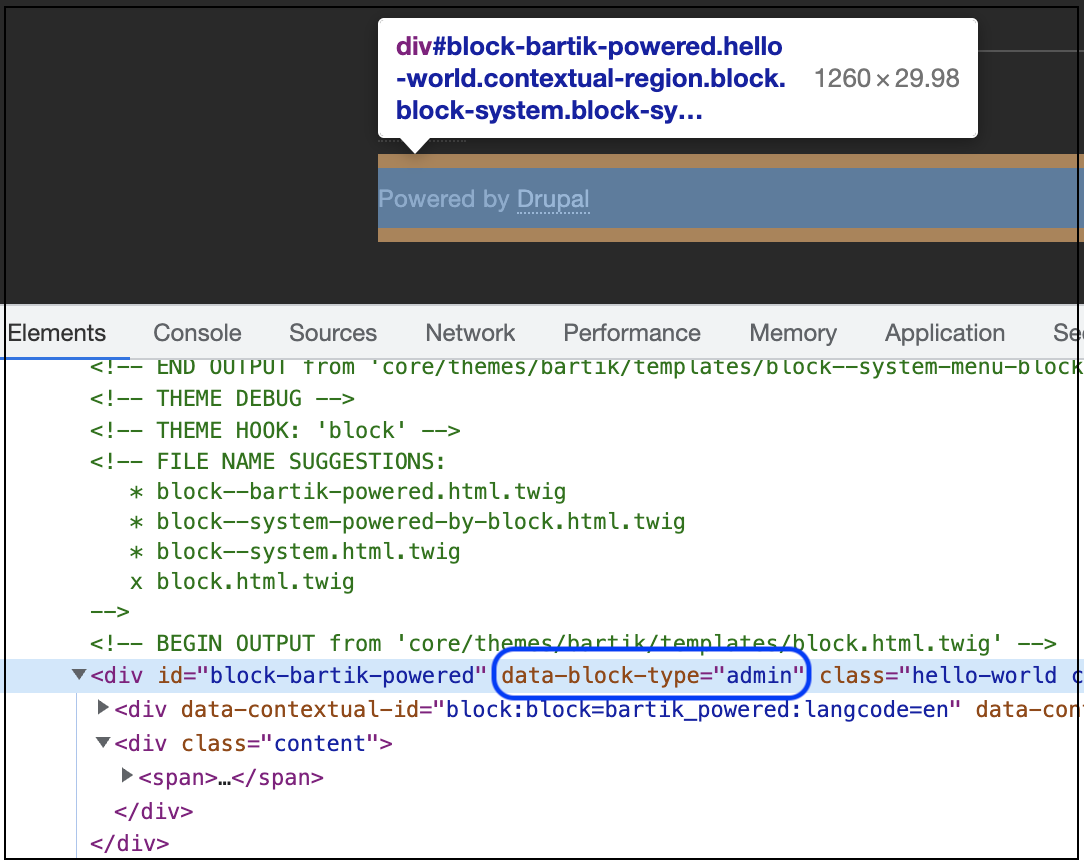
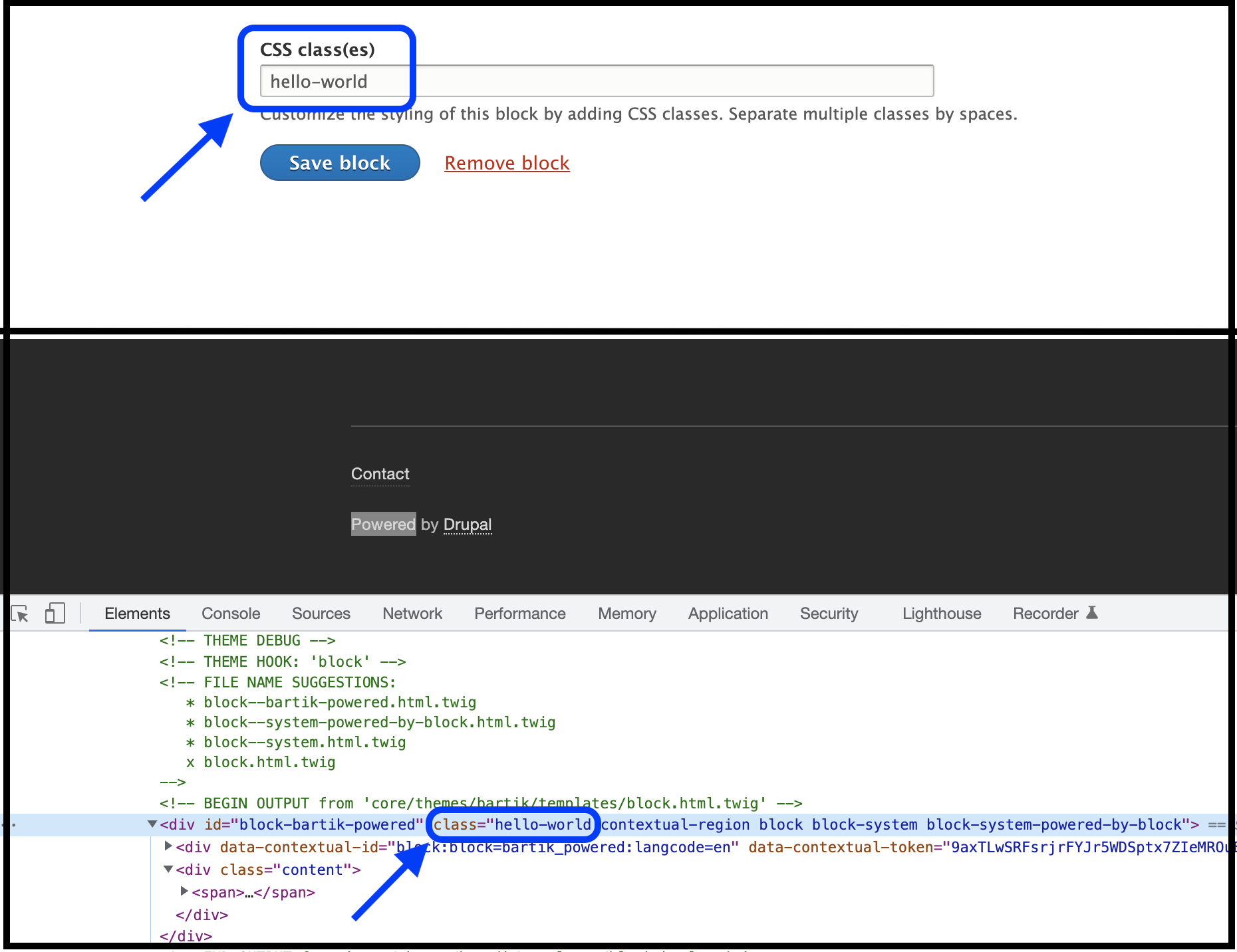
A pretty cool and simple setup or application of this module would be, for example, to add a simple standard CSS class to a Views or Custom Content block that could be displayed on the front page.
Very practical for setting fixed CSS classes for fixed blocks such as in the footer (copyright, footer-left, footer-notices, etc...) or in the header. Since the classes are exported with the block configuration, the changes can be committed to the project's code base and easily deployed.
Should I use version 3 or 4?
🟢 Block Class 3.x - stable (Legacy: port from D7)
- Does very well what it says it does, a single thing: Adding custom CSS classes to blocks from the admin back-end UI.
- Very stable, simple and lightweight, fully Tests covered and well maintained.
- Easy to use: No settings or documentation, just enable the module and get any kind of user (developer, content editor) started immediately with adding CSS classes to blocks.
- Recommended and preferred upgrade path from Drupal 7.
🟠 Block Class 4.x - Experimental (Latest features and developments)
- Provides more advanced/comprehensive features:
- CSS classes: Allows adding classes to blocks, stored in config to be reused for other blocks and selected through an AJAX autocomplete field on the block config form.
- HTML ID: Allows overriding the HTML ID of a block.
- HTML Attributes: Allows adding any types of HTML Attributes sets to the code of the block:
custom-attribute="custom-value" - Provides several management pages, bulk operations, settings, etc...
- Much larger code base, limited tests coverage, user documentation, field descriptions or help texts and limited maintenance.
- With a wider set of features, the module is also harder to understand: A long/comprehensive list of settings, more fields, more management list views and pages.
- No Drupal 7 upgrade support, use 3.x.
- Experimental: Certain features may have unexpected results on sites, break, show error messages or may not provide the intended behavior.
It is possible to upgrade from 3.x to 4.x, but not the other way around.
The 3.x branch still provides an intermediate step for sites upgrading from Drupal 7 already satisfied with the features of a direct port of the D7 module.
An upgrade to 4.x can still be considered afterwards. 👌
Upgrading from prior versions: 8.x-1.x or 2.x
For any upgrade from versions prior to the 3.x or 4.x, see documentation page Block Class Version compatibility. 🛑 Do not upgrade from 2.0.x to 3.0.x.
Installation and configuration
-
Prerequisites:
Requires the Block Core module to be enabled.
-
Installation:
Download and install Block Class as you would any other module, see Installing Modules.
-
Configuration (see screenshot on the right):
After successful installation, browse to the Block Layout page and edit/configure any block, for example for the 'Main page content' block, the configuration page would be something like:/admin/structure/block/manage/olivero_content.
The form should now have a new text fieldCSS classesallowing to add custom classes to the block.
Integration
With other block modules
This module plays well and has been tested with any block provided by Core, such as Custom block (block_content), Views, User, but also with other contrib modules such as Simple Block or Page Manager.
With any theme
As long as the theme block twig template allows printing block attributes, all the changes made to the back-end configuration should be reflected immediately in the HTML of the theme.
Exported with block configuration
The CSS attributes being stored in the block third_party_settings config property, they can be exported to configuration files with its corresponding block.
Similar modules
-
Block Attributes
For users looking for more theming flexibility, capabilities or with more advanced requirements, the Block Attributes module allows to specify additional HTML attributes for blocks, through the block's configuration interface, such as HTML id, style, title, align, class and more.
- Block Class Styles
Extends the Block Class module to incorporate styles (or themes) rather than css classes. Adds style-based tpl suggestions. Allows HTML in your block titles.
-
Block Classes
Extends the Block Class module to allows users to add classes to block title, content, and wrapper of any block through the block's configuration interface.
- Layout Builder Component Attributes
Layout Builder Component Attributes allows editors to add HTML attributes to Layout Builder components.
Support and maintenance
Releases of the module can be requested or will generally be created based on the state of the development branch or the priority of committed patches.
Feel free to follow up in the issue queue for any contributions, bug reports, feature requests. Create a ticket in module's issue tracker to describe the problem encountered, document a feature request or upload a patch.
Any contribution is greatly appreciated.
Credits
Block Class Logo by Nico Grienauer (Grienauer)
Project information
- Project categories: Content display, Content editing experience
 89,709 sites report using this module
- Created by todd nienkerk on , updated
 Stable releases for this project are covered by the security advisory policy.
Look for the shield icon below.
Releases
released 10 November 2025
Experimental: Latest features and developments including block CSS classes, HTML ID or any custom Attributes.
Development version: 4.0.x-dev updated 1 Oct 2026 at 00:30 UTC


