




This project is not covered by Drupal’s security advisory policy.
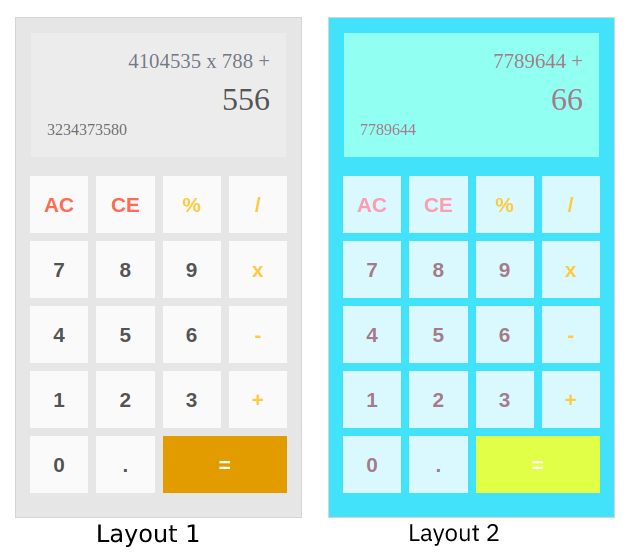
The Calculator Block Module provides a block to display simple calculator on your website with predefined layouts where you can also override the default css layouts on your custom theme.
We can also override the calculator template and css for design layout with abailable variables on the twig template.
We can copy the template file from templates/calculator-block.html.twig and place on your theme themplate directory and customize the html and implement your own layout with custom css.
Support
Please post bug reports, feature requests and support requests to the Calculator Block module issue queue. If you met any problems with this module - feel free to create an issue.
Demo
- Go to https://simplytest.me/project/calculator.
- Click "Launch Sandbox".
- Install Drupal as normal.
- Enable "Calculator Block" module, and any optional modules you wish to try out.
- Go to structure > Block layout
- Click on the place button wheren you want to add the calculator
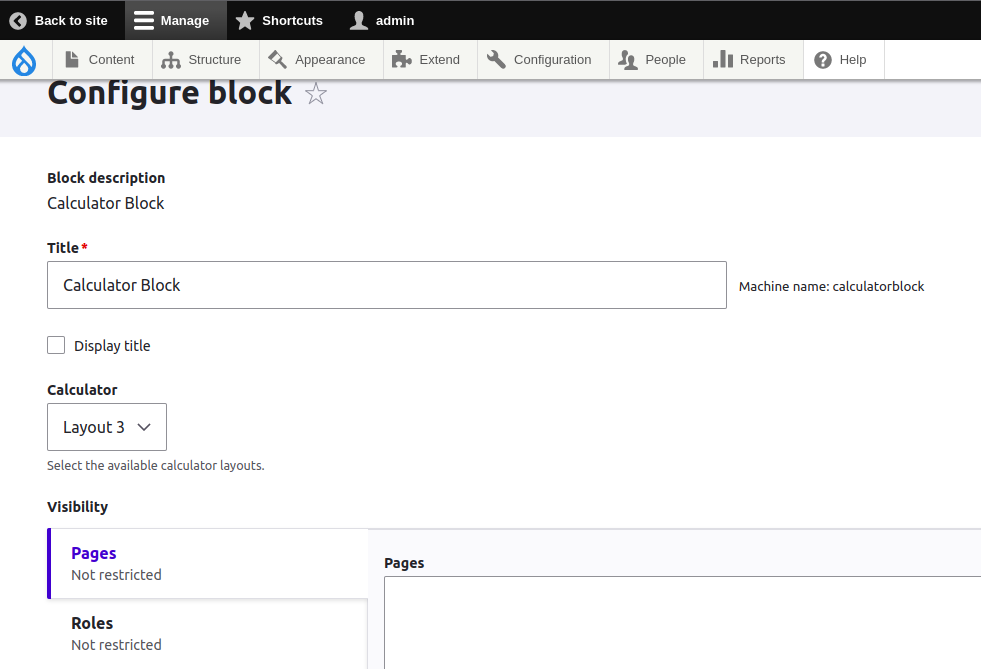
- Configure the block title, Calculator Layout and visibility as your requirement
Installation and download
Installation with Composer:
composer require 'drupal/calculator'
Looking for support?
- Free community support options
- Developers can participate our support channels on a best-effort basis, Drupal Answers.
Contact

Project information
- Project categories: Developer tools
 16 sites report using this module
- Created by sujan shrestha on , updated
 This project is not covered by the security advisory policy.
Use at your own risk! It may have publicly disclosed vulnerabilities.

