

This Module has now been converted into a CiviCRM extension with existing functionality and new features.
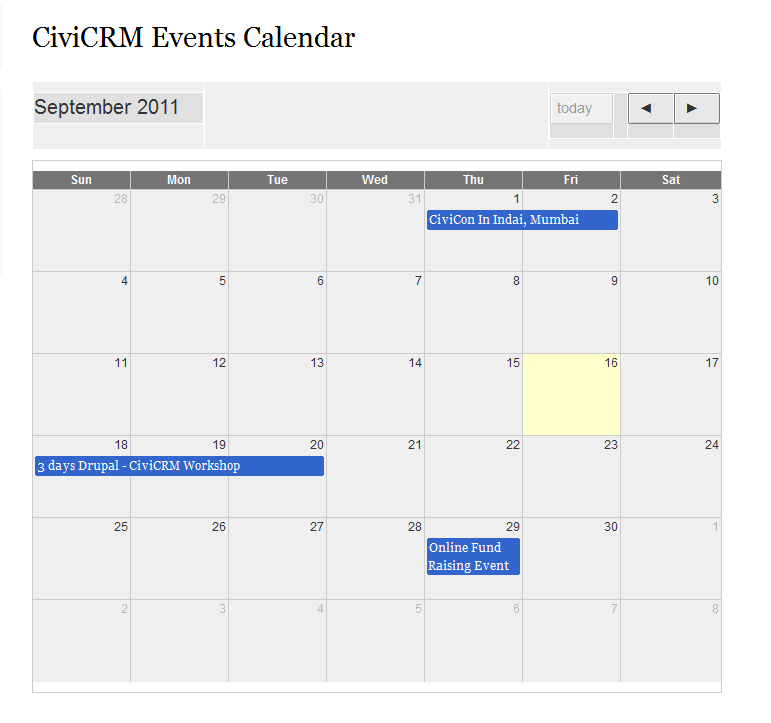
The CiviCRM Events Module pulls and display the CiviCRM events in a calendar using the Jquery Plugin fullcalendar .
Requirements
Jquery Plugin fullcalendar .
The current version for D6 and D7 is tested with 1.4.2 version of fullcalendar.
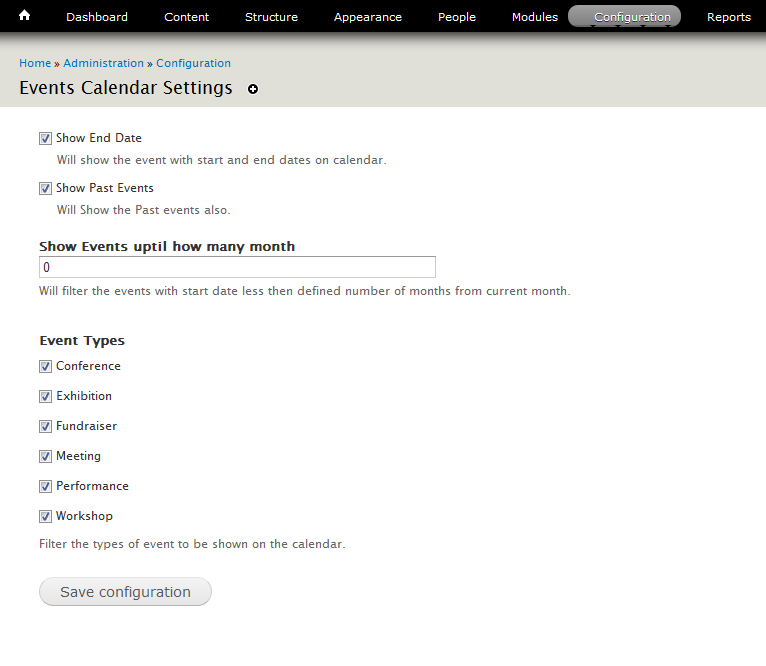
Configurations Available :
Currently the calendar settings available are :
1. Show/Hide End date.
2. Show/Hide Past Events.
3. Restrict events upto particular months.
4. Filter events of Specific Types.
Installation:
Download the Jquery Plugin fullcalendar . and copy the file 'fullcalendar.js' in js folder and copy fullcalendar.css in css folder. You are done, you can see the Events Calendar at /events/calendar.
Project information
 Minimally maintained
Maintainers monitor issues, but fast responses are not guaranteed. No further development
No longer developed by its maintainers. 39 sites report using this module
- Created by rahulbile on , updated
 Stable releases for this project are covered by the security advisory policy.
There are currently no supported stable releases.


