


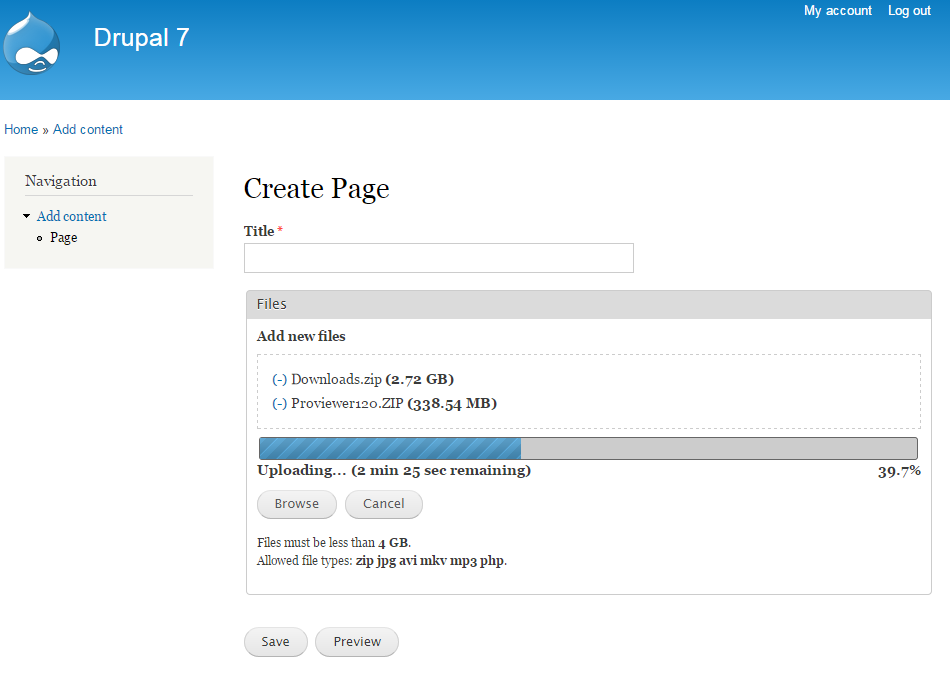


File Resumable Upload aka file_resup adds large files multiple and resumable upload to the File and Image field widgets.
Watch Daily Dose of Drupal Episode #181 about File Resumable Upload on CodeKarate.com!
Features
- Gracefully integrates with the core File and Image field widgets.
- Allows to upload multiple files at once.
- Allows to upload large files (over 2 GB) even to 32bit servers and bypassing PHP's upload limits.
- Allows to resume interrupted uploads.
- Supports both Browse and Drag & drop.
- Supports adding or removing files on the fly while uploading.
- Secure
- Fast handling of large files (Read recommendations below)
- Easy installation: No dependencies (except File itself), no libraries!
- Uses a custom and very lightweight (4.9 KB) JavaScript called resup.js, inspired by Resumable.js but more optimized.
- Displays an estimation of the remaining upload time.
- Allows to automatically start upload on files added.
Limitations
File Resumable Upload is a pure HTML5 solution and therefore will only work on modern browsers. It automatically degrades to the standard upload widget when unsupported.
Instructions
- Install the module like any other module.
- Set permission Upload via File Resumable Upload.
- Edit a File or Image field.
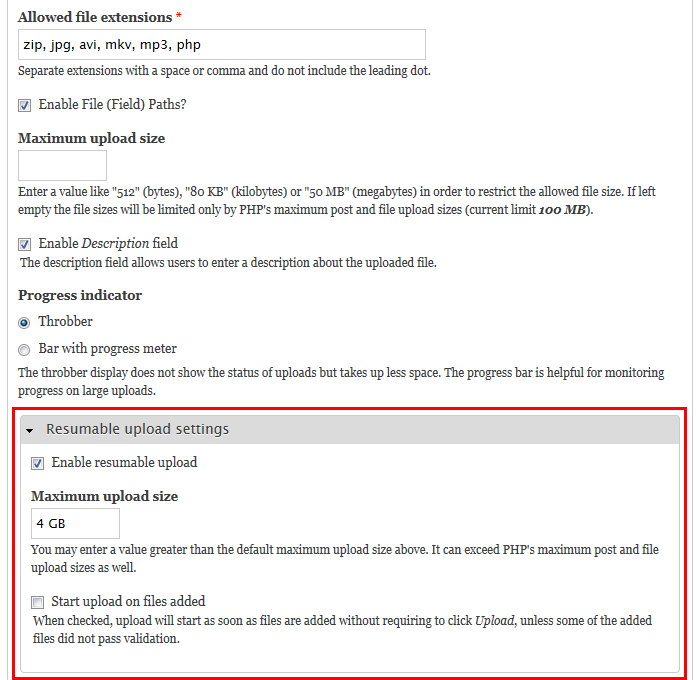
- Expand Resumable upload settings.
- Check Enable resumable upload.
- Set Maximum upload size, if needed.
- Check Start upload on files added, if desired.
- Save settings.
- Enjoy!
Supporting organizations:
Project information
- Project categories: Content editing experience, Media, Site structure
 1,745 sites report using this module
- Created by anrikun on , updated
 Stable releases for this project are covered by the security advisory policy.
Look for the shield icon below.


