


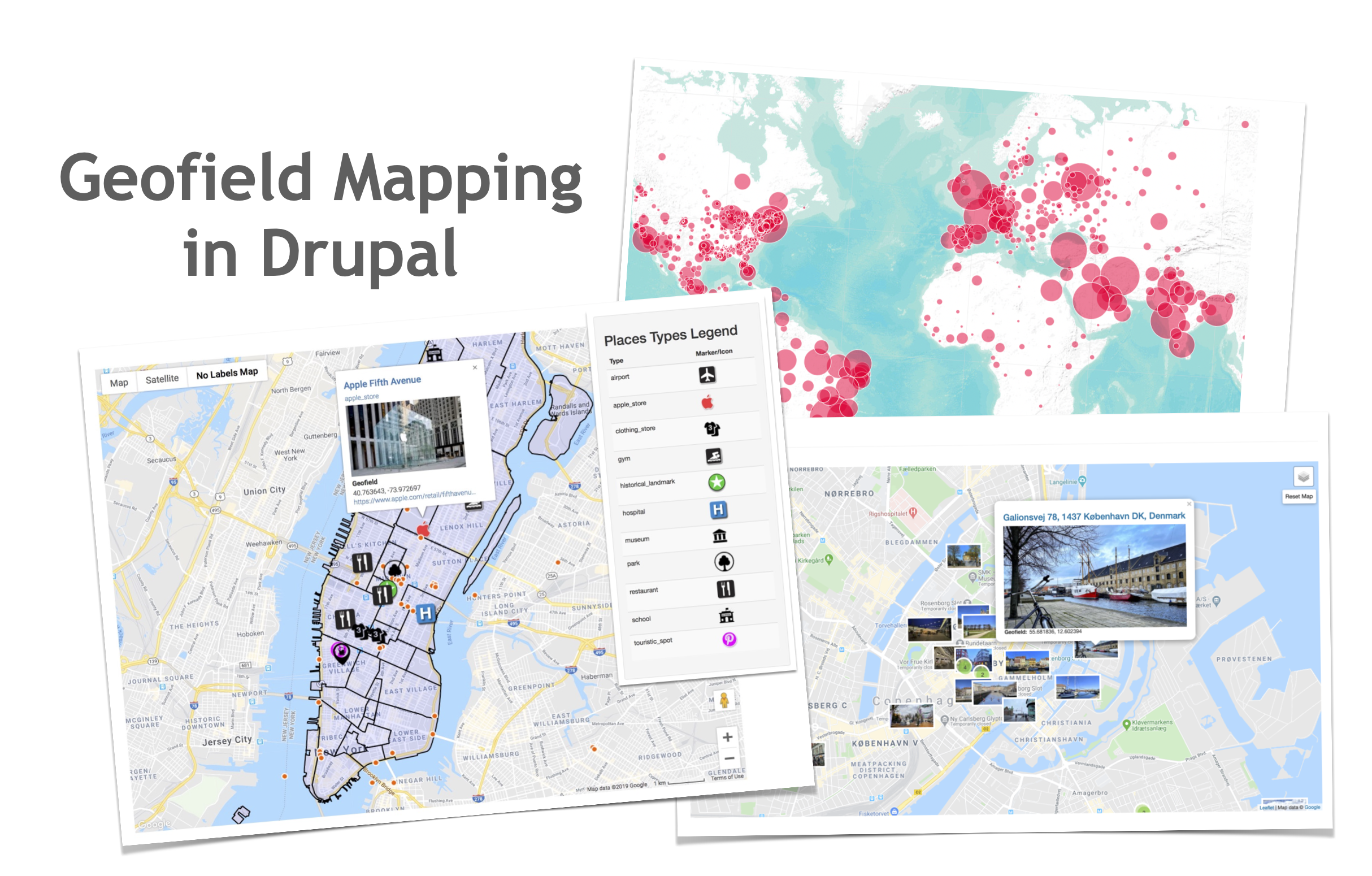
Provides a geo-location field for storing and managing geographic data, enabling the integration of maps, geocoding and location-based functionalities. It supports all geo-types (points, lines, polygons, multi types geometries), and integrates with various Js Mapping Libraries (Google Maps, Leaflet, etc.)
> 👉 LIVE DEMO <
Note: 8.x-1.x branch is not going to be further maintained / developed over its 8.x-1.67 release (and will be marked as "un-supported" soon). Please update asap to latest 10.3.x release!
Widgets (Data Input)
Latitude and Longitude
Supports entering data as both Decimal Degrees (122.340932) and Degrees-Minutes-Seconds (-123° 49' 55.2" W).
Well Known Text (WKT)
A textarea for direct WKT input
Bounding Box
Four text fields where lat / lon can be entered
Geocode from another field
There is native integrations with the Geocoder module (http://drupal.org/project/geocoder).
This allows you to use data from one field to populate your geofield automatically.
Formatters (Data Output)
Latitude and Longitude
Supports display as both Decimal Degrees (122.340932) and Degrees-Minutes-Seconds (-123° 49' 55.2" W)
Well Known Text (WKT)
Google Maps and Leaflet Maps (OpenLayers only for D7)
Display your data on a map, integrating other Drupal Geofield Mapping modules (see below).
Installation
For Drupal 7 version all you need to do is install the Drupal GeoPHP module, which is required by geofield.
Drupal 9 & 10, and GeoPHP library dependency
Since 8.x-1.0-alpha2 version, this module is not depending on Drupal GeoPHP module anymore.
The Drupal 8 & 9 version of Geofield module needs to be installed using Composer, it means simply running the following command from your project root (where the main composer.json file is sited):
$ composer require 'drupal/geofield'
This process will also download the required GeoPHP library dependency (that will be sited in the /vendor folder).
For further information, see Installing Drupal Modules].
Configuration
Once enabled the module it will be possible to add a "Geofield" field type to
any entity type/bundle and then choose the preferred widget or formatter.
Advanced Mapping and Geocoding with Geofield
Geofield perfectly matches and extends itself with its dependent most adopted third party modules, such as:
- Geofield Map: an advanced, complete and easy-to-use Geo Mapping solution that lets you manage the Geofield with an interactive Map both in back-end and in the front-end
- Leaflet: Drupal advanced integration with the Leaflet JS mapping library. Advanced features for creating and editing Points and Geometries Layers (Linestring, Polygon) so as for managing Leaflet Views styles and Formatters;
- Geocoder: Most advanced, complete and easy to use solution to process Geocode and Reverse Geocode operations on Drupal Entities;
- Address Field: Holds internationally compatible postal addresses based on xNAL. Compatible with Geocoder;
- Search API Location: Adds geospatial-based searching to the Search API module;
- and many others (created in the wild by the Drupal community) ...
Resources
- Documentation for Drupal 7 (incomplete and outdated)
- README.txt for Drupal 7
- README.md for Drupal 9 & 10
- Book: Mapping with Drupal (7)
- Slideshare Presentation by itamair: How to turn Drupal 8 into an advanced Web GIS 2.0 application with the Geofield Mapping stack
- Slideshare Presentation by itamair: Drupal 8 Geofield Mapping Stack: from Basic to Advanced
Credits
Thanks to all contributing developers of the Geofidld module (so as many others who have helped with bug fixing and documentation).
A special thanks to the following organization for sponsoring the development of initial Geofield for Drupal 7 version: HighWire Press, Phase 2, and GeoScienceWorld
Project information
- Project categories: Content display, Integrations, Site structure
- Ecosystem: Geofield
 66,476 sites report using this module
- Created by phayes on , updated
 Stable releases for this project are covered by the security advisory policy.
Look for the shield icon below.
Releases
released 9 March 2026
Most stable and documented release
Development version: 10.3.x-dev updated 17 Apr 2026 at 08:31 UTC
released 10 January 2026
Most stable and documented release
Development version: 8.x-1.x-dev updated 10 Jan 2026 at 13:33 UTC


