

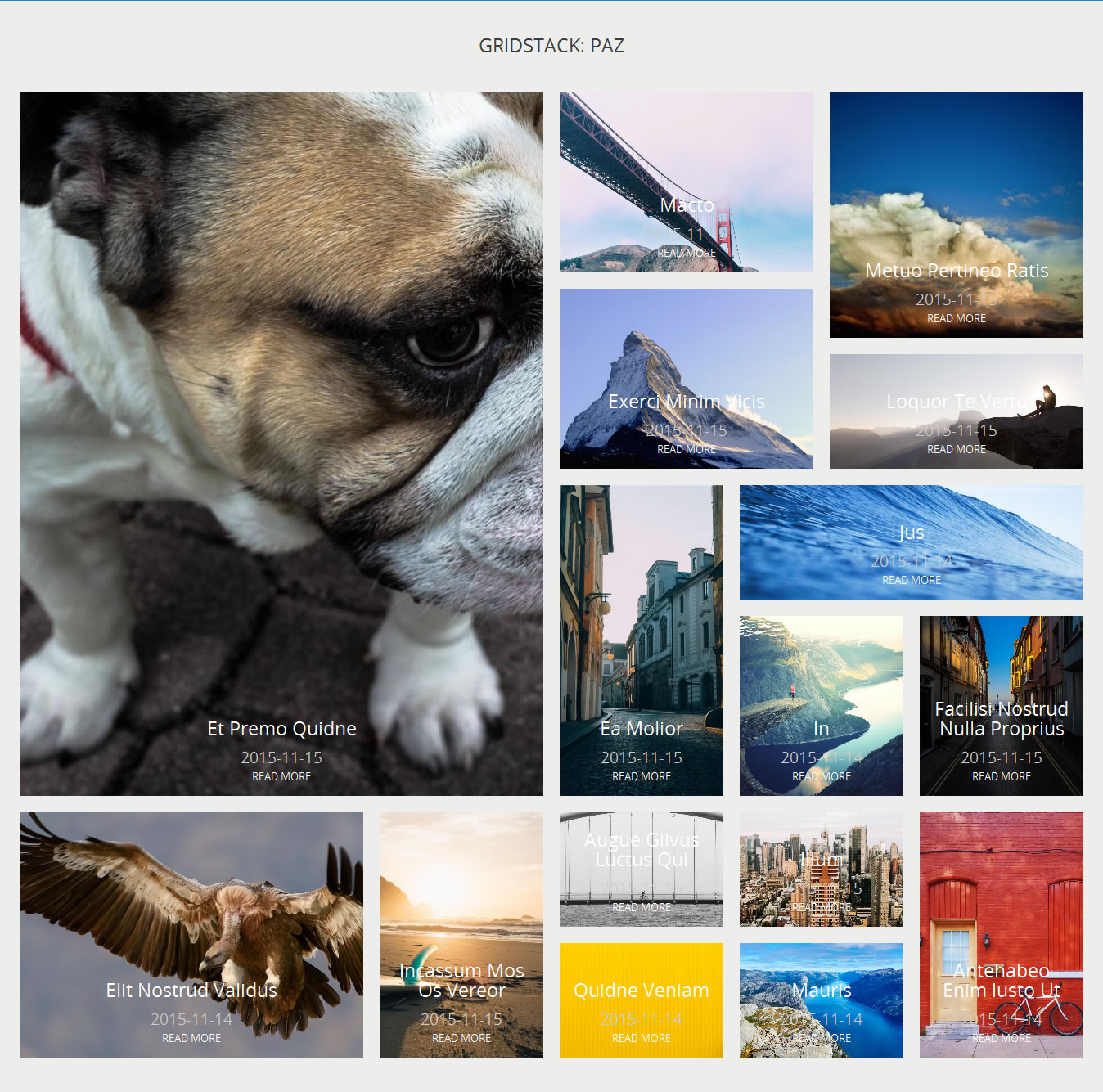
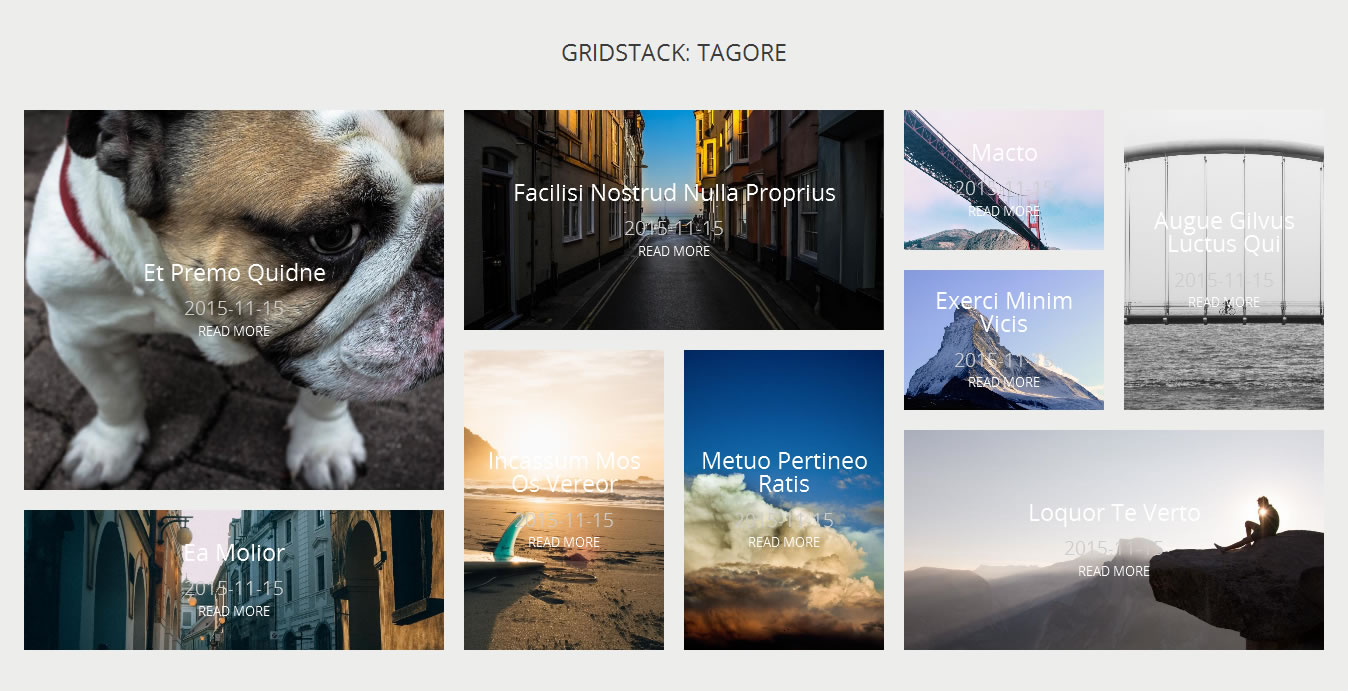
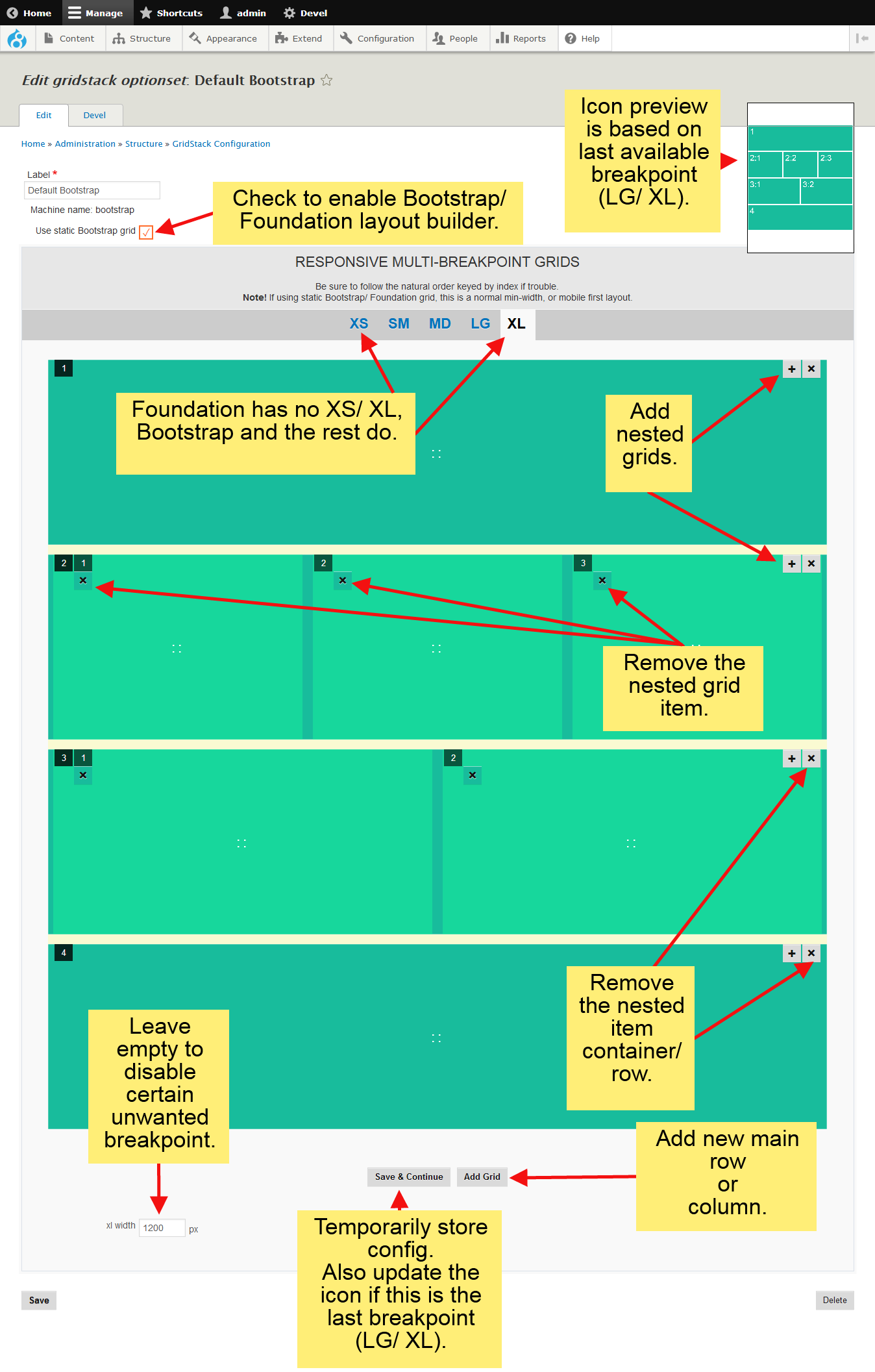


GridStack provides integration with gridstack.js as a dynamic layout creator for both two-dimensional layouts (Masonry, Packery, Isotope, native browser Grid Layout), and linear or
one-dimensional layouts (Bootstrap/ Foundation, etc.) with drag-and-drop. A few optional field formatters, and Views style plugin.
Requirements
- Core Layout Discovery.
- Blazy
- GridStack library
- Unlimited (multi-value) core Media field for Layout Builder integration.
- 8.x-2.8+ | 3.x: library v4 - v5.
- 8.x-2.7 below: library v1.1+ and <= v1.2.1.
Versions
#3308678: GRIDSTACK LIBRARY v6+ is not supported yet, the highest version tested was v5.1.1.
Each library branch has different structure, the expected:
- 8.x-2.8+ | 3.x requires library v4 - v5:
- /libraries/gridstack/dist/gridstack-h5.js (for admin UI)
- /libraries/gridstack/dist/gridstack-static.js (for js frontend, optional, not required by static grids: Native Grid, Bootstrap, Foundation, etc.)
Check out how to get dist folder here, or directly download the v5.1.1 archive for FTP users.
- 8.x-2.7 below requires library v1.1+ and <= v1.2.1, not the source codes, nor master archives. Due to recent dist archive removals, as a temporary solution till 2.8 released, please download here:
- v1.1.2.zip, the last version tested for 8.x-2.7, or
- v1.2.1.zip, not tested yet but has similar structures
Create a "gridstack" folder under libraries and place the extracted archive, rename it dist if not already:
- /libraries/gridstack/dist/gridstack.min.js (required by js-driven back/ front-end)
- /libraries/gridstack/dist/gridstack.jQueryUI.min.js (required by admin UI)
- 8.x-2.4 requires v0.5.3 below.
None of GridStack library JS or CSS are loaded at front-end when treated as a static grid for Bootstrap or Foundation or as native browser Grid Layout. The library is still used as a layout generator for admin instead. The library moved very fast
with different library structures of files, including renamed files, I cannot catch up, yet. Should be no problems as long as you stick to the working/ tested files as provided via the above temporary download locations.
Installation/ Quick usage
- /admin/structure/modules
Install the module under Blazy package as usual, more info can be found on here, including:- GridStack UI (for layout CRUD),
- GridStack Example (for demo),
- GridStack Layouts (for usable layouts OOTB) to get up running quickly.
Uninstall them all if no longer used/ needed.
- /admin/reports/status
Verify the required library installed properly - /admin/structure/gridstack/ui
Enable Bootstrap/ Foundation supports, etc. - /admin/structure/gridstack
To manage or add initial layouts, or skip for just defaults for now. Always clear cache whenever adding new layouts due to layout registrations are permanently cached. No need to keep clearing cache once layouts were registered unless any issue
due to aggressive caching. -
Layout overrides: /node/123/layout
Works fine as long as Media field available.
Layout defaults: /admin/structure/types/manage/page/display/default/layout.
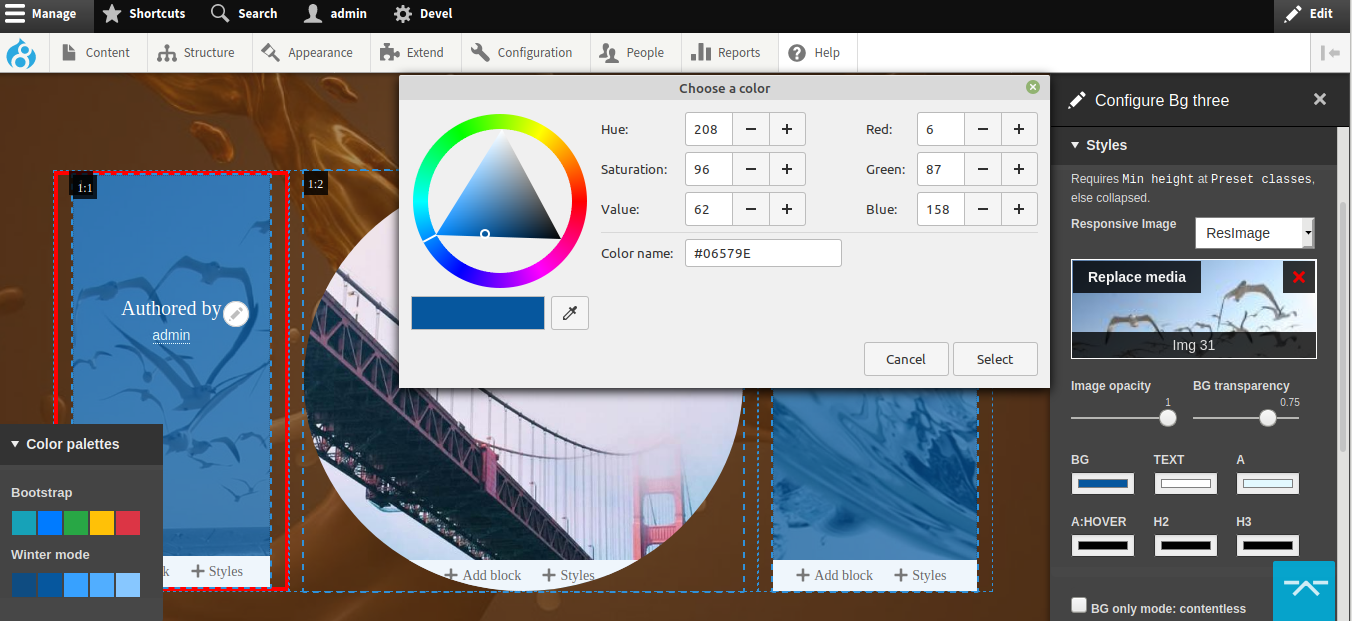
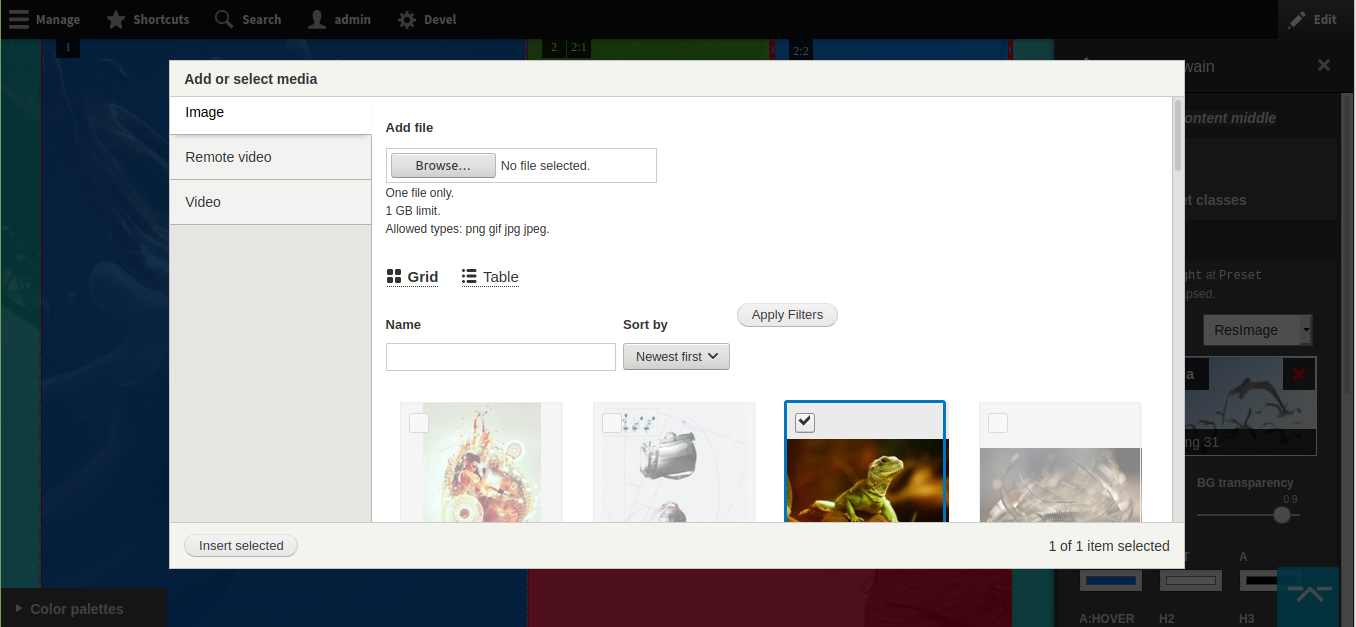
Choose GridStack layouts at Layout Builder pages to have the custom styling as in the screenshots (8.x-2.6+ only). Be sure to have unlimited (multi-value) Media field first (e.g.: /admin/structure/types/manage/page/fields).
Troubleshooting
- /admin/modules
Install the provided samples to get up, and running quickly. - /admin/structure/types/manage/article/fields, etc.
Create field Image + Tags if none exists. Have enough contents (including Image + Tags, as normally appear at Article content type) for non-layout-builder demo samples to display properly. Use Devel
Generate module. - /admin/structure/blocks
Place the sample blocks at wide regions. Search for GridStack/ Outlayer. - /admin/config/development/performance
Be sure to clear cache if any display issue, like skins not displayed, layouts broken, new layouts not displayed, etc. - If still an issue, press F12 at any browser. Find Console and fix any JS errors. If unsure, create an issue, and be sure to include the screenshot in your issue.
- Always test out and verify against core Bartik for all blazy ecosystem, in case your theme has JS errors.
- Read more:
- Be sure file permissions are correct, you can view the required files in browsers, see this.
New Features at 2.6+
- Available as vanilla JavaScript (no jQuery) for front-end via Use minimal GridStack option. It cuts down 100Kb+ total. Warning! It breaks at v5.1.1 as usual due to different API and markup changes, not updated, yet. Please disable till further fixes. No biggies since v5.1.1 has clear separation with its
gidstack-static.min.jsfor ~41KB. - Native browser Grid Layout
- Layout Builder layout variants and stylizer with Media Library integration to build unique and awesome landing pages with minimal efforts. Check out the requirements above.
Features
- Drag and drop layout builder, less prone to mistakes than Twig within database.
- Supports magazine (two-dimensional) layouts, identified by fixed heights.
- Supports static float (linear or one-dimensional) layouts for Bootstrap or Foundation, etc.,identified by auto heights.
- Responsive grid displays, layout composition, image styles, or multiple unique image styles per grid/box
- Lazyloaded inline images, or CSS background images with multi-styled images.
- Field formatters for Image, Media, Paragraphs and other fieldable Entity Reference.
- Easy captioning.
- A few simple inner box layouts.
- Easily build layouts from the simplest to the most complex you can imagine without touching Twig files. Saves tons of custom different lines of scattered twig template codes into just a few (re-)configurable, re-usable and consistent lines, 20+
twig templates into 1.
Optional Features
GridStack doesn't require any below, yet exposes and enhances its layout features if any below is installed, thanks to modular plugin system.
- Supports core Layout Builder, DS, Widget modules.
- Field formatters for fieldable entities like Media and Paragraphs integration. Specific to fieldable entities, best when containing core image using Blazy formatters with CSS background option enabled.
- Views style plugin.
- Colorbox, Photobox, Slick Lightbox, Blazy Photoswipe, and other blazy-supported lightboxes for field formatters, or when
using Blazy Views fields, or blazy-related formatters from within Views.
Advanced Usage / Configuration
Visit /admin/structure/gridstack to build a GridStack.
- As Views style plugin:
Visit /admin/structure/views, and create a new page, or block with GridStack style. - As field formatters:
Visit "Manage display" page, e.g.: /admin/structure/types/manage/page/display/default, and find GridStack formatters under Format. With complex fields like Media Entity or Paragraphs, you can combine GridStack formatters with Slick
formatters to build unique grid layout for the slider. - As Bootstrap/ Foundation layouts:
Can be extended to use Material, Bulma, etc. as plugins. This requires any of optional core Layout Builder, DS, Panels, Widget modules to function. Not all, one of them will do. Please refer to their documentation for better words. GridStack
works with them, but doesn't require any. For the most advanced UI stylings, consider Radix or Bootstrap4 till href="https://www.drupal.org/project/bootstrap">Bootstrap has version 4. Basically any theme which makes use of Bootstrap 4.
Modules which require GridStack
- Outlayer
Brains and guts of a layout library. Integrates Outlayer for layout libraries like Isotope, Masonry, Packery with Blazy and GridStack. Outlayer will make awesome GridStack layouts filterable, sortable, searchable.
Similar modules
Mason
Both try to solve one problem: empty gaps within a compact grid layout. Mason uses auto Fillers, or manual Promoted, options to fill in empty gaps. GridStack uses manual drag and drop layout builder to fill in empty gaps.
Project information
 Minimally maintained
Maintainers monitor issues, but fast responses are not guaranteed.- Project categories: Content display, Developer tools, Media
- Ecosystem: Blazy, Layout Builder
 196 sites report using this module
- Created by gausarts on , updated
 Stable releases for this project are covered by the security advisory policy.
Look for the shield icon below.

