

 The 2026 Drupal Business Survey is open. Your response will help shape the future of the Drupal business ecosystem.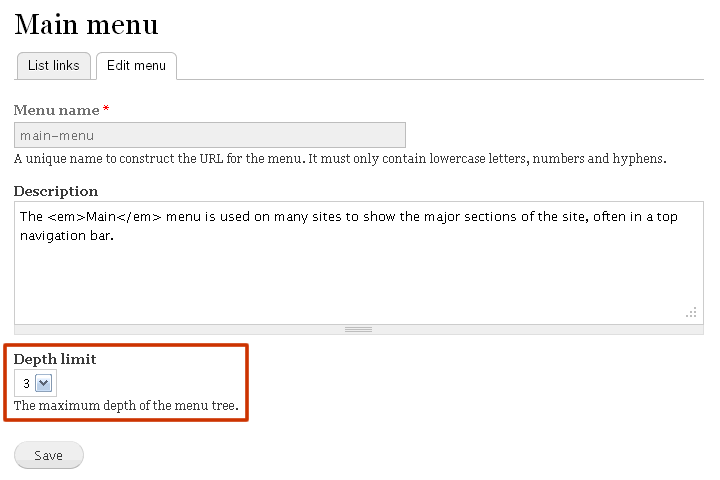


By default in Drupal, the maximum depth of a menu links tree is fixed to 9.
Menu Depth Limit allows to assign a lower maximum depth to a menu.
Installation
Copy the menu_depth_limit folder to your sites/all/modules directory.
Go to admin/build/modules and enable the module.
Usage
Go to admin/structure/menu and add/edit a menu.
The new Depth Limit option there allows you to set a value lower than the default 9 for the edited menu.
By design behaviours
- To avoid any conflict with other contributed modules, Menu Depth Limit acts only at UI level: it will never prevent modules from programmatically creating menu links beyond the configured depth limit.
- Furthermore, if you assign to an existing menu a depth limit that is lower than the actual depth of the menu, Menu Depth Limit will temporarily ignore your setting, considering the actual depth of the menu as the active depth limit.
Once you have rearranged your menu links so that actual menu depth respects your setting, it will become the active depth limit.
Related modules
Contact
This module is sponsored by Absyx.
Project information
 Maintenance fixes only
Considered feature-complete by its maintainers.- Project categories: Administration tools, Site structure
 87 sites report using this module
- Created by anrikun on , updated
 Stable releases for this project are covered by the security advisory policy.
There are currently no supported stable releases.

