

 The 2026 Drupal Business Survey is open. Your response will help shape the future of the Drupal business ecosystem.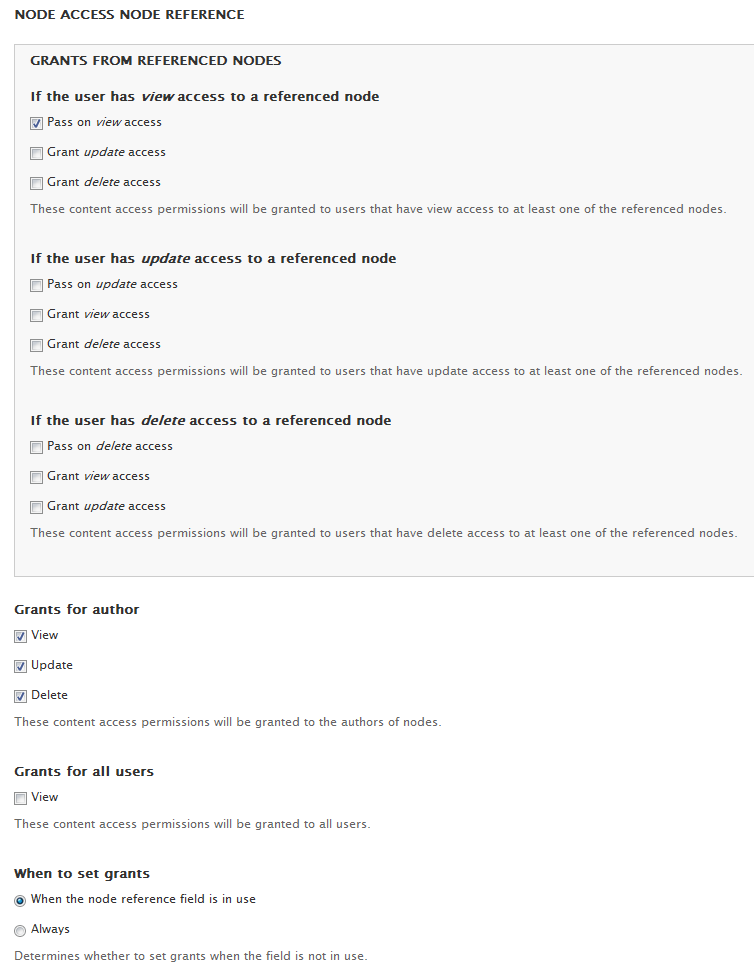
Gives content access permissions to users if they have access to content that is referenced with Node reference or Entity reference.
Checks view, update, and delete grant operations, and can pass those on to the referencing content, or trigger a different grant configuration according to settings.
Similar modules
-
Node access user reference
Gives users access to a node if they are referenced in a user reference or entity reference field of the content in question. -
Node access relation
Gives access based on the Relation module. Currently handles the case where a user targets a node. -
Node access book
Access for book child pages is inherited from the book root node. -
Node access auto reference
Gives users automatic access to content if they are somehow referenced to the content in question.
There are also many other content access control (node access) modules that you can use to provide additional ways to grant access to nodes for more users.
Recommended modules
-
Devel node access
Part of the devel project. Provides blocks displaying content access control (node access) modules' node access records for nodes and node access grants for users. Useful for debugging site configuration. -
Node access rebuild bonus
Provides some administrative benefits for sites with content access control (node access) modules.
If you would like to support this project, please donate with PayPal.
Project information
- Project categories: Access control, Site structure, Security
 119 sites report using this module
- Created by danielb on , updated
 Stable releases for this project are covered by the security advisory policy.
There are currently no supported stable releases.

