OpenPackage Video

jbrown - August 18, 2007 - 16:07
Open Package Video

For Drupal 6 this module has been renamed to Blue Droplet Video. Please transfer relevant issues across.

Basic instructions

  1. Download and decompress the latest 5.x-3.x release of op_video (below) into the 'modules' directory.
  2. Place the file mediaplayer.swf into the 'modules/op_video' directory.
  3. Enable the 'OpenPackage Video' module.
  4. Create an account with OpenPackage Media and purchase some transcoding credit.
  5. Goto to Administer › Site configuration › Video. Enable the 'OpenPackage Media' transcoder and enter your credentials.
  6. Create a content type with a video field.
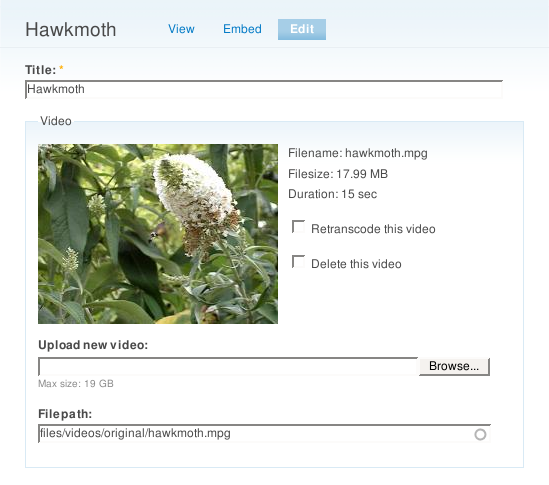
  7. Submit a video.
  8. Run cron.php. If you are not running cron.php through your web server, ensure that it is running as the same user as your web server and that you have defined $base_url in settings.php.
  9. Check your transcoding in your account on OpenPackage Media.
  10. Wait for it to be transcoded.
  11. If you are using 'periodic check' return method, run cron.php again.
  12. View your video.

Releases

Official releasesDateSizeLinksStatus
5.x-3.162009-Jan-0141.24 KBRecommended for 5.xThis is currently the recommended release for 5.x.
5.x-2.62008-Mar-1735.63 KBSupported for 5.xThis release is supported but is not currently the recommended release for 5.x.
Development snapshotsDateSizeLinksStatus
5.x-4.x-dev2009-Apr-3030.5 KBDevelopment snapshotDevelopment snapshots are automatically regenerated and their contents can frequently change, so they are not recommended for production use.
5.x-3.x-dev2009-May-0341.51 KBDevelopment snapshotDevelopment snapshots are automatically regenerated and their contents can frequently change, so they are not recommended for production use.
5.x-2.x-dev2009-Apr-3035.93 KBDevelopment snapshotDevelopment snapshots are automatically regenerated and their contents can frequently change, so they are not recommended for production use.


Drupal is a registered trademark of Dries Buytaert.