

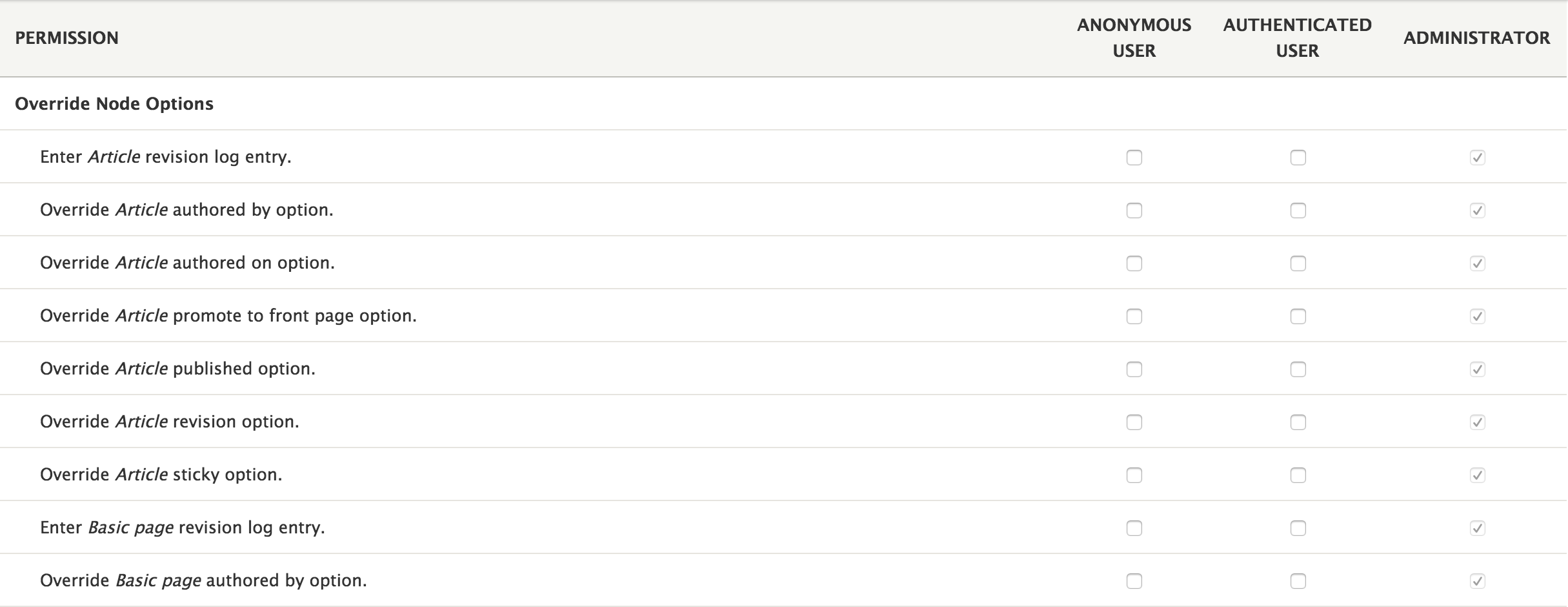
The Override Node Options module allows permissions to be set to each field within the Authoring information and Publishing options field sets on the node form. It also allows selected field sets to be set as collapsed and / or collapsible.
To install:
- Download, unpack and place in sites/all/modules/
- Adjust access control in admin/user/permissions
- Adjust Fieldset options in admin/settings/override_node_options
Note: Autocomplete "Authored by" field only works if user has "Access user profiles" permission.
For those wanting to allow users to view unpublished nodes may find this module useful, http://drupal.org/project/view_unpublished.
Drupal 8+
8.x-2.x is the currently supported version for Drupal 8+.
Project information
- Project categories: Access control, Administration tools, Content editing experience
 37,919 sites report using this module
- Created by RobRoy on , updated
 Stable releases for this project are covered by the security advisory policy.
Look for the shield icon below.
Releases
8.x-2.9
released 27 November 2024
released 27 November 2024
Works with Drupal: ^9 || ^10 || ^11
Drupal 11 compatibility.
Install:
Development version: 8.x-2.x-dev updated 1 Feb 2025 at 01:53 UTC

