

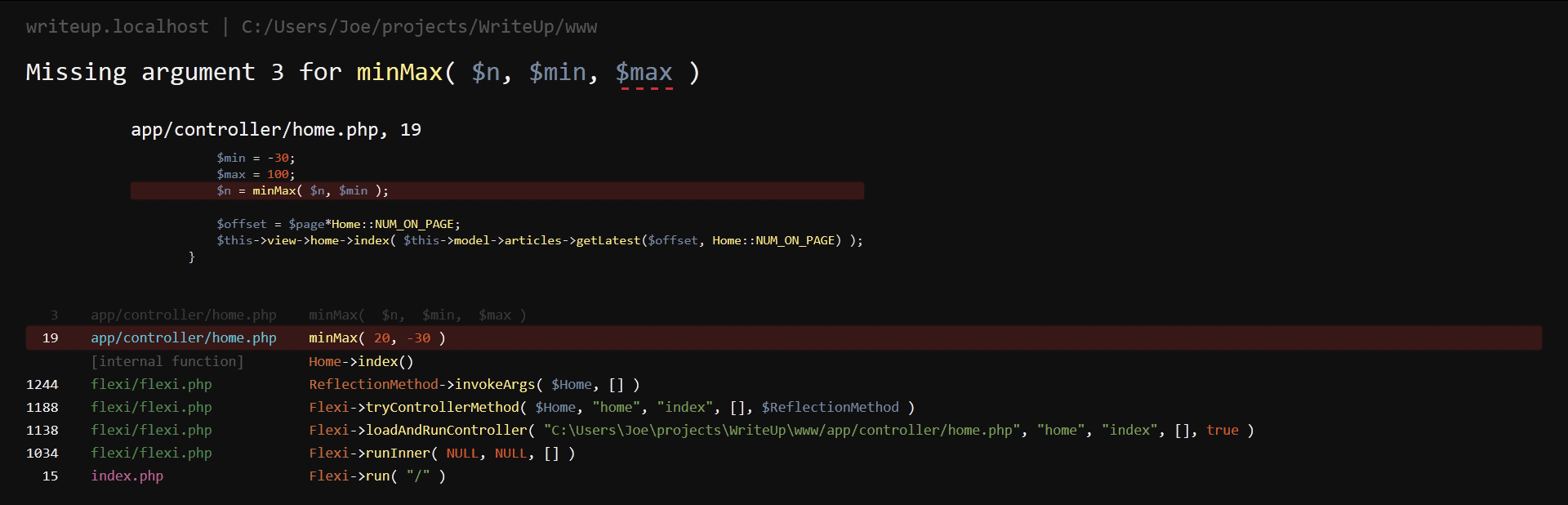
Error reporting done right!
Better error messages, full syntax highlighting, code snippets and works for AJAX too!
Requirements
- PHP 5.3+
- PHP Error Library
Installation
- Download the php_error module
- Place it in the folder
/sites/all/modulesof your Drupal site. - Download/save the PHP Error Library, it's just one file.
- Create the folder
php_errorin/sites/all/librariesand place/save thephp_error.phplibrary file in it (the full path should look like/sites/all/libraries/php_error/php_error.php). - Enable the PHP Error module at /admin/modules
- Configure the PHP Error module at /admin/config/development/php_error
Features
- Errors displayed in the browser for normal and AJAX requests.
- AJAX requests are paused, allowing you to automatically re-run them.
- Makes errors as strict as possible (encourages code quality, and tends to improve performance).
- Code snippets across the whole stack trace.
- Provides more information (such as full function signatures).
- Fixes some error messages which are just plain wrong.
- Syntax highlighting.
- Looks pretty!
Advanced Features
- Customization.
- Manually turn it on and off.
- Run specific sections without error reporting
- Ignore files allowing you to avoid highlighting code in your stack trace.
- Application files; these are prioritized when an error strikes!
Project information
 Unsupported
Not supported (i.e. abandoned), and no longer being developed. Learn more about dealing with unsupported (abandoned) projects- Obsolete
Use of this project is deprecated. - Project categories: Developer tools
 10 sites report using this module
- Created by jasonsavino on , updated
 Stable releases for this project are covered by the security advisory policy.
There are currently no supported stable releases.

