

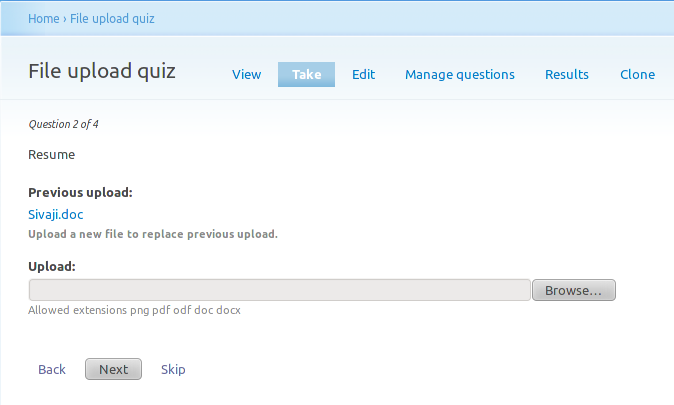
Quiz file upload module provides a new content type to use with quiz module as a question type. It allows users to upload file as a response to quiz question.
Features
- Configurable file extensions: File extensions can be defined globally and overridden per question.
- Configurable scoring options: Manually score the question or automatically give out the max score upon uploading a file.
- Serves good for survey / personality kind of quizzes or as an essay on an educational test.
Credit
The 1.x branch of this module was developed by Sivaji at KnackForge and sponsored by LogicMedia (jesse at logicmedia dot be)
The 4.x and 5.x branch of this module where developed by Bram "Da_Cloud" Rombouts at Indicia.
Installation
Download the recommended version from project page matching the version of the quiz module your using. Place the downloaded module in de sites/all/modules folder and enable it from module manager page /admin/build/modules.
Quizfileupload 7.x-4.x
The 7.x-4.x release of this module is an upgrade on the old 7.x-1.x release containing some new features. This release is compatible with the 7.x-4.x release of the Quiz module.
This release contains a full upgrade path from the 7.x-1.0 release.
Resolved issues in this release:
Quizfileupload 7.x-5.x
The 7.x-5.x release contains the same features as the 7.x-4.x release and is made to be compatible with the 7.x-5.x release of the Quiz module.
This release contains a full upgrade path from the 7.x-1.0 and 7.x-4.x releases.
How to use
Installing this module would show-up a new question type in quiz, Manage questions tab, under Create new question fieldset. Otherwise it follows the same flow as other question types.
Configuration
This module can work without any initial configuration, if you prefer to change some of the settings, navigate to Administer › Quiz management › Quiz settings or drupal path admin/quiz/settings/questions_settings.
Project information
 Maintenance fixes only
Considered feature-complete by its maintainers.- Project categories: User engagement
 169 sites report using this module
- Created by sivaji_ganesh_jojodae on , updated
 Stable releases for this project are covered by the security advisory policy.
There are currently no supported stable releases.


