

This project is not covered by Drupal’s security advisory policy.
Roadblock allows you to create a one time landing page that is cookie controlled. It displays a chosen node once to all users, regardless of their point of entry to the site.
When the module is enabled, a database table will be auto-populated with user agents fetched from http://www.user-agents.org. This hides the roadblock from robots and crawlers to optimize SEO.
Configuration
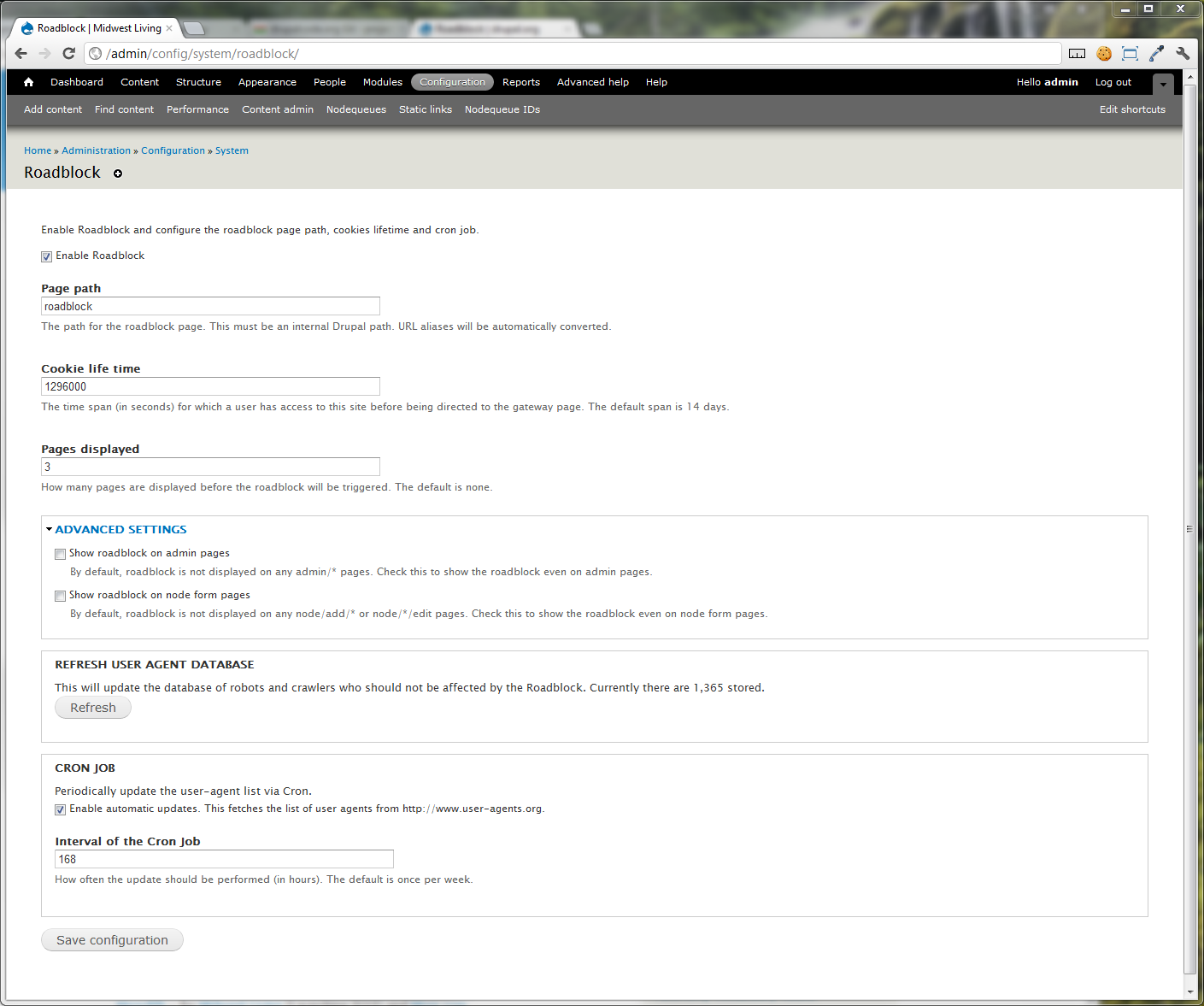
- In the admin section of your site, go to the configuration section and click on Roadblock.
- Check the "Enable Roadblock" box to enable the module.
- Configure the other settings per their descriptions.
New Features in 6.x and 7.x branches
- Pages displayed - determine how many pages should appear before the roadblock is triggered
- Advanced settings - show/hide roadblock for admin and node form pages
- Caching support - moved from
hook_initintohook_bootso still triggered if caching is enabled. - AJAX, Image styles, and Block Refresh filtering - elementary
argbased filtering of views/ajax, sites/default/files, and block_refresh (better ideas highly appreciated!)
Additional Features Proposed
These are not in active development, but may become so if enough interest/funding/patches can make it happen.
- Automatic (time-out) bypass with countdown
- Bypass parameter to access the site (Useful for newsletters)
- Multiple/random nodes as roadblock features
Credits & Contact
- Current maintainers:
-
Makara Wang (5.x)
Joshua Stewardson (6.x and 7.x)
- This project has been sponsored by:
-
Raincity Studios (5.x)
Meredith - for Midwest Living and More.com (6.x and 7.x)
Project information
- Created by makara on , updated
 This project is not covered by the security advisory policy.
Use at your own risk! It may have publicly disclosed vulnerabilities.


