

This module extends Subscription Manager by connecting it to Stripe.
With this module, you can use Stripe to sell subscriptions to your Drupal site. When a Stripe subscription is created, updated, or deleted, a Stripe webhook will send an event to Drupal, which will create or update a corresponding Subscription entity in Drupal.
Installation:
- Use composer to install this module
- Enable it
- Configure the Stripe API module (a dependency) by adding API Keys and Webhook signing secrets at /admin/config/services/stripe_api
- Configure additional Subscription Manager settings at /admin/config/services/subscription_manager
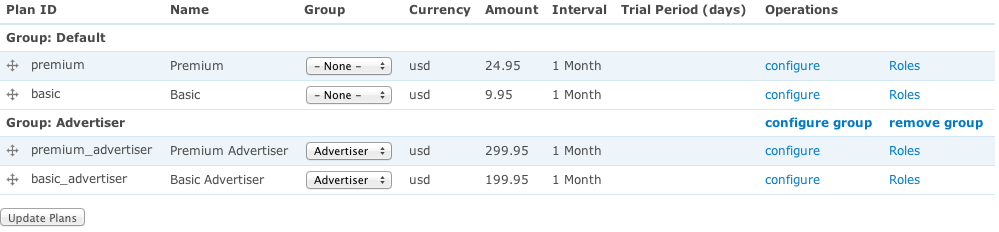
- On /admin/config/services/subscription_manager, click "Sync plans from connectors." This will connect to your Stripe account, look for plans, and create corresponding Subscription Plan entities in Drupal
- Visit /admin/content/subscription-plan to see the plans you've synced. Edit the plans and select which Drupal roles should be granted to users who have active subscriptions to that plan.
- On Stripe, create a webhook that points to your Drupal site' /stripe/webhook path.
- On Drupal, place the menu links that are provided by the subscription manager module. For instance: My subscriptions (/user/my-subscriptions), Subscribe (/subscription-manager/subscribe)
- When you create a payment link for Stripe, you may choose the redirect the user to
https://www.yoursite.com/stripe/login?session_id={CHECKOUT_SESSION_ID}. This will immediately create a Drupal account and login the user in after purchase.
Supporting organizations:
Architecture, development, maintenance & security
Project information
 Minimally maintained
Maintainers monitor issues, but fast responses are not guaranteed.- Project categories: E-commerce, Integrations
- Ecosystem: Subscription Manager
 10 sites report using this module
- Created by mmilano on , updated
 Stable releases for this project are covered by the security advisory policy.
There are currently no supported stable releases.
Releases
2.0.0-beta1
released 26 May 2026
Works with Drupal: ^9.4 || ^10 || ^11
Install:
Development version: 2.0.x-dev updated 11 Jun 2026 at 12:58 UTC


