

 The 2026 Drupal Business Survey is open. Your response will help shape the future of the Drupal business ecosystem.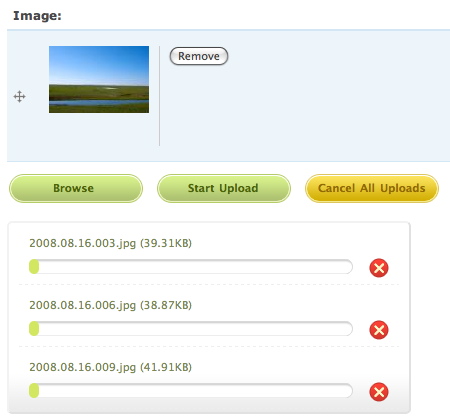
This project is not covered by Drupal’s security advisory policy.
Integrate the Uploadify JS library with CCK (Drupal 6).
Support list
- CCK Filefield (http://drupal.org/project/filefield)
- CCK Imagefield (http://drupal.org/project/imagefield)
Quick install
- Download as usual.
- Download Uploadify library from http://www.uploadify.com/download/ and install the library (check the section below).
- Install the module: http://drupal.org/documentation/install/modules-themes.
Uploadify library
- Requires version 2.1.0. Details:
- Version 2.1.0 requires jQuery 1.3.2. You need jQuery Update module for Drupal 6 to work.
- Versions after 2.1.0 (2.1.3, 2.1.4, etc.) require jQuery 1.4.2. We cannot support them for Drupal 6.
- You shouldn't remove any files from the downloaded package.
- The directory name of the library must be "uploadify". After uncompressed the downloaded package, you got a folder like "jquery.uploadify-v2.1.0". Rename it to "uploadify".
- Put the Uploadify library with/in one of the following:
- With Libraries API.
- In "sites/all/libraries/uploadify".
- In "{module-path}/uploadify".
Configurations
The settings of Uploadify is per CCK widget. There's currently no stand-alone settings page. For example, to change settings for the field "field_image" of the node type "album", goto path "admin/content/node-type/album/fields/field_image".
Known issues / TODOs
Thank everybody for the responses. This module is not finished. There are some known issues:
- It only supports "unlimited" field for now.
- It doesn't hide or remove empty fields after removing a file.
- I haven't implemented any validation.
- JS needs to be optimized.
Credits
- Uploadify, the jQuery file upload plugin is built by http://www.uploadify.com/.
- Stingna Zhou built the default theme for this module.
Project information
- Project categories: Media, Developer tools
 22 sites report using this module
- Created by makara on , updated
 This project is not covered by the security advisory policy.
Use at your own risk! It may have publicly disclosed vulnerabilities.


