


Synopsis
"Webform FTP" extends the excellent Webform module by adding an option that exports submissions into CSV file and uploads the file to the server folder.
Installation and configuring
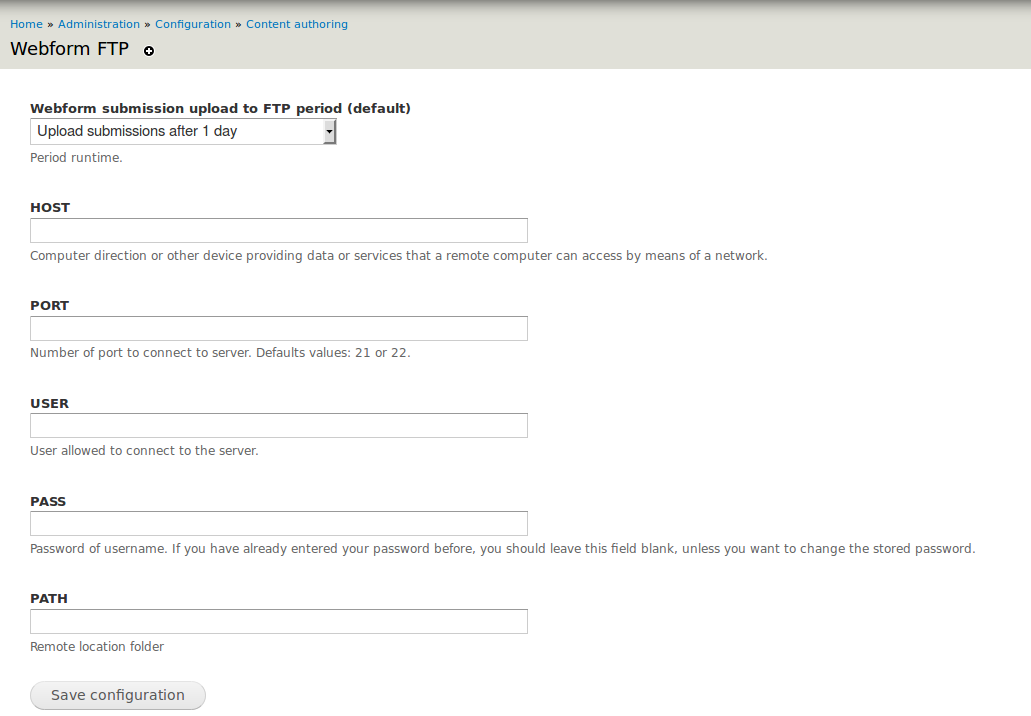
- You need to configure the connection data in this path: /admin/config/content/webform_ftp (Attached image)
- You also need to configure in the "options of each webform" (/node /%/webform/configure) the period of time with which the files are uploaded to FTP (Attached image)
How it works
In each webform you can set the frequency of data uploaded to the server, then when you run the "cron" the submissions are exported to a CSV file and uploaded to the server. If this is correct, these submissions are deleted from the node.
The implementation of these actions is configurable for each node type webform at different periods (1 day, 7 ...). This setup requires a special permission and can be set by role.
The name of upload file: form-[nid]-[timestamp].csv
Requirements
- Webform
Project information
 Minimally maintained
Maintainers monitor issues, but fast responses are not guaranteed.- Maintenance fixes only
Considered feature-complete by its maintainers. - Project categories: Import and export
- Created by luigisa on , updated
 Stable releases for this project are covered by the security advisory policy.
There are currently no supported stable releases.

