

This project is not covered by Drupal’s security advisory policy.
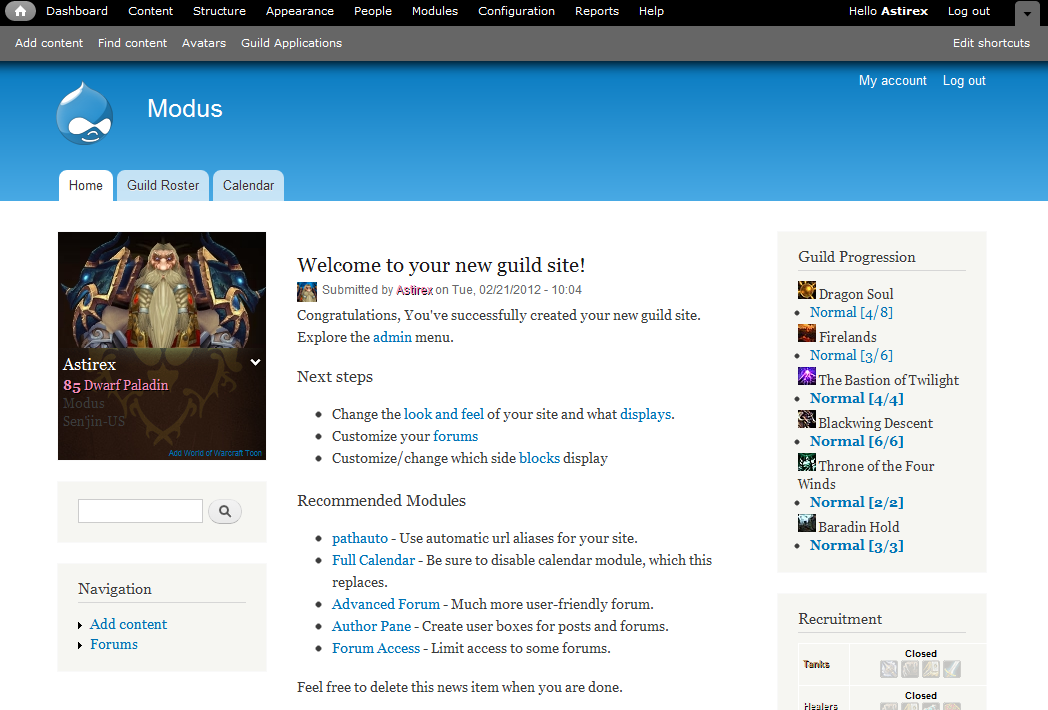
This installation profile automates the task of creating a World of Warcraft guild using the WOWGuild module (http://drupal.org/project/wowguild).
Note: Be sure you are using the same version of wowguild as wowguildsite. i.e. if you are using version 7.x-4-x of wowguild, use 7.x-4.x of this install profile.
Installation Instructions
- Copy the contents of this install profile to DRUPAL_ROOT
- Browse to http://yourwebsite.com/install.php
- Select the "WoW Guild Install" radio button and click "Save and continue"
- Select the language you would like to install on, and click "Save and continue"
- The modules will be installed and enabled. This may take awhile.
- Configure your new website:
- Enter your character that is in the World of Warcraft guild you would like to install.
- Once you have entered Name and Realm, the install will validate the character and guild.
- Your Site name will default to 'GuildName' and your username will default to your character name.
You may change these if you like. - Fill out the rest if the form and click "Save and continue"
For more information see README.TXT in sites/all/modules/wowguild directory.
Notice: You must have access to the World of Warcraft Armory (http://[us/eu].battle.net) to run this install profile. It does an initial lookup of your character to build your guild. This may fail if the armory is down or busy. Verify that your can view your character on the armory if you are receiving errors.
Project information
- Created by ytwater on , updated
 This project is not covered by the security advisory policy.
Use at your own risk! It may have publicly disclosed vulnerabilities.

