


Overview
The Perfecto module is for themers. It allows compositions to be floated over web page to quickly and accurately calibrate theme CSS. This way one doesn't have to switch between browser and Photoshop all the time to compare your current web and the end results.
Screencast 
https://www.youtube.com/watch?v=-CkWR2oiY4A.
Requirements
- Drupal 7
- JavaScript
How to use
After installation you have to upload your composition. You can either:
- click on the link in infobox that'll show up always when there's no compositions uploaded,
- move your mouse to top right corner of the browser viewport where a popup will show up (click on the link),
- choose Perfecto from the admin menu,
- go to url admin/settings/perfecto.
After uploading your first composition, there'll be listing of your images under the upload form. You can view original version, delete one by one or delete all at once.
Now move your mouse to top right corner of your browser viewport. After first upload you'll see blinking red line there. Remember this area because moving your mouse there always opens up Perfecto composition control panel.
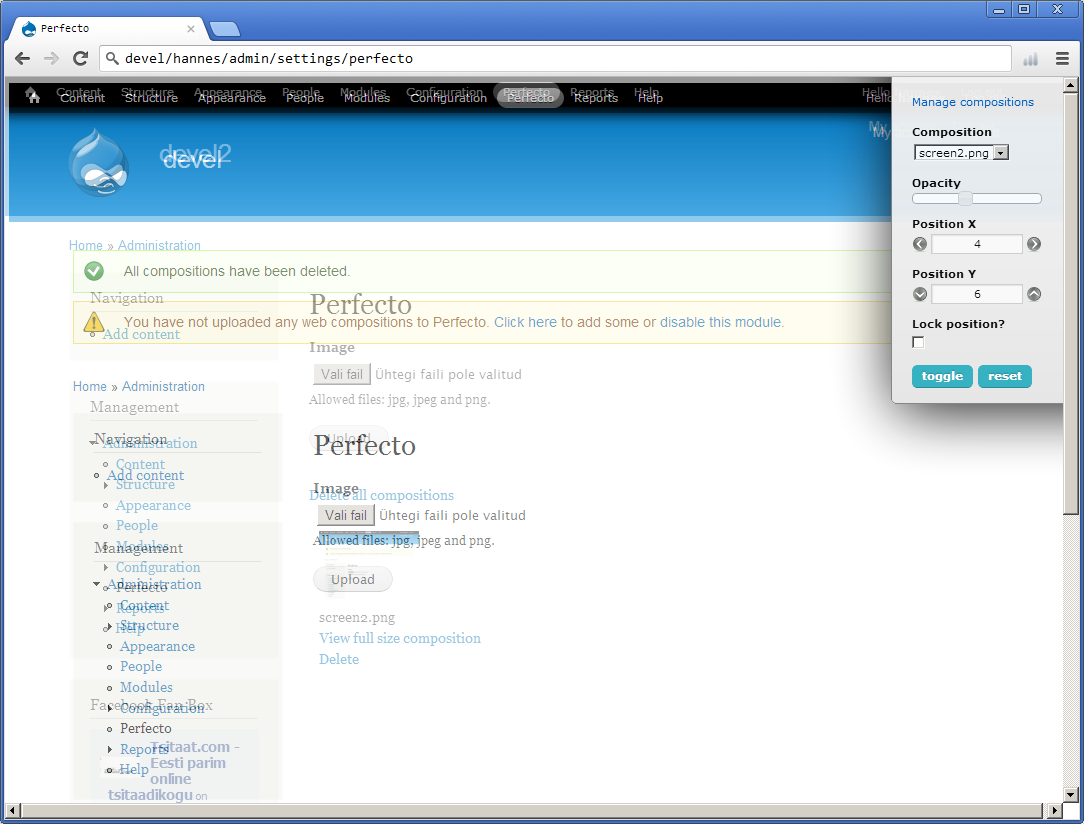
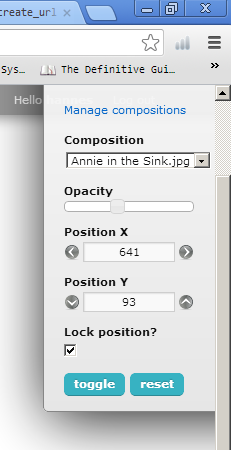
On control panel you can switch between uploaded compositions, change opacity, move the composition around, lock and reset position (centers).
Now click on toggle - your composition will show up on the center of the screen.
To move the composition you can either:
- hold down ctrl and drag the image around (note that you don't have to hover your mouse on the image),
- press arrow keys on your keyboard while holding down ctrl (if you include shift, composition will move with 10px steps instead of 1px),
- use the arrow keys on control panel (shift works there too),
- press reset to center the composition.
Last option on the control panel is for locking the position of composition.
Note that every element you page is clickable/inspectable when ctrl is not pressed!
Similar projects
There are similar projects like http://pixelperfectplugin.com/ or http://drupal.org/project/pixelperfect .
First is a Firefox plugin and latter is a Drupal 6 module. They both allow one to upload image and hover it over the site.
Main difference between Perfecto and the projects mentioned above is that you can still interact with the site while the image is active and visible.
Tips
Use http://www.cssupdater.com/ or http://www.stylizerapp.com/ to make changes even quicker.
CssUpdater lets you live sync and save your FireBug css changes with one click.
Stylizer is a visual CSS editor.
GitHub
Perfecto is also up on GitHub: https://github.com/hkirsman/perfecto. Feel free to fork it ;)
Credits
This project has been sponsored by: Mekaia | Drupal web development based in Estonia

Project information
- Project categories: Developer tools
- Created by hkirsman on , updated
 Stable releases for this project are covered by the security advisory policy.
There are currently no supported stable releases.

