

Experimental project
This is a sandbox project, which contains experimental code for developer use only.
This installation profile provides a management environment for a simple Selenium monitoring system.
Note: The following instructions are only for the 7.x-1.x Branch - There is no support for 2.x!
 |
 |
 |
 |
REQUIREMENTS
Required contributed Drupal modules:
- ctools
- features
- link
- views
- entity
- rules
Required linux tools:
- Xvfb
- drush
- firefox (or other)
INSTALLATION
Make sure to meet all requirements mentioned above before you start. Put the selenium_monitor installation profile into the profiles directory of your Drupal root and install Drupal choosing it. (Don't forget to set the base url setting in your setting.php otherwise links wont work in mails).
After installation you can create users having 'manager' role. These users have permission to login, manage monitoring tasks and review test results.
Continue by downloading the latest Selenium Server jar from seleniumhq.org, rename it to selenium-server.jar and put it into the libraries/selenium_server directory.
You can adjust settings like the Browser to test with, the path to the files directory, display screen resolution etc. by editing selenium_monitor.sh.
Before the script can be executed you have to be sure that the user who starts selenium_monitor.sh has write access to the selenium_reports directory in your files directory. (If there are active monitoring tasks you can run selenium_monitor.sh manually for testing purposes).
To have your monitoring tasks executed frequently you have to add the script as new cron job. As cron will be executed automatically in the end of it, it's recommended not to add a separate cronjob for running the cron. Example crontab for running monitoring tasks on the hour:
$ crontab -e
0 * * * * /var/www/profiles/selenium_monitor/selenium_monitor.sh
USAGE
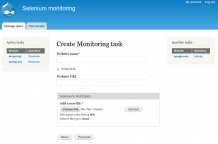
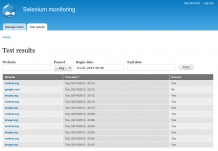
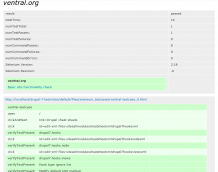
I recommend using the Selenium IDE firefox extension for creating testcases and exporting them as HTML. Login to your selenium monitoring site and add a new monitoring task by filling the form and add your testcases. If your setup is working the monitoring script will be executed on the next cron run and (as they are active) will execute all testcases for each site as configured. If a test fails it will send a mail alert to the user who created the task containing a link to the report. A full, filterable list of all reports can be found on the "Test results" tab.
SECURITY NOTE
Users having manager role are allowed to upload any .HTML file! Be sure that only trusted users have permission to upload HTML files as this is a potential entry point for XSS!
Project information
 Unsupported
Not supported (i.e. abandoned), and no longer being developed. Learn more about dealing with unsupported (abandoned) projects- No further development
No longer developed by its maintainers. - Created by patrickd on , updated

