
On this page
Configuration
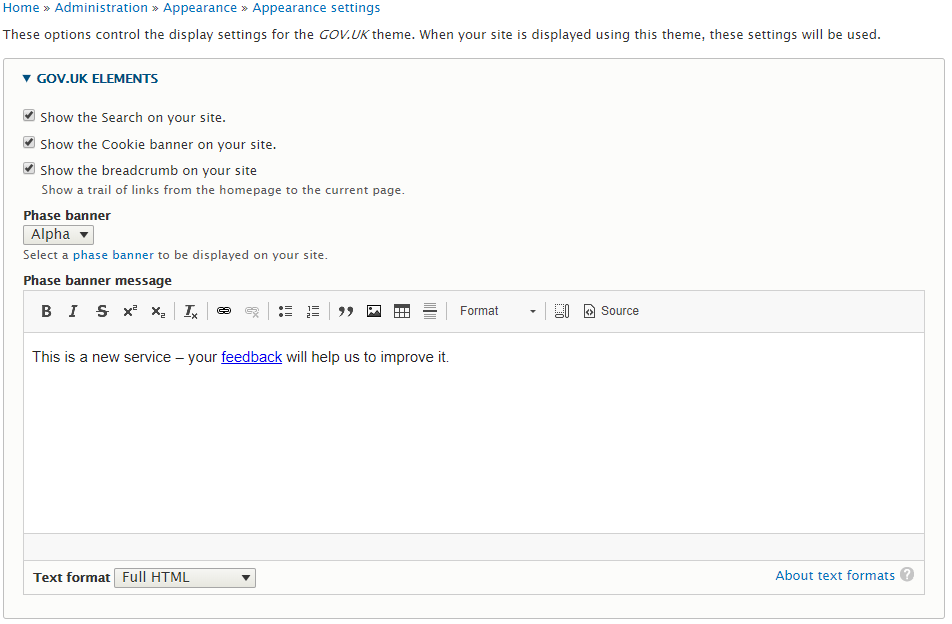
Basic elements of the GOV.UK theme can be enabled/disabled under the theme's settings. Setting the Phase banner to "None" will disable the Phase banner.
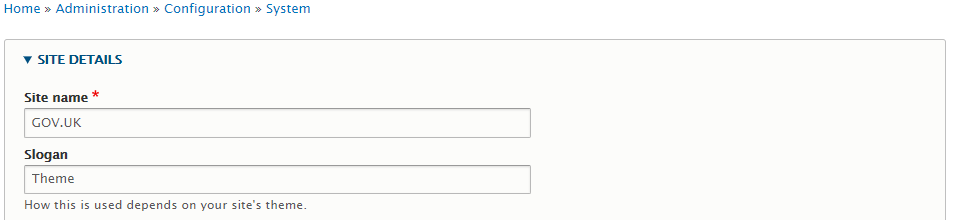
On the basis of never hard coding anything, "GOV.UK" is not hard coded and your site's name is composed of the "Site name" and "Slogan" as below. In the vast majority of cases, the "Site name" will be GOV.UK and your department/section name would be the "Slogan".
Webforms
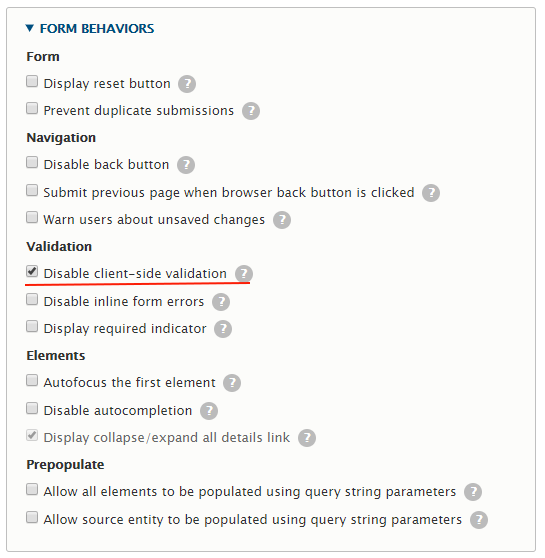
The theme includes full client side GOV.UK validation for Webform required fields. In order to enable this functionality, HTML5 client side validation needs to be disabled.
In the administration view of your Webform, select the "Settings" tab and then select "Form". Scroll down to the "FORM BEHAVIORS" section and check the "Disable client-side validation" checkbox as below:
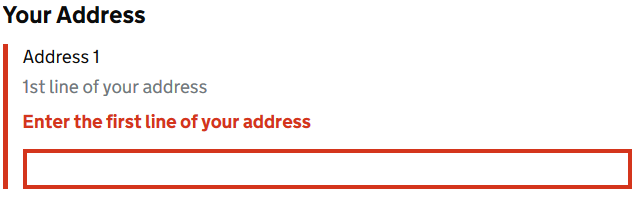
If the user does not complete a required field (or other validation rule fails) then the GOV.UK validation error CSS is applied as below:
Along with the "There is a problem" box at the top of the page:

The "Enter the first line of your address" text is the normal Webform "Required message" under the "Form validation" section.
For Composite Elements like the Address element, the required error message must be added as custom properties under the "Advanced" tab as below:
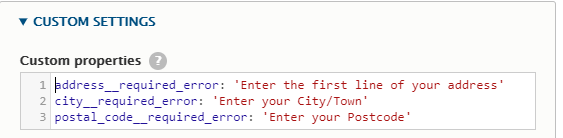
The field name is composed of the field ID, 2 underscores and "required_error" as above.
Help improve this page
You can:
- Log in, click Edit, and edit this page
- Log in, click Discuss, update the Page status value, and suggest an improvement
- Log in and create a Documentation issue with your suggestion
