I upgraded from D6.15 to D6.2 recently and now the views wont show up. For example the contact us page in my site is supposed to be a view that combines all nodes of type CONTACT in a single page and displays it. Though I see the information on the preview while creating the view, when I click on the 'View button at the top, I get a message that the page cannot be displayed. This is utterly confusing. I tried all ways to resolve, like i thought maybe the URL that I am giving for the page is a duplicate and so changed it to something completely random, but no luck.
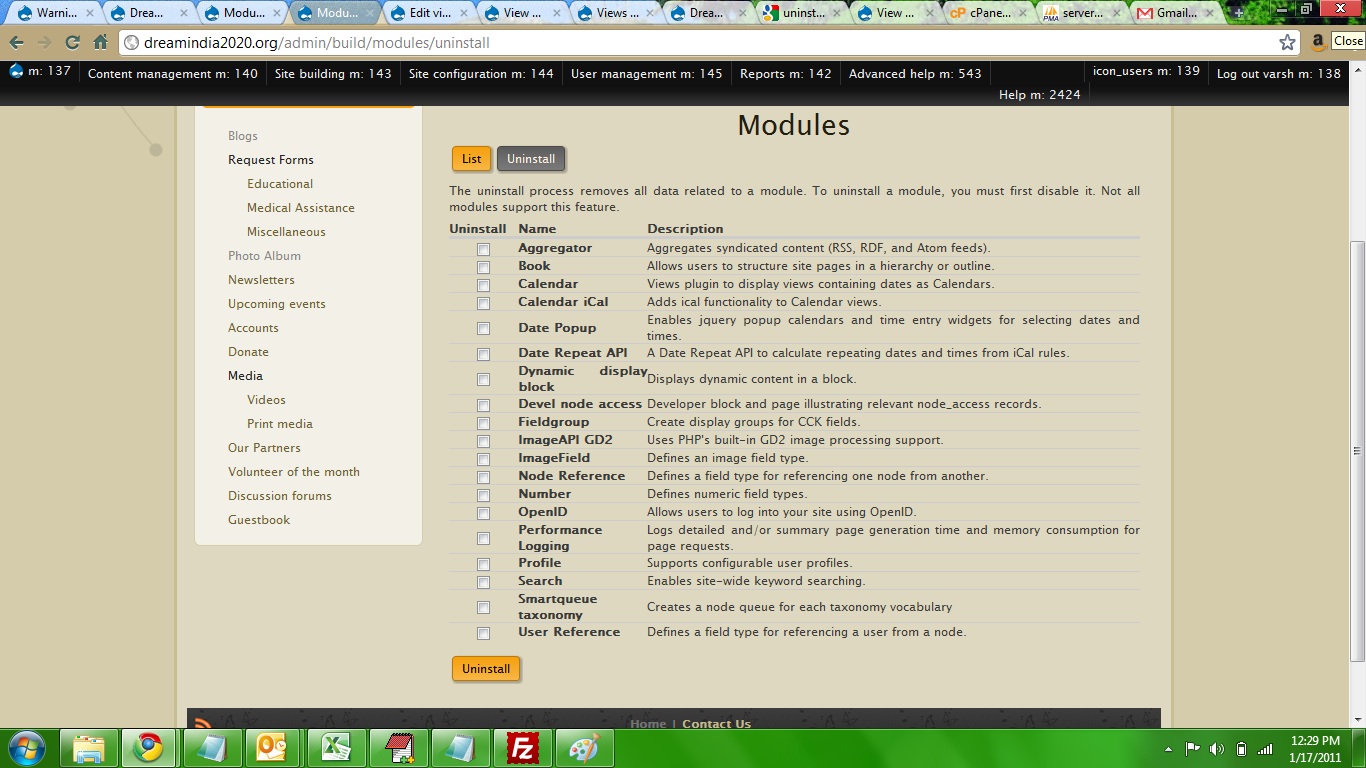
Just today i uninstalled views...Honestly, I thought this would remove the folder named VIEWS from my sites/all/modules and also from the MODULES list from my admin menu, but it didnt get removed from either. But the views that i had are all gone. And when i tried to create a view, the same happened. It shows up on the preview when creating the view, but when i go to the URL, it says page cannot be found.
Attaching screenshot of the view.
please help! My entire website is based on views! :(




Comments
Comment #1
dawehnerAre you sure you saved the view / created a path for the view?
Please read http://drupal.org/node/571990
There are some important informations you are missing.
Additional i changed quite some issue states.
Comment #2
Anonymous (not verified) commentedThanks for the quick reply Dereine. I have indeed saved the view and yes, i have given it a URL too...even when i click the link on top of the edit view page, I get the page not displayed error.
One more thing is...when i uninstalled the view, i was hoping that the folder sites/all/modules/views would go away and that i can reinstall the module by doownloading it again from drupal.org and moving it to sites/all/modules. But even though the 'views' module does not show up in the UNINSTALL MODULE list from the admin menu, the 'views' folder shows up in the directory itself. (Screenshots attached here). So either i am wrong, or there is something fishy here.
Reg the additional info, here you go...
View version: V2.11
Component: Views data
Priority: Major (I tried to uninstall the views module hoping to reinstall and get it working again, but the pages that were views broke down with the same problem. Now i dont see any content on the pages that i display using views ... www.dreamindia2020.org is my site, just go to city reports>chennai and you will find the problem)
Let me know if you need any more info to troubleshoot. Thank you.
Comment #3
Anonymous (not verified) commentedComment #4
Anonymous (not verified) commentedComment #5
merlinofchaos commentedIt's hard to say why an individual path might not be working right with Views.
It's possible another module might be interfering with the path. That's the most likely explanation.
As for the uninstall link, Drupal does not have permission to touch files and folders within the modules directory (by design). Uninstall will not remove the files. What it does remove is all database data related to the module.
Attaching an export of your view might help us analyze what might be wrong with it. Your screenshot doesn't help very much, because it doesn't show the Page display, so we can't even see what path it's using that might not be working.
Comment #6
Anonymous (not verified) commentedThanks for the info...Just attended a Drupal meetup and got to know about how the views are uninstalled. There were a lot of security updates pending, so was advised to update all modules. Incidentally also found out that my upgrade to D6.2 did not go thru...not sure why though...anyway, am attempting another time...hopefully views work after that...Will post the view export in here if that too does not work..
Thanks again... will put this on hold for now.
Comment #7
luka srbija commentedI had a same problem not the same, but like in title "View working in preview but not in actual page.."
I found my mistake the search filter wasn't exposed. See if all the filters are exposed.
Hope someone helped.
Comment #8
Anonymous (not verified) commentedhi Luka
Am trying to find out what search filters are...will let you know if it works...Thanks for the reply!
Comment #9
Anonymous (not verified) commentedactually, i did find out what it meant...and i tried exposing the filters, but to no avail! I still get the same page not found error :(
Comment #10
rschwab commentedVarsh, can you search your database to confirm that your URL's don't already exist in the menu tables?
Also, please read the link dereine posted in #1, and if possible give us an export of your view and steps to try to reproduce the problem.
Comment #11
ttripp commentedI was having the exact same problem after upgrading to Views 6.x-2.12. Turns out the aliases that I'd defined previously in the "URL Alias" module in Drupal were now conflicting with the path settings in Views. Deleting the URL aliases allowed the path settings to work.
Comment #12
esmerel commentedLooks like #12 is a potential solution. Until this is shown to not be the case, I'm going to mark this fixed.
Comment #14
KeelFortCollins commentedComment #15
dawehnerTo be honest this is not our problem... :) Update priority to something more realistic.
Some questions: Do you see some javascript errors on the page, this would be a great sign for it does not work? Maybe the views slideshow module has a problem...
Comment #16
KeelFortCollins commentedComment #17
KeelFortCollins commentedwell, I am SO sorry ... I see from the available help resources that this is for in-depth developer/program problem resolution. Please accept my apologies. I'm trying now on #drupal. Thanks.
Comment #18
couturier commented