

Closed (fixed)
Project:
Statuses (Social Microblog)
Version:
7.x-1.x-dev
Component:
User interface
Priority:
Minor
Category:
Feature request
Assigned:
Unassigned
Reporter:
Created:
7 Nov 2011 at 22:18 UTC
Updated:
25 May 2012 at 06:20 UTC
Jump to comment: Most recent file


Comments
Comment #1
icecreamyou commentedComment #2
icecreamyou commentedCommitted a change that hides the "Comment" button until the comment textarea has focus and a change that makes the comment textarea smaller initially if the Autogrow jQuery plugin is present.
Comment #3
sp09 commentedhow do I add the changes?
Comment #4
icecreamyou commentedUpgrade to the dev release or wait for 3.0 to be tagged tomorrow
Comment #5
sp09 commentedThe dev release breaks the css in blocks, does the latest 6.3 version cover all the previous issues?
Comment #7
sp09 commentedthis issue is not fixed
Comment #8
icecreamyou commentedThis issue is about hiding the comment button and making the comment textarea smaller until the textarea/Comment button has been clicked. Changes to do this have been committed and they work, so this issue is fixed. If you have other issues that are not covered in other things in the issue queue then you can open a new issue. I am not sure what you mean by "breaks the css in blocks" but you may want to try adjusting the
max-widthandoverflowCSS properties on the view in question since it sounds like a theme issue with what happens when a view is wider than a block region.Comment #9
sp09 commentedThe comment button is hidden but the comment text area is still open and looks the same which is the bigger issue because the open area takes up a lot space.
Comment #10
icecreamyou commentedAs noted in #2 the textarea only starts out smaller if you are using the Autogrow plugin. I guess I could make it expand a row if you're not using Autogrow, so reopening.
Comment #11
udvranto commentedsubscribing...
Comment #12
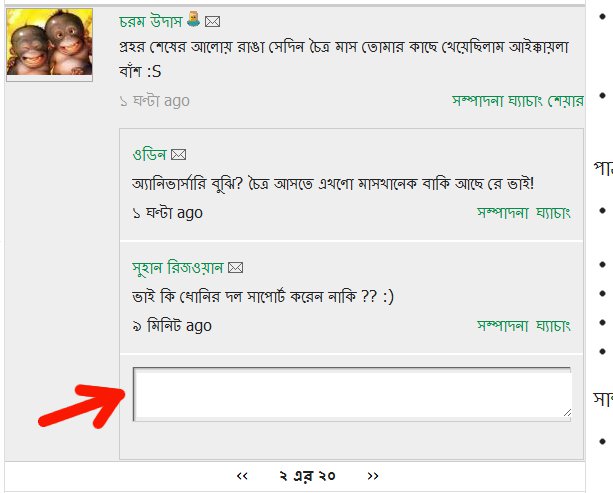
udvranto commentedThe comment box does not show on the main status. Only a link is shown.
However, once a comment is posted, the entire comment box is visible.
I don't have autogrow.
Comment #13
icecreamyou commentedRe #12, that's by design and consistent with every major social network.
Comment #14
udvranto commentedOh, yeah I see that. Thanks for the reply! It could be a great option though.
Comment #15
icecreamyou commentedMoving to D7...
Comment #16
icecreamyou commented...and committed fix to dev