

Closed (fixed)
Project:
Display Suite
Version:
7.x-2.x-dev
Component:
Miscellaneous
Priority:
Normal
Category:
Bug report
Assigned:
Unassigned
Reporter:
Created:
15 Feb 2012 at 17:10 UTC
Updated:
26 Feb 2014 at 10:06 UTC
Jump to comment: Most recent, Most recent file

Comments
Comment #1
anibal commentedComment #2
swentel commentedSorry for getting late back at this: does this also happen with default fields from views ? If so, then this has nothing todo with ds at all (and can't really think of one either at this moment)
Comment #3
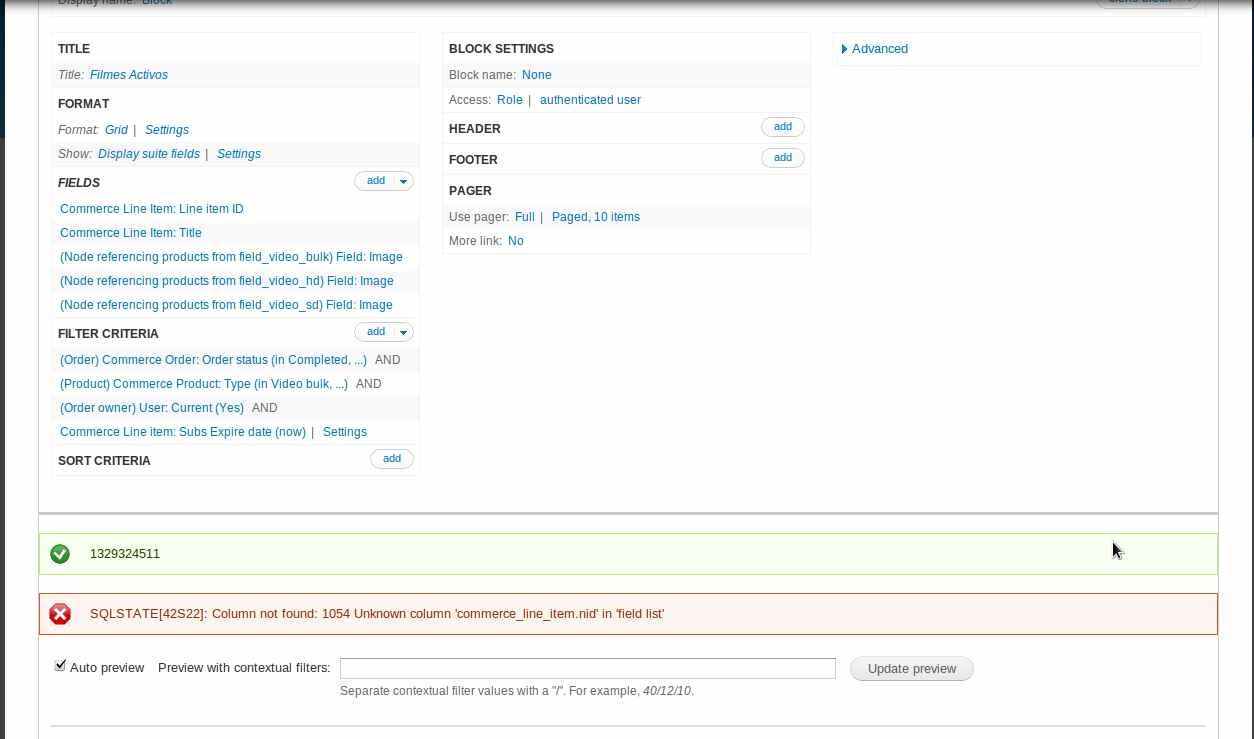
nicholsonma commentedI was all set to create a new issue on this but then found this existing one so I thought I'd post my info here since it adds more details about what's going on.
I'm trying to use DS view modes to create a view where the first row would use one view mode and subsequent rows would use a different one (just like I learned in swentel's wonderful screencast series!). However the data I'm using is Products and Product Displays from the Commerce module and the field I'm trying to have display differently in the two view modes is an image field in the referenced Product. Here are the issues I'm running into:
I'm guessing that the query is assuming that the commerce product has a node id and is trying to reference that field which apparently doesn't exist. So I can't do things this way.
I can workaround this by putting the image field in the Product Display instead of the Product and I'll do this for now but I'm hoping that DS and Commerce play together better in the future and that's why I'm reporting this.
Comment #4
Ravenight commentedJust wanted to follow up on this one. I am having the same issue and I am not sure where root of the issue lies so I am tagging on here to see if we can fix this as being able to use DS to layout my Commerce Products via Format: Style -> Display Suite Fields would make my life better :)
Currently running:
This is from a block view based on the Commerce Product entity.
Here is the First SQL Query:
Setup in views is: FORMAT -> Show -> Fields
Here is the second SQL Query:
Setup in views is: FORMAT -> Show -> Display Suite Fields
The root question it seems is: Why is this [ commerce_product.nid AS commerce_product_nid ] being inserted when using "Show -> Display Suite Fields" but not "Show -> Fields" and how/where do we fix it?
Here is the Exported View for reference:
DS FTW!
Comment #5
swentel commentedI know where the problem lies, I'll try to add a patch soon for this
Comment #6
swentel commentedThis should fix the SQL errors.
Comment #7
Ravenight commentedYou are the man! Works perfectly.
Comment #8
swentel commentedFix commerce fields.
Comment #9
rphillipsfeynman commentedI think you should also add to the patch:
'commerce_order' => 'order_id',
This was driving me mad with exactly the same problem but with commerce_order when I tried to use Display Suite to create a custom shopping cart.