

Closed (works as designed)
Project:
insertFrame
Version:
6.x-2.x-dev
Component:
Miscellaneous
Priority:
Normal
Category:
Support request
Assigned:
Unassigned
Reporter:
Created:
6 Jul 2012 at 13:35 UTC
Updated:
12 Jul 2012 at 06:46 UTC
Jump to comment: Most recent file

Comments
Comment #1
OnthegOinOz commentedComment #2
MarcElbichon commentedYou can do this via jquery.
When clicking to you link ==> $("#myiframeid").attr("src", "url of the iframed page");
Comment #3
OnthegOinOz commentedHi Marc,
please forgive my lack of knowledge bu I am not sure how to do what you suggest?
or example, in the external site I would usually have a link like
<a href="url">Link text</a>..... what should it be?Also, if the external ste is in Drupal do I need to have the Jquery module enabled on both sites? does that have anything to do with your suggestion?
At least I know how to get the Iframe ID : )
thanks
Comment #4
MarcElbichon commentedMaybe i misunderstood your demand. Jquery can be use if link and iframe is on the same site.
You have a site A with a link to SITEB/link
In this page on site B, there's a frame where you want to point to.
I'am right ?
If yes :
In site A, call url http://siteb/node1?url=iframeurl
In your site B, on the node node1, select PHP filter (you may enable this module) and type :
Comment #5
OnthegOinOz commentedIt is in the exact situation that you just looked at on my site...
We just created a dedicated Iframe filter to display the Iframe (where it was conflicting with the WYSIYG). Right now I have the [[[http://www.myurl.com/myapp.html]]] in the body which calls the main page of the Iframe'd website. So in the circumstance that I have, should I also enable the php filter for the dedicated IFrame filter... and if so, then what would be typed into the body in addition to [[[http://www.myurl.com/myapp.html]]]?
Regarding the link, Site A (external Drupal site) has link http://siteb/node1?url=iframeurl... where I am assuming that the 'iframeurl' is the full url of the page I want to appear in the iframe i.e. http://siteb/node1?url=https://iframewebsite/thepageIwant
only a little bit more : )
Comment #6
MarcElbichon commentedSo type in the body field (with php input format selected)
Comment #7
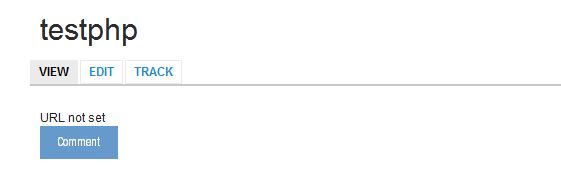
OnthegOinOz commentedOk... I did that with the link format I wrote and it returned "URL not set" on the page of site B.
If we can get that to work, onother point is that whilst I want to link to this site B and have it show a defined page on the iframe'd site, when a user just goes to the page on site B with the iframe, they should see the default page as set in the IFrame.
I am thinking that the solution you suggest does not allow for a default iframe page to exist?
Comment #8
OnthegOinOz commentedThis is how the link ends up :
https://mysiteB/page/testphp?url=https://mysiteIframe'd/cart.php?a=add&pid=4
which returns "URL not set"
Comment #9
MarcElbichon commentedI 've look at your site and you must replace $GET by $_GET.
For default page, you can do :
Comment #10
OnthegOinOz commentedHmmm. Unfortunately this does not seem to have worked?
Still the same result... snapshot attached
any ideas?
thanks
Comment #11
MarcElbichon commentedCan you resend me url of your site ?
Comment #12
MarcElbichon commentedSorry for typo.
Code must be
Modified to testphp.
Comment #13
MarcElbichon commented