

 The 2026 Drupal Business Survey is open. Your response will help shape the future of the Drupal business ecosystem.
Posted by xjm
Problem/Motivation
Test if Views HTML meets WCAG 2.0 standards.
HTML Codesniffer by Squizz (http://squizlabs.github.com/HTML_CodeSniffer/) reports that the breadcrumbs ('Home > Administration > Structure > Views' does not have an accessible contrast ratio.
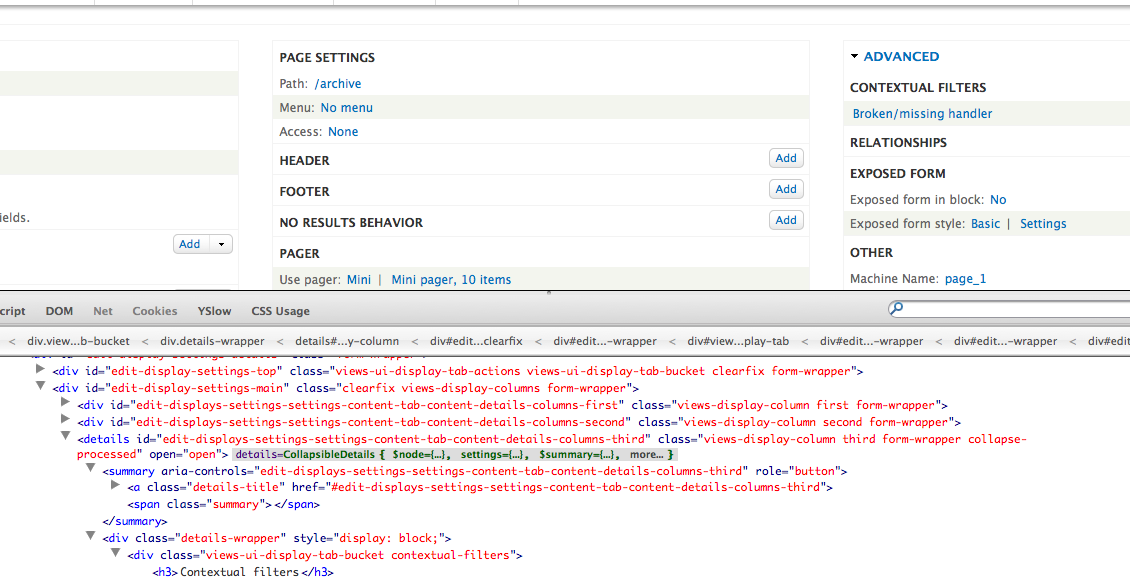
There are also duplicate IDs:
<div class="views-display-column third form-wrapper" id="edit-displays-settings-settings-content-tab-content-details-columns-third"><details class="views-display-column third form-wrapper" id="edit-displays-settings-settings-content-tab-content-details-columns-third"><summary role="button" aria-controls="edit-displays-settings-settings-content-tab-content-details-columns-third">Advanced</summary><div class="details-wrapper"><div class="views-ui-display-tab-bucket contextual-filters">
i.e. id edit-displays-settings-settings-content-tab-content-details-columns-third is duplicated.
#6 also reports the following error, but others were unable to reproduce it:
As mentioned in #6, automated checking tool WAVE Toolbar has detected an error:
* drupal/admin/structure/views/view/archive
WAVE said: 'Uh oh, WAVE has detected 1 accesibility error', but I can't see where is it.
There's no red icon acording to the Index of WAVE icons.
Proposed resolution
Address each of the issues listed above separately.
Remaining tasks
Re-test the interface once the issues above have been fixed.
Original report by xjm
// Text of original report here.
(for legacy issues whose initial post was not the issue summary)
Part of meta issues #1805996: [META] Views in Drupal Core and #1802678: [META] Views: accessibility review.
Test whether Views' HTML structure meets WCAG 2.0.
Steps
- Test this issue using 8.x HEAD:
git clone --recursive --branch 8.x http://git.drupal.org/project/drupal.git - Install the standard profile.
- Test each screen of the Views UI, including: the administrative view listing, the view creation wizard, the advanced administrative interface, and modal dialogs.
- Run an automated checking tool like the WAVE Toolbar. (More about automated checking)
- Report any problems in this issue.
Reference: core accessibility gate.
| Comment | File | Size | Author |
|---|---|---|---|
| #24 | Before-with-duplicate-id.png | 320.03 KB | mgifford |
| #24 | After-without-duplicate-id.png | 364.59 KB | mgifford |
| #20 | 1806288-20.patch | 1.12 KB | mgifford |
| #17 | Duplicate_IDs.png | 158.76 KB | mgifford |
| #16 | 1806288-16.patch | 1.11 KB | dead_arm |


Comments
Comment #1
xjmComment #2
Anonymous (not verified) commentedAssigning myself to this issue.
Comment #3
Anonymous (not verified) commentedAt present I don't have a a test environment in 8, but if anyone has a development box where I can login I'd be happy to check this against 8.
A better option may be to save the views section pages as html pages, so that we can run these through different automatic tools, and do some of the grunt work for final manual check. If we could post those html files, than people don't need to git 8. As well as solving the problem of accessing tools from the browser when logged in (if there is solution for that, feel free to let me know).
The latter option would allow more people to test it. We can update the HTML periodically, while track of progress in the cue.
Comment #4
xjmComment #4.0
xjmUpdated issue summary.
Comment #5
xjmAdding task back into the queue so someone can work on it at the sprint tomorrow.
Comment #5.0
xjmUpdated issue summary.
Comment #6
olveraricardo72 commented* WAVE has detected no accesibility errors, but you must still check your page to ensure it is actually accessible.
* I'm not sure what's the "view creation wizard"
* drupal/admin/structure/views/view/archive
WAVE said: 'Uh oh, WAVE has detected 1 accesibility error', but I can't see where is it.
There's no red icon acording to the Index of WAVE icons.
* drupal/admin/structure/views/view/archive
With the Header overlay WAVE said: 'Uh oh, WAVE has detected 1 accesibility error', but I can't see where is it.
There's no red icon acording to the Index of WAVE icons.
Comment #7
mgiffordSometimes you need to disable the CSS to see the errors. If you are using the WAVE Toolbar that makes it easier as it's right in the toolbar.
What's in the tarball?
Comment #8
olveraricardo72 commentedIn the zip I just saved the web pages i've tested for a more trained eye.
Comment #9
olveraricardo72 commentedI disabled css but still WAVE says: "Uh oh, WAVE has detected 1 accessibility error", but the icons only show alerts and not errors.
Comment #10
mgiffordWhat's the URL you were looking at? With Views it could be something that's under something else.
Comment #11
olveraricardo72 commentedThe paths which report the problem are the ones mentioned in #6
admin/structure/views/view/archive
and
admin/structure/views/view/archive
Comment #11.0
olveraricardo72 commentedUpdated issue summary.
Comment #12
tomaszjureczko commentedUpdated issue summary as part of London Drupal Sprint.
Comment #13
xjm@tomaszjureczko, can you put my original step-by-step instructions under "Problem/Motivation"? The original post was only this section, and that information is important to have at the top of the issue. Then, put what you have under "Proposed resolution" under "Remaining tasks," because it is an explanation of what needs to be fixed next, not a solution. And then you can remove the "Original report" section since it will just be duplicate text. Thanks!
Comment #14
kim.pepperTagging
Comment #15
cbI checked this out using Wave and couldn't see the issue.
I then put the code through aChecker.ca and it reports that there is a duplicate 'id' on the page which I thought could easily throw the Wave Toolbar, but the line it reports (105) is the
<body>tag and has no id. Directly below it is the skip-link element, but the id is unique.Ran the code through W3C's Unicorn validator and it reported no id errors at all.
Then, using the HTML Codesniffer by Squizz (great tool: http://squizlabs.github.com/HTML_CodeSniffer/) It reports that the breadcrumbs ('Home > Administration > Structure > Views' does not have an accessible contrast ratio.
AND (ready?) duplicate id's! Yippee!
<div class="views-display-column third form-wrapper" id="edit-displays-settings-settings-content-tab-content-details-columns-third"><details class="views-display-column third form-wrapper" id="edit-displays-settings-settings-content-tab-content-details-columns-third"><summary role="button" aria-controls="edit-displays-settings-settings-content-tab-content-details-columns-third">Advanced</summary><div class="details-wrapper"><div class="views-ui-display-tab-bucket contextual-filters">id edit-displays-settings-settings-content-tab-content-details-columns-third is duplicated.
Thanks Squiz!
Comment #15.0
cbAdded info from #6 to the summary and proposed next steps.
Comment #16
dead_armThe breadcrumb contrast is in the Seven theme, the blue link of (#0074bd) on the background of #branding (#e0e0d8) is original Seven theme styling, and wasn't accessible to begin with. There is already an open issue #740756: Ensuring Proper Color Contrast for Seven. The issue is present on all pages that use this pattern, i. e. admin/*.
The second part is that the third column was being wrapped twice. Patch attached with fix.
Comment #17
mgiffordOk, that patch fixes the duplicate ID's:
<details class="views-display-column third form-wrapper" id="edit-displays-settings-settings-content-tab-content-details-columns-third"><summary role="button" aria-controls="edit-displays-settings-settings-content-tab-content-details-columns-third">Advanced</summary><div class="details-wrapper"><div class="views-ui-display-tab-bucket contextual-filters">But would be good that you are also excluding this:
I'm guessing since that class got removed, made sense to remove the CSS. I'm just not sure it's not used elsewhere so wanted to make sure.
Looks like this is moving ahead though.
Comment #18
xjm#16: 1806288-16.patch queued for re-testing.
Comment #18.0
xjmUpdated Issue Summary from comments in #15
Comment #20
mgiffordDid this file just get renamed to views_ui.admin.css?
Output: [error: core/modules/views_ui/css/views-admin.css: No such file or directory].I'm going to assume so.
Comment #22
mgifford#20: 1806288-20.patch queued for re-testing.
Comment #23
dawehnerIt would be great to have a before and after screenshot in the issue summary.
Comment #24
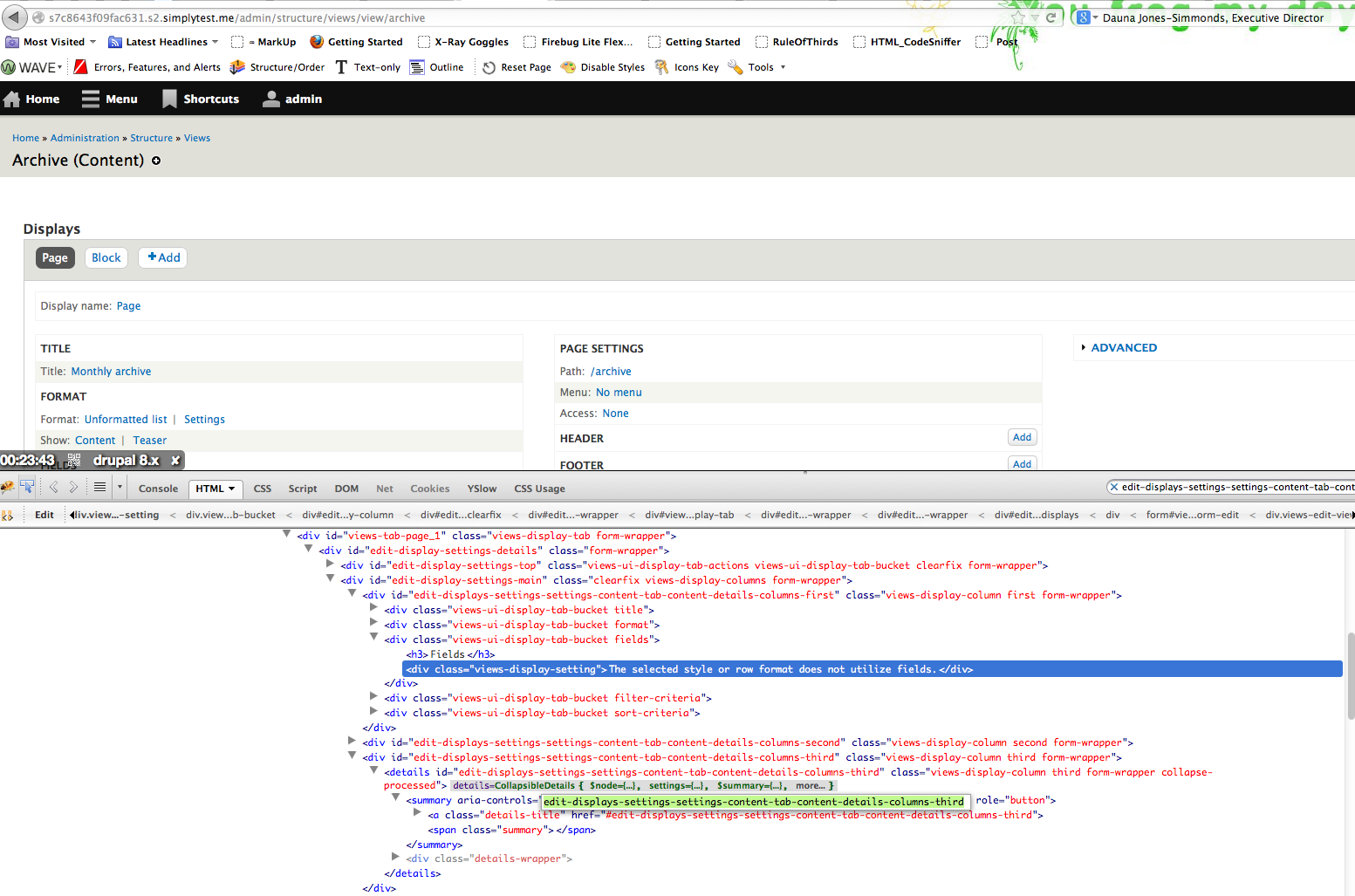
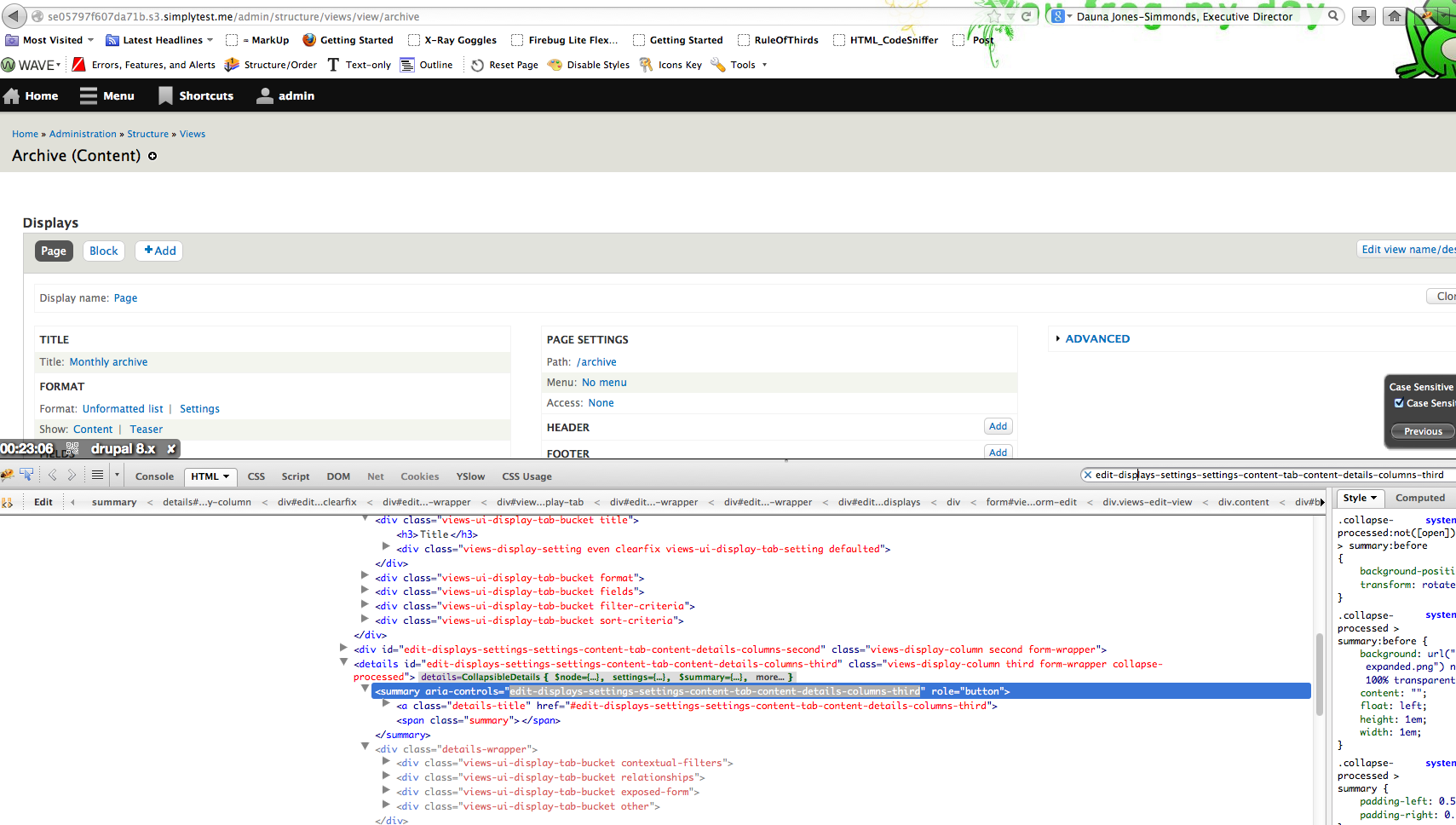
mgiffordThis is a pretty simple patch, but here's the before/after from admin/structure/views/view/archive using simplytest.me
Before
After
Comment #25
mgiffordThis patch so far only addresses the duplicate ID's though. It doesn't touch on an evaluation of Views semantics unfortunately. Just one obvious failing.
Comment #26
dawehnerThank you
Comment #27
alexpottSo the patch here is not doing what the issue title says... "Test whether Views' HTML structure meets WCAG 2.0"
As this is used for the commit message I can't commit this until you suggest a message that makes sense.
Setting back to needs review for this to take place :)
Comment #28
mgiffordGood point. Thanks Alex. This addresses that point.
Comment #29
alexpottCommitted 1eb378f and pushed to 8.x. Thanks!
Comment #31
u.rodionov commenteddel tag - #needs screenshot
Comment #31.0
u.rodionov commentedRemoving myself from the author field so that I can unfollow. --xjm