I tried a few months ago to install all of the versions of kickstart but only one would work. (Unfortunately it is the oldest version. I am afraid that I will not be able to upgrade if I use it. I believe it is the first version (7.x-1.11). The install.php gives you the older install page. I tried all of the other versions with the "Welcome" screen and as soon as I click "Let's Get Started!", the next page is an error with the following:
This webpage is not available
The connection to localhost was interrupted.
Here are some suggestions:
Reload this webpage later.
Check your Internet connection. Restart any router, modem, or other network devices you may be using.
Add Google Chrome as a permitted program in your firewall's or antivirus software's settings. If it is already a permitted program, try deleting it from the list of permitted programs and adding it again.
If you use a proxy server, check your proxy settings or contact your network administrator to make sure the proxy server is working. If you don't believe you should be using a proxy server, adjust your proxy settings: Go to the Chrome menu > Settings > Show advanced settings... > Change proxy settings... > LAN Settings and deselect the "Use a proxy server for your LAN" checkbox.
Error 101 (net::ERR_CONNECTION_RESET): The connection was reset.
When trying to install using drush, I see this error:
c:\wamp\www\Kickstart>drush dl commerce_kickstart-7.x-2.x-dev
Unable to copy C:\Users\salomos\AppData\Local\Temp\dow5768.tmp to [error]
C:\Users\salomos\AppData\Local\Temp/drush_tmp_1354365437_50b9f9fd9ae49\commerce_
kickstart-7.x-2.x-dev-core.tar.gz?date=1354063463.
Unable to move C:\Users\salomos\AppData\Local\Temp\dow5768.tmp to [error]
C:\Users\salomos\AppData\Local\Temp/drush_tmp_1354365437_50b9f9fd9ae49\commerce_
kickstart-7.x-2.x-dev-core.tar.gz?date=1354063463.
md5_file(C:\Users\salomos\AppData\Local\Temp/drush_tmp_1354365437_50b9f9fd9ae49\
commerce_kickstart-7.x-2.x-dev-core.tar.gz?date=1354063463): [warning]
failed to open stream: No error drush.inc:792
File commerce_kickstart-7.x-2.x-dev-core.tar.gz?date=1354063463 is [error]
corrupt (wrong md5 checksum).
Unable to copy C:\Users\salomos\AppData\Local\Temp\dow85E7.tmp to [error]
C:\Users\salomos\AppData\Local\Temp/drush_tmp_1354365449_50b9fa0983988\commerce_
kickstart-7.x-2.x-dev-core.tar.gz?date=1354063463.
Unable to move C:\Users\salomos\AppData\Local\Temp\dow85E7.tmp to [error]
C:\Users\salomos\AppData\Local\Temp/drush_tmp_1354365449_50b9fa0983988\commerce_
kickstart-7.x-2.x-dev-core.tar.gz?date=1354063463.
md5_file(C:\Users\salomos\AppData\Local\Temp/drush_tmp_1354365449_50b9fa0983988\
commerce_kickstart-7.x-2.x-dev-core.tar.gz?date=1354063463): [warning]
failed to open stream: No error drush.inc:792
File commerce_kickstart-7.x-2.x-dev-core.tar.gz?date=1354063463 is [error]
corrupt (wrong md5 checksum).
c:\wamp\www\Kickstart>drush dl commerce_kickstart-7.x-2.x-dev
Unable to copy C:\Users\salomos\AppData\Local\Temp\dowAA0.tmp to [error]
C:\Users\salomos\AppData\Local\Temp/drush_tmp_1354365811_50b9fb732f6cf\commerce_
kickstart-7.x-2.x-dev-core.tar.gz?date=1354063463.
Unable to move C:\Users\salomos\AppData\Local\Temp\dowAA0.tmp to [error]
C:\Users\salomos\AppData\Local\Temp/drush_tmp_1354365811_50b9fb732f6cf\commerce_
kickstart-7.x-2.x-dev-core.tar.gz?date=1354063463.
md5_file(C:\Users\salomos\AppData\Local\Temp/drush_tmp_1354365811_50b9fb732f6cf\
commerce_kickstart-7.x-2.x-dev-core.tar.gz?date=1354063463): [warning]
failed to open stream: No error drush.inc:792
File commerce_kickstart-7.x-2.x-dev-core.tar.gz?date=1354063463 is [error]
corrupt (wrong md5 checksum).
Unable to copy C:\Users\salomos\AppData\Local\Temp\dow3384.tmp to [error]
C:\Users\salomos\AppData\Local\Temp/drush_tmp_1354365821_50b9fb7da32b7\commerce_
kickstart-7.x-2.x-dev-core.tar.gz?date=1354063463.
Unable to move C:\Users\salomos\AppData\Local\Temp\dow3384.tmp to [error]
C:\Users\salomos\AppData\Local\Temp/drush_tmp_1354365821_50b9fb7da32b7\commerce_
kickstart-7.x-2.x-dev-core.tar.gz?date=1354063463.
md5_file(C:\Users\salomos\AppData\Local\Temp/drush_tmp_1354365821_50b9fb7da32b7\
commerce_kickstart-7.x-2.x-dev-core.tar.gz?date=1354063463): [warning]
failed to open stream: No error drush.inc:792
File commerce_kickstart-7.x-2.x-dev-core.tar.gz?date=1354063463 is [error]
corrupt (wrong md5 checksum).
c:\wamp\www\Kickstart>
I have been developing with the old version and as soon as I tried to add Omega Kickstart, I received the same error again!
Can anyone help me, please?
Asked by: salomos
on December 1, 2012
Add New Comment
Know someone who can answer?



Comments
Comment #1
bojanz commentedSomething is wrong with your local environment, but you haven't given us any information about it.
What are you using to install Kickstart?
Windows, Linux, Mac? Mamp, Wamp, a VM, remote server?
People currently have the most problems with Wamp, it just doesn't work (segfaults in certain cases), which is why I recommend Acquia Dev Desktop (if you aren't running a VM or something more fancy)
Also check your error logs, there might be more information there.
Comment #2
salomos commentedI am using Windows 7 with a WAMP server installed. I added the drush errors I received, also. I looked at all error logs but it said nothing (PHP.error, apache.error)
Comment #3
salomos commentedDo you know why I can install the version 1 and most everything else except these? I have been installing numerous modules, profiles, and themes over the last 4 months without a problem except Kickstart 2.
Comment #4
salomos commentedHI bojanz! Thank you for passing along that information. I am new to Drupal and it literally took me forever to get the WAMP server installed and configured correctly. So, since you suggested that I use Aquia, I think I will give it a try. You obviuosly are very knowledgable since you are involved with the Drupal Commerce and I really appreciate that you gave me such a suggestion. I will try that out and will let you know how the Kickstart works for me. I am sure it will be fine or you probably wouldn't have mentioned it. Thanks you again for leading me in the proper direction!
Comment #5
bojanz commentedI knew it was WAMP... It segfaults when modules have strings in their .info files that are too long (like the OAuthConnector that ships with Kickstart v2, but doesn't ship with most other install profiles). I'm going to put a big warning on the project page telling people not to use WAMP and link to #1648992: Connector submodule form Description is highlighting buggy WAMP install.
Let me know how the Acquia Dev Desktop works out for you.
Comment #6
salomos commentedThat is a good idea! I wish I had run into such a warning. But, in the long run, I think I will not have as many errors as I have had with this new site since moving to Acquia! And if I can't get things to run over there, I might just prtition my machine and load Linux on the second partition! I just have to study it a wee bit because it is so different from Windows! Thanks again and I will let you know how things turn out!
Comment #7
salomos commentedI was almost there but right after it installed the "File Content", I received a 404 "Not Found" error! Not sure what happened but I received it from both dev and current versions. Do you know why I might have received this error? At least I got much farther with the install now that I am using Acquia. Thanks again for that suggestion. Do you know what I should do next?
Comment #8
salomos commentedHere were the errors I found:
Undefined index: schema_fields_sql in \\commerce_kickstart-7.x-2.x-dev\\includes\\entity.inc
on line 265
[error] [client 127.0.0.1]
PHP Catchable fatal error: Argument 2 passed to SelectQuery::fields() must be of the type array,
null given, called in \\commerce_kickstart-7.x-2.x-dev\\includes\\entity.inc on line 284 and defined in \\commerce_kickstart-7.x-2.x-dev\\includes\\database\\select.inc on line 1300
Do you think I could replace the entity module dev version in the Kickstart profile? Would this be a possible fix? I have tried the install 4 times using dev and prod and using both tar and winzip7.
Comment #9
Johnz86 commentedToday I also tried to install Commerce Kickstarter 2. I tried it on production server from my provider (not wamp).
First attempt to install was with commerce_kickstart-7.x-2.0-rc4-core.tar"
The file was succesfully extracted and I went to install.php?profile=commerce_kickstart.
The welcome page was shown. The layout was broken (Picture 1). After I hit Lets Get Started I saw this error:
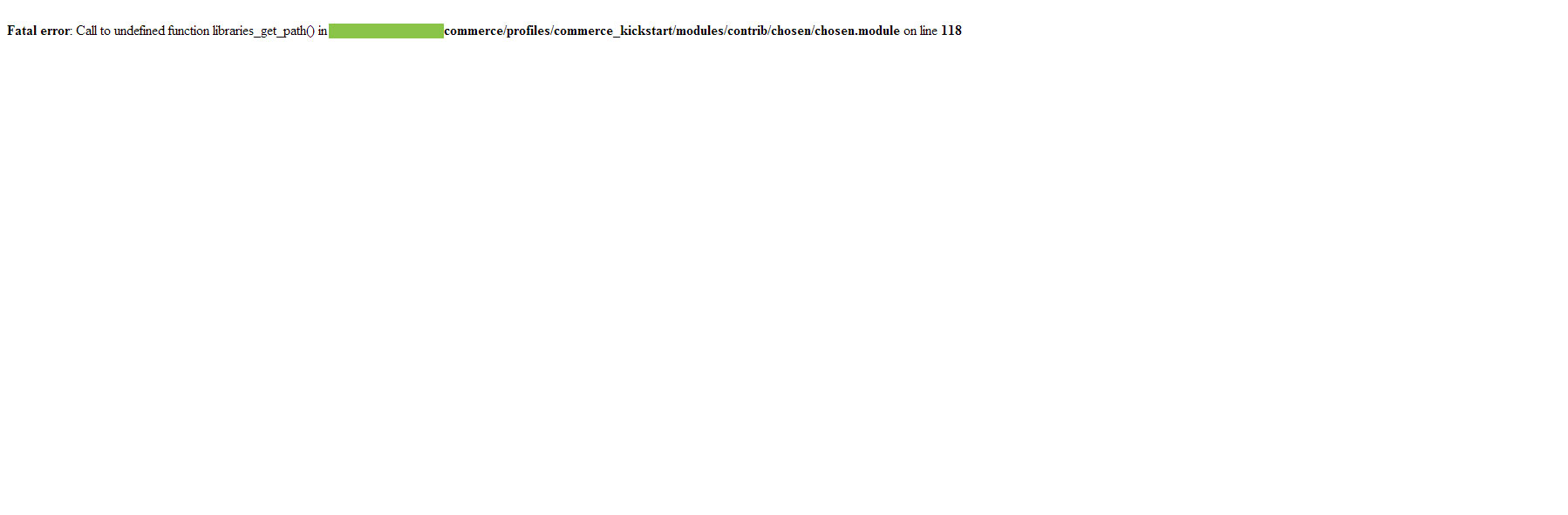
Fatal error: Call to undefined function libraries_get_path() in /commerce/profiles/commerce_kickstart/modules/contrib/chosen/chosen.module on line 118 (Picture 2)
After this attempt I browsed a while. Found on official guide http://www.drupalcommerce.org/user-guide/installing-commerce-kickstart
alternative approach - Add Commerce Kickstart to an existing Drupal codebase:
My second attempt was to to install the commerce_kickstart-7.x-2.0-rc4-no-core.tar as profile into official drupal 7.17 distribution .
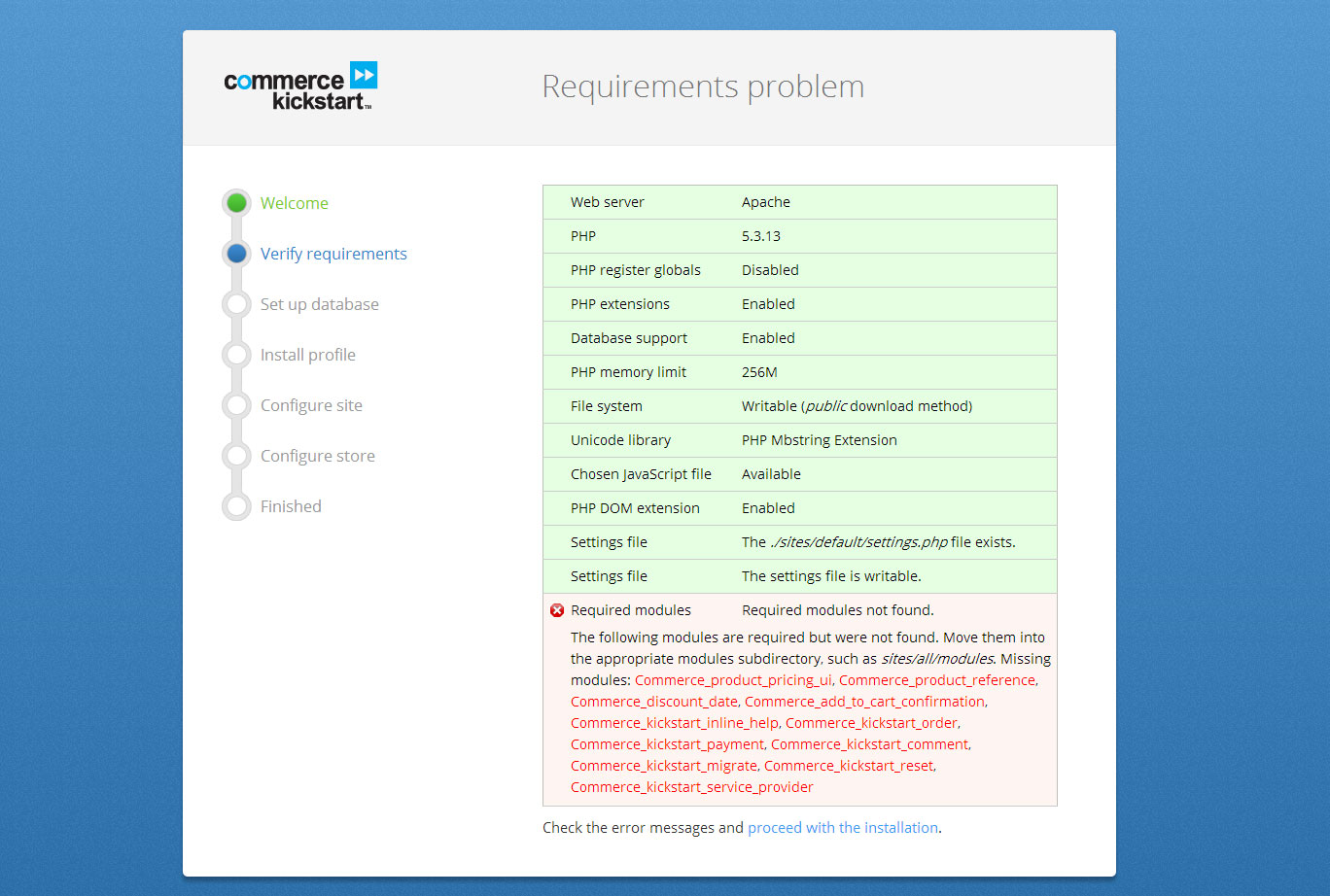
The install site was displayed correctly at start. After I hit Lets Get Started the next site was displayed (Picture 3).
I couldnt get past this site. The message at bottom said:
The following modules are required but were not found. Move them into the appropriate modules subdirectory, such as sites/all/modules. Missing modules: Commerce_product_pricing_ui, Commerce_product_reference, Commerce_discount_date, Commerce_add_to_cart_confirmation, Commerce_kickstart_inline_help, Commerce_kickstart_order, Commerce_kickstart_payment, Commerce_kickstart_comment, Commerce_kickstart_migrate, Commerce_kickstart_reset, Commerce_kickstart_service_provider
My memory limit is set to 256 MB and the curl library is present. I dont think this a problem with hosting, but with the installer. Does somebody have an advice, how to get a complete installation, without installing all modules step by step?
Comment #9.0
Johnz86 commentedAdded: error when using drush!
Comment #10
lsolesen commentedI am going to close this one. Please reopen if it is still an issue with the latest 2.13 of Kickstart.