The statement: "N.B. View argument is entity ID of the entity which contains entity reference field, not entity reference field values." does not provide sufficient information for setting up a working View. There is no readme.txt file at all.
Should an "Entity Reference" Views display be created? Is the Entity ID the same as the NID? If not, how can the Entity ID be extracted from the parent node? Does a relationship need to be created?
A simple explanation of how the View should be setup would make this module far more useful!!
I have successfully displayed the view embedded in a node using this module, but the view results show all records from the referred entity (in this case, also a node). This is because it is unclear precisely how to filter the argument properly to only pull Entities that are entered into the parent node's Entity Reference field.



Comments
Comment #1
maximpodorov commentedYou are right, the documentation is needed for this project. But its primary goal was to overcome Organic groups limitations, and for this case, view relationship is not based on an entity reference field.
Comment #2
trumanru commentedMaxim, if you have no time to make howto description in English could you explain it in Russian? And I could help you with translation.
=======
Максим, если у Вас нет времени создать описание работы на английском, может быть Вы сможете написать его на русском? Я могу помочь с переводом.
Comment #3
presleyd commentedhere's a draft:
This module allows you to use views to format the display of an entity reference field. It takes advantage of the power of Views Relationships to access field data from the entity being referenced and is thus very flexible.
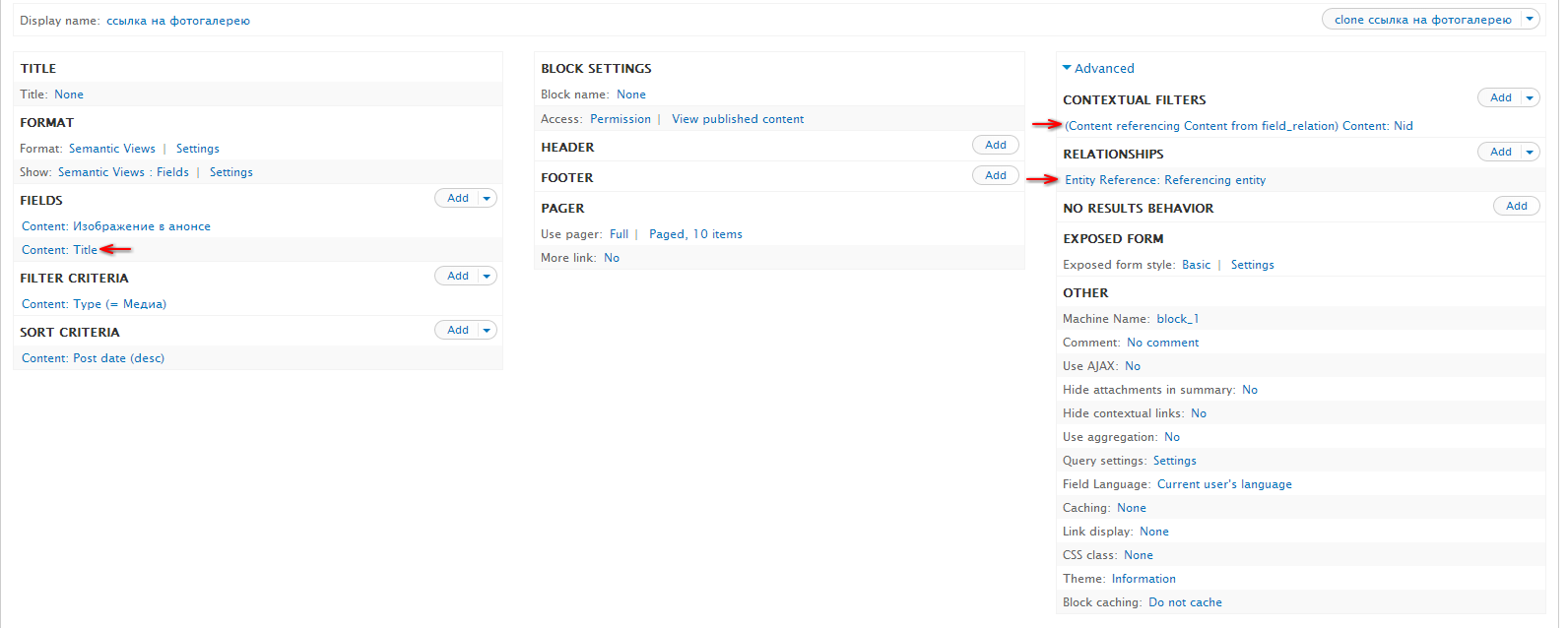
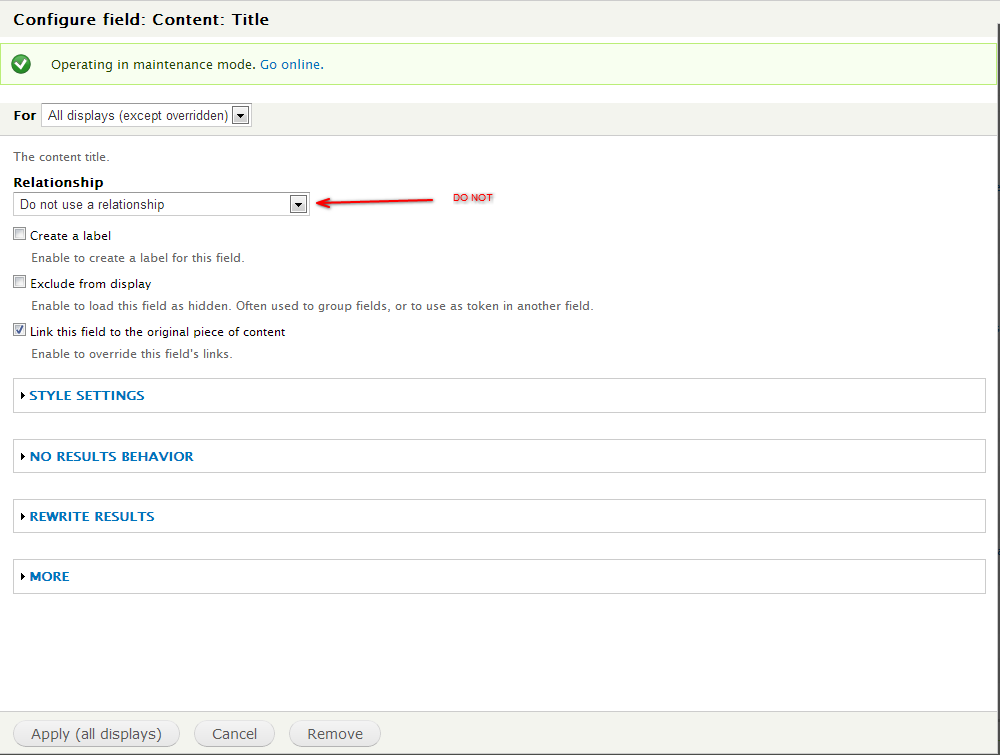
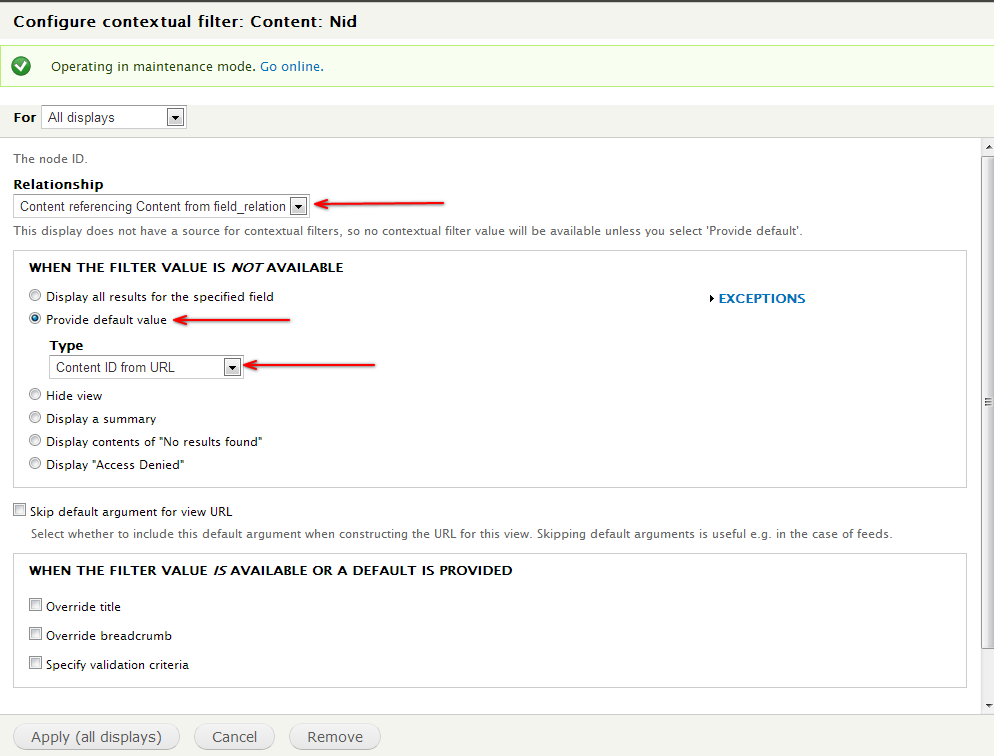
Usage: You will need to first create a view. The view does not need a display of any particular type, the master display will work or any other. This view will be passed an argument of the NID of the entity containing the entity reference field. Note: It is NOT passed the NID of the entity that thr entity reference field is pointing to. To do this you will create contextual filter of type Content:Nid from the Advanced setting. Next, make a Relationship of type Entity Reference: . Add the fields you wish to display making sure that each one uses the Relationship you created.
Change the display of the entityreference field at the content type at /admin/structure/types/manage//display to 'Views Output'. Click the gear button to the right and select the view you created previously and the corresponding view display that you used.
Comment #4
proweb.ua commenteddoes not work
1. create new view
2. field - title
3. Contextual filters - Content: Nid (Provide default value - Content ID from URL)
4. Relationships- Reference entity
-----------------------------------
перепробовал разные варианты. пробовал в связях выбирать и Reference и Reference. эффекта никакого
Comment #5
presleyd commentedDid you add fields that use that relationship?
Comment #6
proweb.ua commentedunderstood, working
Comment #7
off commented@proweb.ua thank you!