

Closed (fixed)
Project:
Commerce Kickstart
Version:
7.x-2.7
Component:
Documentation
Priority:
Normal
Category:
Support request
Assigned:
Unassigned
Reporter:
Created:
21 May 2013 at 14:13 UTC
Updated:
25 Jun 2013 at 07:00 UTC
Jump to comment: Most recent, Most recent file


Comments
Comment #1
vasikeyou should check if this setting (plain text email only) is not actually set in General Mimemail settings (admin/config/system/mimemail) or for the User Mime Mail settings (account edit page).
is this similar (identical) with #1889366: Text only mail message table is broken issue ?
Comment #2
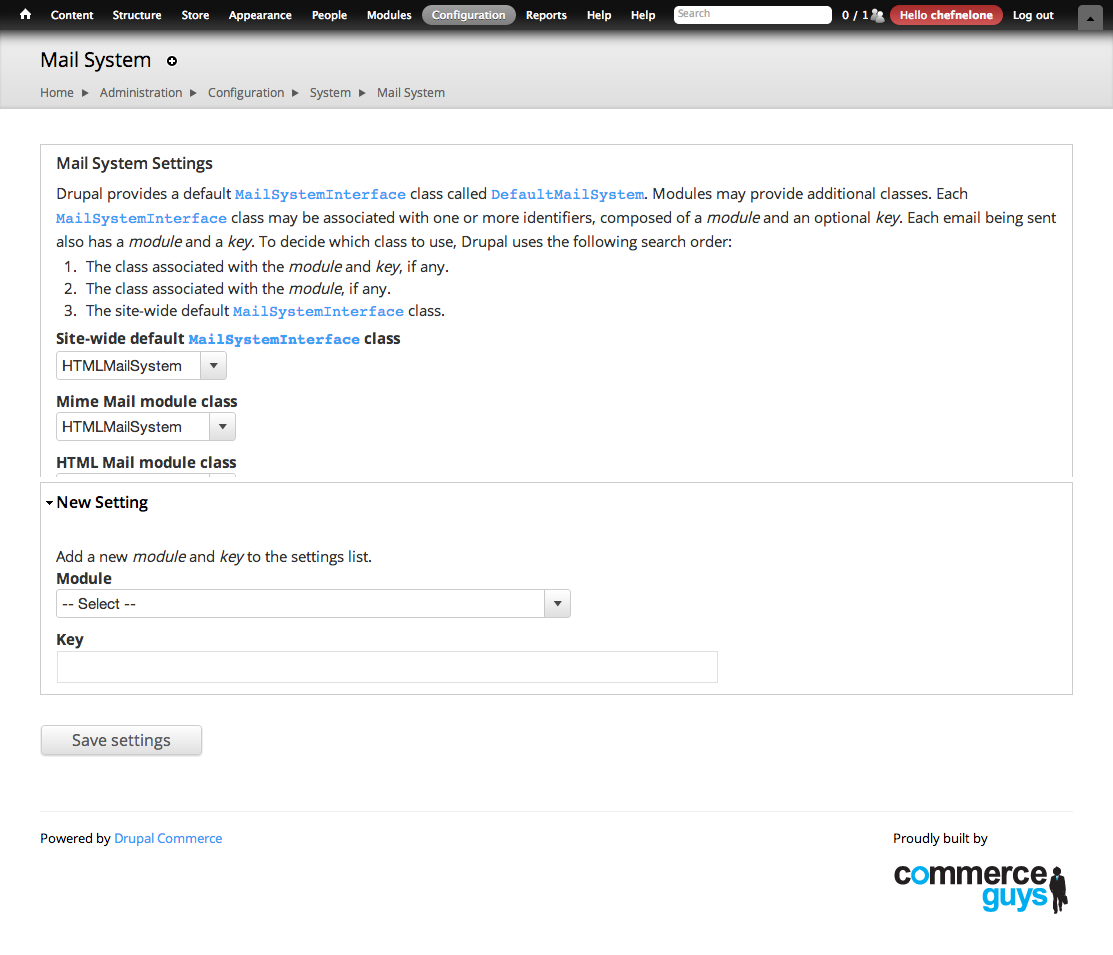
chefnelone commented@vasike thanks for taking this one. Please could you look my settings at:
admin/config/system/mailsystem and admin/config/system/mimemail
admin/config/system/mimemailadmin/config/system/mailsystemComment #3
chefnelone commentedComment #4
vasikeSo your Mime Mail settings (admin/config/system/mimemail) are just fine.
The issue is that your Mail system (admin/config/system/mailsystem) won't use it.
It seems you have installed HTML Mail and selected its HTMLMailSystem.
What you need it's to change it to MimeMailSystem.
Comment #5.0
(not verified) commentedtypo
Comment #6
rajmataj commentedI had a similar same issue (however I do not have, nor use the module HTML Mail.). My Commerce emails like the Order confirmation were going through fine, properly formatted as HTML but every other email like the Forgot Password or Account Creation emails were in plain text without any line breaks.
What worked for me was to:
DefaultMailSystemplus setting the theme toCurrentFull HTMLAfterwards, I tested with the Forgot Password link and the email that arrived was at least with paragraph breaks.