Text slider widget allow to add 'js pager' to any Text field (textfield/textarea). Each peace of text is represented as separate field item (maybe saw 'Add new item' button which add new item to field instance where you can enter next peace of text). This ability is very helpful for One-page websites where the content is represented as the set of blocks and lack of the space for big amount of text. For example, check http://www.silktricky.com - some of blocks have js pager because of limit of space.
Example how to create Text slider for Page content type and bind it to Body field + test how it will look like.
Attach slider to field with Text field type

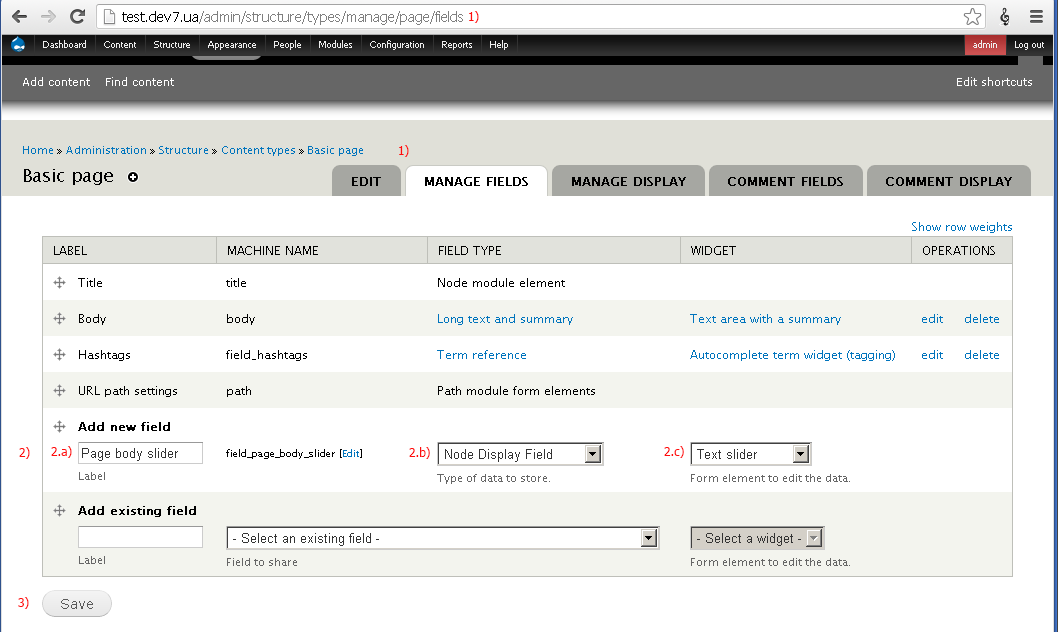
1) Go to Administration > Structure > Content types > Basic page > Manage fields (admin/structure/types/manage/page/fields);
2) Setup 3 fields to create Text slider:
2.a) Label: enter the name of field, for example ‘Page text slider’;
2.b) Type of data to store: Node Display Field;
2.c) Form element to edit the data: Text slider;
3) Submit a form by clicking on Save button – it will redirect you on Field settings page;

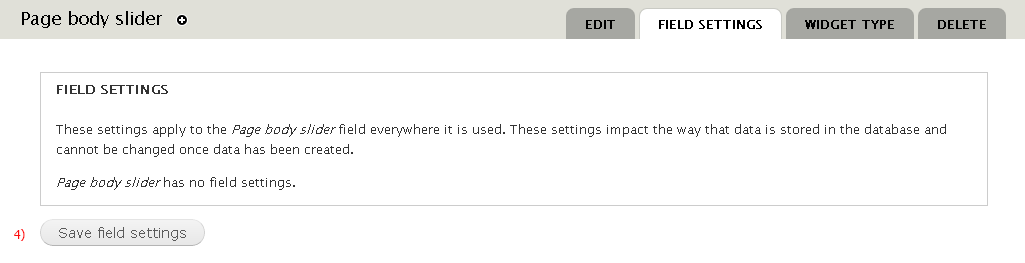
4) Submit a form by clicking on Save field settings - it will rediret you on Widget settings page;

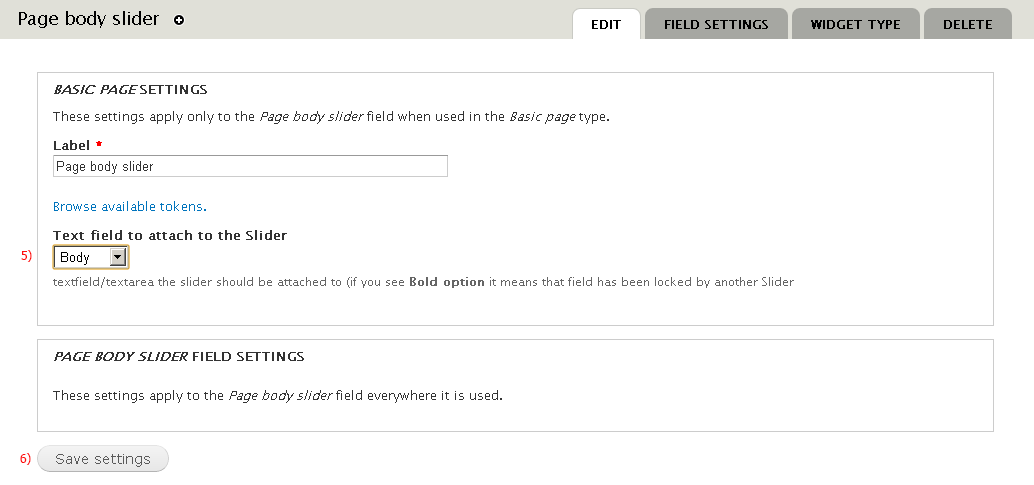
5) Pick the Text field we want JS Page to has (Body in our case) If some Text field has been picked by another JS pager it will be locked in this select list;
6) Submit a form by clicking on Save settings - it will rediret you back on Manage fields form;
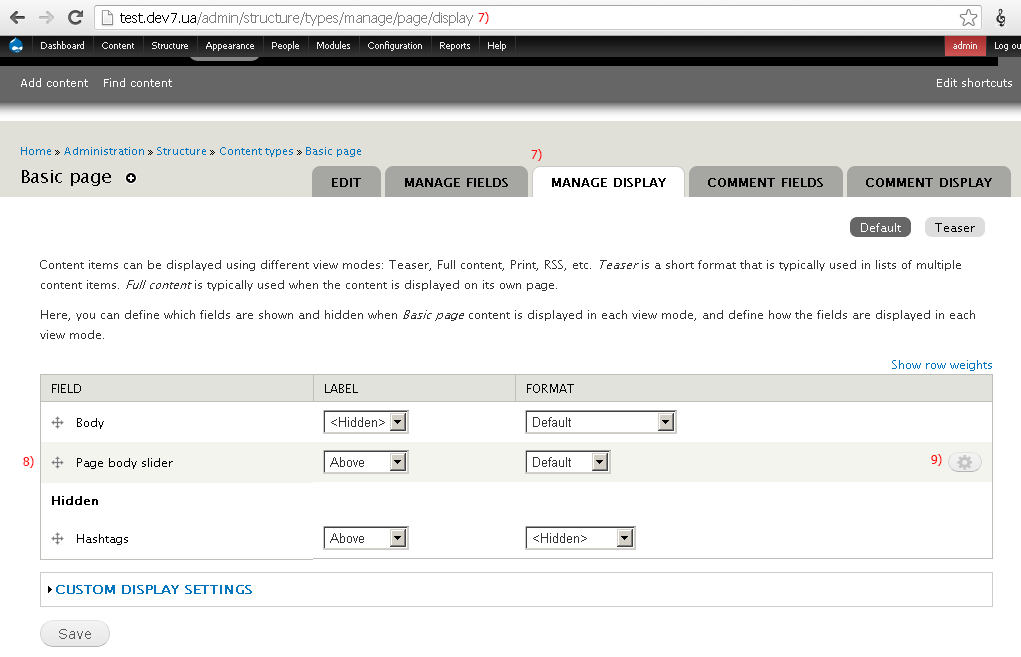
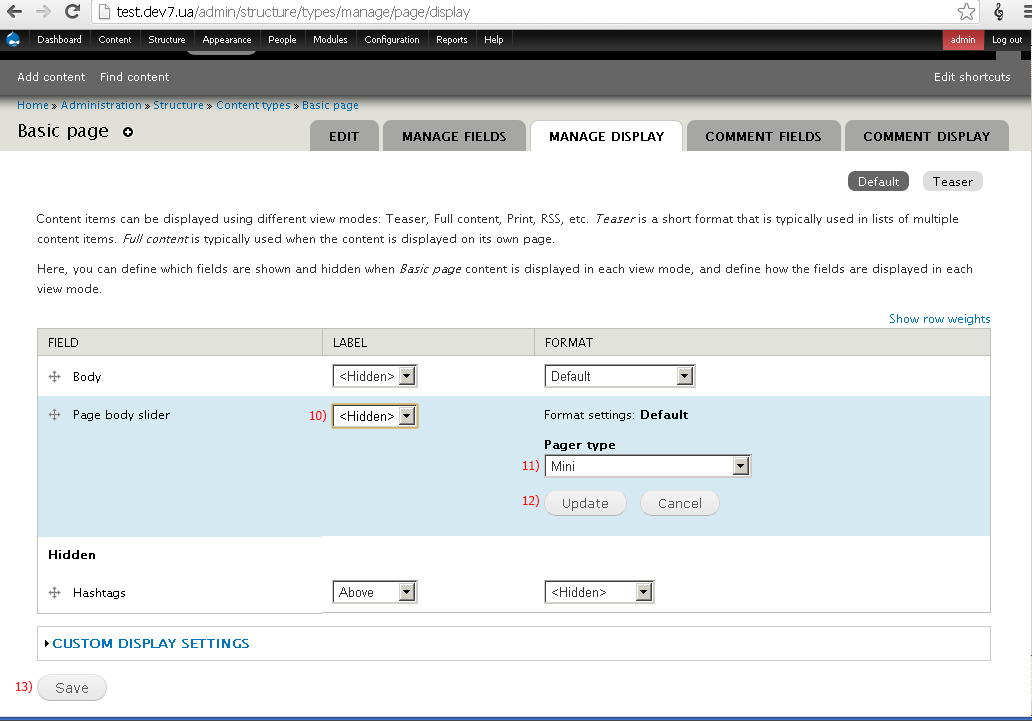
7) Go to Administration > Structure > Content types > Basic page > Manage displays (admin/structure/types/manage/page/display) or just click on Manage fields tab;

8) You can show/hide JS Pager using drag-and-drop;
9) Settings button – click on it to see extended popup:

10) You can hide the label by picking Hidden option;
11) You can choose 2 types of pagers: Mini (without arrows) and Normal (with Next – Prev arrows);
12) Click on Update button to save changes;
13) Click on Save button to submit a form;
Testing
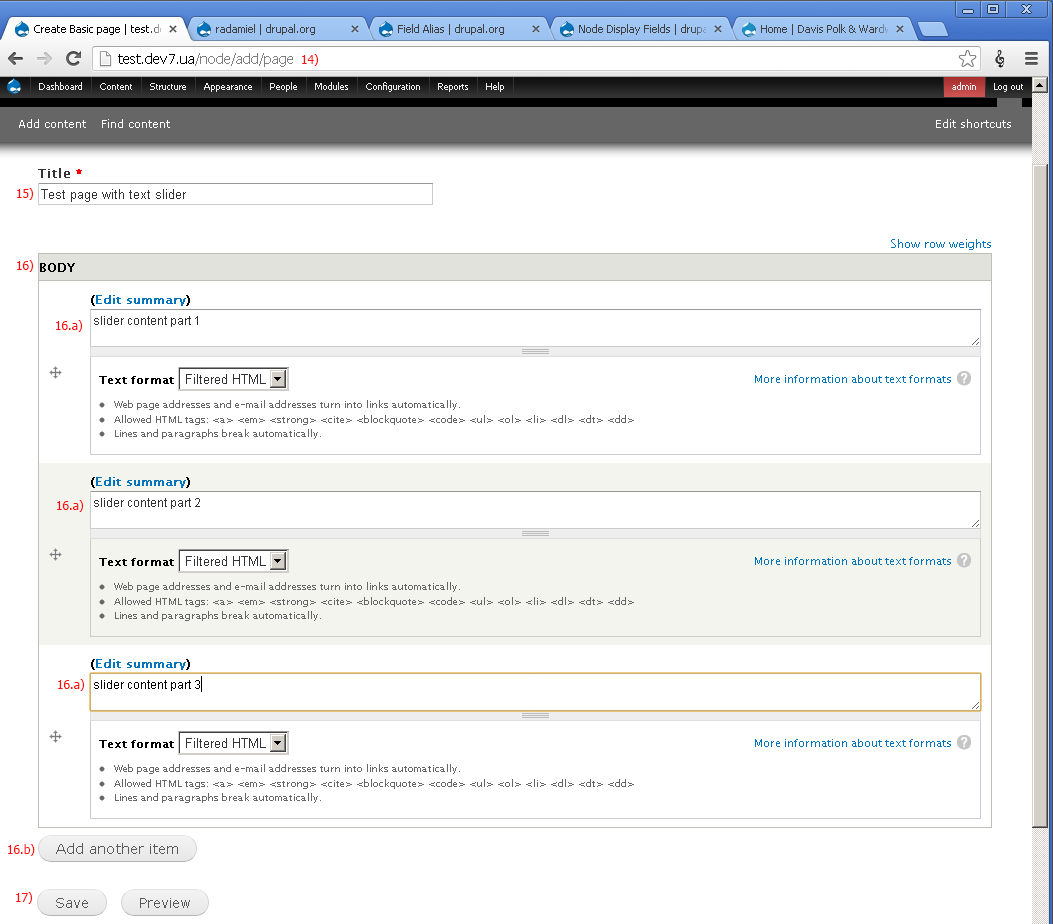
14) Go to Administration > Content > Add content > Page
(node/add/page);

15) Fill up Title field;
16) Click on 'Add new item' button 2 times to create 2 more filed items. Fill up each of them with text;
17) Submit a form;

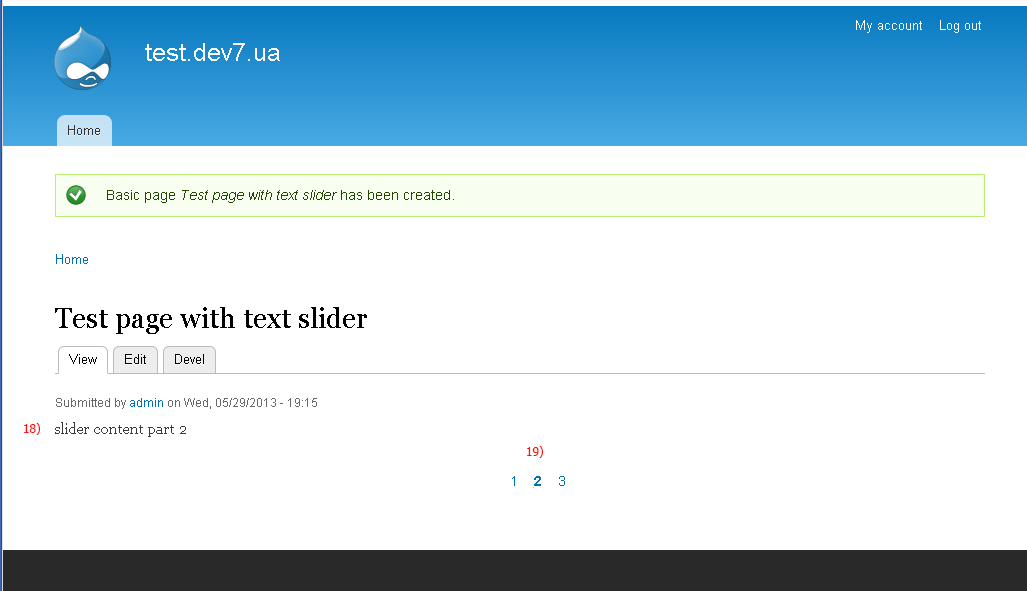
18) First field item;
19) Js pager;
| Comment | File | Size | Author |
|---|---|---|---|
| #1 | 1.Create-node-display-fields--field.png | 29.7 KB | radamiel |
| #1 | 2.Submit-field-type-settings-form.png | 9.26 KB | radamiel |
| #1 | 3.Submit-widget-settings-form.png | 13.1 KB | radamiel |
| #1 | 4.Manage-display-fields-overview.png | 28.18 KB | radamiel |
| #1 | 5.Manage-display-fields-overview-2.png | 30.04 KB | radamiel |
Comments
Comment #0.0
radamiel commented2nd edit
Comment #0.1
radamiel commented3rd edit
Comment #1
radamiel commentedComment #1.0
radamiel commented4th edit
Comment #1.1
radamiel commented1 image
Comment #1.2
radamiel commentedfull images refresh
Comment #2
suri2507 commentedAs your discussions, I configured same way in sample application but its not working properly as like SlikTricky. When you click on any node and it's going to another page. so please tell me how will I integrate SilkTricky sample application.Thanks in advance.