

Closed (fixed)
Project:
Drupal Commons
Version:
7.x-3.3
Component:
Trusted Contacts and Private Messaging
Priority:
Major
Category:
Bug report
Assigned:
Issue tags:
Reporter:
Created:
21 Aug 2013 at 10:35 UTC
Updated:
8 Oct 2013 at 05:27 UTC


Comments
Comment #1
ezra-g commentedSorry to hear that you're having trouble here. Adding to our 3.4 radar for triage.
Comment #2
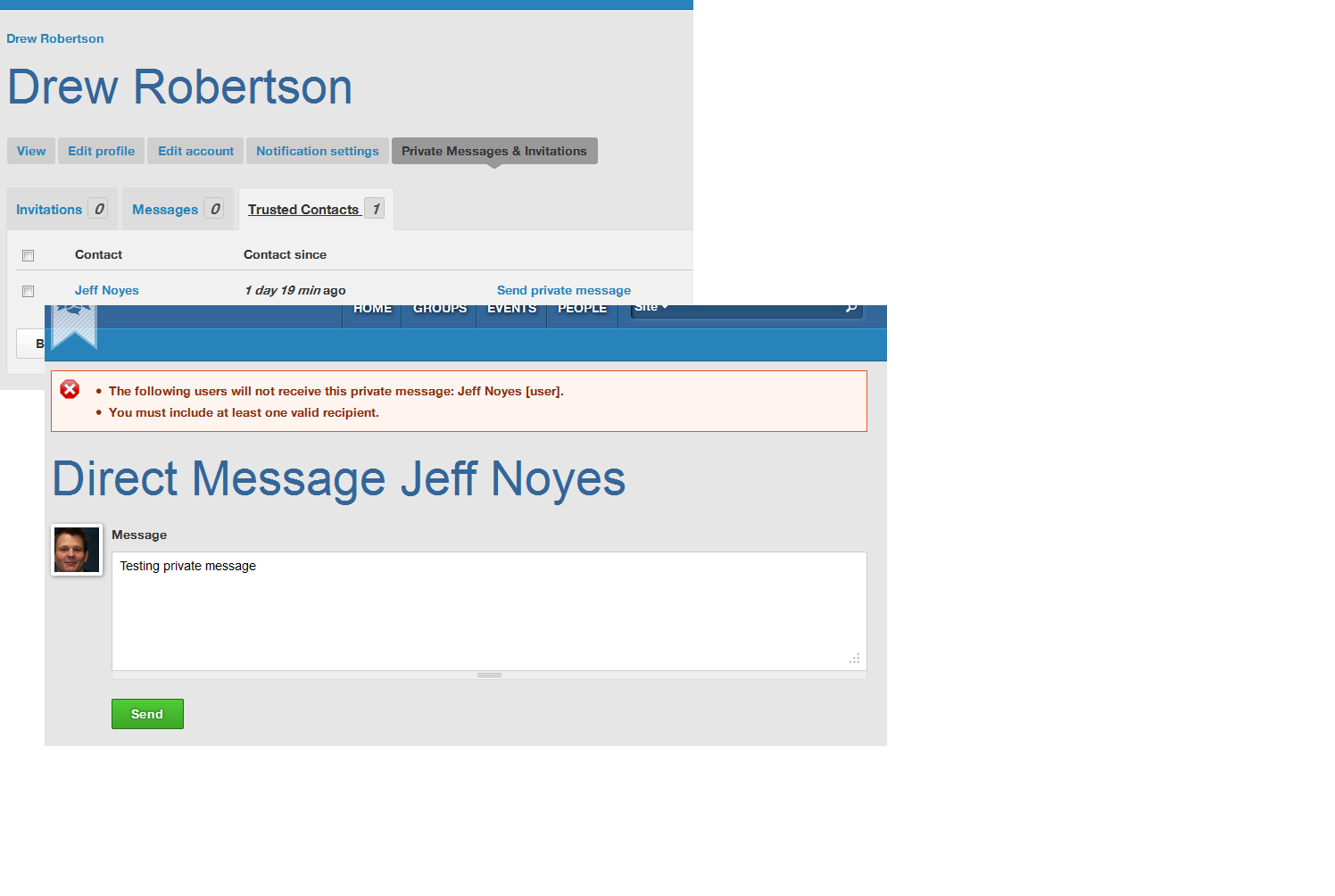
ezra-g commentedI'm not able to reproduce this on a fresh install of Commons 3.3, even using the same demo user accounts shown in your screenshots.
Can you share specific steps to reproduce the problem?
Comment #3
neerajskydiver commentedTried again with latest copy of Commons 3.3
After installing changed the username and password of two demo account. Did this to login to both account for approving contact request. After approving trusted contact request (list of invitation) tried "Send private message" from "Private Messages & Invitations > Trusted Contacts" tab. Got the same error.
After receiving your comments, i thought this error is coming because username (real name remains same) has been changed. In fact if you change the username, user is removed from trusted contact list also.
Created two new set of users. Added one user as trusted contact for other user. Tried sending private message again. Reached same error page. Both user is receiving notification emails from system about "trusted-contact request pending" as well as about new post created.
Tries the same steps with latest dev copy also. No luck.
Comment #4
garyconroy commentedI'm seeing the same issue on a clean install of 3.3 and a newly set up user.
Comment #5
ezra-g commentedCan someone who can reproduce this please post detailed, numbered steps to reproduce?
Comment #6
garyconroy commentedComment #7
ezra-g commentedThanks for those steps, garyconroy! Setting back to "active".
Comment #8
japerryI've been taking a look at this, and can also reproduce.
Comment #9
jmesweeney commentedTry enabling the "Privatemsg Realname Integration module". https://drupal.org/node/1292874
Comment #10
garyconroy commentedThis fixed the issue for me.
Comment #11
japerryYup same here. By default the content we create has the username = realname. But if someone creates a username that is different than the real name, it fails. It seems like this was just a simple oversight. I've added it to the commons install profile.
http://drupalcode.org/project/commons.git/commit/28866c7
Comment #12
japerryA quick follow up here, we should be doing this in the privatemsg module instead:
https://drupal.org/node/2077223#comment-7807667
I've committed the patch to the make file, and reverted our update.
http://drupalcode.org/project/commons.git/commit/a7c431d
Comment #14
raushan commentedThanks for detail reply.