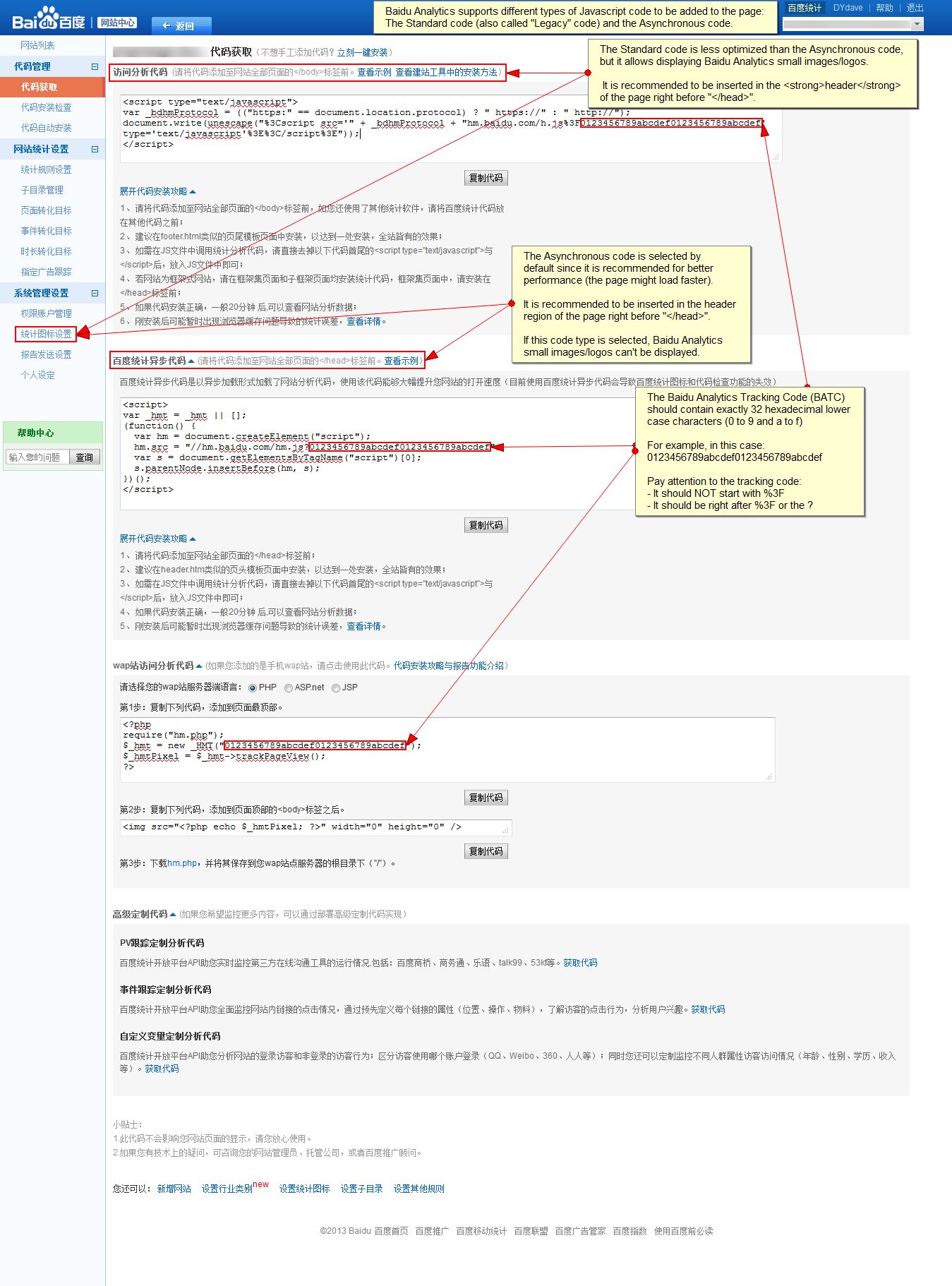
Baidu Analytics provides the ability to select between different types of codes as explained on the Baidu Analytics Tracker Code page (screenshot).
Currently, module only provides support for the Asynchronous code and it would be great if users could also be able to select the Standard code.
If users wanted to display the Baidu Analytics small images/logos, it wouldn't be possible, since it is only supported currently with the Standard (Legacy) tracking code.
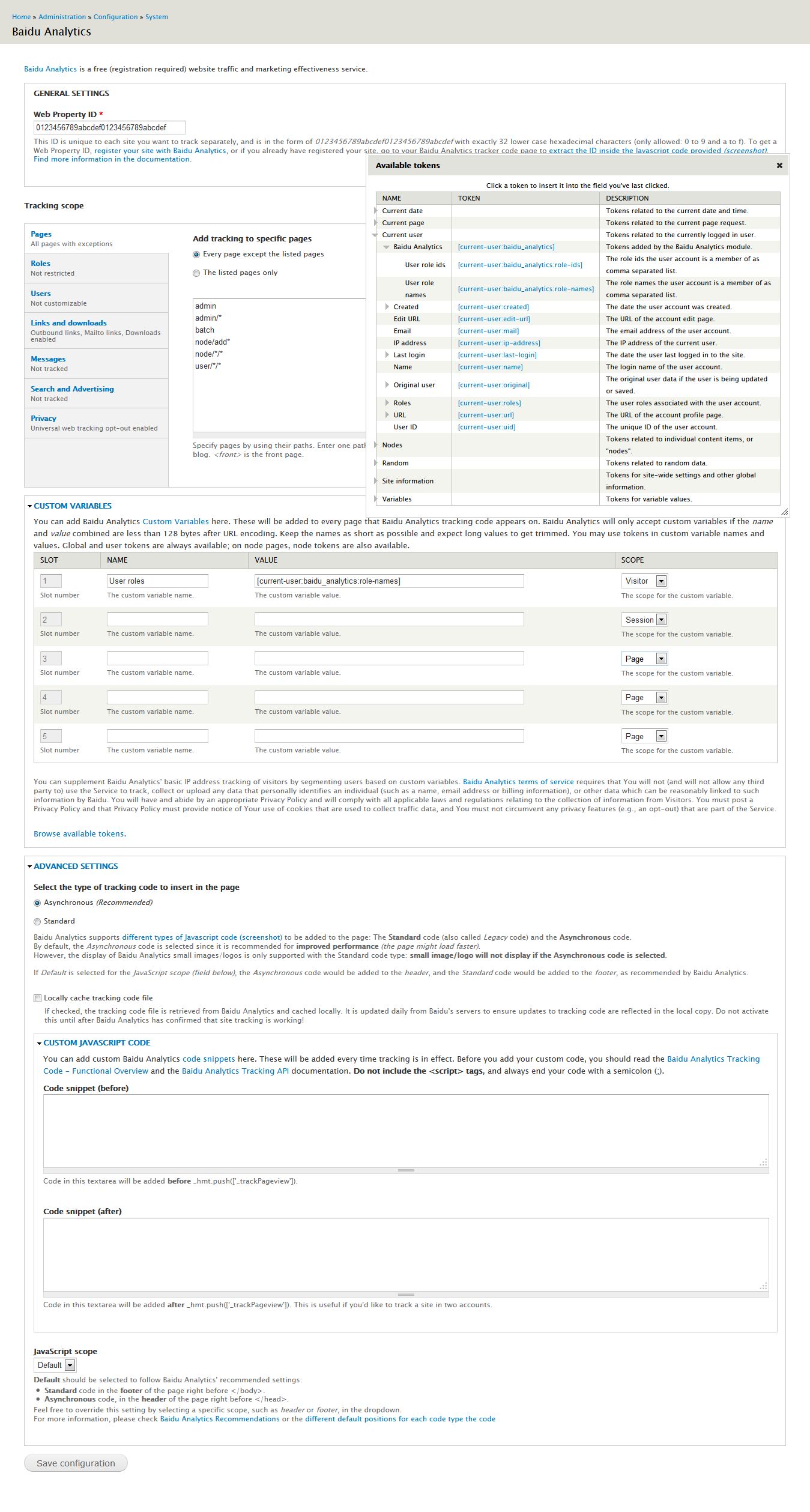
A new field option could be added under the Advanced section on the Baidu Analytics admin settings form page to allow users to select either the Asynchronous code:

or the Standard code:

Please let me know if you would have any questions, objections, comments, suggestions, recommendations or concerns on any aspects of this feature request, I would be glad to provide more information or explain in more details.
Any questions, feedback, testing, changes, ideas or recommendations would be highly appreciated.
Thanks to all in advance.




Comments
Comment #1
dydave commentedQuick follow-up on this feature request:
Added a new JavaScript Code Type field, called: Select the type of code to insert in the page in the Advanced Settings collapsible section in the admin settings form page, with a new option for selecting the Standard (Legacy) tracking code to be generated, as explained in the issue summary.

Code generation behavior still defaults to Asynchronous since it could probably be recommended for performance reasons, mostly.
Added detailed field description, to clearly explain the difference between the codes and the recommendations for the Javascript Scope:
Modified
baidu_analytics.modulefile'sbaidu_analytics_page_alterand cache functions to use different tracking URLs depending on the code type selected.I went ahead and committed the changes against the 7.x-1.x branch at 1a9b656, followed by another commit at 27e35a3 to improve the description of the JavaScript Code Type field added in previous commit.
I allowed myself to mark this issue as fixed for now, but feel free to re-open it, or create a new ticket, at any time if you have any further objections with this issue or any of the related commits (1a9b656, 27e35a3 - we would surely be happy to hear your feedback).
Please let me know if you would have any further comments, feedback, questions, issues, objections, suggestions or concerns on the commit or this feature request in general, I would be glad to provide more information or explain in more details.
Thanks in advance to everyone for your testing, reviews, feedback and comments on this issue.
Cheers!
Comment #3
diriy commentedHow can I get my tracking ID? where can I find it? Could you please share the proper URL.