| #251 | 2113931-251.patch | 46.49 KB | jerrylow |
| #250 | 2113931-250-patch-sample.png | 133.93 KB | jerrylow |
| #250 | 2113931-250.patch | 47.25 KB | jerrylow |
| #250 | interdiff-247-250.txt | 639 bytes | jerrylow |
| #249 | 2113931-248.missing-remove-on-multiple.png | 90.15 KB | jerrylow |
| #247 | 2113931-247.patch | 47.24 KB | seanb |
| #247 | interdiff-244-247.txt | 1.54 KB | seanb |
| #244 | 2113931-244.patch | 47.78 KB | seanb |
| #244 | interdiff-238-244.txt | 2.47 KB | seanb |
| #239 | 2113931-239.file-name-and-size-wrapping-funny.png | 97.99 KB | dww |
| #239 | 2113931-239.seven-big-filename-after-patch.png | 151.63 KB | dww |
| #239 | 2113931-239.seven-big-filename-before-patch.png | 168.05 KB | dww |
| #238 | 2113931-238.patch | 46.93 KB | seanb |
| #238 | interdiff-234-238.txt | 5.91 KB | seanb |
| #236 | 2113931-236-file-card3-full.png | 70.4 KB | dww |
| #236 | 2113931-236-file-card3-2-up.png | 90.58 KB | dww |
| #236 | 2113931-236-field-widget-settings.png | 32.49 KB | dww |
| #236 | 2113931-236-field-widget-summary.png | 21.07 KB | dww |
| #236 | 2113931-236-remove-text-classes-with-filename-hover.png | 93.07 KB | dww |
| #236 | 2113931-236-remove-text-classes-with-filename.png | 92.46 KB | dww |
| #235 | 2113931-234.patch | 44.24 KB | seanb |
| #235 | interdiff-231-234.txt | 6.25 KB | seanb |
| #231 | 2113931-231.patch | 44.4 KB | seanb |
| #231 | interdiff-229-231.txt | 4.93 KB | seanb |
| #230 | Screen Shot 2019-02-25 at 18.00.10.png | 15.07 KB | lauriii |
| #229 | 2113931-229.patch | 43.68 KB | seanb |
| #229 | interdiff-227-229.txt | 9.97 KB | seanb |
| #228 | Screenshot 2019-02-22 at 17.43.26.png | 65.96 KB | wim leers |
| #227 | 2113931-227.patch | 43.82 KB | seanb |
| #227 | interdiff-224-227.txt | 3.52 KB | seanb |
| #224 | 2113931-224.patch | 43.85 KB | seanb |
| #224 | interdiff-223-224.txt | 3.53 KB | seanb |
| #223 | 2113931-223.patch | 43.74 KB | seanb |
| #223 | interdiff-215-223.txt | 1.44 KB | seanb |
| #222 | 215-limited-files-notice.png | 31.41 KB | brankoc |
| #222 | 215-unlimited-files-error-message.png | 13.51 KB | brankoc |
| #222 | 215-multiple-files-before-and-after-upload.png | 22.85 KB | brankoc |
| #222 | 215-single-image-before-and-after-upload.png | 30.1 KB | brankoc |
| #221 | 215-bug-single-image-error-message.png | 7.77 KB | brankoc |
| #219 | a0bbc77d8ffd4de9895f7110f46d0144.png | 160.7 KB | finnsky |
| #215 | 2113931-215.patch | 43.04 KB | seanb |
| #215 | interdiff-214-215.txt | 407 bytes | seanb |
| #214 | 2113931-214.patch | 43.02 KB | seanb |
| #214 | interdiff-209-214.txt | 21.98 KB | seanb |
| #214 | after-rtl.png | 51.61 KB | seanb |
| #214 | after.png | 50.96 KB | seanb |
| #214 | before.png | 39.75 KB | seanb |
| #213 | Screen Shot 2019-02-14 at 23.59.14.png | 62.78 KB | lauriii |
| #209 | 2113931-209.patch | 33.73 KB | seanb |
| #209 | interdiff-208-209.txt | 1.02 KB | seanb |
| #208 | interdiff-2113931-198_208.txt | 871 bytes | brankoc |
| #208 | 2113931-208.patch | 33.71 KB | brankoc |
| #199 | vokoscreen-2019-02-01_16-51-27.avi | 1.86 MB | KondratievaS |
| #198 | interdiff-193-198.txt | 4.98 KB | seanb |
| #198 | 2113931-198.patch | 33.65 KB | seanb |
| #197 | selected_3732.png | 72.47 KB | KondratievaS |
| #196 | 2113931-193-file-field-preview-narrow.png | 44.11 KB | brankoc |
| #193 | interdiff.txt | 4.36 KB | lauriii |
| #193 | 2113931-193.patch | 32.87 KB | lauriii |
| #191 | 2113931-191.patch | 33.46 KB | seanb |
| #191 | interdiff-182-191.txt | 7.78 KB | seanb |
| #191 | filled-ltr.png | 1.22 MB | seanb |
| #191 | empty-ltr.png | 712.51 KB | seanb |
| #182 | 2113931-182.patch | 33.66 KB | seanb |
| #182 | interdiff-176-182.txt | 15.44 KB | seanb |
| #181 | 2113931-181.interdiff.diff | 3.52 KB | skaught |
| #181 | 2113931-181.patch | 4.67 KB | skaught |
| #179 | Screen Shot 2019-01-25 at 18.33.26.png | 47.38 KB | lauriii |
| #179 | Screen Shot 2019-01-25 at 18.30.06.png | 6.26 KB | lauriii |
| #179 | Screen Shot 2019-01-25 at 18.26.42.png | 38.51 KB | lauriii |
| #179 | Screen Shot 2019-01-25 at 18.26.28.png | 227.94 KB | lauriii |
| #176 | field-filled.png | 1.25 MB | seanb |
| #176 | field-empty.png | 783.56 KB | seanb |
| #176 | interdiff-172-176.txt | 2.51 KB | seanb |
| #176 | 2113931-176.patch | 32.07 KB | seanb |
| #173 | 2113931-171-file-field-single-file-description.png | 8.91 KB | brankoc |
| #172 | after-default-image-dropzone.png | 101.06 KB | seanb |
| #172 | before-default-image-dropzone.png | 75.34 KB | seanb |
| #172 | after-default-image-no-js.png | 101.38 KB | seanb |
| #172 | before-default-image-no-js.png | 74.71 KB | seanb |
| #172 | interdiff-169-171.txt | 2.42 KB | seanb |
| #172 | 2113931-171.patch | 31.49 KB | seanb |
| #169 | interdiff-167-169.txt | 17.07 KB | seanb |
| #169 | 2113931-169.patch | 30.52 KB | seanb |
| #168 | 2113931-167-file-field-display-column.png | 16.04 KB | brankoc |
| #168 | 2113931-167-file-field-single-uploaded.png | 2.71 KB | brankoc |
| #168 | 2113931-167-file-field-carriage-return-in-description.png | 9.63 KB | brankoc |
| #168 | 2113931-167.patch | 37.7 KB | brankoc |
| #167 | interdiff-2113931-166_167.txt | 1.87 KB | brankoc |
| #166 | interdiff-162-166.txt | 9.19 KB | seanb |
| #166 | 2113931-166.patch | 37.69 KB | seanb |
| #165 | 2113931-single-image-uploaded-helptext.png | 18.12 KB | brankoc |
| #165 | 2113931-single-file-uploaded-large-helptext.png | 11.42 KB | brankoc |
| #165 | 2113931-single-file-large-helptext.png | 17.49 KB | brankoc |
| #165 | 2113931-165.patch | 37.28 KB | brankoc |
| #165 | interdiff-2113931-162_165.txt | 824 bytes | brankoc |
| #162 | interdiff-161-162.txt | 509 bytes | seanb |
| #162 | 2113931-162.patch | 37.33 KB | seanb |
| #161 | interdiff-158-161.txt | 1.07 KB | seanb |
| #161 | 2113931-161.patch | 37.46 KB | seanb |
| #160 | default-image-uploaded-no-js.png | 22.54 KB | seanb |
| #160 | default-image-uploaded.png | 112.42 KB | seanb |
| #160 | default-image-no-js.png | 103.86 KB | seanb |
| #160 | default-image.png | 111.45 KB | seanb |
| #160 | multi-file-image-uploaded-no-js.png | 313.19 KB | seanb |
| #160 | multi-file-image-uploaded-rtl.png | 339.69 KB | seanb |
| #160 | multi-file-image-uploaded.png | 340.05 KB | seanb |
| #160 | multi-file-image-no-js.png | 86.82 KB | seanb |
| #160 | multi-file-image-rtl.png | 101.61 KB | seanb |
| #160 | multi-file-image.png | 100.72 KB | seanb |
| #160 | single-file-image-uploaded-no-js.png | 114.75 KB | seanb |
| #160 | single-file-image-uploaded-rtl.png | 135.54 KB | seanb |
| #160 | single-file-image-uploaded.png | 133.97 KB | seanb |
| #160 | single-file-image-no-js.png | 55.79 KB | seanb |
| #160 | single-file-image-rtl.png | 63.41 KB | seanb |
| #160 | single-file-image.png | 63.45 KB | seanb |
| #158 | interdiff-148-158.txt | 39.41 KB | seanb |
| #158 | 2113931-158.patch | 36.39 KB | seanb |
| #154 | 2113931-154.patch | 28.84 KB | vacho |
| #148 | interdiff-145-148.txt | 7.82 KB | brankoc |
| #148 | 2113931-148.patch | 28.71 KB | brankoc |
| #147 | file-field-single-image-overflow.png | 31.22 KB | brankoc |
| #147 | file-field-nojs.png | 9.03 KB | brankoc |
| #147 | file-field-after-flawless.png | 15.97 KB | brankoc |
| #147 | file-field-after-error.png | 16.12 KB | brankoc |
| #145 | 2113931-145.patch | 27.76 KB | seanb |
| #131 | File field uploaded.png | 46.47 KB | ekl1773 |
| #131 | Field Field loading.png | 39.86 KB | ekl1773 |
| #131 | File Field hover.png | 40.67 KB | ekl1773 |
| #131 | Field field after.png | 40.79 KB | ekl1773 |
| #131 | File field before 8.3.1.png | 39.79 KB | ekl1773 |
| #131 | Screen Shot 2017-04-28 at 1.41.37 PM.png | 104.73 KB | ekl1773 |
| #126 | interdiff-12003609-124-126.txt | 5.35 KB | katzilla |
| #126 | file_field_design_update-2113931-126.patch | 28.82 KB | katzilla |
| #124 | interdiff-121-124.txt | 1.42 KB | gaurav.kapoor |
| #124 | file_field_design_update-2113931-124.patch | 27.21 KB | gaurav.kapoor |
| #121 | interdiff-2113931-116-121.txt | 8.77 KB | daniel_rempe |
| #121 | file_field_design_update-2113931-121.patch | 28.57 KB | daniel_rempe |
| #119 | Screen Shot 2017-02-21 at 2.27.07 PM.png | 174.12 KB | tkoleary |
| #116 | Image Multi settings for Article.jpeg | 79.3 KB | aaronchristian |
| #116 | Image Multi settings for Article Drupal.jpeg | 47.96 KB | aaronchristian |
| #116 | file_field_design_update-2113931-116.patch | 27.68 KB | aaronchristian |
| #112 | file_field_design_update-2113931-112.diff | 30.2 KB | aaronchristian |
| #108 | file_field_design_update-2113931-108.patch | 24.57 KB | aaronchristian |
| #106 | jquery-throbber.mov | 151.1 KB | tkoleary |
| #106 | Screen Shot 2017-02-09 at 11.58.07 AM.png | 233.51 KB | tkoleary |
| #106 | Screen Shot 2017-02-09 at 11.57.26 AM.png | 166.38 KB | tkoleary |
| #105 | buttons.png | 6.97 KB | Anonymous (not verified) |
| #105 | layout.png | 15.48 KB | Anonymous (not verified) |
| #105 | remove.gif | 31.54 KB | Anonymous (not verified) |
| #105 | blinks.gif | 247.83 KB | Anonymous (not verified) |
| #105 | resize.png | 31.16 KB | Anonymous (not verified) |
| #104 | interdiff-2113931-98-104.txt | 917 bytes | daniel_rempe |
| #104 | file_field_design_update-2113931-104.patch | 24.57 KB | daniel_rempe |
| #101 | interdiff-2113931-87-98.txt | 11.79 KB | daniel_rempe |
| #99 | multiple_files.png | 36.5 KB | daniel_rempe |
| #99 | multiple_images.png | 72.55 KB | daniel_rempe |
| #99 | files_upload.png | 14.47 KB | daniel_rempe |
| #99 | file_upload.png | 9.71 KB | daniel_rempe |
| #98 | file_field_design_update-2113931-98.patch | 24.65 KB | daniel_rempe |
| #94 | Image settings for Article | drupal 8.3.x 2017-01-23 12-53-17.png | 70.36 KB | gábor hojtsy |
| #94 | Create Article | drupal 8.3.x 2017-01-23 12-55-07.png | 163.04 KB | gábor hojtsy |
| #94 | Create Article | drupal 8.3.x 2017-01-23 12-51-40.png | 105 KB | gábor hojtsy |
| #87 | 2113931-87.patch | 20.36 KB | dagmar |
| #87 | interdiff-2113931-79-87.txt | 25.38 KB | dagmar |
| #84 | 04-Add_File_Multiple-after.png | 117.62 KB | katzilla |
| #84 | 03-Add_File_Multiple-before.png | 107.86 KB | katzilla |
| #84 | 02-Add_File_Single-after.png | 103.32 KB | katzilla |
| #84 | 01-Add_File_Single-before.png | 100.3 KB | katzilla |
| #79 | 2113931-79.patch | 39.28 KB | jofitz |
| #72 | interdiff-68-72.txt | 0 bytes | joelpittet |
| #72 | 2113931-72.patch | 20.76 KB | joelpittet |
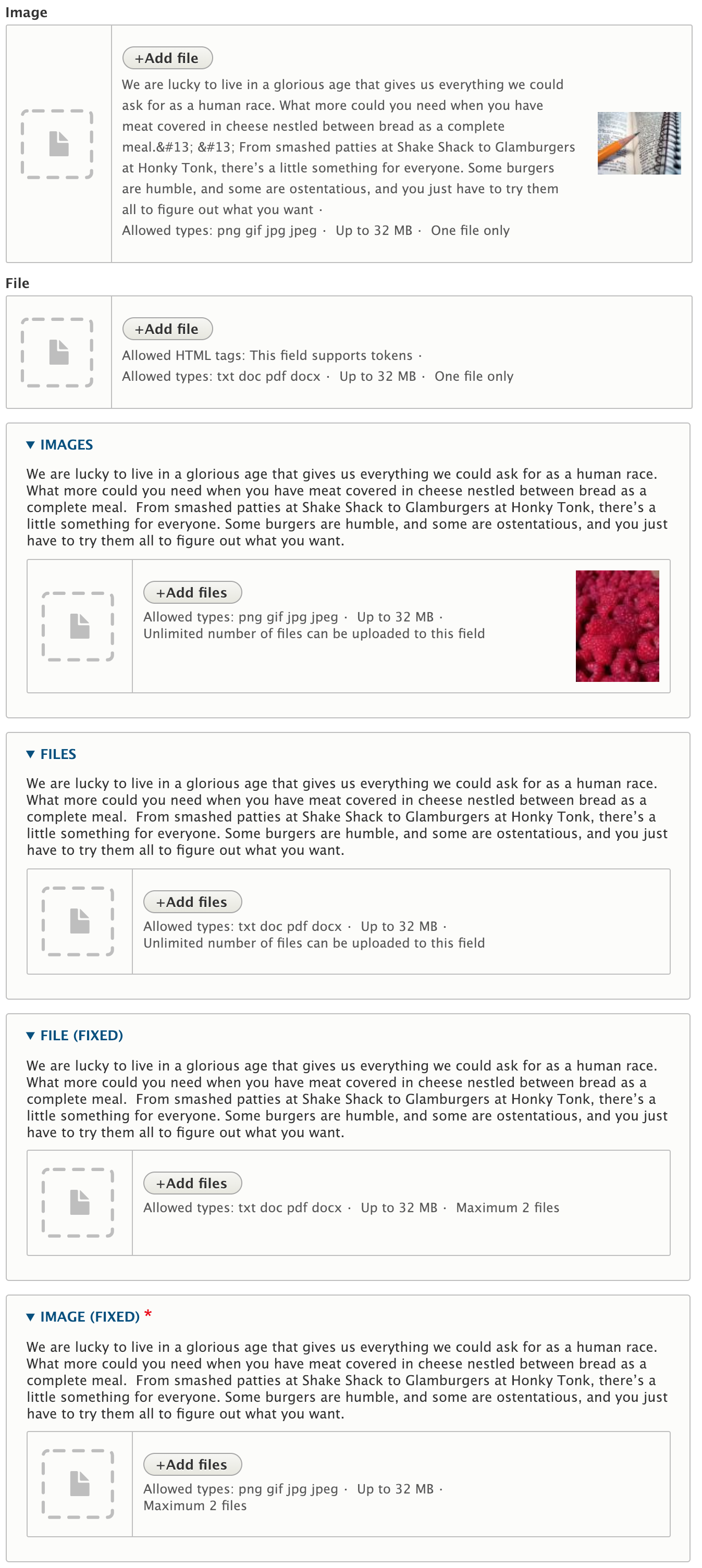
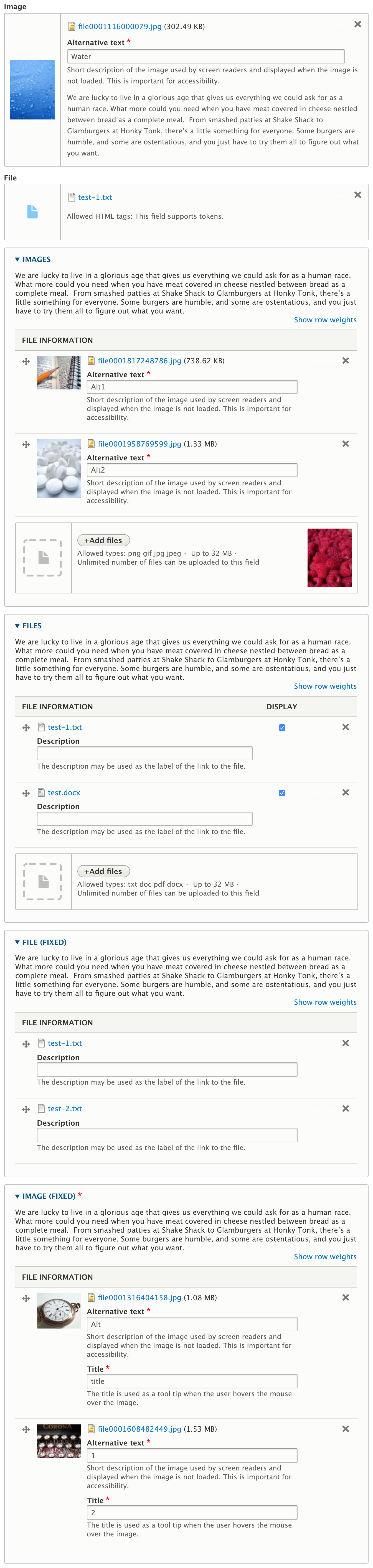
| #69 | FileField.mov | 76.42 KB | gábor hojtsy |
| #68 | 2113931-68.patch | 40.12 KB | phenaproxima |
| #67 | 2113931-67.patch | 40.49 KB | phenaproxima |
| #63 | 2113931-63.patch | 39.08 KB | phenaproxima |
| #61 | 2113931-61.patch | 38.29 KB | phenaproxima |
| #55 | file_field_design_update-2113931-55.patch | 38.58 KB | aaronchristian |
| #44 | file_field_design_update-2113931-44.patch | 38.19 KB | aaronchristian |
| #36 | multi-value-image-field.png | 71.54 KB | yoroy |
| #29 | interdiff.txt | 12.37 KB | lauriii |
| #29 | file_field_design_update-2113931-29.patch | 16.25 KB | lauriii |
| #28 | drop.gif | 164.35 KB | joelpittet |
| #27 | file_field_design_update-2113931-27.patch | 12.23 KB | lauriii |
| #10 | seven-file-field-2113931-10.patch | 3.55 KB | philipz |
| #7 | seven-file-field-2113931-6.patch | 68.87 KB | lewisnyman |
| 11.file-field.png | 70.09 KB | lewisnyman |





















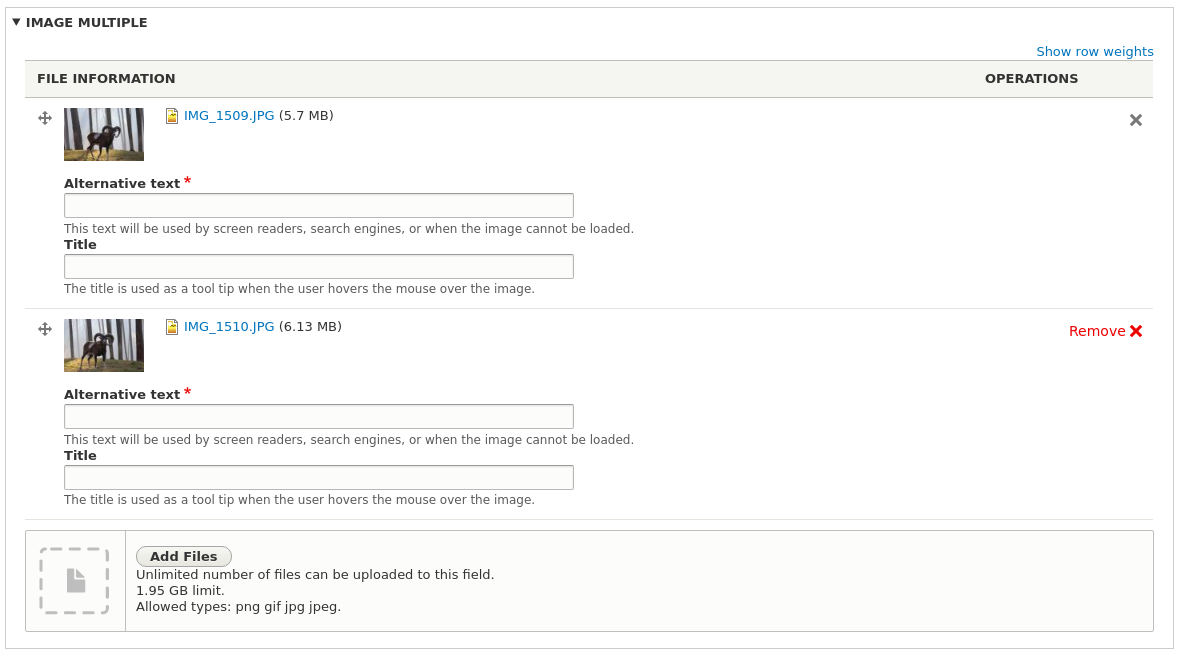



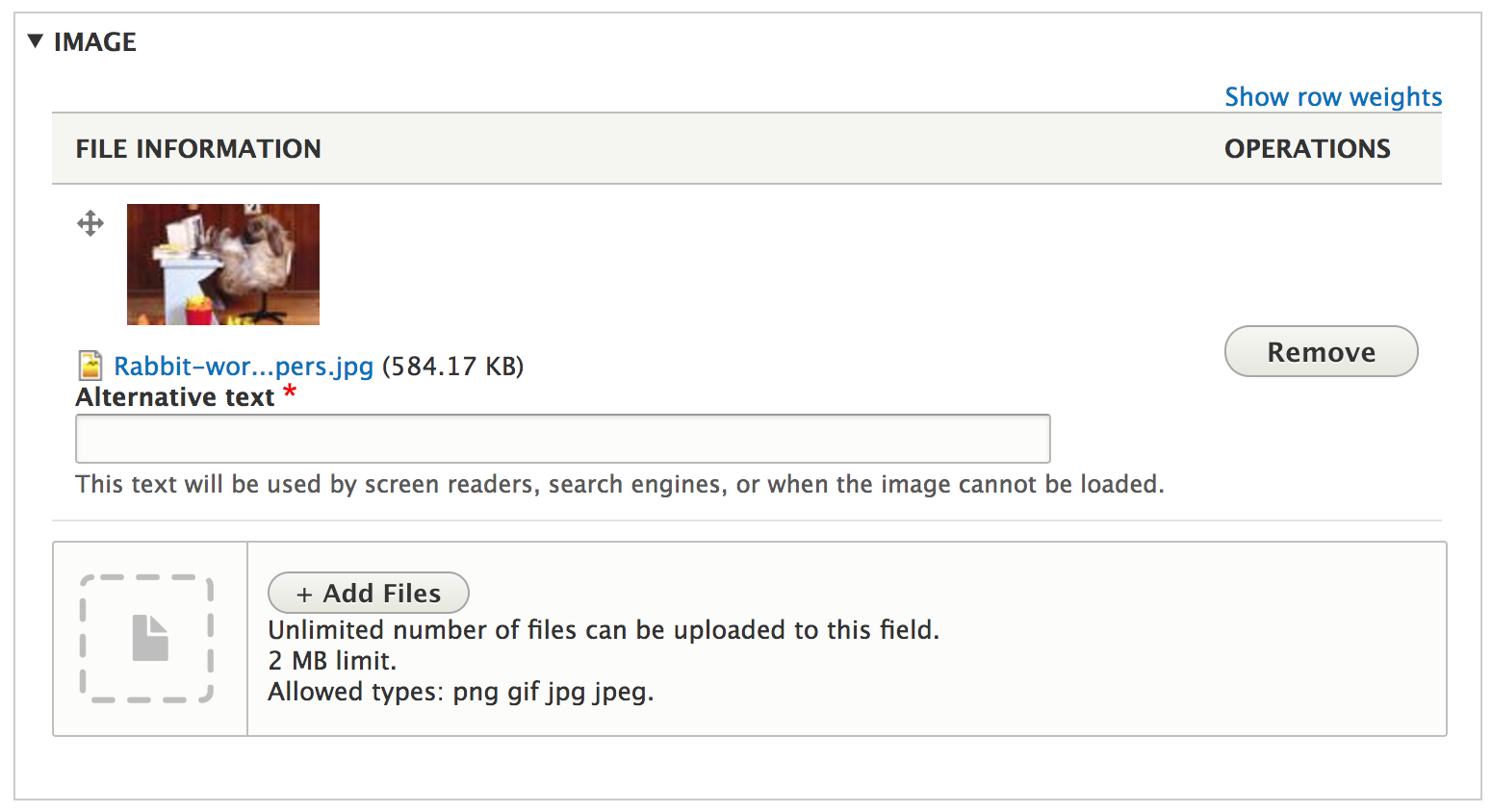
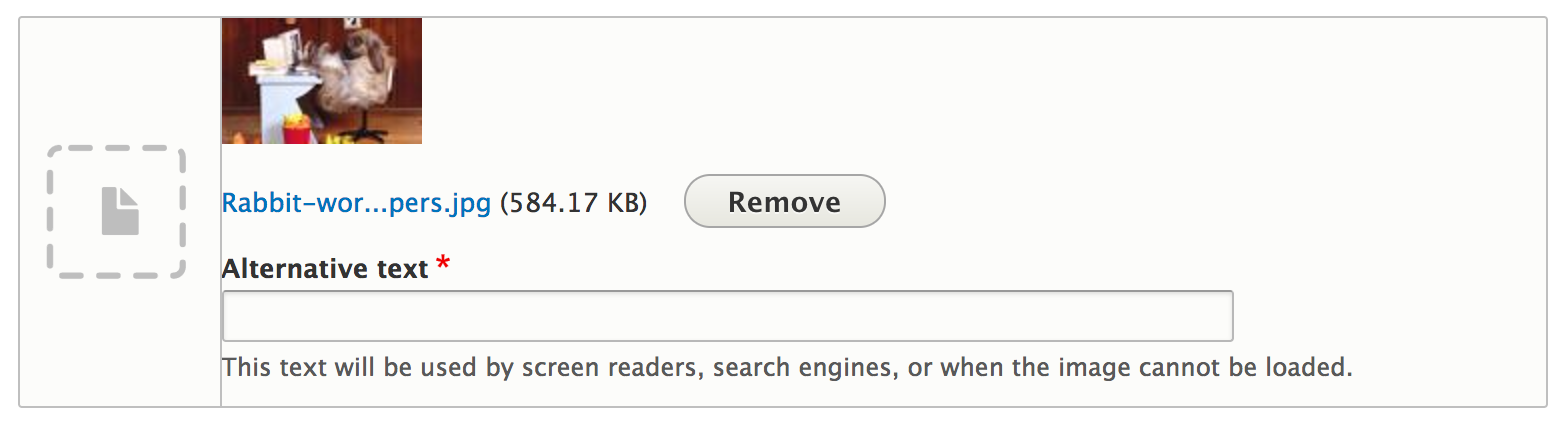
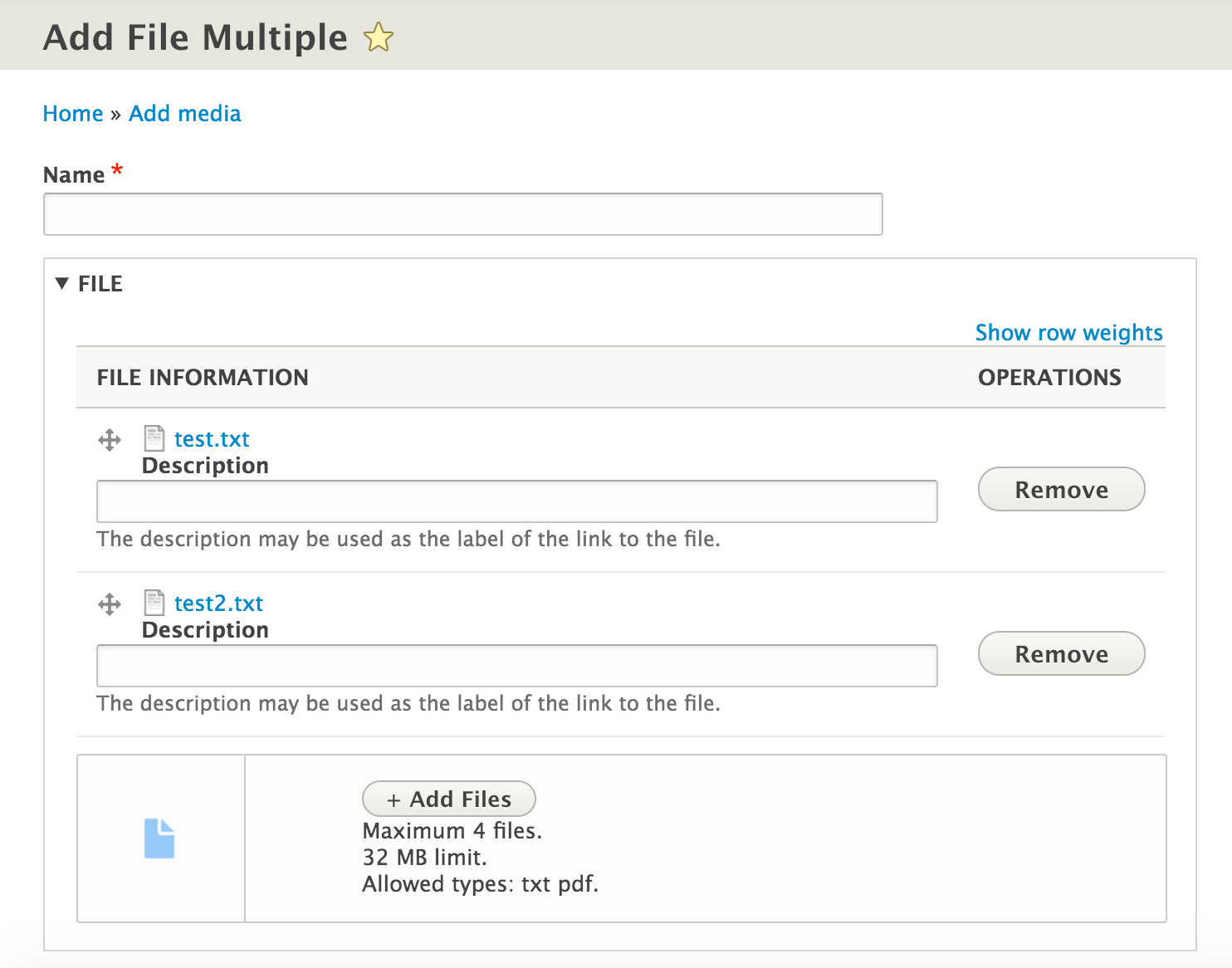


Comments
Comment #1
lewisnymanTags
Comment #2
swentel commentedMarked #1683838: Add HTML5 Drag & Drop upload to Field file as duplicate of this.
Comment #3
nod_clearly missing a tag
Comment #4
klonos...moving related issues to their dedicated metadata section.
Comment #5
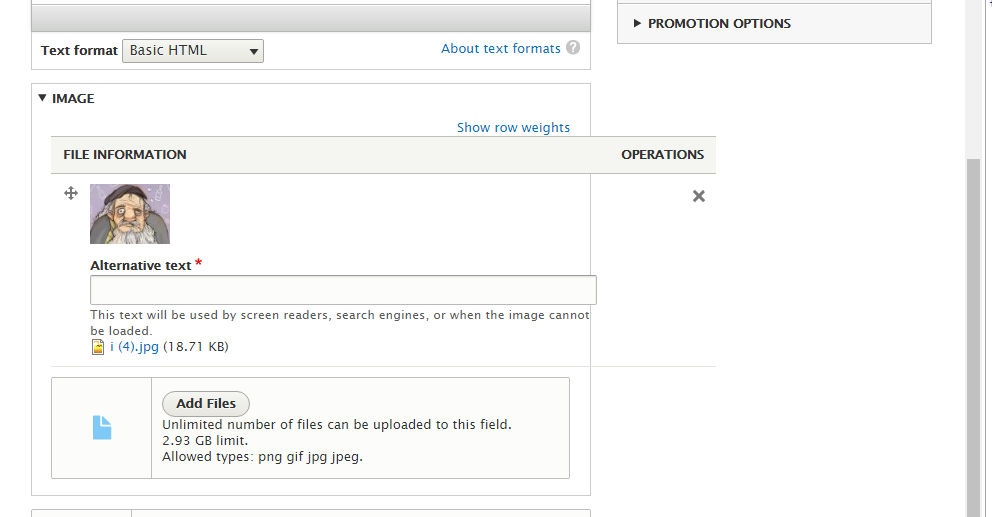
philipz commentedIs there any plan to push this forward?
I wonder if there's an issue somewhere to bring the drop file functionality into core by some library or custom solution? This surely needs to be done before any styling :)
But maybe it is too much for the scope of this issue and we should focus only on styling the current file field implementation using those mockups as style quide?
Comment #6
lewisnyman@philipz Yeah we should tackle it all here. The style doesn't make sense without the functionality. Changed the title of the issue slightly to cover this. #1683838: Add HTML5 Drag & Drop upload to Field file was closed as a duplicate of this issue.
Changing the component to the file module but tagging with Seven.
Comment #7
lewisnymanI had a play around integrating the Dropzone library. The tricky thing with all these libraries it they all seem to want to control the upload process as well. It's nice but it makes it impossible to integrate with Drupal's AJAX system. I'm tempted to say the benefit of using an external library does not outweigh the cost of integrating.
Here's a patch anyway for the curious,
Comment #8
philipz commentedI'm trying to make it work with FileAPI only. The browser support seems OK but please let me know if this will be enough? FileAPI browser support.
Comment #9
lewisnymanThe support is fine, I'm not sure I get how FileAPI would help? We only want to add the interaction, we don't want to do anything with the file at all, just leave it up to the current behaviour.
Comment #10
philipz commentedYes I understand that we want to use current behaviour where possible. So the only thing we want to do is adding drag&drop and without using external libraries like dropzone.js.
What I have tested so far is adding a behaviour using only
event.dataTransferproperty for drag and drop events witch is a part of File API.The patch does not work though - the files are not being uploaded.
Comment #11
lewisnymanYeah, this seems to be a common issue with libraries that don't handle upload themselves. The file field is not writable. That explains why most libraries handle upload themselves.
This means we either:
Comment #12
philipz commentedI wonder if we could try and use parts of Drag & Drop Upload module here. Looks like it does it without external libraries and yet using standard Drupal file upload.
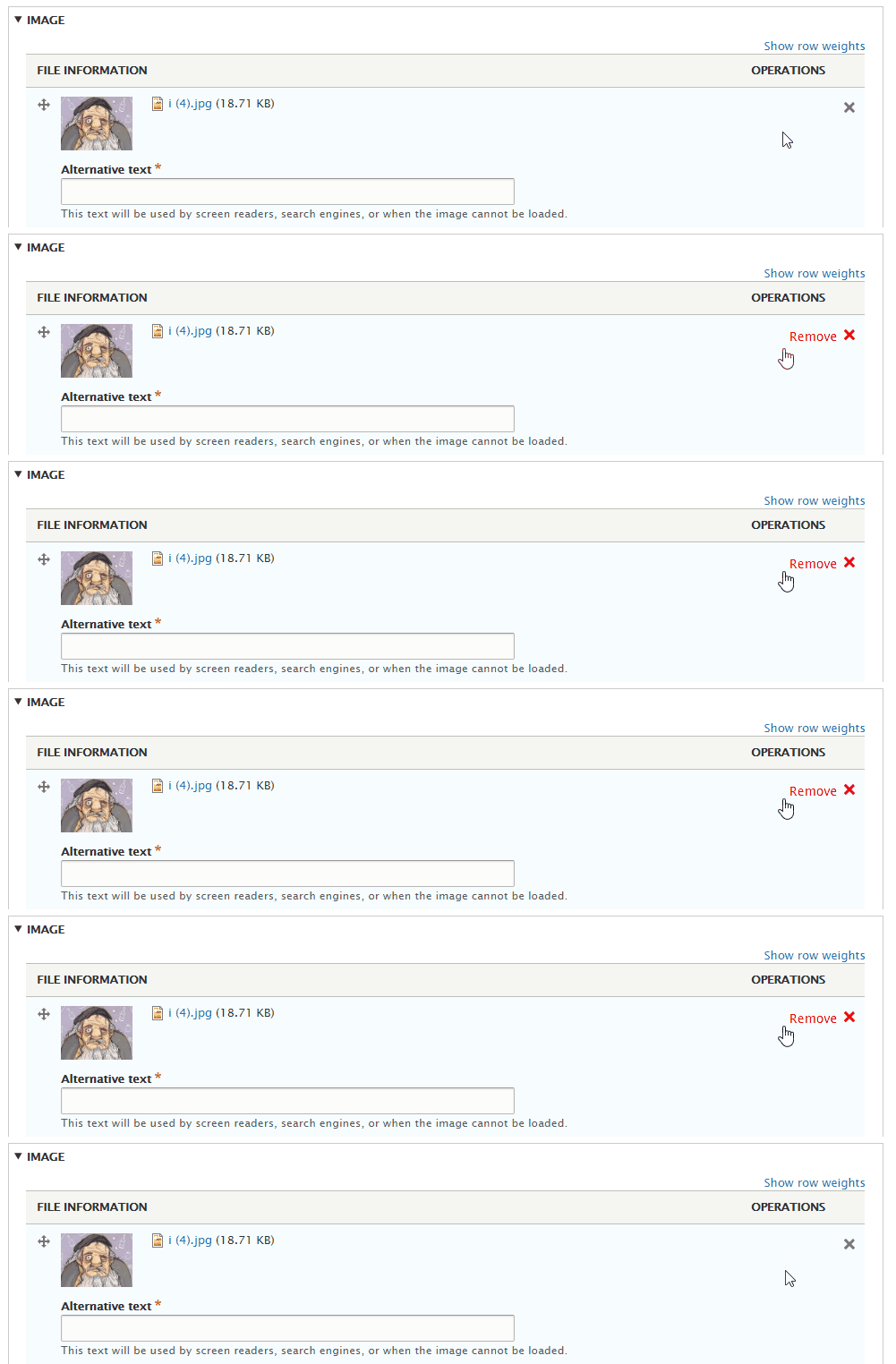
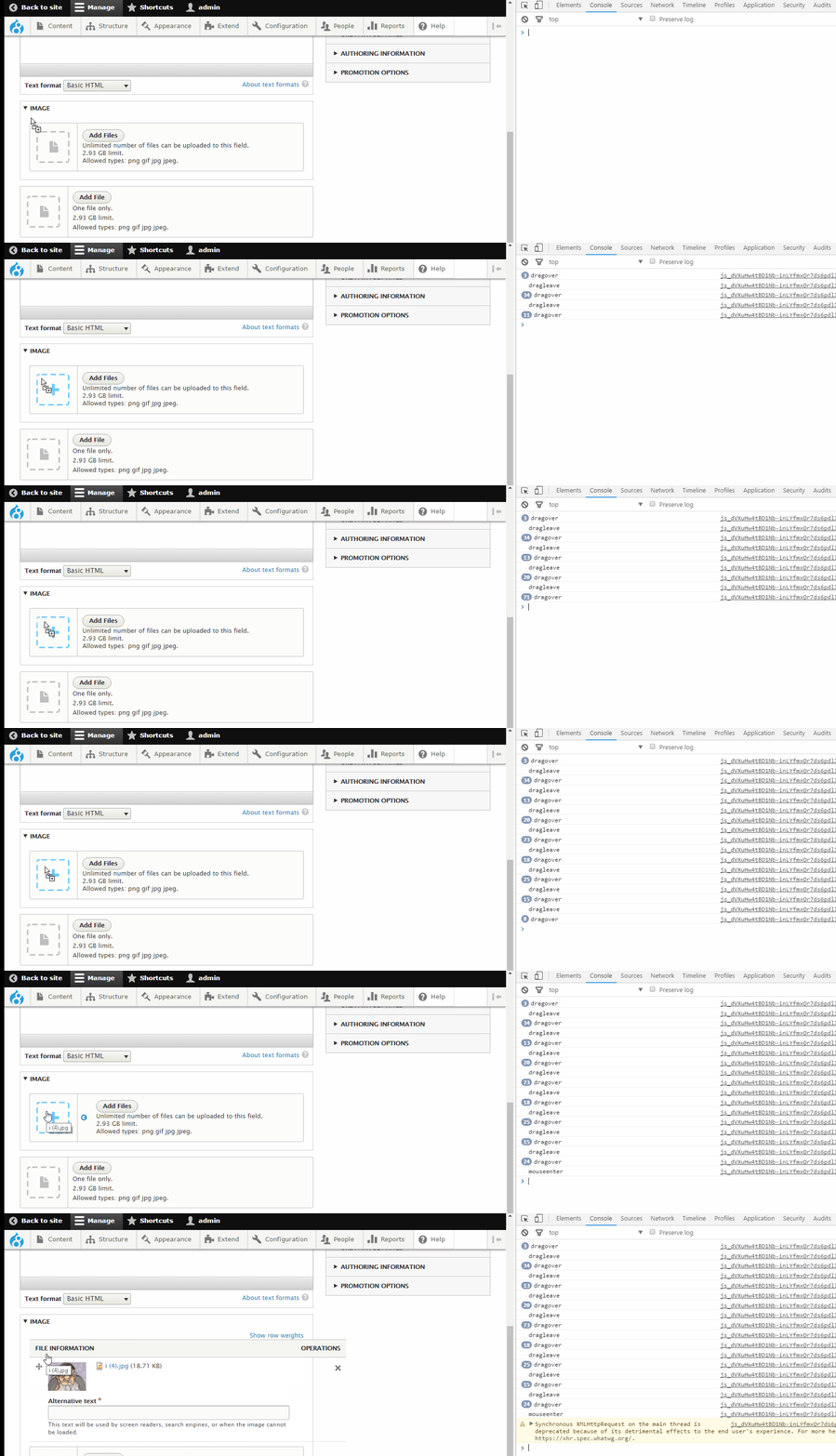
Comment #13
klonos@philipz: I was about to post a link to that project but you beat me to it.
Comment #14
Bojhan commentedComment #15
Bojhan commentedComment #16
Bojhan commented@nod_ could you take al ook at it?
Comment #19
dave reidComment #20
wim leersDiscussed this with @LewisNyman and @G-raph at DrupalCamp Ghent. @G-raph is very interested in taking this on. But @LewisNyman pointed out that the biggest stumbling block is likely going to be the integration with Drupal's AJAX system-based file uploads. Hence I proposed to handle that side of things, if @G-raph could handle the CSS and general JS side of things. Basically, @G-raph would do everything except for the
Drupal.ajaxstuff.Hopefully we can get this moving forward again :)
Comment #21
rootworkCurious if this ever got moving again :)
Comment #22
nod_Make it look right, I'll make it work right.
I think we can make the JS work fairly easily with the approach in #10.
Comment #23
dave reidAt this point I think this is 8.1.x material.
Comment #24
hass commentedIs this great new style available in a contrib module?
Comment #25
lauriiiComment #26
lauriiiComment #27
lauriiiNow there should be working dropzone element with working add files button
Comment #28
joelpittetKinda sorta works:) Fun!
Comment #29
lauriiiLimited the functionality to file fields because image fields will be managed in #2115469: Image Field style update.
Comment #30
lauriiiOne big questions I had was how are we going to integrate the multi field widget into this component because it has the drag handle. Anyone has ideas?
Comment #32
lauriiiComment #33
wim leers:O Great work, Lauri! This is a major usability improvement IMO.
Comment #34
yoroy commentedYay @lauriii for working on this! Is your question in #30 about the code or the ui behaviour?
Comment #35
lauriii@yoroy it is about the UI behaviour
Comment #36
yoroy commentedIt would simply just work ;-)
Do you mean that there's no design for where the draggable thingy should be positioned?
That would need some design work indeed, current state is quite ugly:
Comment #37
lauriiiSo there is a file component but it doesnt help much with the multi value field (with dragging). Just a notice that this issue is presumably mainly focusing on the file upload style instead of the image one which is again completely new story.
Comment #38
Bojhan commentedLets move the [x] remove - next to the 4kb and then place the drag and drop at the far right.
Comment #39
aaronchristian commentedI've been working on this guy as an extension of lauriii's patch.
I'm having an issue installing uploadprogress.so for PHP 7.0, has anyone had any luck with this yet? I cannot find any guides on compiling the proper version. It seems like uploadprogress-1.0.3.1.tgz possibly is only supported up to 5.4?
Comment #40
droplet commentedAdding padding to file input is a clever way but we shouldn't do it. For example, IEs won't support it. Any browsers can take it off at anytime since it's not W3C standard.
DragEvent provided more info and more extendable. eg. we can prebuild thumbnails from client side.
Comment #41
aaronchristian commentedI've made some headway on getting this one towards a completed state. I just had a few notes I would love some feedback on;
1. The current design only accounts for an upload progression bar, however you need a 3rd party library (PECL upload progress or APC to be able to view this), in the majority of cases most users will be stuck with the existing throbber. Which currently, we don't have a UX pattern for.
2. Would it make sense to attempt to implement the HTML5 progress tag to replace the current upload progress structure of div's etc?
Thanks!
Comment #43
lauriii@AaronChristian: Please post your progress here so you can get incremental reviews and other people can keep working and testing it!
One of the ideas for the throbber design I had was to replace the icon on the left with a throbber.
Comment #44
aaronchristian commentedHey guys, sorry this took so long. I was having some issues with the patch, so hopefully this has all the changes. If it doesn't work let me know and I'll revisit making it.
Thanks!
Comment #45
jhedstromRather than put this in the Seven theme, wouldn't it make more sense to be in
file.libraries.yml?Similarly, rather than add this to the existing widget, might it make more sense to either provide a new widget for files, or make this a configurable option on the existing widgets?
Comment #46
mparker17@AaronChristian, I wrote a blog article on my best practices for generating patches and interdiffs, which might help you in the future: http://openconcept.ca/blog/mparker/best-practices-generating-patches-and...
Comment #47
aaronchristian commentedAwesome thanks @mparker17, will have a read.
Cheers!
Comment #48
manjit.singhtriggering the testbot for #44.
Comment #50
aaronchristian commentedThanks Manjit.Singh, I'm at little confused as to what has failed in the test. Are you able to point me to what the issue in my code is? I've never really worked on submitting and fixing patches before.
Thank you!
Comment #51
aaronchristian commented@jhedstrom thank you as well. I'll leave that to someone else to comment, I just worked off of what was there originally. However I do like the idea of a toggle setting or something.
Comment #52
mparker17@AaronChristian to find out what failed:
PHP 5.5 & MySQL 5.5 18,509 pass, 2 failComment #53
Fidelix commentedIf you just scroll through the patch contents, you'll see that the contents are mangled.
I bet it is good but the patch file itself is broken.
Comment #54
mparker17@Fidelix that's actually intentional: binary files get included in the diff to make it easier to review (see #1111224: Introduce .gitattributes to end the CRLF/LF and binary diff horror, and detect/auto-fix whitespace errors, #2166013: Remove macros from .gitattributes to avoid Git errors., https://www.drupal.org/node/1054616#comment-4994354 for background).
(previously, binary files didn't show up in patches, and we had to manually download them from the issue queue and place them in the correct place in the repository before reviewing or committing).
If you're having trouble applying the patch, and you're working with a clone of Drupal 8.2.x core, try applying it with
git apply. Modern versions ofpatch(1)should also work; but if you're patching on Windows, you may need to pass--binary(I have not verified this though — see thepatch(1)manpage for more information).Comment #55
aaronchristian commentedNot sure if this fixes things as my simple test on my dev server keep throwing 500 batch errors. But perhaps we can get this tested again.
Comment #56
colanThis status change should help. :)
Comment #58
gábor hojtsyRetagging for the media initiative's current tag.
Comment #59
Bojhan commentedComment #60
phenaproximaFound some stuff -- mostly coding standards violations, but also a couple of bigger concerns...
This doc comment appears to be completely inaccurate...
There's an extra line of white space here, and it seems like the argument should be $filename, not $link_text.
This may be nitpicking, but can the variables use a consistent case? Core favors $name_without_ext, not $nameWoExt.
This should probably an array with two elements: ['upload-button', 'js-hide']
Git needs a newline at the end of the file.
I wonder if these should be SVG, if possible, for flexibility's sake? (A side advantage is that the patch will not run afoul of Git's binary handling if it's using SVGs.)
The blank line has extra whitespace that needs to be removed.
Missing a space between if and (Drupal.ajax), and there's a needless blank line after it. It would also be nice if the setProgressIndicatorThrobber function had a doc comment to explain it.
s/move/Move
Commented-out code blocks should be removed.
It seems incredibly dangerous to overwrite the prototype of the AJAX success function. Surely there's got to be a better-encapsulated way of doing this?
s/dom/DOM
Why use addBack() to reverse an array? If memory serves, ES5 has Array.prototype.reverse(). And if we're trying to find the nearest [data-drupal-selector] element, is there any reason not to use $.closest()?
s/ajax/AJAX
Needs a space after the word if.
Commented-out debugging lines should be removed.
This entire else if block can be removed.
s/move/Move
Space after if.
Two extra blank lines here.
Should this be here?
Comment #61
phenaproximaAltered a few things in this patch (sorry for the lack of an interdiff, but I think binary data in the patch makes one impossible). And found a couple more things that give me pause...
This looks ripe to use $.on()'s event delegation...
A doc comment explaining this might be useful.
Comment #63
phenaproximaYoooo! This one oughta pass the tests.
I think a JavaScript maintainer should take a good long look at the JavaScript parts of this patch before it can be RTBCed.
Comment #66
nod_Since we're on PHP 5 > 5.2 we can use:
Not sure of the need for this though.
js-hide is special but the rest of classnames that js uses should be data attributes. as in
data-drupal-*Missing the detach function
Why not closest?
always use .on(), delegation or not. and when triggering an event, always use .trigger() when dealing with jquery objects.
Ok, we can't do that in a theme. Maybe we need to move things around in ajax.js so that it's easily overridable in themes
As far as I understand this it to change the place where the indicator is appended. Almost seems like we should create a new progress indicator type.
The lesser evil would be to go through Drupal.ajax.instances and replace the success and indicator callbacks for the file upload field only, not everyone.
Some other issues: when I add a file and remove it. The next time I try to upload a file I get the file selector dialog twice, some attach/detach thing not going on. Maybe because the attach behaviors are missing .once() after element selectors.
I wouldn't necessarily delegate the mousz*/drag* event, since It's more costly to run it on the whole form than just the zone we're interested in.
When biding/unbinding event always add a namespace. here it could be
dragleave.file-upload mouseleave.file-uploador something.There are a few debug lines that needs to be removed too.
It's close, great stuff :) the handling of the progress indicator need some work to be cleaner.
Comment #67
phenaproximaThank you, @nod_, for the review! I didn't address any of your comments in this patch because a) I don't quite grok the JS stuff it's trying to do, and b) I just want the damn tests to pass :)
I hate it when I say "this will pass the tests", and it epically fails. So I'm not going to say this one will pass.
Comment #68
phenaproximaMade a few changes to the JavaScript -- mostly trying to get rid of the dodgy method overrides in Drupal.Ajax.prototype. No interdiff due to binary data.
Comment #69
gábor hojtsyOther than some spacing snafus (once a file is uploaded, the elements are too close to the borders of the file field), this looks pretty good. Attached some video proof :) The "hover" state for the file dropzone is also not styled as designed. Those are the only things I found visually.
Comment #70
gábor hojtsyAlso the progress bar and remove elements are not implemented exactly as designed, but there was no design for a file field with extra elements either.
Comment #72
joelpittetTried to address the padding, made the button smaller(although the delete button could use a bunch more styling and a Seven preprocess hook)
Not sure how to deal with the preview image, it doesn't make sense to add it to the drop area because the size changes...
Comment #73
jonathanshawIt looks like we've had the javascript maintainer review from @nod.
Overall it's very difficult to see from recent comments what work is still needed on this, hence needs IS update to clarify?
Comment #74
droplet commentedJust 2 cents.
I think it doesn't fulfill the IS and frontend code styles. We have to define a better HTML & CSS for it. e.g.:
1. Define a pattern.
Check it out the IS, we have 3 states: pre-upload -> uploading -> uploaded
2. Sign off above pattern from frontend maintainers
3. Code & Add CSS3 Anime with basic JS
4. After real coding, sign off again from frontend maintainers, including the docs comments.
5. Sign off from UX/UE designers
6. Starting advanced JS work. (Pick a lib? Code our lib? Cross browsers testing and fixing..etc)
7. Sign off from JS maintainers
8. Happy Ending.
Comment #75
yoroy commentedComment #76
webchickThis is coming up in the context of the Media library design at #2796001: [prototype] Create design for a Media Library. Adding to the current sprint; this looks incredibly close, and would be great to get it finished up for 8.3.
Comment #78
jonathanshawComment #79
jofitzComment #80
tkoleary commentedLooks like png code has been added here. There's two problems here; one, the image needs to be an SVG (for retina displays); and two, the image needs to be located in core/misc/icons in whichever directory matches it's hex color.
When I test this in the browser the image is loading into the same div as the upload button, not the area that contains the 'plus' image. I *think* the problem is in the nesting. Like the dropzone trigger div should wrap {{ children }}?
The rest of it is looking pretty good. I think it's getting close to done.
Comment #81
Bojhan commentedVery excited about this. Would this be novice changes?
Comment #82
katzillaComment #83
gábor hojtsyComment #84
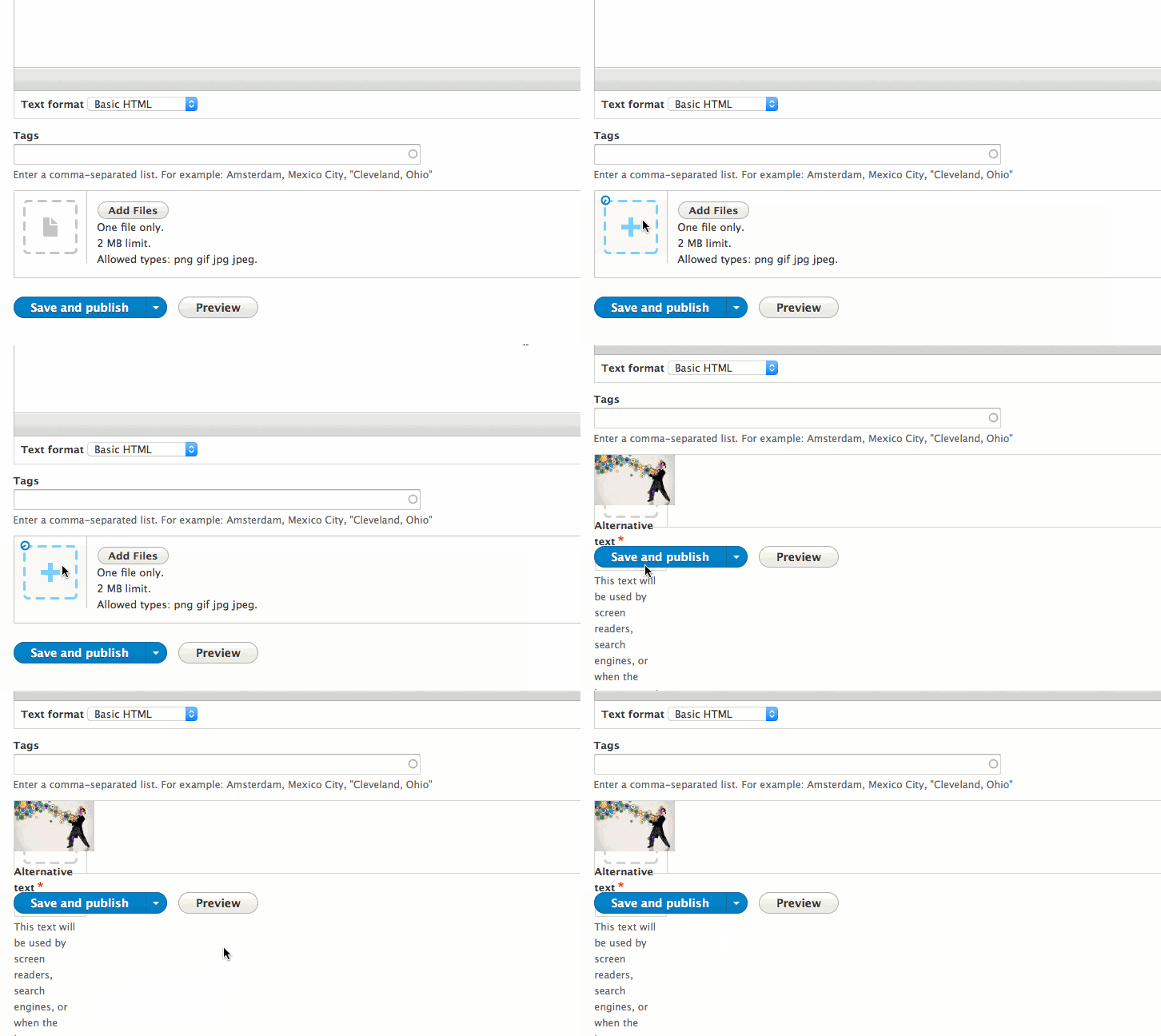
katzillaI have tested the latest patch against the media patch #151 here: https://www.drupal.org/node/2831274
as part of the Berlin media Sprint.
From what I see, it works already great with single file upload:
But for multiple file upload it still needs some work:
- the icon is missing for the uploaded files
- instead the icon is changed on the input for new file:
Comment #85
rajab natshahI like this improvement.
Comment #86
andypostwould be great to get this in 8.3
looks only svg and dropzone issues left
Comment #87
dagmarHere is the image with the svg icons. I didn't find another example of an svg using sprites in core, should we pick one of the colors from the image to decide which folder use?
Also I found a small javascript console error when trying this patch (Uncaught TypeError: instance.element.hasClass is not a function), should be fixed now.
I couldn't fix #2 from #80.
Comment #88
Anonymous (not verified) commented#87: It seems this patch lost a couple files as compared with #79 :)
Comment #89
Anonymous (not verified) commentedAnd yet,
substrnot a good choice, because name can contain Unicode characters.PS. How could I forget about it?! Because this is my first and forever light green issue on d.org :)
Comment #90
jonathanshawNW for #88, #89 and #80.2
Comment #91
Anonymous (not verified) commentedWhat about this:
Tests:
Changes:
Comment #92
dagmarWhat do you mean? The patch file size is significantly smaller because there is no PNG there.
Comment #93
Anonymous (not verified) commentedI'm mistake, sorry. Your patch great!
Comment #94
gábor hojtsyTested this again. The lack of padding in the single file scenario that I identified in #69 is still an issue. There was not design for image file uploads as to where the image thumbnail would be placed, so I think its fine for this patch to keep it in the box, but not without a padding :) Here is an up to date screenshot with the latest patch:
The multifile scenario does not look like at all as designed, the uploaded file does not show up as a small bordered item, but I think we can go step by step on this and ALSO the image variant of this was not designed and IMHO it would be sad to wait for that to happen for any improvement:
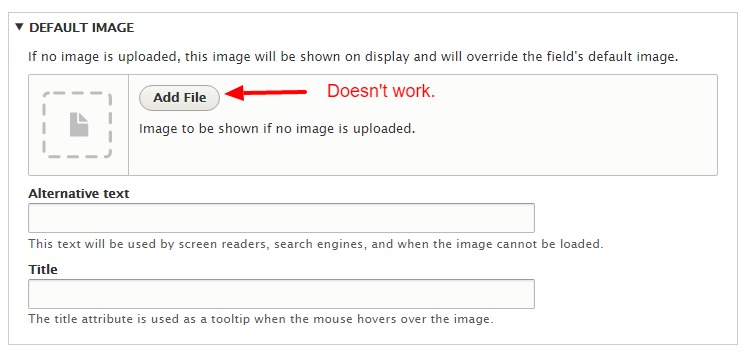
Where this is used as the default file widget (field settings), the Add files button is still displayed but of course does not work anymore. (The same button is removed when interacting with this widget on the entity form itself, so this does not appear there):
Finally the button says "Add files" even if the field is limited to one file. This problem applies to both the field settings and the entity edit form itself.
Comment #96
katzillaWorking on this issue on global sprint weekend.
Comment #97
webflo commentedComment #98
daniel_rempe commentedWorked on this in pairprogramming with @katzilla. Current patch implements most parts of the given design. There are still some responsive issues in draggable table on multi value fields. The designed progressbar is not possible to implement at the moment due to a not functional implementation of uploadprogress for php7.
Comment #99
daniel_rempe commentedAdded some screenshots to give an impression of the developent in #98.
Single file upload:
Multiple file upload:

Multiple images:
Multiple files:

Comment #100
jonathanshawAn interdiff for #98 would help reviewers.
Comment #101
daniel_rempe commentedHere is the interdiff for #98.
Comment #102
jonathanshawI think this should be:
Comment #103
daniel_rempe commentedYou are right. The classes should be implemented as array values. I am going to upload a modified patch tomorrow. Thanks for your review so far.
Comment #104
daniel_rempe commentedHere is the patch from #98 including the remarks from #102.
Comment #105
Anonymous (not verified) commentedNice work! A couple additions to the test:
Comment #106
tkoleary commented@Daniel_Rempe
This is coming together nicely. Just a couple of minor things I noticed.
1. The jquery ajax throbber should really appear *inside* the area where the drop icon is and not *push* the button and text over as it currently does.
See quicktime movie: https://www.drupal.org/files/issues/jquery-throbber.mov
On multiple file upload the asterisk indicating tabledrag has happened is reflowing oddly.
Comment #107
aaronchristian commentedHey all, I have a patch that will fix the issues noted in comments #105 & #106.
Will post tomorrow morning once I get back into work.
Thanks!
Comment #108
aaronchristian commentedHere she be.
Should note: I've added RTL support as well.
Comment #109
aaronchristian commentedComment #110
Anonymous (not verified) commented@AaronChristian, it seems this is a copy of #104 patch.
Comment #111
slashrsm commentedCorrect:
Comment #112
aaronchristian commentedAhhhh crap, I attached the wrong patch file, not sure what happened there. This ones legit though.
Comment #113
aaronchristian commentedComment #115
aaronchristian commentedAhh i believe this is failing due to the tabledrag changed (*) being moved within the handler instead of the cell (@tkoleary - fixes the reflowing of the asterik).
I'll have a deeper look into this.
Comment #116
aaronchristian commentedOkay think I found the issue.
One thing that still needs some attention is the default image settings page. That form has a bit of a different layout, wondering if we can force the same sort of layout as we have on a single image upload field.
Comment #117
aaronchristian commentedComment #118
tkoleary commented@ AaronChristian
Lots of improvement here. As noted in UX meeting the only things I saw in simplytest were:
Comment #119
tkoleary commented@AaronChristian
One more thing. When adding with multi value, for some reason it goes back to the other icon on the third upload. Weird.
Comment #120
katzillaComment #121
daniel_rempe commented@katzilla and I worked on this a little bit more.
We removed the background image when the throbber is shown and realigned the alt and title input fields.
Comment #123
tkoleary commented@Daniel_Rempe
Looks much better.
Still have the wrong icon on multi-value fields though.
Comment #124
gaurav.kapoor commentedComment #126
katzillaFixed the coding standard issues and proposed a solution for the table on mobile. In some cases (when the display option of the file-field is activated, or when 'show row weights' is active on multi-value fields) there is too much content in the table, so it gets messy. We added an overflow, so that one can scroll the table.
We also fixed the issue with the wrong icon on multi-value-fields. Please test and provide feedback.
Comment #127
katzillaComment #128
daniel_rempe commentedAs we just discussed with @ifrik we should open a separate issue for all mobile display problems and try to get this in for 8.4 since this is already a long list of comments. We opened the issue here https://www.drupal.org/node/2863808
Comment #129
jonathanshawReview points made since #98 that have not been explcitly mentioned as having been addressed:
#116 default image settings page
#118.1
I've updated the IS to reflect
#98: "The designed progressbar is not possible to implement at the moment due to a not functional implementation of uploadprogress for php7." (and created a follow-up #2863846: File Field design update progress bar)
#128 "separate issue for all mobile display problems" #2863808: File Field design update mobile specific table issue
Comment #130
colanIf anyone's looking for something to work on at the DrupalCon sprint, I'd recommend this issue. Won't be there myself though. (I'd work on this myself, but I'm best kept away from anything front-end related.)
Comment #131
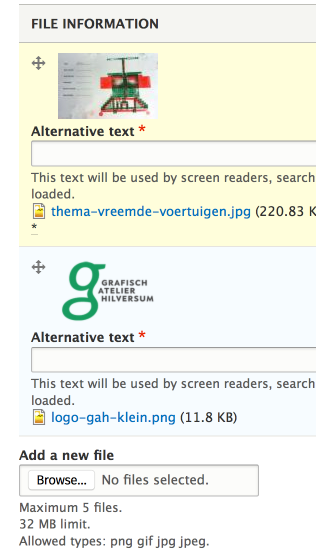
ekl1773Here's a review of where things stand- I looked at a clean install of 8.4 for the "before" screenshot, then applied the most recent patch (#126) for the "after" screenshots. Further details below are outstanding issues from ~#106 onwards. Hope this is helpful!
Before:


After:
Hover:
Loading:
Uploaded:
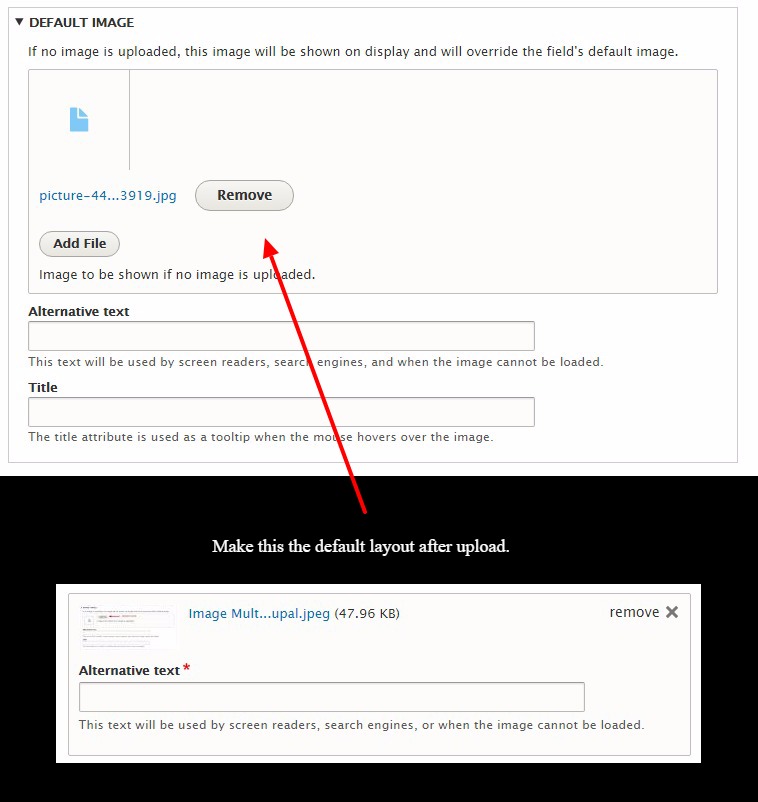
#116, the remove button is next to the uploaded image thumbnail for the default image field settings page but not for a file upload field on an Add Content page. Also, the layout should be updated so the alt and title fields are *inside* the box with the uploader.
#118, throbber still appears next to icon on default image field settings page rather than on the icon
Also attch, this is what happens when you try to upload an image to an unlimited image field that already has a default image/file defined... this seems confusing, maybe the default image could be labeled? should it appear there?
Comment #132
aaronchristian commentedAwesome thank you so much Elli. I'll review all your feedback as soon as I get back to my work place.
Safe travels home.
Comment #133
nithinkolekar commentedI can see alternative text is mandatory now , so could be possible to place filename as default alternative text ? this could save some time.
Comment #134
rootwork@nithinkolekar Using the filename as alternative text is an antipattern. WordPress actually removed this functionality late last year for accessibility reasons.
Other references:
Comment #135
Bojhan commentedDid #123 get a fix? It looks like all other followups are filed.
@rootwork Thanks, that's correct - we won't do that and/or introduce that in this patch.
What is left for RTBC?
Comment #136
jonathanshaw@Bojhan see #131
Comment #137
chr.fritschComment #138
dubcanada commentedI will finish this up.
Is there an image icon we could use rather then a file icon, for images?
Comment #140
aaronchristian commented@dubcanada, at this time, no. Just due to the flexibility of the file field being able to accommodate different types, not just images and files. Contrib can add different types of widgets to the file field.
Comment #141
dubcanada commentedThe whole multiple files/images needs to be rethought I'm going to take a few days and play around with it and see what I can come up with. It doesn't make much sense right now.
Comment #142
chr.fritschComment #143
webchickGiven we added Media to 8.4.0, and it's still not visible in the UI until the whack of issues under "Required before the module is shown through the UI" is done: #2825215: Media initiative: Roadmap I think it's a good idea to minimize the amount of change happening in the File/Image modules. Therefore, postponing this on the other issue, per the UX team.
Comment #145
seanbJust a reroll for 8.6. I'm not sure if this should really be postponed for the media module. The media module uses file/image fields so it would benefit from this change as well.
Comment #146
tacituseu commentedI suspect this is about #2831940: Create file field widget on top of media entity not having a moving target.
Comment #147
brankoc commentedAfter testing in Firefox Win/58 and Chrome Win/64 I found a number of additional issues.
1) When I applied the latest patch, the script inclusion line ('js/dropzone.js: {}', seven.libraries.yml in the Seven theme folder) received one level of indentation too much, so that Drupal thought it was a stylesheet. I haven't seen anyone else complain about this, so this might just be my problem.
2) Field labels are absent. This is most noticeable on fields for uploading single images/files, because for fields for multiple/unlimited images/files the summary serves as a sort of label.
This behaviour cannot be influenced through the Manage Form Display tab of the content type.
Presumably this should be fixed in core/themes/seven/templates/form-element--managed-file.html.twig.
Is there any reason why labels were left out of the template?
How is this handled for other types of fields? Is the general implementation that the label is derived from the label sub-field, or does this differ per field?
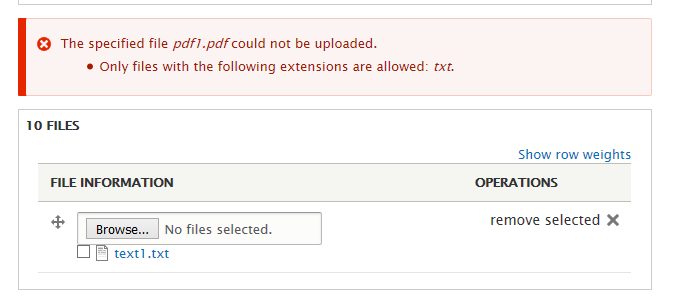
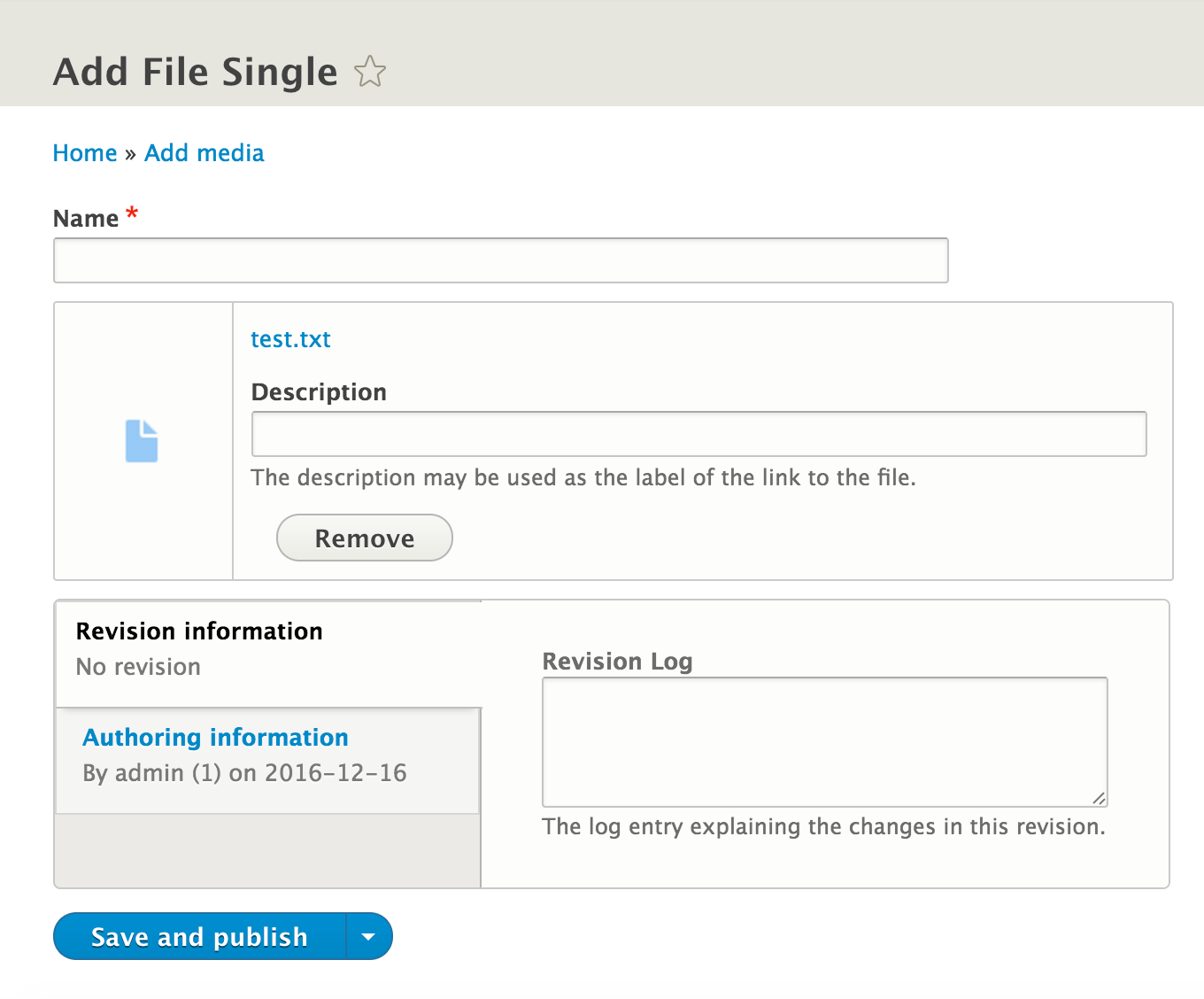
3) When uploading multiple files/images of which one has the wrong extension, a completely different interface is shown for the valid files. (See illustrations.)
If you select and then delete one of the valid files/images, the system deletes all of the files/images from that particular upload, after which the new upload interface is restored.
Illustration: one valid upload and one invalid upload, pdf1.pdf in a field that doesn't allow PDFs.
![[screenshot]](/files/issues/file-field-after-error.png)
Illustration: for contrast, an upload with only valid file name extensions.
![[screenshot]](/files/issues/file-field-after-flawless.png)
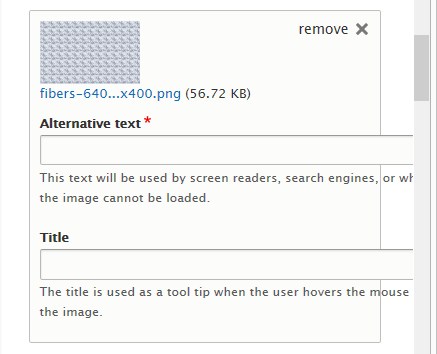
4) Alt and title fields for single images break out of their container on narrow screens. (See illustration.)
This is related to the bug reported in #118.3, which was reported fixed in #126.
5) The current dropzone implementation does not degrade gracefully when Javascript is disabled for whichever reason. (See illustration.)
If a user has Javascript disabled, instead of falling back to the default browser interface (which works fine), the dropzone partially replaces that interface, leading to problems:
a. The dropzone is still shown, but should be hidden.
b. The Upload button is shown (correctly), but does not work.
c. A fake Add Files button is shown, but doesn't work.
Part of the problem is that some of the HTML necessary for creating the dropzone is generated through the template rather than using Javascript. Instead, we should use the additional technology (Javascript) to generate and add (to the DOM) the HTML that is required by the additional technology. We could use data attributes to pass information from the CMS to the additional technology.
999) [notabug] Furthermore, in reply to #129, I cannot replicate the issue from #118.1 ("The button only works first time, but the plus icon works all the time."), so I assume it has been fixed. I haven't ran any tests though (I wouldn't know which specific tests to run), I just tried it out in two browsers. I could click the Add Files button multiple times and it worked every time.
Comment #148
brankoc commentedThis fixes the following issues for the default image in the field settings edit screen (comment #131):
- correct styling remove button.
- correct styling throbber for remove button.
- correct styling upload throbber.
This makes sure alt and title fields for single images do not break out of their container on narrow screens (comment #147.4). (UPDATE: fixed comment number)
https://www.drupal.org/files/issues/2113931-148.patch
https://www.drupal.org/files/issues/interdiff-145-148_2.txt
Comment #149
jonathanshawGreat, so if I'm understanding right we now have outstanding:
#131
and
#147.1, #147.2, #147.3, #147.5.
(#148 is wrong when it say it addresses #147.2 it means #147.4)
Comment #151
phenaproximaSince @webchick postponed this a year ago, a number of things have changed. The experimental Media Library module provides a vastly improved UI that does not interfere with the work in this issue and would in fact benefit from it. So let's unblock this and continue.
Comment #153
jonathanshawComment #154
vacho commentedPatch rerolled
Comment #155
vacho commentedComment #157
vacho commentedI don't understand how to reply testing problems for patch #154, in local there are another testing problems.
Comment #158
seanbAttached is a new patch implementing the following changes:
There are still some mobile responsive issues for the table. We have #2863808: File Field design update mobile specific table issue for that.
Please review.
Comment #160
seanbAdding screenshots for the latest patch to the IS for easier review.
Comment #161
seanbThis should fix the test.
Comment #162
seanbAhhh, remove some CSS that shouldn't be there. Sorry about that!
Comment #164
brankoc commentedGood busy.
"default-image-uploaded-no-js.png"
This screenshot appears to be empty.
Comment #165
brankoc commentedTested Firefox/Win 64.0
Review of patch 162.
a. Should the remove button activate on right-click? It does now. Is this even a problem for this issue? Mouse button handling for removing files appears to be taken care of elsewhere.
b. The shorten filename function lengthens some filenames and also sometimes repeats characters.
Examples (top becomes bottom):
Patch attached.
c. The Unicode patch from comment #91 does not seem to have made it into actual patches.
d. The description/help list can be added to in the content type settings and by using hooks. I have added a few screenshots of how it looks like when a largish text is added.
Comment #166
seanbThanks Branko! Let's fix it.
A. The buttons works with the jQuery mousedown event as do all AJAX buttons. I think fixing this is out of scope for this issue.
B./C. Nice find. The unicode methods are deprecated in favor of
mb_strlenandmb_substr, but I did adopt the proposed changes from #91 since I think that method seems to be a better implementation. Updated the failing test accordingly.D. Fixed. Had to add some JS to pull the preview image for the single image widget to another wrapper to make it work. The HTML is not optimal for this specific case. Changing it through a template changes the HTML for all other cases as well. This felt like the lesser evil.
Please review!
Comment #167
brankoc commentedI came across the following issues in patch 166:
1) A single uploaded file displays a cropped icon if the managed form item only contains the file name and no additional fields. (See illustration.)
2) The title of the Display column in a managed file table is cropped in some browsers and may also get cropped when translated. My solution is to not assume a width for that column. (See illustration.)
3) On very narrow screens, forms.css adds a top margin to the Remove button.
4) The Remove button is positioned slightly too high. This is only really noticeable in the managed form element for a single uploaded file. (See illustration.)
5) If I add a line-break in the Help text field of a field's definintion (/admin/structure/types etc.), this gets displayed as the HTML character entity reference for carriage return in the node edit form's description. I assume this is a problem outside the scope of the current issue. (See illustration.)
6) When I upload too many images (for example 6) to a Limited image field with 5 slots, only five images are uploaded and I get an error message: "Field MACHINE_READABLE_NAME can only hold 5 values but there were 6 uploaded. The following files have been omitted as a result: NNN.ext." This field will be available to users who may not recognise the machine readable name. Should this perhaps be the human readable name?
7) When I upload too many images to a Limited image field with 1 slot, the upload fails without an error message. Should this not work the same as a limited field with multiple values, i.e. upload what you can and give an error message for the rest?
Then there is one minor issue that is a hill I do not wish to die on, but that I wanted to mention nevertheless:
8) The file name shortener still lengthens file names. However, with a proportional font this is barely noticeable because the default ellipsis (three dots) is narrow. Also, it does exactly what it says in the comment ("The maximum number of characters to show from the original string"), so in that sense the function works as advertised.
It is just a bit odd that the function is called file_shorten_filename() when it sometimes lengthens filenames.
Examples for the default limit (10 characters):
1234567890a.txt (base name $limit + 1 characters long)
1234567890ab.txt (base name $limit + 2 characters long)
1234567890abc.txt (base name $limit + 3 characters long)
These become:
12345...7890a.txt (new base name $limit + 3 characters long)
12345...890ab.txt (new base name $limit + 3 characters long)
12345...90abc.txt (new base name $limit + 3 characters long)
The attached patch solves issues #167.1, #167.2, #167.3 and #167.4.
Comment #168
brankoc commentedHm, I was sure I had added all files. Anyway, here are the three illustrations (two issues share a screenshot) plus the patch.
The related interdiff is in #167.
Comment #169
seanbThanks for the new patch and testing so thoroughly @brankoc! Some more updates:
167.1 Added a min height.
167.2 I think that's a good solution, thanks!
167.3 Looks good!
167.4 Looks good!
167.5 This is out of scope for this patch and I think that is supposed to happen.
167.6 I think this is also out of scope for this patch.
167.7 Fixed. Dragging multiple files into a single file field is supposed to be block before upload. I removed the JS that broke that.
167.8 The filename shortening was added in #44 but was not part of the original design or issue. Since this is probably an accessibility/usability issue, and also leading to lots of other discussions, I removed the code from the patch.
Besides that I changed the following:
Drupal.Ajax.prototype.success, so I removed that.Comment #170
jonathanshaw@seanB could you tell us what items if any from #149 are outstanding?
Comment #171
seanbRegarding #149:
#131 There is no design for how / where to show a default image for a field. In the latest patch the image is shown on top of the dropzone. So this is a challenge.
#147.1 Fixed.
#147.2 Fixed.
#147.3 Still an issue.
##14.4 Fixed.
#147.5 Fixed.
So I guess what is still todo:
#131: Figure out how to display a default image in the new design
#147.3: Fix the display after multiple uploads with some invalid files
Comment #172
seanbJust looked at the final 2 things.
#147.3 Seems to be an existing core issue. Created #3027386: FileWidget for multivalue field is displayed incorrectly when some of the uploaded files are invalid for this.
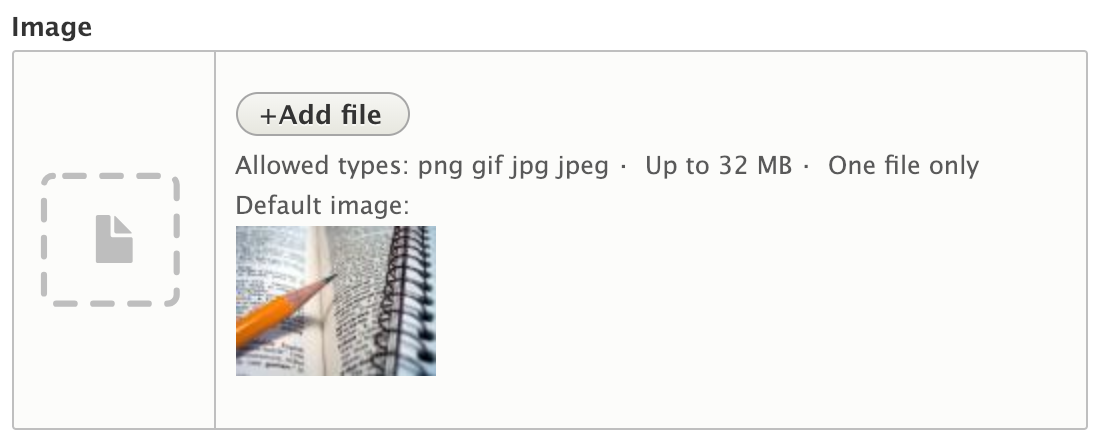
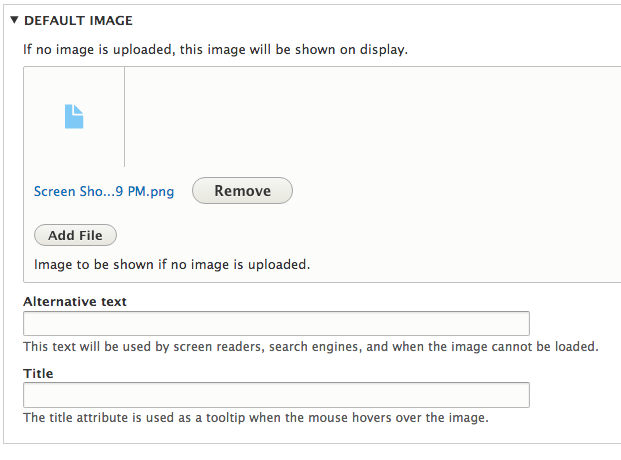
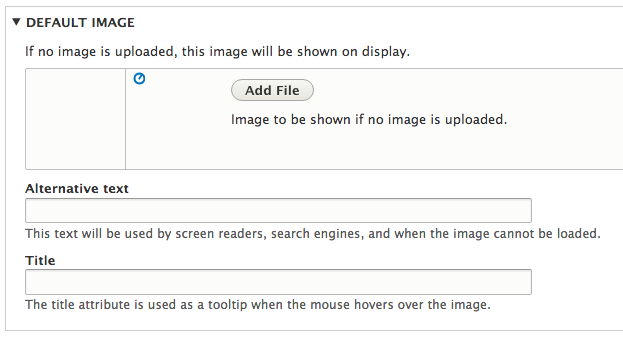
#131: Decided to add the default image to the description with a label 'Default image'. I think the description is probably where this belongs. Besides that, before the default image didn't have a label, which could be unclear to editors. I think adding this label makes sense.
Also removed some CSS we don't need.
Screenshots of the default image change
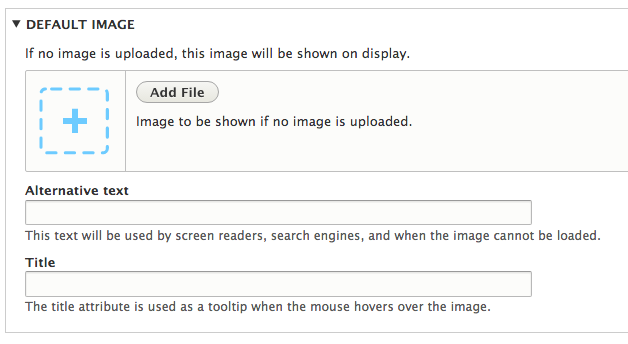
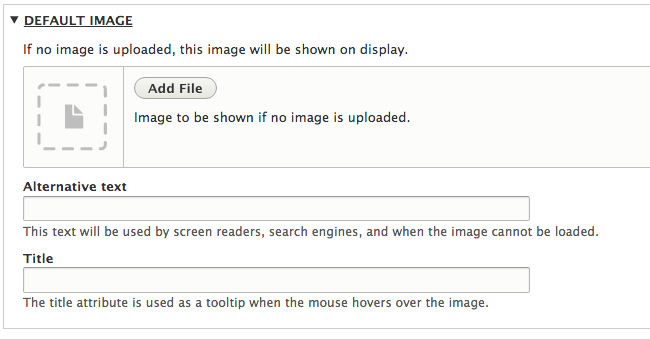
Before with JS.
After with JS.
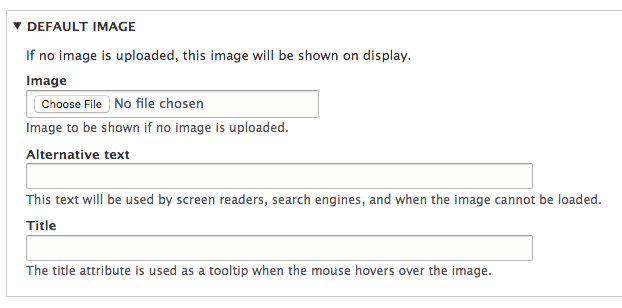
Before without JS (where the change has the biggest impact).
After without JS.

Comment #173
brankoc commentedAs SeanB can patch faster than I can review, here is my review without a patch. :-)
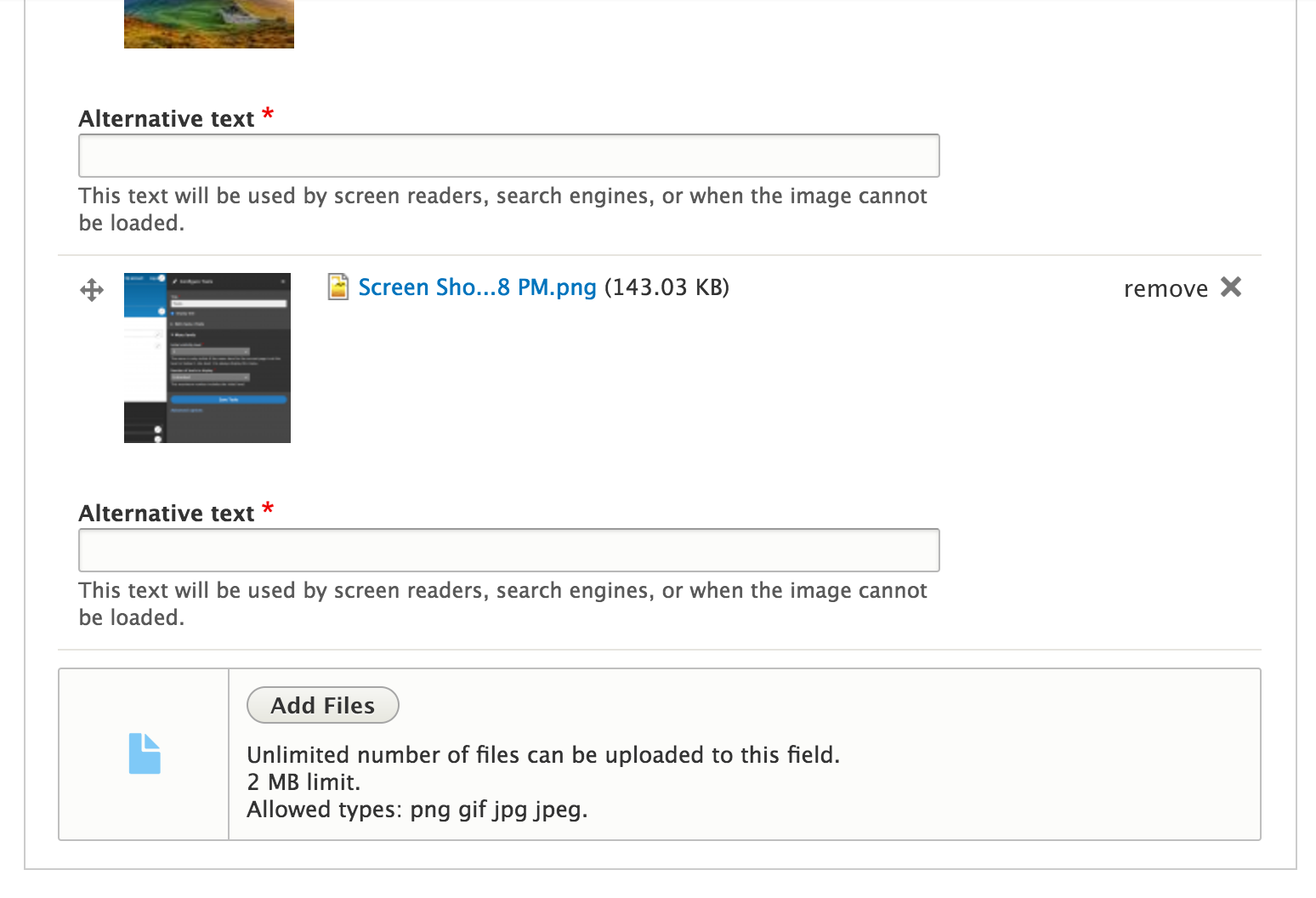
1) Before patch #171, a preview for the default image would be shown for unlimited, limited single and limited multiple image fields. After application of patch #171, I only get a preview image for a limited, single image field.
2) A single, managed file has its description flowing underneath the file icon. See screenshot. This was introduced in #169.
(Edited to clarify that the preview was of the default image.)
Comment #174
jonathanshaw@brankoc do you think could make a list of all the permutations/scenarios we need to manually test with each patch? There seem to be so many that it would be easy to forget some!
Comment #175
brankoc commentedI had a list somewhere, but I think I threw it out. Anyway, it should not be too hard to restore:
1) With/without Javascript.
2) With/without CSS.
3) 1 / N / unlimited files.
4) Image field / file field.
5) node edit form / field settings form.
6) empty field / field with uploads.
7) On narrow/wide screens.
And then there are various field settings you can enable that will modify the appearance of the field in the form:
10) With help text / without help text.
11) Required field / not required field.
12) With / without default image.
13) With / without Alt field (Image).
14) With / without Title field (Image).
15) With / without Description field (File).
16) With / without Display field (File).
I think I originally tested for 1/N/unlimited values, because I wanted to add the "Upload up to N files - M remaining" line, but then I reconsidered. I wasn't sure if that should be part of Seven, maybe something on the level of the File or Field module should first expose a remaining value. I noticed that Media has been working on 'remaining', but I haven't checked what they have done so far.
By the way, I just saw that the default image can be set both in the Edit and in the Field Settings tab of the field settings, why is that?
If the dropbox is added and an image field has a default image, that default image (or at least its filename) is shown on the Edit tab of the field settings, but not on the Field Settings tab. (Which I guess makes sense in a way, because the contents of the Field Settings tab is supposed to be set in stone once the field is in use.)
Comment #176
seanbI believe 1 is a global settings for the field (in field storage) and the other is only for the field instance (at least according to the form).
Thanks again for the review!
#173.1 Fixed. At least I think you meant the default image?
#173.2 Fixed.
Empty fields now look like this:
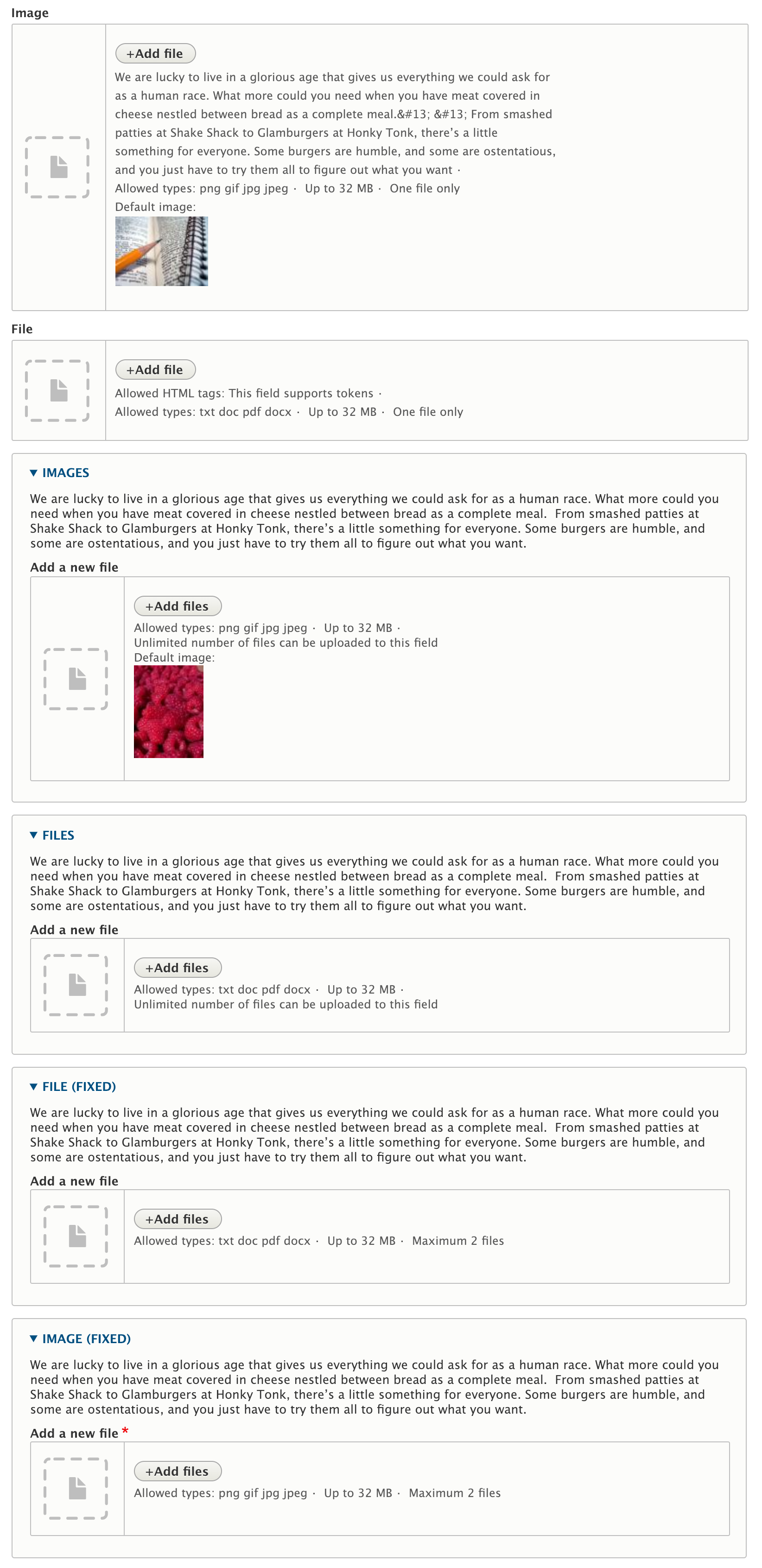
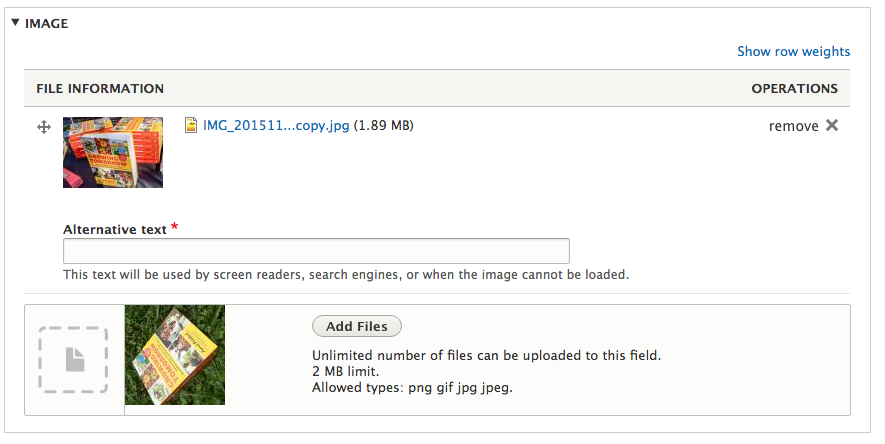
Filled fields now look like this:
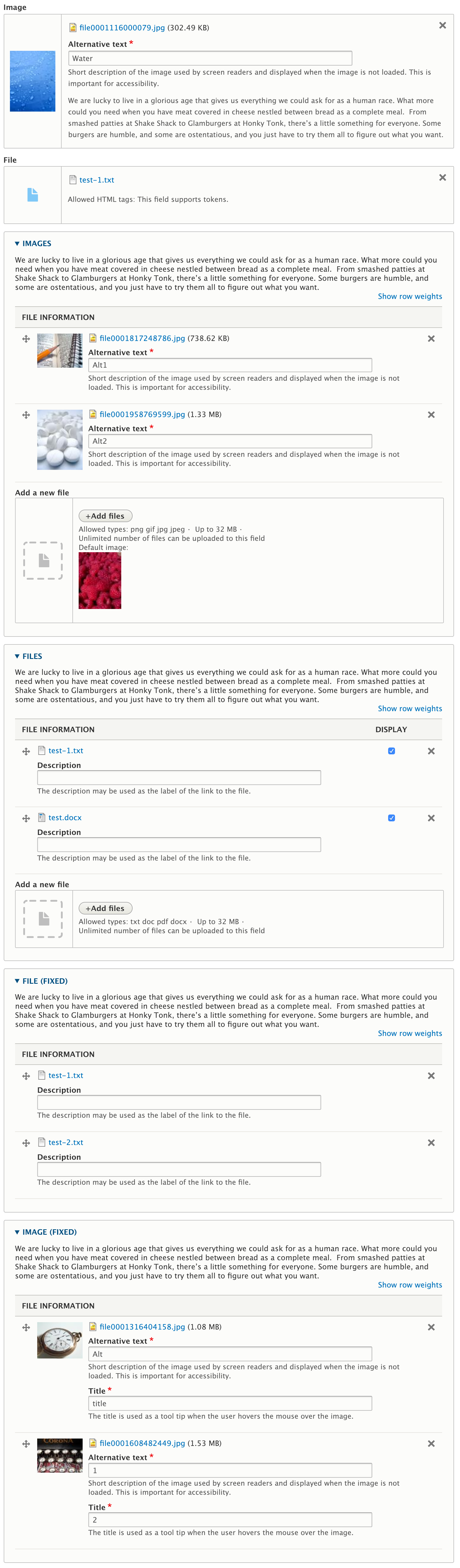
Comment #177
brankoc commentedI have looked at #176 and have found no additional problems to the ones already documented in separate issues.
#176 solves #173.
Correct.
I have edited the text of #173.1 to reflect this.
I have also added the narrow/wide scenario to #175.
Comment #178
brankoc commentedComment #179
lauriiiI'm sorry if I missed something because I didn't read all the comments on this issue.
The implementation is still quite far from the design. The design doesn't include the table headers. Each of the rows should have borders one very side of the element, and few pixels of margin between them.
I can't find the "Add a new file" label in the designs as well so it probably should be removed.
The designs show "remove" text on the button when hovered which is missing from the implementation.
List of files is still quite different from the designs as well.
Could we add these classes in Seven instead?
This could be changed to
dropzone__triggerThis should be changed into
dropzone__no-triggerMaybe we could add a class instead to this element so we could avoid using the id in the selector?
Could we add a
js-prefixed class to these elements as well?Maybe this should be converted into a data attribute?
Comment #180
skaughtre:#45
Even though attention is toward cleaning up the admin ui..I also might think that js/css might be better to move to a more common space as other contrib and custom themes and modules will need to have access to it's basic layouts and js integration.
if not file.libraries.yml as suggested, then within classy.
Comment #181
skaughtthis moved assets and attaches to the render of the file element. no other points addressed.
Comment #182
seanbThanks @lauriii.
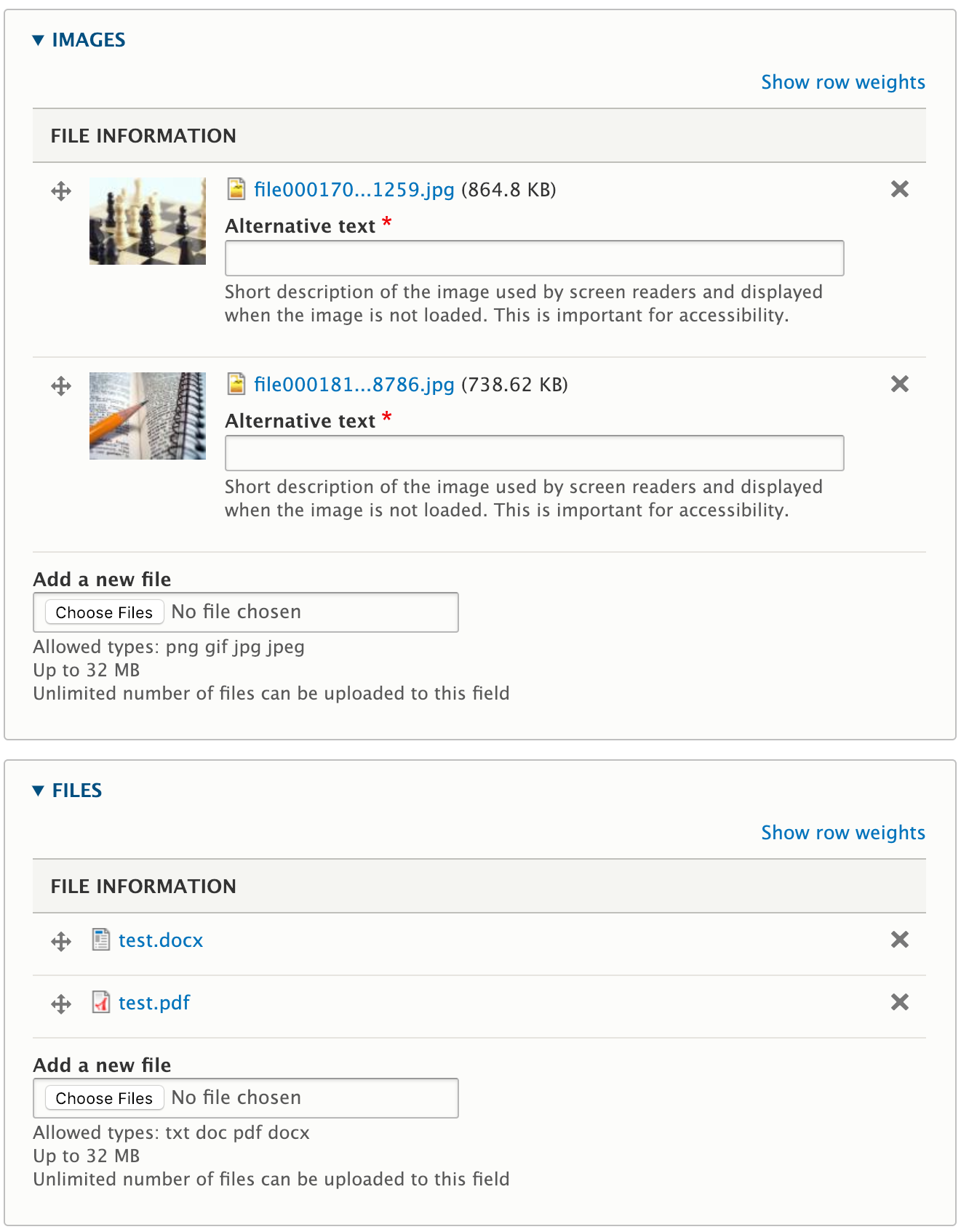
#179.1. Kind of missed that in the IS, but now I'm looking at the design example I can kind of see why. I think we should probably talk about the UX and a11y implications of this. The fact that a multiple file field is in a details element make it easier for users to see which file belong to which field. The table headers are also important when you show the weight field and display checkbox. The tabledrag icon is also not in the design and is a very important feature. I think the multiple file field table needs to be designed with all available elements and probably discussed with the UX and accessibility teams. Since this issue has become complicated enough already, it might be more suited for a followup?
#179.2. Fixed.
#179.3. Fixed.
#179.4. Same as point 1. I will try to at least get UX feedback in the meeting tomorrow.
#179.5. We could, but that would mean we have to implement like 4 different preprocessors. I think this is the most consitent way to add it, and this way other themes or modules can use these classes as well. An alternative would be to use a
.js-form-submit[name$='_remove_button'], but I think what we currently have is the best option.#179.6. Fixed.
#179.7. Fixed.
#179.8. Fixed, we actually didn't need that anymore.
#179.9. Fixed.
#179.10. We are using this mostly for styling purposes. We could add both, but I'm not sure if that is actually a better solution?
Regarding #180 / #181:
Unfortunately moving this JS and CSS to stable (or the file module) could potentially break existing sites. I'm pretty sure we can't do that.
Comment #183
skaughti'm unsure how adding the dropzone js/css could break existing sites anymore or less than adding it to only to the admin theme.. it is progressive enhancement.
Comment #184
brankoc commentedRe #179.1, earlier discussion about the discrepancy between the visual/UX design and the implementation of the file widget for multiple files took place in #30, #34, #35, #36, #37, #38, #94 and #141.
Comment #185
brankoc commentedSorry, did not mean to reset the Status.
Comment #187
lauriiiAs you @seanB said, we should ask for input from the UX team related to #179.1 and #179.4. Since this is already a pretty impressive improvement, I would be +1 for committing this issue with a scope that is close to what has been done so far and work on rest of the improvements in a follow-up. In any case, I think we should consult the UX team first and see what they think.
Related to #180; In my opinion, it would be great if we could make some improvements to Classy using the changes made here. However, I don't think that should be done in the scope of this issue.
Comment #188
seanbWhen a custom theme is built on top of stable/classy for example, and we add the JS/CSS from this issue to those themes (or the file module), the markup and base CSS for the custom frontend theme changes. Custom themes could have custom CSS for managed file fields, and that CSS could conflict with the default styles we are adding, causing frontend forms to look different.
Drupal 8 considered the stable and classy themes to be part of the public API, which means they have to be backwards compatible. The seven theme is internal, so that means we are allowed to change it as per https://www.drupal.org/core/d8-frontend-bc-policy
So even though I think it would be great to improve this for everyone, we probably can't do this until Drupal 9.
Comment #189
seanbI just demoed this in the weekly UX call. The general feedback on the actual upload field was positive. A couple of things were mentioned.
The default image is currently not designed for the single/multiple fields. Showing it in the description is probably not the best looking solution. This needs additional design work and we already have an issue to improve the image fields as well (#2115469: Image Field style update).
The multiple file field design has several issues. This also needs additional design work and should be fixed in a followup (#3029340: File Field design update: Multiple file fields).
Comment #190
seanbComment #191
seanbFound some minor issues while working on this:
Comment #192
seanb.
Comment #193
lauriiiI tried to solve #179.5 and did some minor changes to the CSS as well.
I'm wondering if we should move some of the markup generation from JavaScript to PHP. Any thoughts on that?
Comment #194
seanb@lauriii Manually tested it and everything still works as expected, thanks!
The reason this is now done in JS is #147. The dropzone markup should not be added when JS is disabled.
Comment #195
lauriiiOkay, seems like a good reason to do it in JavaScript instead of PHP.
Comment #196
brankoc commentedWith regard to patch #193:
1) If Javascript is disabled, the remove button disappears for single fields (cardinality = 1). Same goes for the default image field on the field settings screen.
Adding "position: relative" to the right parent element should solve this.
2) The design for an uploaded file shows a bar of about 45 pixels high. The minimal height by patch 193 is 100 pixels. Is there a reason for this? In #167 it was still the correct height, adding a 'min-height' in #169 seems to have broken this. #169 was presumably a fix for #167.1, although the patch in #167 already fixed this, so I am not sure why the other method was chosen.
3) On narrow screens, the default image gets wedged next to the description, which makes it so there is very little space for either. It would be better if they were stacked vertically on narrow screens.
Removing ".dropzone {display: flex; }" for narrow screens (in a mobile first design this would imply adding 'display: flex' to wide screens) would solve this.
4) If Javascript is disabled, the "Add a file" label (cardinality > 1) is not displayed, even though the File field is no longer a dropzone. Why is this?
Comment #197
KondratievaS commentedI tested in several browsers and got following result:
1. Chrome
- (Windows): everything works as expected
- (Linux): it is impossible to drag several images/files in field(multiple), works only if user wants to drag 1 image/file
2. FF
- (Windows): it is impossible to drag image/file in field
- (Linux): same behavior as in Chrome
3. IE: same behavior as in FF (Windows)
Also, should we have icon when for Image field when field is filled, like we have for File field? (screenshot in attachment)
Comment #198
seanb#196:
1. Fixed.
2. Fixed.
3. Fixed. The responsive layout is still a challenge though, specially the table.
4. This is actually on purpose. Not all improvements are dropzone related, and I think this is 1 of them. That is also the reason the CSS is split up in dropzone.css and managed-file.css. The managed-file.css should also improve the non-JS layout.
#197:
I have tested windows and mac, ie11 (windows) / chrome (both) / firefox (both) / safari (mac only), and I can't seem to reproduce the issues. The only place where drag/drop uploading doesn't work is IE11, but that is because IE11 doesn't support HTML5 drag and drop uploads. I did find some cross browser styling issues (specially IE11) with the multiple files table and flexbox that should now be fixed.
Could you maybe create a video of what is happening? Or some steps to reproduce?
Comment #199
KondratievaS commentedVideo in attachment
Comment #200
brankoc commentedDragging files from the file upload dialogue onto the dropzone is certainly a novel approach. Is this a browser problem or a problem of this patch? When I tried to do the same at wetransfer.com for instance, it failed in both Firefox and Chrome. Interestingly, I succeeded in dragging a file from the Chrome dialogue to the Firefox dropzone (still talking about Wetransfer), but failed the other way around.
I haven't tried this with the current patch yet.
Edit: oh, I wanted to ask, what is the use case for this scenario? Also, what is supposed to happen if you drag a file successfully from the dialogue to the dropzone and then click the open/add/submit button of the dialogue with the file still selected?
Comment #201
seanbThanks for the video, that was really helpful! It worked in chrome, firefox and safari on my mac, but this seems to be different for other operating systems. Could you try if it works on https://www.dropzonejs.com/ for example?
Drag and drop is a bit tricky, not very well documented and I see lots of implementation differences between browsers, operating systems and applications.
Comment #202
brankoc commentedHere are my findings with https://www.dropzonejs.com on Windows 10 Home.
Firefox 64: dragging from the file dialogue onto the dropzone works.
Chrome 72: dragging from the file dialogue onto the dropzone works.
Edge 42: dragging from the file dialogue onto the dropzone works.
Also, I am able to drag and drop from the file dialogue of one browser onto the dropzone of another browser.
The one problem I run across with dropzonejs.com is that Firefox does not always work the first time around and I need to drag a file a second time for the dropzone to work.
Dropzonejs.com supports dragging an image from a diffferent location on the same page to the dropzone for Firefox and Edge but not for Chrome in this configuration. For this test I used the Dropzonejs.com logo.
Comment #203
brankoc commentedFor completeness sake, using the same set-up as in my dropzonejs.com tests and the latest patch of this issue:
Firefox 64: dragging from the file dialogue onto the dropzone fails.
Chrome 72: dragging from the file dialogue onto the dropzone works.
Edge 42: dragging from the file dialogue onto the dropzone fails.
Firefox 64: dragging from the browser canvas onto the dropzone fails.
Chrome 72: dragging from the browser canvas onto the dropzone fails
Edge 42: dragging from the browser canvas onto the dropzone fails.
Comment #204
seanbThanks @brankoc, the issues seem fixable, but this is not at all standard behaviour. Looking at all complexity of dropzone.js, I'm not sure if we want to add and maintain solutions for all these cases. If we want to support that, it might be a good idea to open a followup to investigate if we should adopt a 3rd party library like dropzone.js.
Comment #205
seanbAfter thinking about it a bit more, there are probably a lot of (edge?) cases that do not work. We should probably determine what we want to support before we start looking at the code or libraries to support this.
What does this patch fix:
What we currently do not support:
So the big questions:
I will ask for feedback on this in the UX channel / meeting.
Comment #206
webchickWith the caveat that I haven't seen this patch in action yet, I think as long as it's not preventing users from doing those things in a non-draggy-droppy way (e.g. it starts spewing out fatal errors or what have you where previously there were none), we can probably get a foundation in and work upward in follow-ups from there. What we want to avoid is any given patch adding to the critical bug count of things that must be resolved before release.
Most of those seem "nice to have" at best or even "why would you even do that?" to me, though. (e.g. dragging an image from another browser tab, dragging the site logo into the upload box.)
Comment #207
webchickAlso, holy crap, @brankoc... thank you so much for all your great manual testing work here!!
Comment #208
brankoc commented1) #198.1 says that #198 fixes #196.1, but I see the fix neither in my browser, nor in the interdiff. Fixed in #208.
2) The fix for #196.3 lacks white-space around the preview. Added in #208.
3) I have not been able to reproduce #197.4 (missing icon for uploaded image). In contrast to the screenshot of KondratievaS, I get a thumbnail of the uploaded image.
Comment #209
seanbThanks @brankoc. Fixed some minor nits. Besides that looking good to me! Not sure what else is needed to get this done. I think the only thing we now need is sign off from a frontend framework manager.
Comment #210
andrewmacpherson commentedWhenever you create new UI widgets with javascript, please remember to add the accessibility tag. If accessibility isn't considered, it most likely won't be accessible.
#182 mentions needing an accessibility review, but it wasn't tagged. That comment also suggests leaving accessibility as a follow-up. If you're not tagging this for the accessibility maintainers to see, leaving it to a follow-up amounts to ignoring the accessibility gate, and entails a big risk that an innaccessible feature will be introduced in a minor rease, and not fixed for several more releases.
/rant done.
There's a lot going on in this one. The progress bars - are they the same ones that batch API uses? Those are flaky (gibberish, sometimes) in screen readers. So far we've only used them in a handful of operations, but using them on content editing forms means a much bigger audience for them.
For multi-value file fields, is there a situation where several prigress bars will be moving at once? Say when uploading large files.
We also need to consider informing users of the outcome, and where focus goes after the upload.
I'll give this a try with assistive tech soon.
There's a mention of truncating file names. Is that still happening? That can make it hard for everybody to understand. For example, when truncating means a version number, datestamp, or other differentiator, isn't communicated.
Comment #211
brankoc commentedFilename shortening was removed in #169.
Comment #212
seanbTo be fair, I did not try to suggest a11y issues in the patch should be solved in followups. At the time I suggested to postpone a specific new change that could impact a11y. After discussing with the UX team we already decided that the suggested change was a bad idea, so that was why I didn't follow up with you on that specific point.
We are currently not showing any progress bars. We show the standard AJAX throbber for the upload and remove steps. There is a followup for the progress bars #2863846: File Field design update progress bar.
Not really sure what outcomes you are referring to? If you have suggestions on how to improve that is more than welcome.
As brankoc mentioned, this has been removed because of possible UX / a11y issues, and was also not part of the original IS.
Comment #213
lauriiiThrobber is rendered on top of remove text when removing a file.
I think this would look better with
margin: 10px 0 25px;. Maybe we could confirm that with someone from the UX team?We don't need max-width given that we already have a static width.
This should be translatable.
We probably shouldn't add a
js-prefixed class here since the markup is hardcoded in a preprocess function. Let's just add a todo referring to #3033279: Move markup from template_preprocess_image_widget to a template.Could we remove
tableandtrfrom these selectors?We should be able to drop
.form-type-managed-filefrom these selectors.We already have a template override for this, so we could add a class to the
ulelement and target that.How about changing this to
.form-managed-file-wrapper--dropzone? This would allow us to clean up the CSS.Comment #214
seanb#213
1. I added it to #3029340: File Field design update: Multiple file fields
2. Fixed. Moved it on top of the close button.
3. Fixed, I agree.
4. Fixed.
5. Fixed.
6. Fixed.
7. Fixed.
8. Fixed.
9. Fixed.
10. Fixed.
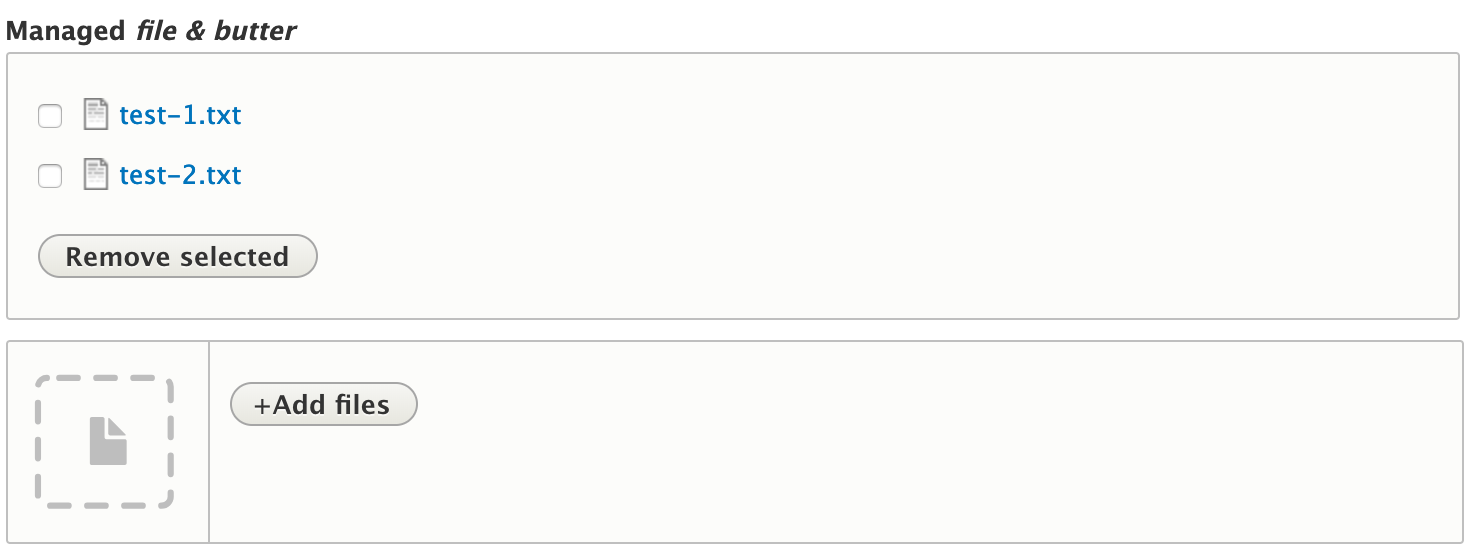
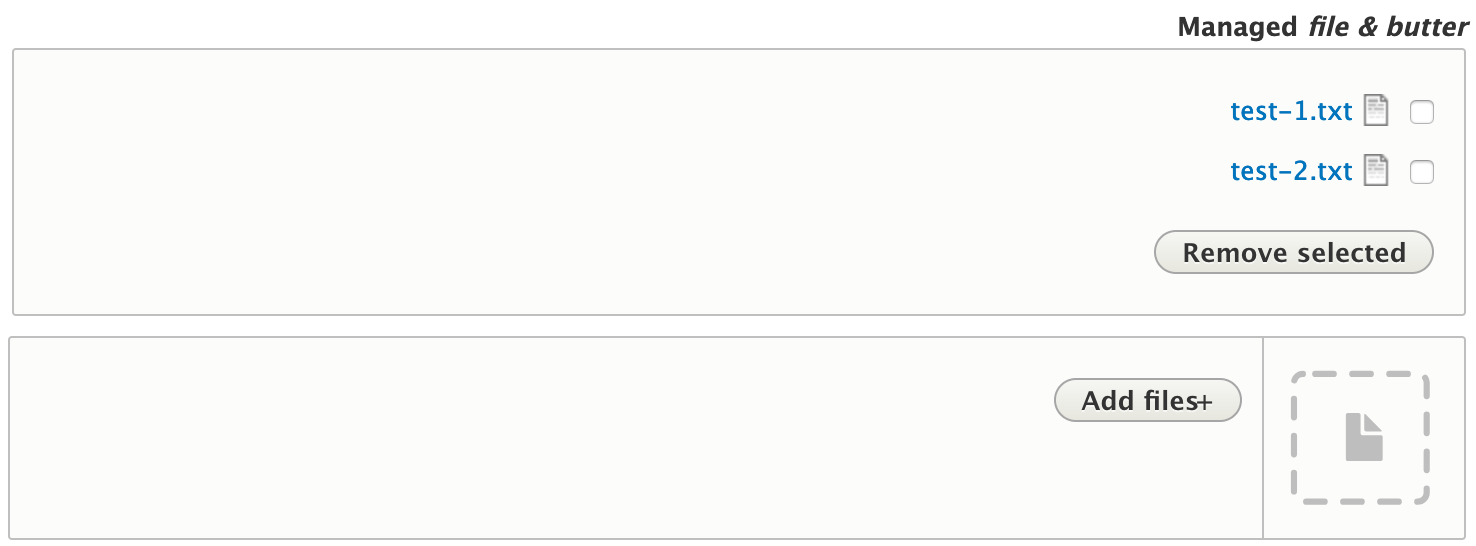
11. The only thing we can test is the markup changes. So added that. We didn't really have any tests for that at all, so that's why I was a little unsure. While running the tests I noticed that when the managed_file element allows multiple files in a custom form, the display is totally different. So that was very useful, see screenshots. Since we don't want to mess this up for other themes I added some JS to move elements around. The structure of the managed_file element is really crap, and if you change it to much in
seven_process_managed_filefor example, the functionality breaks. So I think this is the best I could do.Before the latest changes:
After the latest changes:
After the latest changes (RTL):
Comment #215
seanbNeeds review off course. An noticed 1 small thing in the screenshot.
Comment #216
andrewmacpherson commentedWhat's the current propisal? #212 says we aren't using progress bars but the issue summary says we are.
Comment #217
andrewmacpherson commented#212:
I mean the outcomes of the file upload operation, such as: it succeeded, the file was larger than the allowed size, or other failures.
Comment #218
seanbThe IS already stated the progress bar was postponed to a follow up, but I changed it a bit to hopefully make that more clear.
Comment #219
finnsky commentedI catched error after multiple add/remove file actions
Comment #220
brankoc commentedAfter success, the state of the upload field changes. On a single value field, the file input is replaced by a link or a preview (in case of an image) of the file and optional or required extra fields (description, alt attribute et cetera). On a multiple value field, the file input will be prefixed by links or previews.
Upon (partial) failure, the file input field will remain the same, but will be prefixed by either notices or errors.
A typical notice is one that says you tried to upload more files than allowed, and files X and Y were not uploaded, while Z was.
A typical error is one that says that you are not allowed to upload a file of type X.
These look like typical Drupal messages to me, so I have reviewed the patch under the assumption that the messages were not part of the patch. I will however post a couple of example screenshots later today.
Comment #221
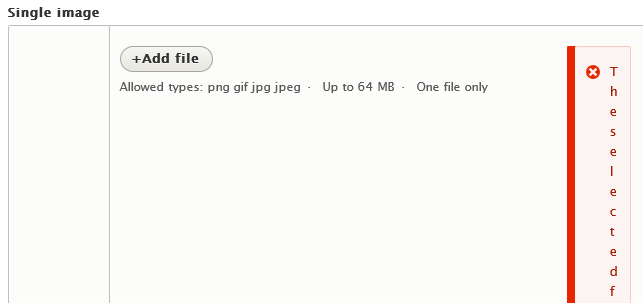
brankoc commentedThis is not a complete review of 215, but something I noticed: the error message for an image field is pushed all the way to the side, rendering it unreadable.
What I expected: an error message rendered on top of the image field.
What I got: an error message to the side of the image field.
This is in Win 10 / Firefox 65.
The same happens in multiple image fields.
See illustration (cropped).
The message box is rendered inside a div with class "image-widget" which is set to 100 pixels wide inside dropzone.css.
Comment #222
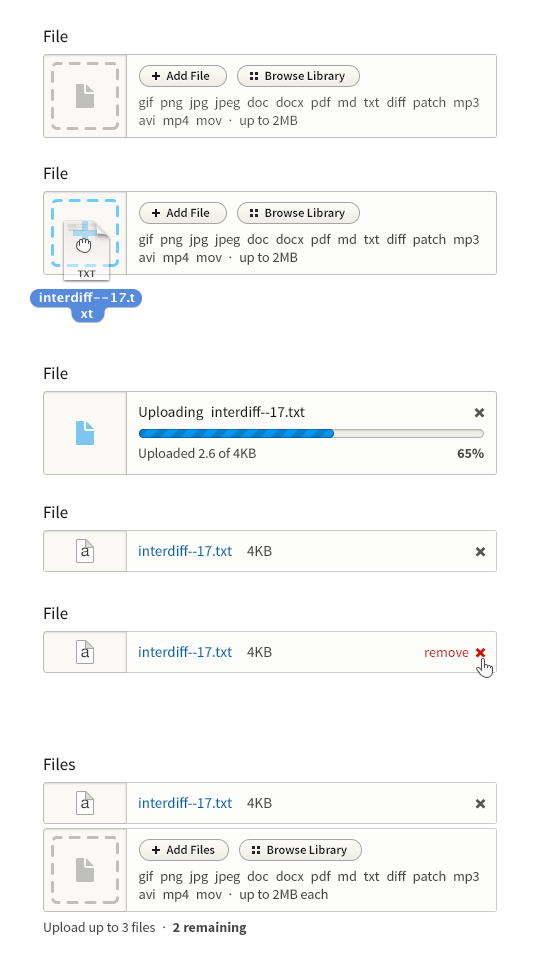
brankoc commentedIn addition to #220, here are some screenshots illustrating the outcomes.
a. Single image field, before and after the upload.
Shown here two states, before and after the upload. Before the upload, the user sees a dropzone, an "Add file" button, a description and a default image. After the upload, the user sees an image preview, file name, file size, a field for an alternative text (required), a partial description and a remove button.
b. Multiple files field, before and after the upload.
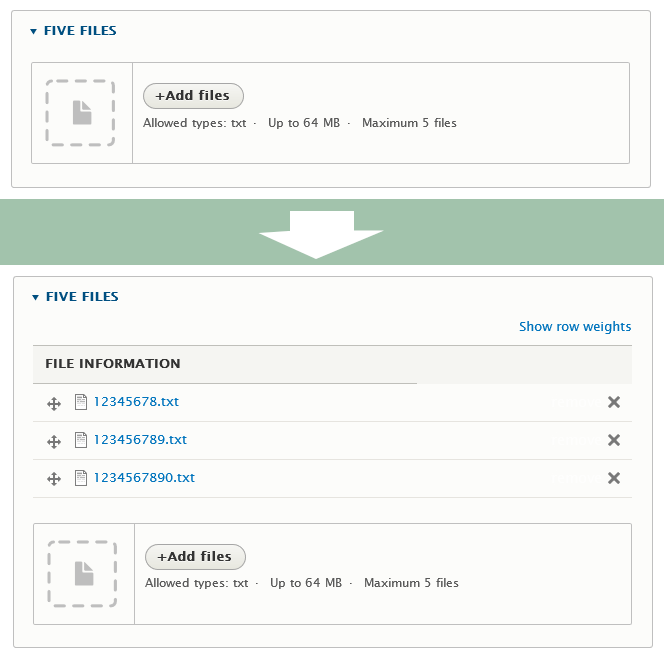
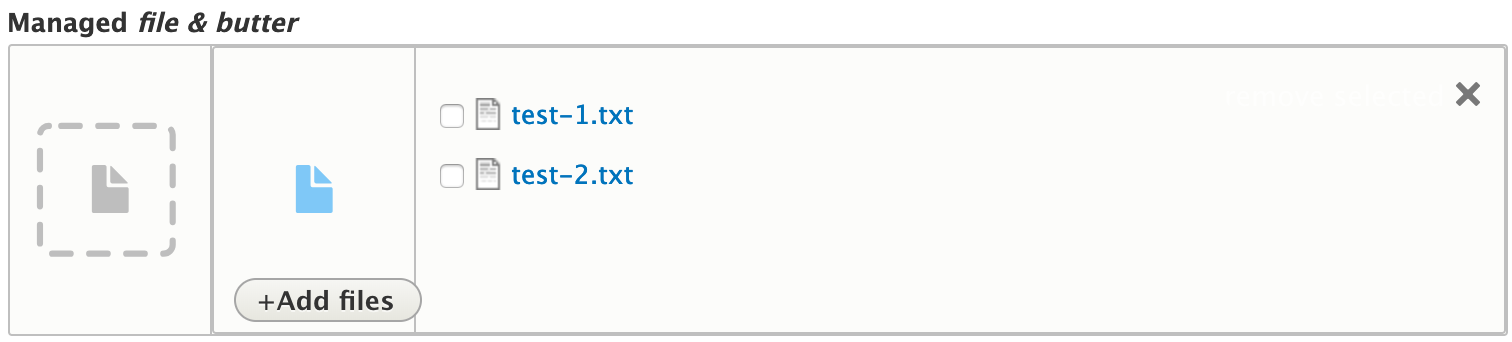
Shown here are two states, before and after the file upload. Before the upload, the user gets a dropzone, an "Add files" button and a description. After the upload, the user gets a list of file names with drag handles, remove buttons, followed by a "before-the-upload" dropzone.
c. Limited multiple files, notice after the upload attempt.
If the user tries to upload more files than is allowed by the multiple files upload field, the system only uploads a selection of files and displays a notice. For example: "Field field_five_files can only hold 5 values but there were 6 uploaded. The following files have been omitted as a result: 1234567890abc.txt."
d. Unlimited files, error message after the upload attempt.
If a user tries to upload a file of the wrong file type, the state of the field does not change, but an error message is displayed inside or over the control. For example: "The selected file test-default.png cannot be uploaded. Only files with the following extensions are allowed: txt."
Re: a+b, note that more sub-fields are possible after the upload, for example a Title field for images and a Description field for files.
I don't know how this works with assistive technologies.
Comment #223
seanb#219 This is actually an existing bug/issue with managed file fields, and this also happens without this patch. Could you file a different issue for that?
#221 / #222 Fixed. There was some client side validation for file extensions which places the error messages in a different location than the server side messages.
Comment #224
seanbAttached patch fixes a JS issue. We are trying to overwrite
Drupal.file.validateExtensionto move the error messages, but since this was added to every page the JS breaks on pages without managed form fields. Added a special dropzone library and attached to the managed file field.Also moved the file field to the dropzone 'trigger' section to make the dom order match the visual tabbing order.
Comment #226
lauriiiIt seems like the latest patch is broken. I was unable to upload files or images at all after applying the patch.
Comment #227
seanbSo sorry about that, not sure how I missed that. Must have been late. Attached patch should fix the issue.
On a side note, it's good to see the tests work!
Comment #228
wim leers🐛This SVG hasn't been optimized yet.
👍 This is just changing the the pre-existing test coverage to be tested in multiple themes.
🐛 This needs to be marked
LTRand needs accompanying RTL. The last screenshot in #214 also shows this is currently visually broken in RTL.🤔 Shouldn't this have
padding-rightjust like.button-action:beforeinaction-links.css? Without that, the button looks like:+Add fileinstead of like:+ Add file.👍 We want to do this only in Seven, because other themes should still have the title visible since they don't use the dropzone. The dropzone is Seven-specific. (At least for now.)
🤔
AFAICT this is not used anywhere?D'oh it is. But … why can't this usefile-managed-file.html-twig?👍
🤔 Why are we trimming periods?Because instead of the default template's HTML of<br>-separated descriptions, we're converting it to a<ul>here automatically. Cool :)👍 Unlike the default template, this is wrapping it in a
<div>with a particular class to allow these to be targeted together by CSS.articlenode type. I just uploaded a default image at/admin/structure/types/manage/article/fields/node.article.field_image. Then the default state looks like this:Comment #229
seanb#228
1. Nice. Hope it doesn't take another 4 years to get it done though :)
2. Fixed.
3. :)
4. Fixed. Nice catch! Also consistently marked things LTR since I didn't know we did that. I like it.
5. Fixed.
6. Exactly, we try to keep the changes to seven only (as much as possible).
7. The form element also contains the field description, field error element, and other stuff. The
file-managed-file.html.twigtemplate is just a part of the whole thing, and we need to change everything to make it look like the design.8. :)
9. Fixed.
10. Not sure what you mean? Since the default image is not designed, and the left side (where it originally was) is now used by the dropzone, I moved the preview image to the right side of the element. Your screen is wider than my screen apparently, but other than that it seems to look fine?
Comment #230
lauriiiThank you @seanB for pushing this forward! 🙏
This element is missing focus and active styles.
If we remove the default focus styles, we should replace them with our own styles.
Is there a reason we have to specify the element type here?
Is there a reason we have to specify the element type here?
Is there a reason we have to specify the element type here?
It seems like the line breaks aren't working as specified in the specs.
Comment #231
seanbFixed #230.
1. Added focused class to file input. Active doesn't apply here I think that is for links only right?
2. Fixed. Not sure why I removed that. Added some extra padding to make it look better on focus.
3. Fixed. Don't think so.
4. Fixed.
5. Fixed.
6. Fixed. Changed to display inline.
Comment #232
lauriiiI have no further feedback at this point. Thank you @seanB! We should still try to get a review from someone in the accessibility team.
Comment #233
wim leers#229.10: I mean that alt/title are missing. I expect (perhaps wrongly) those to be shown in the same place as when I've uploaded an image myself, and for those
input[type=text]to be disabled. But if it's not in the design, I think it's fine as-is; it's still a massive improvement :)Like @lauriii, I too think this is ready, and a massive step forward. Any remaining small imperfections should be addressed in follow-ups, we shouldn't wait until every detail is absolutely perfect, precisely because it's such a big improvement.
Comment #234
bojanz commentedNitpicks!
$themename looks very odd. Can we do $theme_name? That's how it's called elsewhere.
We don't usually break up calls into multiple lines like this, guessing someone's editor did it automatically?
That line is too long and does too much.
$this->container->get('file_system')->realpath($filename) can be done on the previous line.
We can assign $this->getSession()->getPage() to $page if the line length worries us. Or do it with $this->getSession().
Comment #235
seanbFixed #234
Comment #236
dwwThis (mostly) looks absolutely amazing! Definitely a huge improvement for core. BRAVO!!
I really wanted to RTBC this, but instead it's NW for (at least) 3 things. :/
Plain 8.7.x-dev site with the patch applied, caches rebuilt, etc.
A) First thing I tried was using the new widget on an image field that only allows a single file (e.g. user_picture). The image I used happened to be the most recent screenshot I took for another issue, with a big long filename. The name and size crash into the 'X' remove link. The "remove" text itself (white by default) is over-writing the end of the filename, which looks weird enough:
But the bug is really obvious when you hover and everything turns red:
I then setup a 5 more fields on this node type: cardinality 1, 3 and unlimited for both image and file (for a total of 6 fields). I tested all of them, and the single-value image field is the only one that has this problem. Every other permutation is doing something special to wrap the filename so it doesn't crash into the remove link. So it seems this is already a mostly solved problem, but there's an edge case for the 1-image configuration that also needs fixing.
B) When I went to configure the widgets on "Manage form display", I noticed a minor UI WTF. The summary says "Progress indicator: throbber" but when I click on the gear icon to see what the other choices are and try them out, there's no setting at all. :/ I guess that's supposed to be at #2863846: File Field design update progress bar or something, but until that lands, it seems a little cruel and a lot confusing to advertise the "throbber" as a widget option if I can't change it. ;) Can we just rip that out from the settings summary and add it back in once there's a setting we can change that needs to be summarized?
Summary:

Empty widget settings:

C) Once I filled up the 3-files field, the uploader disappeared (as intended!). However, so, too, did the tiny "Maximum 3 files" that was hidden amongst the file upload instructions. If I didn't happen to notice (and remember) that this field was limited, I'd be rather confused/annoyed that the uploader just disappeared while I was trying to finish uploading all those interdiffs. ;)
In progress, easy to miss the maximum:
Now with 3, uploader gone (yay) along with the explanation why (boo):
Can we preserve "Maximum 3 files" in this case?
- - -
Time permitting (!) I'll do a deep-dive review of the patch (which is what I was hoping to do instead of this kind of click-test-screenshot review), but I'm really slammed so I can't make promises.
Thanks/sorry!
Comment #237
dwwDid a reasonably careful review of the code, too. Mostly nits. A few informational/educational questions.
The line immediately above uses a different way to get the file_system service. :/ I know #2066993: Use magic methods to sync container property to \Drupal::getContainer in functional tests still an open debate, but can we please standardize on one approach and use it consistently for this method? ;) I vote
\Drupal::service()for this.Any reason not to do:
$path = "file/test/$tree/$extended/$multiple"?#include "dww/ignorance.h"
Does :after do what you expect in the RTL vs. LTR worlds?
What about sites that don't use seven for their admin theme? Or sites that let users upload files (e.g. user_picture) without using an admin theme at all? I guess they get no dropzone? Nor most of the other goodness from all this effort. I just unchecked the "Use the administration theme when editing or creating content" setting on my local test site, and lo, /node/add/article looks somewhat sad. It all still works, such as it is.
Apologies I didn't read every comment in this issue. Looks like @jhedstrom asked the same thing in #45 but I don't see any real response. Why is all of this goodness so intimately tied to seven instead of being available to all file upload fields in some capacity?
Why does the second one of these add description_classes but not the first?
I'm clearly missing something, please forgive me, but what's up with this? Looking at core/themes/classy/css/components/image-widget.css it's got an @todo about wanting to include this library starting in D9. Now we're removing it from here? ;) Also, I don't see what we're attaching instead. Is that the dropzone from seven_process_managed_file()?
Comment #238
seanb#236
A. Fixed. This was apparently not that easy to solve. I needed to add some extra wrapper elements to make the filename, file size and remove button float nicely.
B. I could not reproduce this. The patch also didn't touch the settings code at all? This is in
FileWidget::settingsForm(). Besides that, the changes we are making are for the Seven theme only, so progress bars in other themes will work as before. We should try to keep all changes contained to Seven as much as possible.C. This is a separate (already existing) issue. If I checkout a clean 8.7.x branch with an image field with limited cardinality, the upload field and the description also disappear.
#237
1. Fixed. Nice catch. I just copied that line to the top so the inconsistency was already in the test.
2. Fixed. Again, just added a foreach so this was already in the test. But I can change it if you like.
3. It does :). This adds the dots between the validators in the description below the field.
4. The design was to improve the seven theme. We can't change this in other themes because we have no idea what they look like. This issue was created to implement https://groups.drupal.org/node/283223#File_Field, which is a style guide proposal for Seven.
5. Not sure? @see
core/themes/stable/templates/form/form-element.html.twig. I don't think we should change that in this patch.6. We are using a Seven specific override of the
image-widget.html.twigtemplate, and don't need the classy styles anymore. We have added a genericcss/components/managed-file.csstoseven.libraries.ymlfor all managed file fields, and add more dropzone specific CSS/JS inseven_process_managed_file().Comment #239
dwwGreat, thanks! Getting closer. ;)
Re: #238.A:
Side note: Seven is current broken-as-hell with a long filename in a multi-value file field. Before the patch:
After the patch:
So, that's a huge improvement. ;) However, why is the file size wrapping there onto yet another line? Also visible with a single-value image field:
Needs work? Not sure it's worth it.
Related point (probably out of scope) it's not obvious why things wrap to get out of the way of this hidden "Remove" text until you hover. That's slightly weird, but it's probably too late to do anything about it or change anything now.
Re: #238.B: Whoops, I didn't have uploadprogress enabled locally. ;) #236.B is now at #3037204: If upload progress extension is not available, disable the file field widget settings and has nothing to do with this patch. ;)
Re: #238.C: fair enough. #NeedsFollowup. ;) *shrug*
#238 numbered points:
1. Cool. The whole \Drupal:: war can happen elsewhere, but at least we're locally consistent. Thanks.
2. Thanks.
3. Cool! Duly noted. Thanks for the info. :)
4. :( So we've "moved dropzone into core", but only for Seven? Ugh. I *really* don't like this decision. Not sure what to do about it, or how to change course at this point. Bummer.
5. Seems like a bug, and if we're adding a new template to seven for all this, we should IMHO fix it. Maybe it should be a separate follow-up? I still don't grok (and am running out of patience with) our policy around when we can and can't fix bugs in our theme templates. :( But it seems wrong to commit known-broken templates like this. *shrug*
6. Thanks. I missed the css/components/managed-file.css in the global seven library. Makes more sense now.
New point:
D) Is it viable accessibility-wise to have this red-only-on hover business? Doesn't that violate the principle of not relying on color to convey meaning? I guess we have the word "Remove" and an X icon, so we're not *relying* only on color. But it does seem a bit weird how it works. Kinda related to my side-point on A above about the hidden "Remove" text causing things to wrap when at first look they don't need to. Again, probably too late to change any of that now.
Anyway, potentially still NW for #236.A (to at least not wrap the filesize separately) and #237 4 and 5 (policy decisions?), but I'll leave NR for now.
Otherwise, I'm +1 to RTBC pending accessibility sign-off.
Thanks again!
-Derek
Comment #240
seanb#236.A The filename and file size text are 2 span elements with word-wrap inside a flex item element. I tried having the filename and file size display inline, but then the flow out of their container a bit. Which then causes the remove text to still overlay over the filesize sometimes. So display inline-block seemed to be the best I could do here. I think this is not a blocking issue and we could have a followup to improve this?
#237.4 I don't think this was ever about "moving dropzone into core", but more about improving Seven. Technically we are just styling the managed file field to look like a dropzone. The drop area is actually the input field. Moving dropzone into core would be something I support though.
#237.5 Also not really sure about this. We can't change classy and stable (I know you are working to get around that), but I don't know if the description_classes were omitted from the template on purpose or not. Since we can definitely change Seven, I would propose we make this a follow up as well.
#239.D I'm also curious about the a11y implications of showing the text on hover/focus only. It was never in the design to begin with, I know it at least had UX signoff. Not sure if that has been checked by the accessibility team. It's a very easy change to always show the text though, so we can always fall back on that. Hoping to hear from the a11y team soon!
Comment #241
dwwRe: #240 thanks!
#236.A: Hrm, okay. I guess it's an edge-case, and it works (even if a bit ugly), and it's vastly better than what we have now. Definitely non-blocking. Follow-up is fine if there's no "easy" fix now.
#237.4:
I don't understand. This patch adds "dropzone.js" and allows file uploads to work via dropzone-like behavior. But only for Seven. I don't know what "move Dropzone into core" means other than what this patch is doing, except changing where some of this JS and CSS lives, and attaching that library to file fields directly from File module, not Seven. More or less. Are you proposing we do that *after* this lands, as a follow-up?
#237.5: Okay, I guess follow-up is okay here, too.
#239.D: Sounds good. Yeah, maybe to help both this and #236.A we should leave it visible (lower contrast than the X?) by default, and go high-contrast/red on hover?
'Needs followup' is non-blocking to RTBC, but is now true. ;)
Thanks again!
-Derek
Comment #242
seanbWe could split up the Seven specific code from the generic code, and make that available as a library for other themes. I do think we should not be adding this to the managed file field by default, since the changed markup will break existing sites. But as a re-usable component for themes to opt-in I guess it's pretty useful.
I think figuring out how to make this re-usable could lead to some bikeshedding about what should or should not be generic. Let's create a follow up to explore that as well, since that is out of scope for this issue.
I will create the follow ups tomorrow.
Comment #243
dwwRe: #242: Okay, fair enough. I'm slightly worried that we're going to get this in before 8.7.0-alpha1 (as a major usability win, yay!) but then not be able to make these necessary refactorings since it'd be "too disruptive during alpha" (boo). If the core committers/managers agree we can still fix this between alpha1 and beta1 and make it more widely available, I'm much more inclined to RTBC as soon as the accessibility review is complete.
Regardless, having this is Seven is way better than not at all, so I definitely don't want to hold up progress here.
Thanks!
-Derek
Comment #244
seanbJust showed a demo of this patch in the UX meeting. We got some really helpful a11y feedback. The issue with patch #238 was:
type="button"to prevent it from being seen as a submit button by some browsers.To fix this I have:
tabindex="-1"andaria-hidden="true"to the file input field to remove it from the tab order an for screen readers.type="button"to the 'Add file' button.Hope this addresses the feedback. As far as I can tell the current state of the patch doesn’t seem to change anything for screen reader users.
Comment #245
andrewmacpherson commentedThis had a demo in the UX call earlier today. Since the UX call, I've thought about this some more. The "button which presses a button" is one too many buttons. I'm not just talking about the keyboard tab order, or screen reader announcements. I'm bothered about the fact that it exists at all. It's too many parts, and it will break for some users somehow. (I don't know how yet, but when it does I'll kick myself for not seeing it.)
#244:
<label for>is messy. I don't advise that at all. Now you can click a label, which clicks a button, which clicks a file input. Now that's a three part chain, which is too many parts. This will also break the button for speech control users. They must be able to say the name of the text on the button they see. But the button with visible "add files" text now has an accessible name of "image". REJECTED.I'm thinking this one through. It isn't going to be easy to make this inclusive and robust. I need to study the DOM more.
Comment #246
JulezRulez commentedThe Add File button is a good way to make this functionality accessible for everyone.
Fact is that the user gets 2 functionalities: drag-and-drop and browse. So making these 2 functions visible via 2 different UI elements makes it understandable for everybody.
My first reaction when I saw the 2 functions to group them with
fieldsetandlegend. But with hiding the drag-and-drop zone for assistive technology, the label stays, and should put somewhere. While the "Add file button" is aninput type=file, this input element should be associated with a label. As I saw in the example, the label was named "Image". Some extra instruction should be added to the label i.e. "Upload image" so WCAG success criterion 3.3.2 is covered.In 2 days I will discuss this with seanB. I will also think my answer through. It is a though problem.
Comment #247
seanbWe basically trigger an event on an element when a button is clicked. This should be fine for "regular" browsers, but it would be good to know if there are downsides / limitations I'm not seeing at the moment.
Fair enough. Removed that from the patch.
Comment #249
jerrylow commentedOn a fresh `8.6.13` install I did the following:
When uploading to the multiple value/no limit fields there's no remove button, did I miss something here?
Comment #250
jerrylow commentedAdding patch to address the issue I've mentioned in #249.
Comment #251
jerrylow commentedRe-roll the patch #250 for `8.8.x`.
Comment #252
martijn de witAre there still some accessibility issues / concerns ? There is a discussion about it in previous posts, but it is unclear for me if everything is addressed and fixed.
It really looks great, I think this is a huge UX improvement!
+1 :)
Comment #253
seanbWe had a long chat today about this issue in the UX meeting (you can watch that here https://youtu.be/aipwkFhZDms?t=1128). Having 2 buttons elements is 100% an accessibility blocker and the general consensus seemed to be that it does not seem likely we can fix the current implementation with a small change.
The designs in this issue turn out to be really hard to implement in an accessible way, and since there are designs being made for the new Claro theme at the moment, we decided on the following approach:
As much as it hurts to do this, also seeing how many people worked really hard on this issue before and with me, I think we need to close this issue as outdated. This is a hard lesson in how trying to make something accessible afterwards can sometimes turn out to be impossible, and how important it is to think about accessibility from the very start.
Thanks everyone, hope to see you all in the follow-ups. Created #3064084: Create accessible markup for a drag & drop file upload widget (and ensure there is an accessible alternative interaction) and #3064085: [PP-1] Create design for drag & drop upload widget and ensure accessible keyboard/voice alternative for now.
Comment #254
phenaproximaThanks, Sean. My condolences to everyone who worked so hard on this issue. This kind of outcome can feel crushingly disappointing, and it is indeed a hard lesson and a sad reminder that the process of improving core can be very, very tough. But, that said, from the ashes of this issue, I for one am determined to help build something beautiful, functional, and accessible in the follow-ups.
Comment #255
saschaeggiHey everyone,
I was following this ticket for a while now. I also did port a version to Claro already for testing purposes here #3059615: Field design update: Test Claro migration, as I was very excited to see the work which was done here.
As an outcome to comment #254 I did create a follow-up design ticket in the Claro issue queue #3064236: Accessible Drag & Drop File Upload Widget.
Which will wait for input from #3064084: Create accessible markup for a drag & drop file upload widget (and ensure there is an accessible alternative interaction)
@seanB if you like you could help us designing the file upload for claro once the markup is defined :-)
Comment #256
saschaeggiComment #257
saschaeggiComment #258
benjifisherLet's add the phoenix issue #3064084: Create accessible markup for a drag & drop file upload widget (and ensure there is an accessible alternative interaction) as related.
Comment #259
jerrylow commentedHey @saschaeggi - I watched the meeting video and it sounds like the main concern here is the duplicated button (I'm trying to find the thread in Slack but searching `in:#media 2113931` yields nothing.
Given the dropzone area is
1. not visually a button,
2. not very useful to keyboard and screen reader users, and
3. redundant.
Is there no reason we can't disable it for tab indexing and `aria-hidden` it? This to me makes more sense from an accessibility perspective. This also eliminates the issues discussed around labelling as well.
Comment #260
xjmComment #261
xjmHi everyone,
This issue was closed in #253 in favor of #3064084: Create accessible markup for a drag & drop file upload widget (and ensure there is an accessible alternative interaction) and #3064084: Create accessible markup for a drag & drop file upload widget (and ensure there is an accessible alternative interaction). Please discuss in those issues instead as there won't be any further review on this closed issues.
Thanks!
Comment #262
jaypanThe same issue was referenced twice in the last post. I think the other issue was meant to be #3064236: Accessible Drag & Drop File Upload Widget.
Comment #263
teddyvermeulinHi everyone,
Thanks for the great improvement.
I have on error when i use the patch :
Notice: Undefined index: #cardinality in seven_process_managed_file() (line 180 of core/themes/seven/seven.theme).
seven_process_managed_file(Array, Object, Array)
call_user_func_array('seven_process_managed_file', Array) (Line: 999)
Drupal\Core\Form\FormBuilder->doBuildForm('paragraphs_type_edit_form', Array, Object) (Line: 1062)
Drupal\Core\Form\FormBuilder->doBuildForm('paragraphs_type_edit_form', Array, Object) (Line: 563)
Drupal\Core\Form\FormBuilder->processForm('paragraphs_type_edit_form', Array, Object) (Line: 320)
Drupal\Core\Form\FormBuilder->buildForm(Object, Object) (Line: 91)
Drupal\Core\Controller\FormController->getContentResult(Object, Object)
call_user_func_array(Array, Array) (Line: 123)
Drupal\Core\EventSubscriber\EarlyRenderingControllerWrapperSubscriber->Drupal\Core\EventSubscriber\{closure}() (Line: 573)
Drupal\Core\Render\Renderer->executeInRenderContext(Object, Object) (Line: 124)
Drupal\Core\EventSubscriber\EarlyRenderingControllerWrapperSubscriber->wrapControllerExecutionInRenderContext(Array, Array) (Line: 97)
Drupal\Core\EventSubscriber\EarlyRenderingControllerWrapperSubscriber->Drupal\Core\EventSubscriber\{closure}() (Line: 151)
Symfony\Component\HttpKernel\HttpKernel->handleRaw(Object, 1) (Line: 68)
Symfony\Component\HttpKernel\HttpKernel->handle(Object, 1, 1) (Line: 57)
Drupal\Core\StackMiddleware\Session->handle(Object, 1, 1) (Line: 47)
Drupal\Core\StackMiddleware\KernelPreHandle->handle(Object, 1, 1) (Line: 106)
Drupal\page_cache\StackMiddleware\PageCache->pass(Object, 1, 1) (Line: 85)
Drupal\page_cache\StackMiddleware\PageCache->handle(Object, 1, 1) (Line: 47)
Drupal\Core\StackMiddleware\ReverseProxyMiddleware->handle(Object, 1, 1) (Line: 38)
Drupal\webprofiler\StackMiddleware\WebprofilerMiddleware->handle(Object, 1, 1) (Line: 52)
Drupal\Core\StackMiddleware\NegotiationMiddleware->handle(Object, 1, 1) (Line: 23)
Stack\StackedHttpKernel->handle(Object, 1, 1) (Line: 708)
Drupal\Core\DrupalKernel->handle(Object) (Line: 19)
Could you please help to understand what is the problem ?
Thanks.
Comment #264
ytsurkThis issue was abandoned and the new solution is kind of stuck ...
You need to manage this patch yourself .. and add an if(isset()) {} for the #cardinality key of that array there.