

Closed (fixed)
Project:
Adminimal - Responsive Administration Theme
Version:
7.x-1.0
Component:
Code
Priority:
Minor
Category:
Bug report
Assigned:
Unassigned
Reporter:
Created:
5 Feb 2014 at 18:37 UTC
Updated:
22 Feb 2014 at 13:07 UTC
Jump to comment: Most recent, Most recent file





Comments
Comment #1
ANDiTKO commentedWell it works for me. I mean there is clearly something wrong on the screenshots that you posted. But i tried it on a test drupal install and it looks fine. Something else must be wrong. Give me more info like OS, Browser, or have you tried it on another drupal install. Check my screenshot:
Comment #2
Outdoor Ed commentedThanks for testing. The theme is awesome by the way.
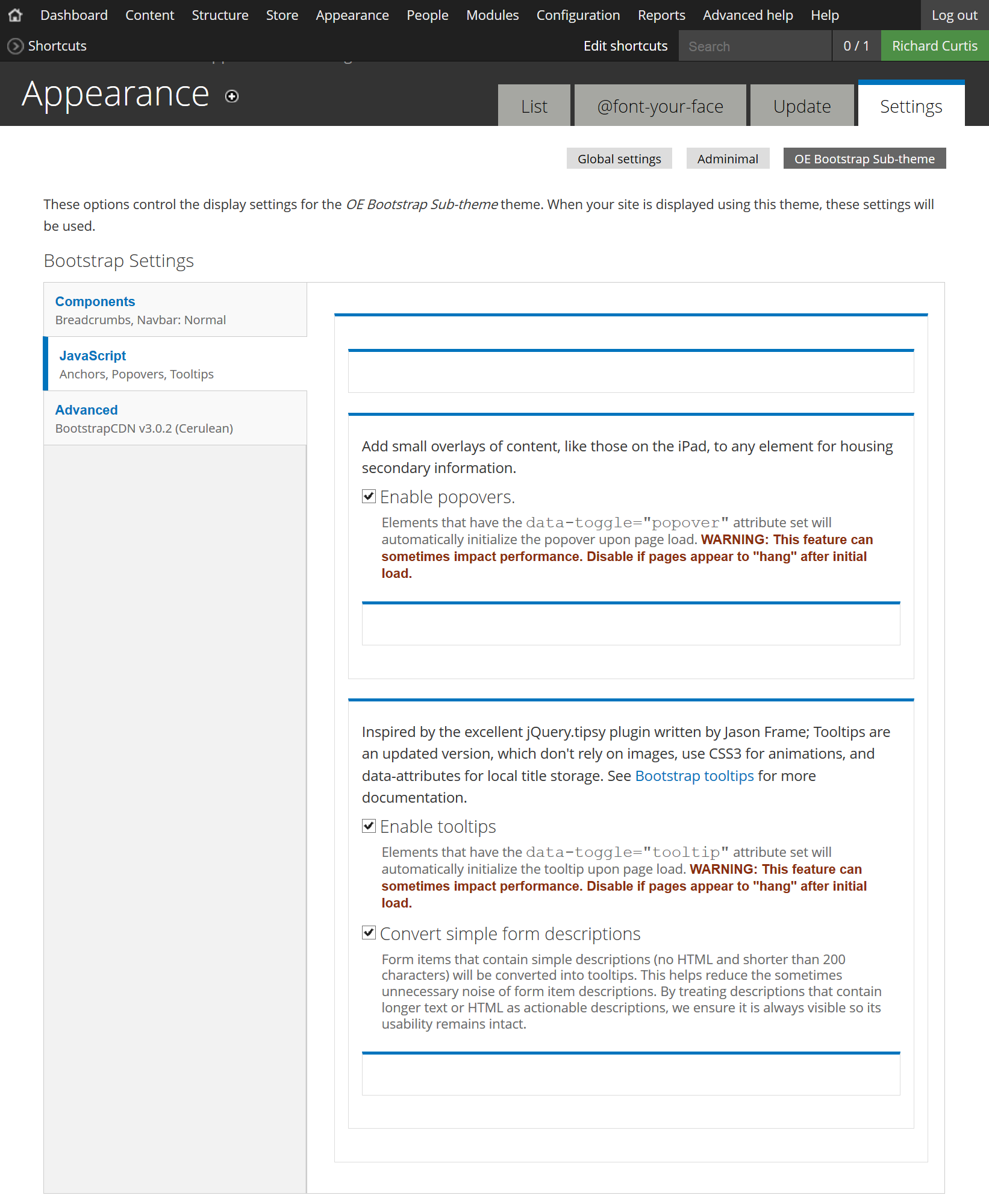
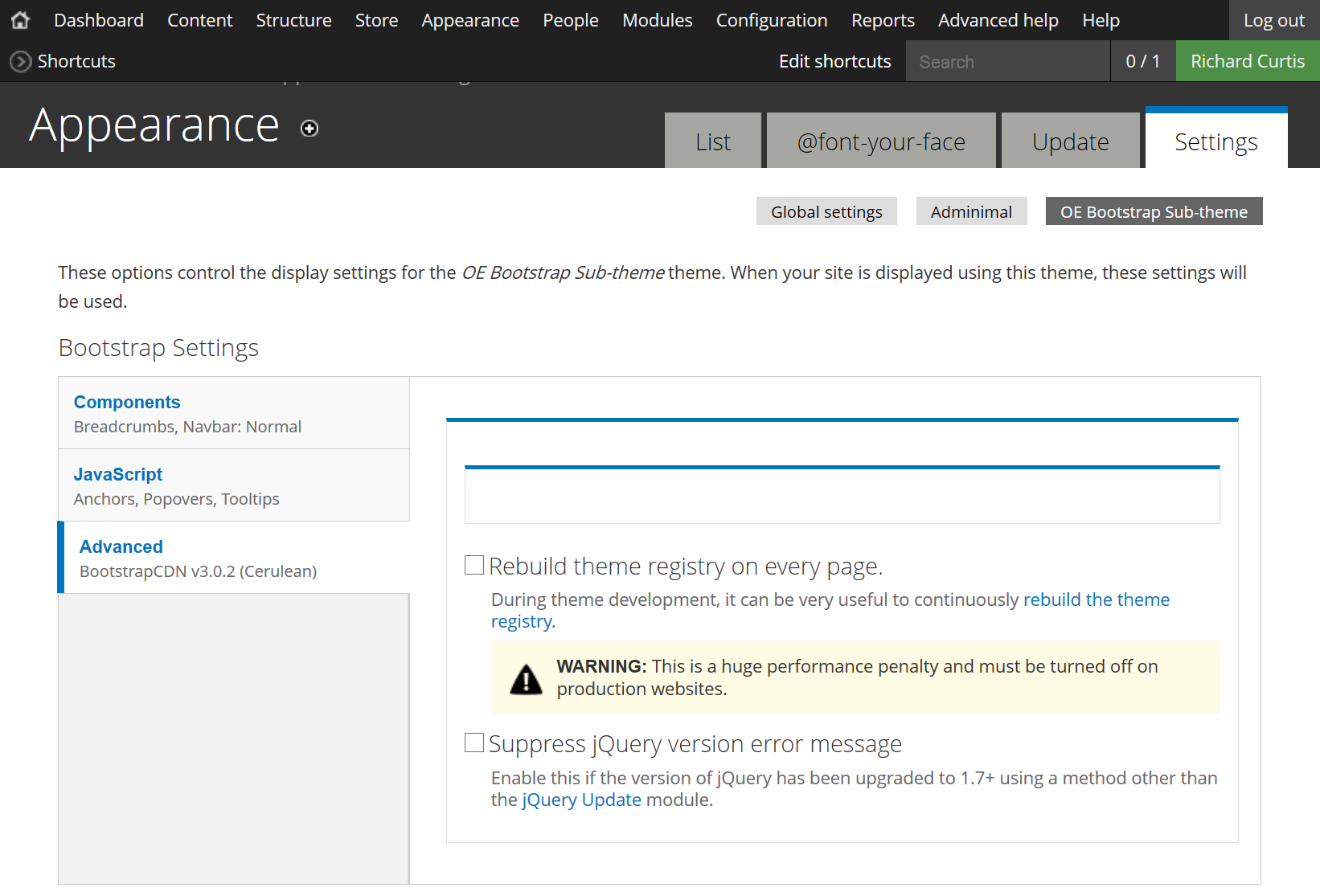
I was running it with Aquia Dev Desktop locally in Windows. I tested it in Firefox 25 and Chrome, same thing in both. When I go in click on the accordion area and inspect the element I can see the correct text is being rendered in html. It's like the font color is white and the font and icons in that section disappear.
I uploaded the site to Acquia Dev Cloud this evening and the accordions are still empty. Tested with Chrome and Firefox. I switched back to the Shiny Admin theme and everything returns. I went back to Adminimal and cleared all the caches but still empty.
I have the font-awesome module running, don't know if that could be interfering.
Comment #3
ANDiTKO commentedDownloaded and enabled the font-awesome module and still works perfectly. Can you please try the Adminimal Theme on a "vanilla" drupal site. Just add a new drupal site and install only the adminimal theme and the bootstap thing. Then try again and tell me if it works...
Comment #4
Outdoor Ed commentedI installed it on a vanilla Acquia Drupal 7 Site. Had to install JQuery Update and set it to Jquery 1.7 in order for the Bootstrap Theme to work. I just left it as the default Bootstrap (did not create a subtheme).
Still no luck with the accordions. Looking at the Error Log I see this error
page not found -
http://localhost:8082/sites/all/misc/menu-collapsed.png
http://localhost:8082/sites/all/themes/adminimal_theme/css/style.css?n0np5s
See Admininal-5.png. I checked and there is no sites/all/misc folder
Comment #5
ANDiTKO commentedWell, its working fine for me. I downlaoded the latest stable aquia dev desktop, installed it with the default settings. Then installed and enabled Adminimal, Bootstrap and jQuery update. And it was working as expected.Check out the screenshot (i even tried it in Internet Explorer and its fine)
https://drupal.org/files/issues/adminimal-aquiadev-is-working.png
Please try on a live "production ready" server and report back.
Comment #6
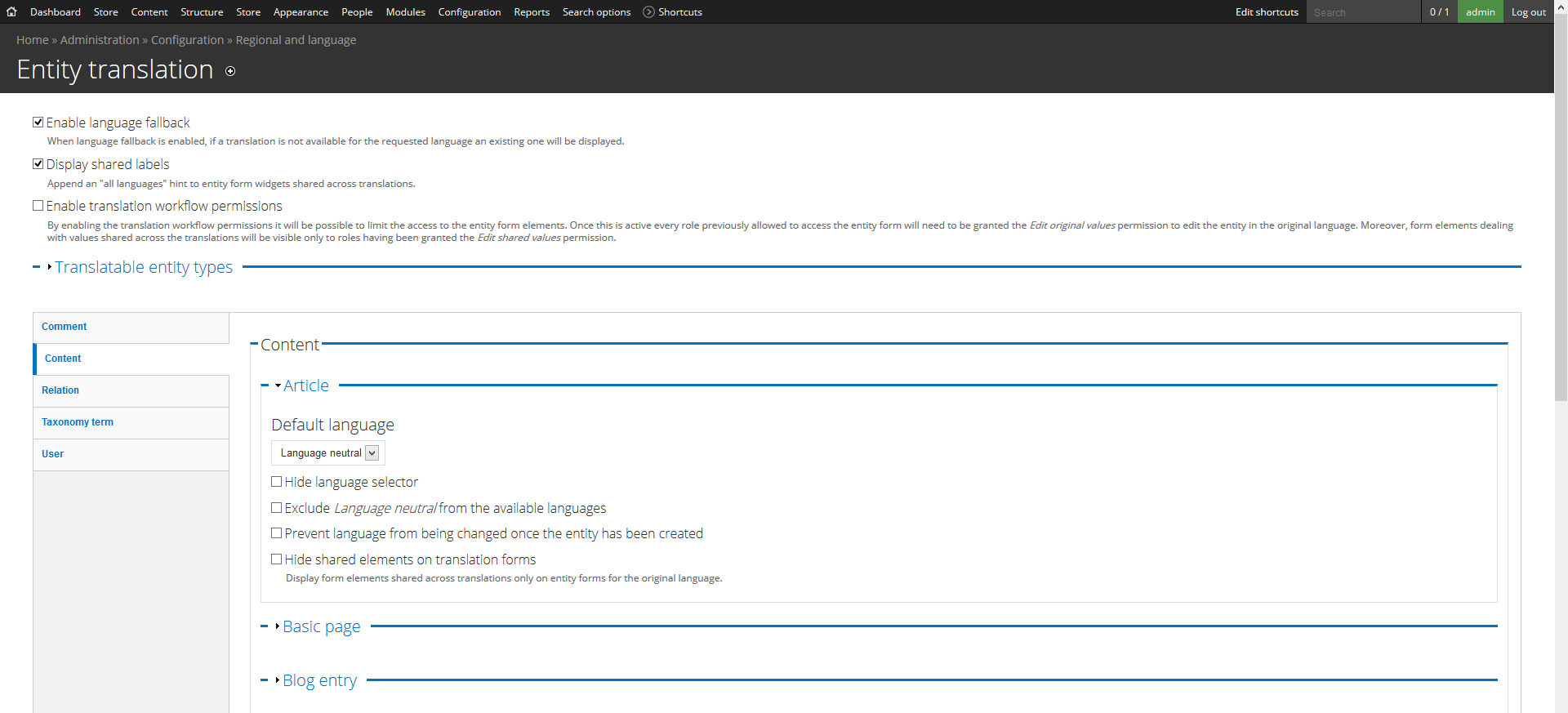
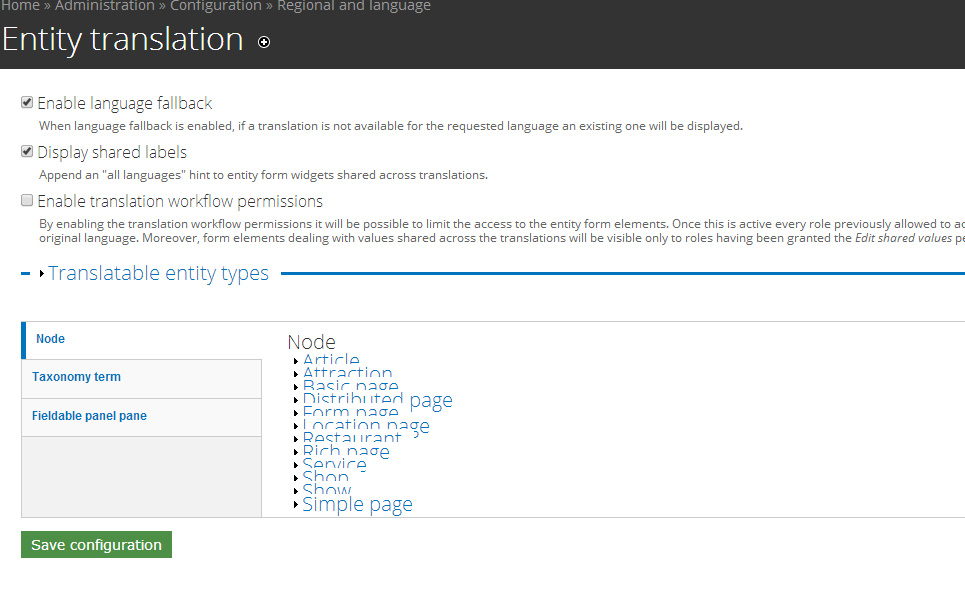
peacog commentedI have the same problem on the Entity Translation page of my site. The problem seems to be with nested fieldsets. On most admin pages that use vertical tabs, each vertical tab pane is a fieldset that contains normal form items like text fields and the like. On the Entity Translation page however, each vertical tab pane is a fieldset that contains more fieldsets, and those nested fieldsets are collapsed by default and their legends are "display: none", so they are invisible.
By the way, I really love this theme and hope to switch to it for all my sites, so it would be great to get a fix for this soon. Thanks!
Comment #7
amorales@drupal.org.es commentedSame problem here.
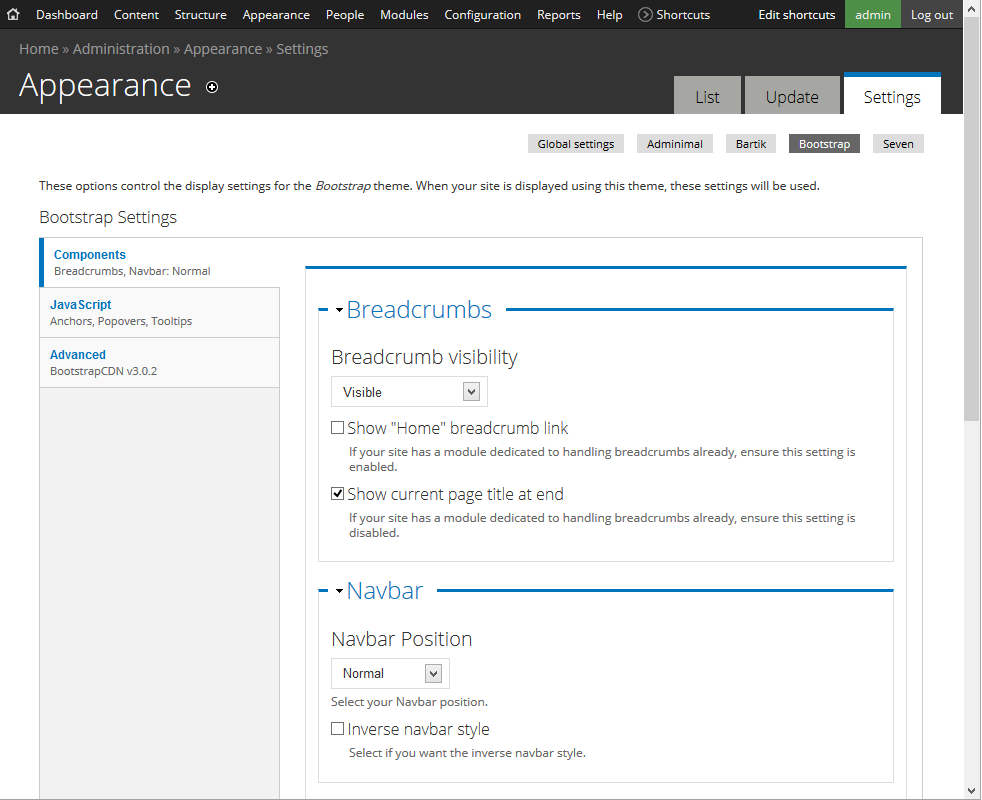
Fieldsets not showing in admin -> Appearance -> Theme options -> Bootstrap3 options
Applying this to .../adminimal_theme/css/vertical-tabs.css fix the problem:
Comment #8
ANDiTKO commentedI've applied the fix from "amorales @ drupal.org.es" in the latest dev version.
Please update and try it out.
Thank you all for using Adminimal, reporting issues and helping fixing them. I really appreciate it!
Comment #9
Outdoor Ed commentedGreat, I applied the new CSS and that resolved all the Bootstrap issues.
Comment #10
ANDiTKO commentedThank you all! Soon i will push it to the stable release.
Comment #11
peacog commentedIt's still not quite right for Entity Translation. The fieldset legend is only half visible, as shown in the screenshot. Here's what I did to fix it:
In styles.css add
And in vertical-tabs.css at line 17 I added
div.vertical-tabs fieldset fieldsetto end up with:Comment #12
ANDiTKO commentedPffffff... i think i finally found why the fieldsets were messed up. In line 11 there was this code
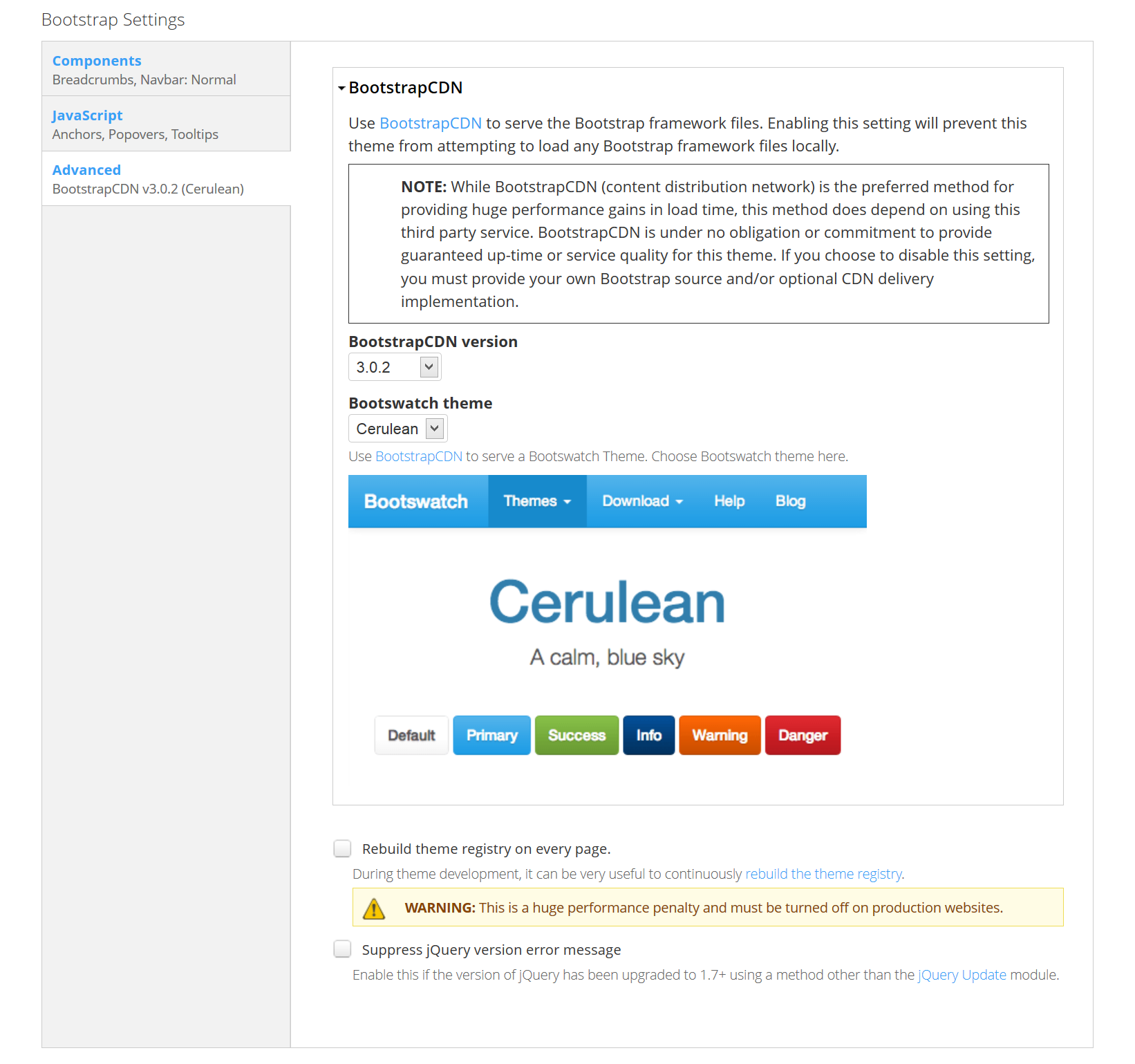
and that was also in the original Seven theme. (Adminimal is based on Seven) So i removed these lines and it now seems to be looking good. Need to do some more testing before pushing it into the stable version. Thanks everybody! Check the screenshot after applying the fix...
View Screenshot or grab the latest dev version and give it a try ;)
Comment #13
peacog commentedThe latest dev is perfect. Thank you!
Comment #14
ANDiTKO commented