e.g. admin/structure/types/add
The whole vertical tabs area changes size every time the active tab is changed. This is really irritating for various reasons.
- Scroll to the bottom of the page. Clicking on a tab that has a fields area that has a smaller height than the current tab causes the window to scroll. The user must then take a few seconds to work out what the hell happened. The tabs are no longer in the same place, making it harder to flick through them.
- Changing from a big one to a small one and then back to a big one means the lower part is no longer in the visible area of the page.
I think height of a vertical tab area should be as big as it needs to be for the largest tab and not change at all when the active tab is changed.
Also, I think the vertical line should be the full height of the box (excluding the padding, as per the top). It looks slightly weird when you first see it sitting there out by itself.


Comments
Comment #1
wapnik commentedSame in the other themes as well. In my opinion, get it to work the way having the tab menu height the same as the biggest tab pane, even if the biggest one is display:none, would require some javascript, and i'm not shure if this is what we want.
At least, i've provided the vertical line.
Comment #2
jbrown commentedThanks.
Setting back to needs work as it doesn't solve the problem.
Comment #3
manuel garcia commentedThe only way about doing this is through JS.
I've created a patch that makes the fieldsets all the same height, as well as the ul for the tabs, so we can style it properly in seven. see #896828: Vertical tabs - no visual connection between the active tab and its content
Comment #4
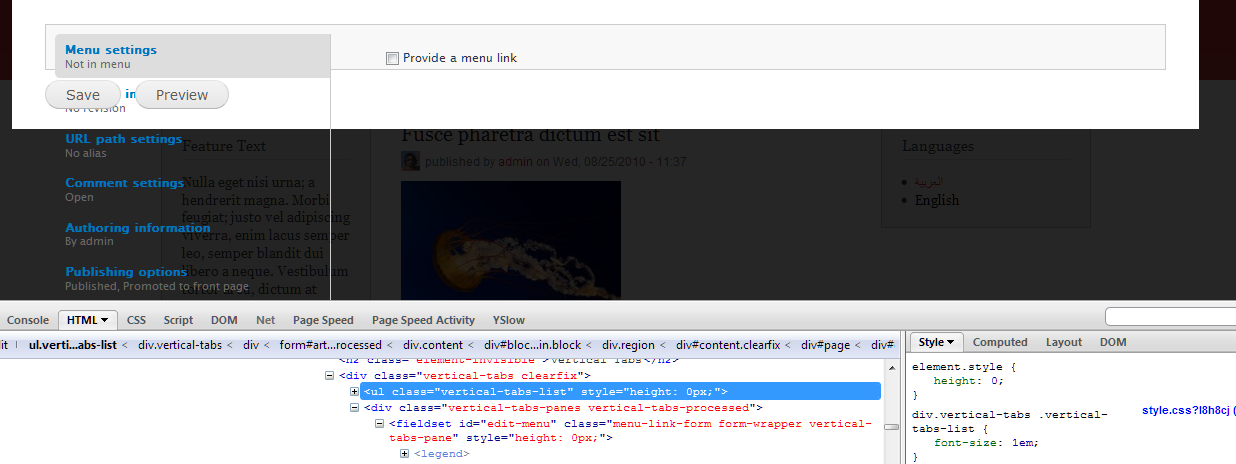
Jeff Burnz commentedIn overlay I'm getting height: 0px;
This is really the way forward though, would make styling this so much easier.
Comment #5
manuel garcia commentedThat's weird... only happen when adding content it seems, or at least in admin/structure/types/manage/article it doesn't happen (where i was testing it). Working on it...
Comment #6
manuel garcia commentedOK well, my patch is definitely not good enough.
Vertical tabs js is complex, and I have a hard time figuring out when happens what, not to mention that fieldsets are being rendered prior to vertical tabs, and that's why we are getting 0 heights apparently...
We definitely need help from one of the JS gurus in the community.
Comment #7
manuel garcia commentedAlso, I didn't mention this but my patch also doesn't account for the case when the tabs on the left total height is higher than any of the content they show, and thus the content should get that height assigned.
Comment #8
Jeff Burnz commentedThis could get backported in a point release, however I do not think we have the time to fix this in D7, really important fix IMO, but a bit too late for D7. While I agree its a bug (a UX bug) its not critical etc or breaking anything atm.
Comment #9
fietserwinThis issue may be kind of related: #1171172: Changing vertical tab resets the vertical scroll position of the page.
Comment #10
lewisnymanThis needs input from the UX team and the Javascript team
Comment #11
Bojhan commentedDiscussed this with Lewis.
This is sadly how its supposed to work. I've rarely heard any complaints about it and the solution almost always requires a very long pane. Which is extremely inconvenient especially when you have long field sets.
Comment #12
anybodyWe just ran into this in a ux review on entity forms and this is really irritating for users. So I'd vote to reopen this please and agree the UX team should take a look at the vertical tabs implementation and best practices.
The page even jumps to top when clicking a vertical tab, so you entirely lose focus.
Update: The same happens with vertical tabs, as the page height is different... and if it's short, the page jumps up!