When I try to install Drupal 7.0-Alpha7, it gives me the error messages:
"PHP extensions Disabled
Drupal requires you to enable the PHP extensions in the following list (see the system requirements page for more information):
* pdo
Database support Disabled
Your web server does not appear to support any common PDO database extensions. Check with your hosting provider to see if they support PDO (PHP Data Objects) and offer any databases that Drupal supports."
Things I checked:
1) My php info shows '--enable-pdo=shared', '--with-pdo-mysql=shared' and '--with-pdo-sqlite=shared'
2) Hosting staff confirm that pdo is enabled.
3) I've tried editing php.ini by adding the lines "extension=pdo.so" and "extension=pdo_mysql.so" and it didn't work.
4) I'm on shared hosting, so cannot restart the server. (I'm using a Hostgator shared hosting - http://www.hostgator.com/shared.shtml I bet their sales staff could answer specific questions about the hosting environment.)
Regardless of whether or not I can fix this specific bug for my site, I think this bug needs to be ironed-out for the other bjillion non-technical users that will be installing Drupal 7. I believe I'm using a very common setup: shared hosting on CPanel.




Comments
Comment #1
David_Rothstein commentedI think restarting the server might be necessary.
It sounds like this is probably not an issue with the Drupal installer, although possibly something that needs to be clarified (if it's not already) in http://drupal.org/requirements or its various subpages - i.e., a documentation issue? Leaving it here for now, though.
Comment #2
kbm065 commentedI had the same problem myself, and found the solution.
There is nothing wrong with the Drupal installation, it is most likely that the php.ini file on your server needs to be recreated.
I also used shared hosting at hostgator.com, and the support guy help me fix it.
This only happens for people who have older hosting accounts. I created mine 2-3 years ago, and didn't have a php.ini file in my home folder.
They required my last 4 credit card numbers to do this, and it was done in a couple of minutes!
I warned them about this so they know that it is likely that more people will have the same problem.
One more thing happened when the php.ini file was created: Register_globals was turned on in every installation of Drupal I have. Earlier I have created a separate php.ini file for every installation, but now it seems they are overrided by this global one. So I just changed Register_globals to off in my new php.ini file, and everything worked!
Hopefully this will help :)
Comment #3
damien tournoud commentedComment #4
mr1 commentedIf it helps anyone, the php.ini file I had to upload to get through the Drupal 7 - Host Gator install had the following lines:
register_globals = Off
extension=pdo.so
extension=pdo_mysql.so
Good luck!
Comment #5
bryce_kennedy commentedThanks so much for sharing this information! As soon as I turned register_globals off, I was getting the PHP extensions disabled error and Database Support disabled.
Saved me calling hostgator to resolve this.
Comment #6
anotherlonegunman commentedI managed to find a workaround curtsey of http://thedesignspace.net/MT2archives/000849.html
edit .htaccess in the D7 root folder
add these lines at the bottom
create a blank php.ini file in D7 root folder
Add these lines
read more about it at the link above
Comment #7
SimonV commentedThanks @WickedOne
Comment #8
rpardun commentedJust for the benefit of others. I was having the same problem with updating a site (I wiped out the Public_HTML directory and left everything else and just reloaded a default drupal 7.7 back into the directory.) I added the .htaccess lines as noted in a couple posts above mine and edited the php.ini file I had in the root (with the pdo.so lines noted above). It still was not working. I decided to delete the php.ini file altogether though and then it came up with no problems.
This is specific to Host Gator and I make no pretense of understanding why or how, I am just noting that editing the .htaccess file and deleting the php.ini is what worked for me.
Comment #9
huijse commentedI did exactly like you described however it does not make a single change.
I am using whois hosting.
Comment #10
huijse commented"I think restarting the server might be necessary."
Maybe an obious question but: how do you restart a server?
Comment #11
huijse commentedFinally it worked out! I deleted the php.ini file and left the two lines in the .htacces file and mysteriously it worked now. While earlier on it did not...
strange... :s
Comment #12
scurvy commentedThank you -- this solved it for me.
Without a php.ini file, I would get the message that register_globals was off, so it would not run update.php. When I added the php.ini file, I got the PDO required error. Including the "extension" lines in the php.ini file fixed the problem.
Comment #13
Rabid Apple commented@anotherlonegunman
Thanks for this!
Its been driving me nuts for hours until I found your post. Still works a treat!
Just signed up to say thanks lol
Comment #14
srinivasnh commentedThe instructions to installing Drupal do not seem to focus on windows installations. I keep getting the PHP extensions disabled and the module gd. Also I get the error regarding PDO but there is no way I can find a windows installation or the extension for PDO.
Comment #15
srinivasnh commentedI have included a screenshot of the error message I get during installation.
Comment #16
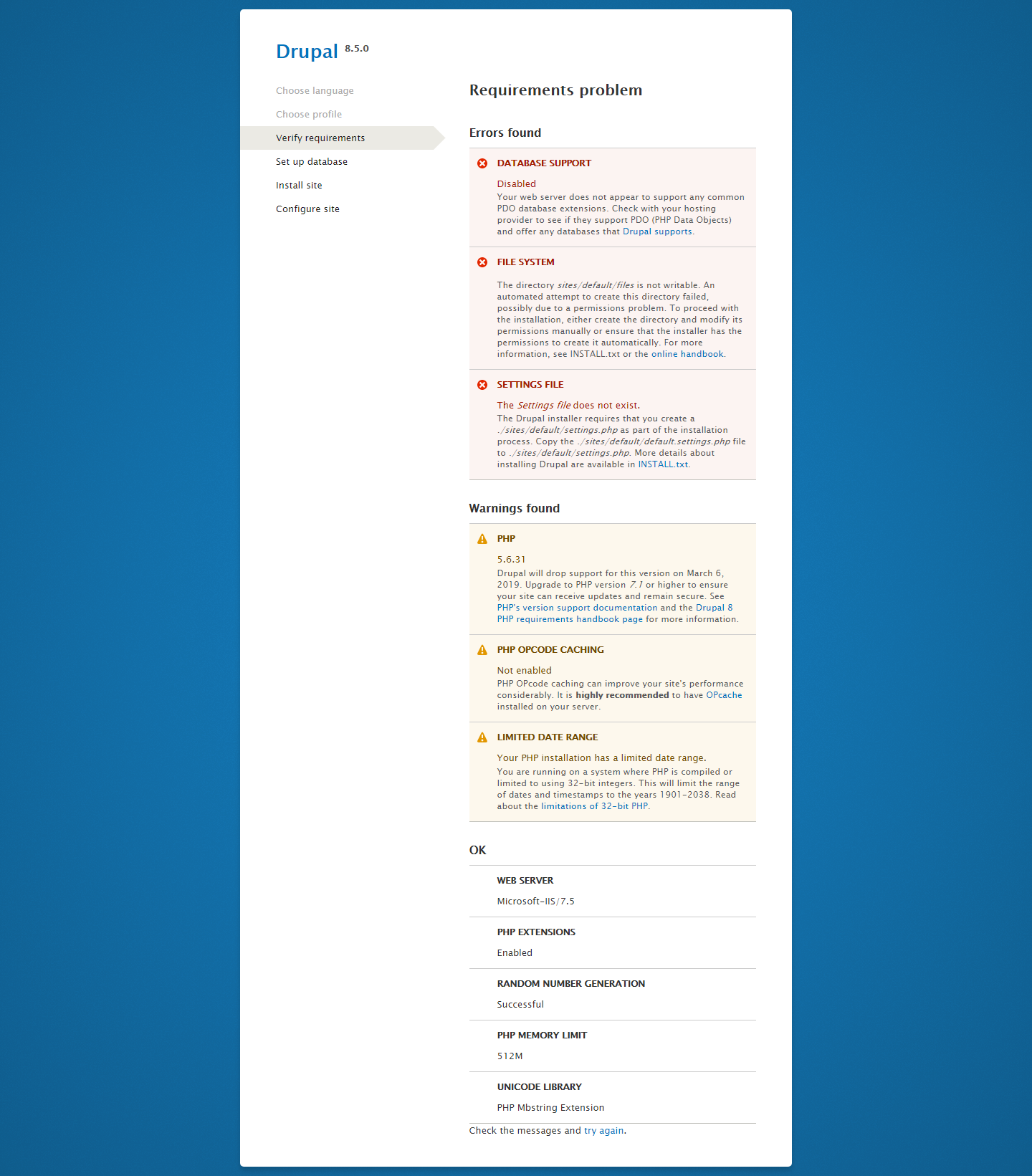
shashikanthd2702 commentedI have facing issue when i install drupal8 into IIS server. Please help me out from this & resolve all this problem. I attached screenshot which referred all errrors.
Comment #17
DevNNabakhteveli commentedThank you @anotherlonegunman.
Followed his instruction, then just restarted the server(Apache in my case) and it works.