

This project is not covered by Drupal’s security advisory policy.
Overview
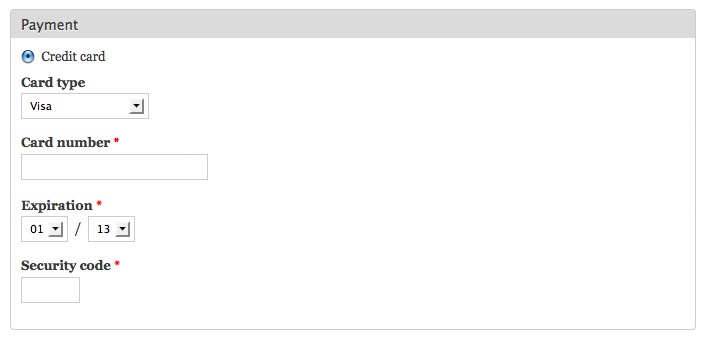
This module provides a credit card payment method for Drupal Commerce that encrypts credit card information using the PHP: GnuPG extension. The encrypted card data may then be sent via email for manual processing and is stored in the DB for archival/backup.
A common use case would be for shops that would prefer to use an existing hardware or virtual terminal for manual card processing or have an accounting system that handles card processing.
Operation
The module takes the credit card information supplied at checkout and encrypts it using your GPG public key. The original, unencrypted input is then replaced by the encrypted block and stored with the other order data in the commerce_order table.
A commerce order token is created by the module that contains the encrypted block. You may embed this token into an email that is triggered by "Send an order notification e-mail" rule to cause it to be emailed to an account of your choice.
There are various email client plugins for decrypting GnuPG blocks embedded in email messages, such as Outlook Privacy Plugin and gpg4o. Please refer to Google for others.
This module purposely provides no decryption function and is in no way intended to provide a facility for automated or server-based re-use of stored credit card information.
Warning
Do not create your GPG keypair on the same server that hosts your website. Only the public key should be installed on the server.
Installation
- Install GnuPG and the PHP: GnuPG extension. Check phpinfo() to confirm its availability. (Here are some PHP: GnuPG installation details I put together for Centos/cPanel servers)
- Add your public key to the keyring on the server. (Please read the GPG Quick Start for GPG basics)
- Set permissions to 777 on the .gnupg directory and all files within to 664.
- Download and enable the commerce_gpg module.
- Visit admin/commerce/config/payment-methods and enable the payment method within Commerce.
- Visit admin/commerce/config/payment-methods/manage/commerce_gpg
and edit the Commerce GPG action to define accepted credit cards
and public key details. - Add the [commerce-order:credit-card] token to your email action.
- Test the module using Visa test number 4111111111111111 with any
valid expiration and three digit CVV code.
Project information
- Created by cameron prince on , updated
 This project is not covered by the security advisory policy.
Use at your own risk! It may have publicly disclosed vulnerabilities.

