

This is confirmation module. It sends an e-mail to users who submit the webform for verification by taking the email id from the webform.
On clicking on the confirmation link in the email, the user confirms that he/she is not a spammer. It works both for both Authenticated and Anonymous users.
Also, the administrator is able to keep a track of users who have confirmed their submissions.
Optionally, you can disable sending the confirmation link in the mail which would only send a "thank you" mail.
Requirements
Installation
- Download the module and place it with other contributed modules (e.g. sites/all/modules/).
- Enable the Webform Confirmation module on the Modules list page. The database tables will be created automatically for you at this point.
- Modify permissions on the admin/people/permission page.
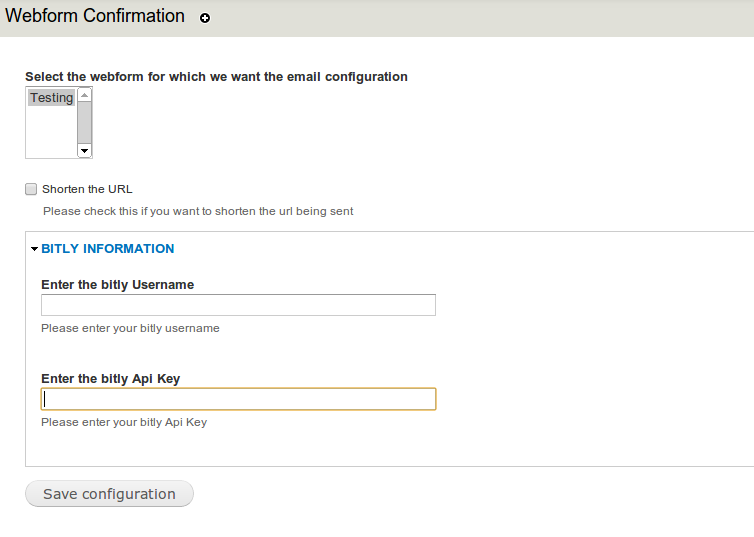
- Go to admin/config/webform-confirmation, select the webform for which you wish to send the confirmation.
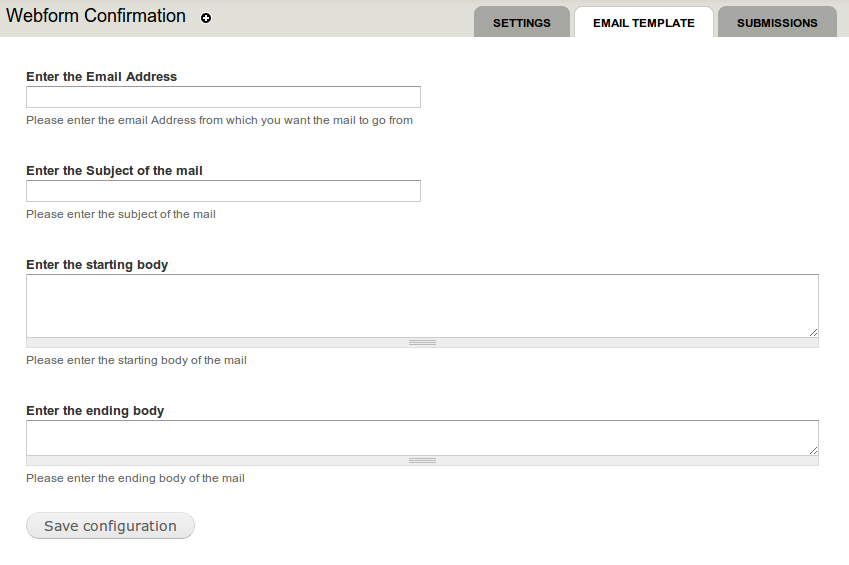
- Go to admin/config/webform-confirmation/template, fill in the required information like email address,body,subject of the mail.
Additional Features
- Bitly integration : The confirmation link in the mail could be shortened using the Bitly service (e.g. http://bit.ly/1icB6B3). For this, you need to create an account at the Bitly site and enter the username and bitly api key.
- HTML Mail : If you wish to send html mail then just add the key Confirmation to the html mail configuration settings.
- All the non-verified Submissions can be deleted manually or would get deleted after every cron run.
Supporting organizations:
Sponsored development
Project information
- Project categories: Integrations
 37 sites report using this module
- Created by nitesh sethia on , updated
 Stable releases for this project are covered by the security advisory policy.
There are currently no supported stable releases.


