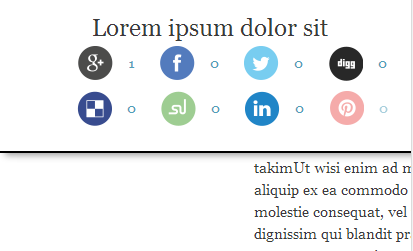
Sticky Sharrre Bar - module for Drupal based on http://sharrre.com, http://imakewebthings.com/jquery-waypoints and http://sensationalfix.com/flat-social-icons-eps/ free icon pack.
Provides sticky block for social network sharing.
SUPPORTED PROVIDERS
- Google Plus
- Facebook
- Twitter
- Digg
- Delicious
- StumbleUpon
- Linkedin
- Pinterest
REQUIREMENTS
- Libraries API module (for Drupal 7 only). Download link: https://drupal.org/project/libraries.
- jQuery Update module (for Drupal 7 only). Download link: https://drupal.org/project/jquery_update.
- jQuery Waypoints - library v4.0.0 or higher. Download link: http://imakewebthings.com/jquery-waypoints.
- jQuery Sharrre - library v1.3.5 only. The "Sharrre" v2.0.0 and higher doesn't work for now. Download link https://github.com/Julienh/Sharrre/archive/1.3.5.zip.
INSTALLING
- Install the module as normal, see link for instructions.
Link: https://www.drupal.org/documentation/install/modules-themes/modules-7
- Download and unzip the "Waypoints" library
to "/sites/all/libraries/jquery-waypoints" directory.
Files structure:
/libraries/jquery-waypoints/lib/jquery.waypoints.js
/libraries/jquery-waypoints/lib/jquery.waypoints.min.js
/libraries/jquery-waypoints/lib/shortcuts/sticky.js
/libraries/jquery-waypoints/lib/shortcuts/sticky.min.js
...
- Download and unzip the "Sharrre" library
to "/sites/all/libraries/sharrre" directory.
Files structure:
/libraries/sharrre/jquery.sharrre.min.js
/libraries/sharrre/jquery.sharrre.js
...
Warning! For security reasons you should delete the sharrre.php file from the "Sharrre" library folder.
The module has own drupal controller "/sharrre" instead of the sharrre.php.
- Go to "Home > Administration > Modules" and enable "Sticky Sharrre Bar" module.
- Go to "Home > Administration > Structure > Blocks > Sticky Sharrre Bar" and set the necessary providers, regions, etc.
By default, the block is installed in the "header" region.
If your theme does not have this region, you can choose the necessary region manually.
You may uncheck"Use the CSS of module" and make your own style in your theme.
🇺🇦 |
This module is maintained by Ukrainian developers. Please consider supporting Ukraine in the fight for their freedom and the safety of Europe. |
Project information
 Unsupported
Not supported (i.e. abandoned), and no longer being developed. Learn more about dealing with unsupported (abandoned) projects- No further development
No longer developed by its maintainers. - Project categories: Integrations
 4 sites report using this module
- Created by ruslan piskarov on , updated
 Stable releases for this project are covered by the security advisory policy.
Look for the shield icon below.
Releases
released 18 October 2024
Development version: 8.x-1.x-dev updated 18 Oct 2024 at 07:56 UTC