

Closed (fixed)
Project:
Media Gallery
Version:
7.x-1.x-dev
Component:
Code
Priority:
Critical
Category:
Bug report
Assigned:
Unassigned
Reporter:
Created:
10 Jan 2011 at 02:35 UTC
Updated:
3 Aug 2011 at 22:27 UTC
Jump to comment: Most recent file


Comments
Comment #1
drupa11y commentedI have a similar problem, but in my case even no "img"-tag is rendered.
The media is not stored, when I choose "Edit Media" within the galerie node it´s empty.
The curious thing is, that the same installation works (exactly same modules & version) in my local development.
But not on my domain:
From the log I got this:
Notice: Undefined index: custom settings in field_view_mode_settings() (line 631 of /kunden/276480_95473/drupal-rocks_beta/modules/field/field.module).
The biggest difference I can see is that adding a new gallery content the preferences for rows, columns etc. are not visible.
Comment #2
drupa11y commentedBest is to update media gallery from the latest cvs checkout:
http://drupal.org/node/901504/cvs-instructions/DRUPAL-7--1
Also the other media modules.
PS: my issue got fixed by several tries, best is a reinstall I guess.
Now it works: http://www.drupal-rocks.com/Bilder-Galerien/gallery-20110109-first-galle...
Some Tipps:
- change theme and test it on a default theme
- check cache issues
- check file-permissions
- disable/re-enable modules
- reinstall if nothing else works
Comment #3
NPC commentedTry this method to solve not displaying thumbs / lightbox image: http://drupal.org/node/1030942#comment-3970440
Comment #4
Fenwick commentedPossible solution in #14 of this thread: http://drupal.org/node/1030942
Comment #5
NPC commentedYes, @Fenwick, that's what I linked to in #3 :)
Comment #6
David_Rothstein commentedTry this patch (actually written by Alex Bronstein, not me). You might need to reinstall the module for it to work - I haven't tested.
The fundamental bug is that the Styles module API changed between the 1.x and 2.x branches, so the Media Gallery module needs to be updated to account for that, or otherwise it won't work correctly.
Comment #7
adam_b commentedsubscribe
Comment #8
AdrianB commentedSubscribing.
Comment #9
mjohnq3 commentedApplied the patch from #6 and the thumbnails now show correctly. You can see it here: http://mjq234.dev4.webenabled.net/. It's the 2nd Galleries tab; the 1st one is for the D7 version of ColorBox galleries.
Comment #10
Yaron Tal commentedI also applied the patch from #6, works on a clean install after clearing cache. Thanks a lot!
Comment #11
oriol_e9gSame problem before the patch #6.
Apply the patch and clear all caches solves the problem.
Comment #12
Dan433 commentedSo. To apply the patch:
Didn't have permission to execute in the shell on my hosting service, so...
I read lots of documentation, set up the microsoft windows local development environment
(http://www.lullabot.com/node/280/play), installed drupal 7 (acquia), installed the required drupal modules (media, media_gallery, styles, multiple forms), installed cygwin to be able to run the actual patch on my windows machine), ran the patch (no errors), enabled the modules, tested the install. (2 days--no complaints--I needed to figure out he local host thing anyway).
It worked fine--for a while. I was able to to create a couple of galleries and upload some images.
Now I can only enter text fields but can't upload any more images. I'm getting the following error and don't know what it means or even if it is relevant to this patch:
----------
An AJAX HTTP request terminated abnormally.
Debugging information follows.
Path: /file/ajax/field_image/und/0/form-xqutvoKIkKblWCF-9yMuqQ98P6B2_ZweFSWGZ34F0nM
StatusText: n/a
ResponseText:
Error
Error message
PDOException: SQLSTATE[23000]: [Microsoft][SQL Server Native Client 10.0][SQL Server]Cannot insert duplicate key row in object 'dbo.file_managed' with unique index 'uri_unique'. in drupal_write_record() (line 6776 of C:\Users\Dan\Documents\My Web Sites\Drupal 7 Developer release\includes\common.inc).
The website encountered an unexpected error. Please try again later.
ReadyState: undefined
-----------------
ran cron (Drupal 7 install seems to be up to date) but Found this in the forum-
http://drupal.org/node/1050800
which seems to be saying that changes have been made since the last official release.
Help...I'm drowning here. Way over my head.
Comment #13
gphilippe commentedhow to make to apply this patch ? ( i'm not a developper)
Comment #14
mjohnq3 commented@gphilippe
Patching information is here: http://drupal.org/patch/apply
Comment #15
gphilippe commentedok done but after i have this :
Notice : Undefined index: media_gallery_format dans locale_field_node_form_submit() (ligne 405 dans /var/www/drupal70/sites/all/modules/drupal-7.0/modules/locale/locale.module).
Comment #16
Mac Ryan commentedsubscribe
Comment #17
juliangb commentedTested this patch...
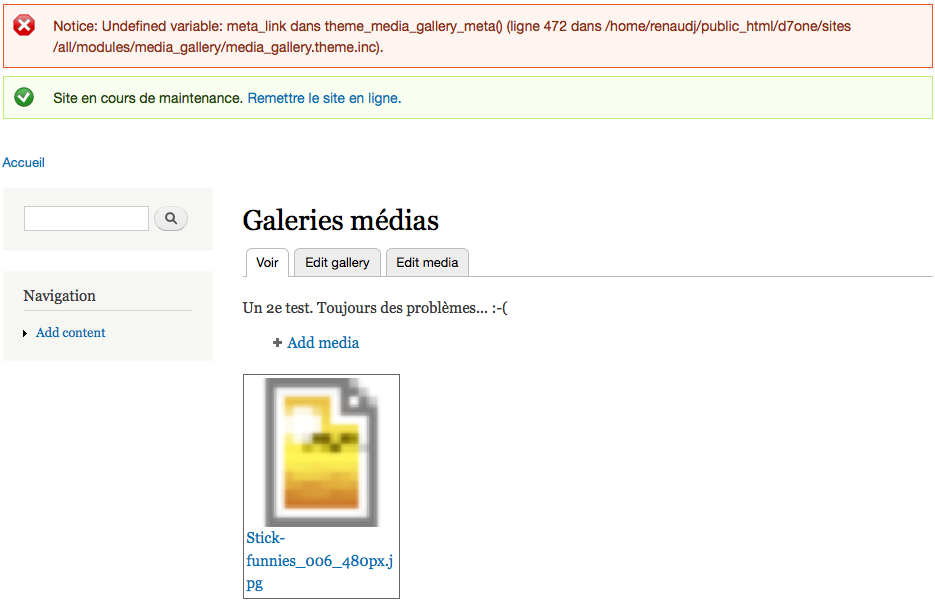
Caused the stretched icon to disappear, but is not replaced by an image from the gallery. Also, the link to the gallery and the image title disappears. All that's left is a picture frame, that doesn't link to anywhere.
Comment #18
gphilippe commentedwhen i'm trying to create a new panels, in content : i'm trying to configure new New custon content and i'm not able to use the editors functions ; when i try the text area zone desapear ...
Comment #19
Yaron Tal commented@gphilippe Your problem seems unrelated. Please open a new issue
@juliangb Did you have a fresh installation? Did the picture frame include an image tag? If so, where did it try to get the image from?
Did you clear the cache after applying the patch?
Comment #20
Yaron Tal commentedsry clicked the save button twice
Comment #21
David_Rothstein commentedSeems likely that #17 was due to caches not being cleared, so I'm moving this back to "needs review". Unless someone can provide exact steps to reproduce a problem, I think we should commit this soon...
Comment #22
juliangb commentedNo, I did clear the cache. There was no change prior to clearing the cache, but on clearing the cache the icon disappeared.
The installation was not perfectly fresh - in that there were other contrib modules installed as well, but it was in the process of being built from scratch - it wasn't an upgrade from D6.
Comment #23
Yaron Tal commentedI was only able to reproduce this by deleting the images. Could you verify that the images still exist?
Even if I cleared the cache it wouldn't give me a fall-back image.
Could you also check your watchdog? I got a lot of errors telling me that styles couldn't generate the images. If your images exist maybe apache doesn't have read access to the images or something?
Comment #24
juliangb commentedSorry, I'm probably not going to have time to do more detailed investigations (was testing the module but am probably not going to use it).
Comment #25
Ryanbach commented#6 issue fixes this bug, the style 7.x-2x now works properly. Making another beta soon would be useful.
For that other issue you need to set the default to picture-medium instead of something else.
Comment #26
tsvenson commentedPatch in #6 does the trick and fixes the problem with the latest dev version. RTBC I would say.
Comment #27
MichaelP commentedPatch at #6 seems OK with media 7.x-1.x-dev, media_gallery 7.x-1.0-beta3 (dev seems to have been removed) and styles 7.x-2.x-dev.
Thanks to @David_Rothstein for patch!
Comment #28
gphilippe commentedIt doesn't work for me; i have this msg :
Notice : Undefined index: media_gallery_format dans locale_field_node_form_submit() (ligne 405 dans /var/www/drupal70/sites/all/modules/drupal-7.0/modules/locale/locale.module).
and the css of my theme seems to have disappear ....
Comment #29
Yaron Tal commented@ #28 The notice looks like bug #1029486: Undefined indexes in locale_field_node_form_submit()
Not sure about the css, but I wouldn't know how this patch could make that happen.
Also do you have a drupal 7 installation in your drupal 7 modules directory?
Comment #30
dibya commentedI could not install it in drupal 7.x as it is asking for Multiform (missing) . I checked Multiform module in the site and found that there is no multiform for drupal 7.x
Comment #31
Yaron Tal commented@dibya http://drupal.org/project/multiform
Please only use this issue for bugs that appear after using the patch from #6 or for things that have anything to do with the issue and not for other bugs or support requests.
Comment #32
tsvenson commented@dibya There is a beta release available on the Multiform project page since October last year.
Comment #33
gphilippe commentedi've tried about language but it changes nothing
Comment #34
silkogelman commentedanother confirm:
#6 works and solves the issue.
applied on this configuration (in a fresh D7 install):
colorbox-7.x-1.0-beta2
styles-7.x-2.0-alpha5
multiform-7.x-1.0-beta1
media-7.x-1.0-beta3
media_gallery-7.x-1.0-beta3
Comment #35
hbblogger commentedFinally gave up on Media Gallery - looks like a great product - just what I need, but it seems that (as with many of the galleries offered by Drupal 7), there are endless fixes to get it working.
These fixes are not only in Media Gallery but in Media and Multiform as well.
Good news is that Shadowbox has come out with a DR7 version which seems to work (with relatively easy fixes) but note - you have to install shadowbox and then also the extra files into the library (as with colorbox). Down side is that you have to upload files one at a time which is what I liked about Media Gallery.
Hopefully one day all of the linked modules will come out in their final versions and we don't have to waste so much time trying to get Drupal 7 to do what its supposed to!
Comment #36
David_Rothstein commented@houtbayblogger, if you read the Media Gallery project page you wouldn't have had to "waste so much time" - it says very clearly there that this is still in beta and not yet recommended for use on production sites unless you're willing to tolerate bugs (or help contribute to fixing them).
It'll get there eventually, though... I think we should probably just get this patch (and a couple others) committed soon and then release a new beta, which ought to work substantially better than the last one.
Comment #37
JacobSingh commentedThis has been RTBC long enough, committed. Hope that's okay @effulgentsia and @David_Rothstein.
Comment #38
hbblogger commented@David, sorry for ruffling your feathers, but I have spent days trying to find a way to put together a simple gallery. My concept of a CMS was that programming was not a pre-requisite and this was indeed the case with Joomla. I would prefer to use Drupal as I do believe that its an excellent product, and when I started learning it a couple of months ago, it appeared that there were many commits to have modules up and running when Drupal 7 got released. I would love to help with contributing to fixing the bugs but sadly my programming skills are limited and I struggle to find documentation to bring them up standard. Possibly you could suggest something for me there and possibly point me in the direction of a fully operational gallery in the mean time.
Comment #39
gphilippe commentedYou can do simples galleries with Drupal 7 without programming ony one line.
Use the jquery scripts ( use and not write ); you have for exemple galleriffic who work well or jcycle and Colorbox.
The principles are always the same view + jquery + colorbox.
@houtbayblogger : i'm like you, i have been unable to make media gallery work on Drupal7 and i founded others solutions to do the job.
Comment #40
David_Rothstein commented@houtbayblogger, sure, no worries. And thanks for offering to help!
We're planning to get a new release of the module out very soon (in the next few days) that should work a lot better than the previous one, so hold tight until then... After that, we could definitely use help with some non-coding things. For example, writing some documentation of how to use the module, or going through the issue queue and trying to reproduce bug reports and close them if they're out of date (hopefully many of them will be out of date with the new release).
The warning on the project page will definitely still be there after the next release goes out (it will be a beta release also), but even so, I think it will be a lot easier to set up this module and get going with it.
As for other gallery solutions, not really sure about that for D7. I think http://drupal.org/project/imce might work. Hopefully Media Gallery will soon become the main one, though :)
Comment #41
David_Rothstein commentedActually, I guess IMCE is probably more about uploading the images (and less about putting them into a gallery). This one - http://drupal.org/project/galleryformatter - might be a possibility also, but I haven't actually tried it.
Comment #42
gphilippe commentedI have tried galleryformatter to make my galleries, it's works well
Comment #44
hbblogger commentedI returned to Media Gallery after some months. Fantastic work has been done on this product! Although I had some errors on an existing installation, on a new installation, I followed your instructions to the letter and the gallery worked 100% using the Bartik theme. When I changed themes to Pixture Reloaded (which is an Adaptive sub-theme - also tried in Adaptive Core), I had the same problem in that the thumbnails were not showing (full size originals instead).
I tried Seven and Garland and it works fine there. Possibly I should be registering this problem with Adaptive! I visited another similar thread and tried changing the images sizes (from default) in style but to no avail.
If there is a solution, I would be grateful if you would let me know as I quite like the flexibility of Pixure Reloaded for the site.
Comment #45
David_Rothstein commented@houtbayblogger: Thanks for the compliments, but I don't think that problem is related to the original issue here. The bug that was fixed here is that the images weren't showing at all (replaced by a generic file icon instead), not that they were showing with the wrong size.
I think the issue you want is this one: #1047970: Conflict with i18n_taxonomy: Gallery thumbnails stretch to full width of content area