

Closed (fixed)
Project:
Charts
Version:
7.x-1.x-dev
Component:
Code
Priority:
Critical
Category:
Bug report
Assigned:
Unassigned
Reporter:
Created:
3 Mar 2011 at 02:54 UTC
Updated:
9 Aug 2013 at 02:13 UTC
Jump to comment: Most recent file


Comments
Comment #1
mattbk commentedAre the developers working on this anymore? A patch from three weeks ago that hasn't even been commented on sort of makes me worry about D7 support (and of course, I can't even make Charts work at this point).
What does this patch do, specifically?
Comment #2
berenddeboer commentedWhat the patch does? Make the thing actually work!
Comment #3
ununpentium commentedIt would have been more helpful to mention what the patch does - or what to look for as an admin user - instead of just saying it "gets you somewhere", for, after applying the patch, it indeed does not.
After applying the patch, I noticed a "configure" link (admin/config/system/charts) appears for Charts on the modules list page. Clicking "configure" creates a blank page. Forcing a return/refresh of the modules list then produces a repeating list of warnings and notices. Here are the errors without showing duplication (this is on a new D7 install, and new Chart module install - no upgrades):
Warning: asort() expects parameter 1 to be array, null given in _charts_settings() (line 128 of /[path to drupal]/sites/all/modules/charts/charts.inc).
Warning: array_keys() expects parameter 1 to be array, null given in _charts_settings() (line 129 of /[path to drupal]/sites/all/modules/charts/charts.inc).
Warning: current() expects parameter 1 to be array, null given in _charts_settings() (line 129 of /[path to drupal]/sites/all/modules/charts/charts.inc).
Notice: Undefined index: in _charts_settings() (line 133 of /[path to drupal]/sites/all/modules/charts/charts.inc).
Warning: array_fill_keys() expects parameter 1 to be array, null given in _charts_settings() (line 133 of /[path to drupal]/sites/all/modules/charts/charts.inc).
Warning: asort() expects parameter 1 to be array, null given in _charts_settings_form() (line 143 of /[path to drupal]/sites/all/modules/charts/charts.admin.inc).
Comment #4
berenddeboer commentedBut no further output? You can ignore the warning stuff.
Comment #5
ununpentium commentedRight, no output - blank page after clicking "configure".
Comment #6
robloachHere ya go!
Comment #7
adam_b commentedsubscribe
Comment #8
ced.cornez commentedThanks Rob Loach
Here is a slightly enhanced patch, which (among others) displays examples of charts on the admin page, and let you choose if you want labels or not (like in version "charts" for Drupal 6)
Comment #9
liquidcms commentedmostly patched... will try to fix manually
Comment #10
liquidcms commentedyup, works.. able to get this in my View: http://screencast.com/t/hnwxMZoR
need to find docs on config options so i can get rest if info on chart.
obviously a proper views handler would do wonders for this module..
Comment #11
Francesco1910 commented@ced.cornez can you upload me a patched versione of charts?
I'm sorry but I can't patch the module! :(
Comment #12
ced.cornez commentedAs my patch seems broken (some users cannot get it working...), here is:
1) My contribution to charts in D7
2) A new provider for charts, google_charts_2, that is using the new JavaScript dynamic API of google
Enjoy
Comment #13
liquidcms commentedperms hook in module above is wrong for D7 and will cause your admin/perms page to wsod.
replace with:
Comment #14
astutonetI confirm.
The changes in the file made available in #12 cause an error in Drupal that prevents access to page "admin/people/permissions."
In my case I see the following error message:
As a result, it is impossible to access the permissions page and change your settings.
Comment #15
ced.cornez commentedYou're right, my mistake! Here is the corrected version.
Thanks
Comment #16
astutonetThe new version also presents problems. The following message is displayed after activating the module and try to access the user area:
Tks
Comment #17
ced.cornez commentedHum... What do you mean exactly by "The user area"?
I tried those urls, and I don't see any error...
http://localhost/admin/reports/charts/users
http://localhost/user
http://localhost/admin/people
http://localhost/admin/people/permissions
Also, have you disabled/re-enabled the module after the update to the last version? Or cleared the Drupal cache?
Don't you have any issue loggued on http://localhost/admin/reports/dblog to help me find the issue?
What charts provider do you use (I use google_charts_2)
Regards,
Comment #18
astutonetThe Charts module was disabled before I install the new version. I simply deleted the old version and unzipped the latest version in the area of modules.
After that, I cleaned the cache and active the Charts and Google Charts 2 modules.
Was when the problems appeared. I had no access to http://localhost/admin/people.
After this, I disable it again, cleaned the Chache and restarted the process. This time, I enabled only the Charts module. Then, the access permissions area was normal.
Then, I enabled the Google Charts 2 module and the access to the area of permissions continued to operate. Therefore, I believe there was another problem that I still could not identify.
If there are problems, I bring here
Sorry.
Thank you.
Comment #19
Jukebox commentedI installed and enabled the modules from #15, and it seems to work OK, except that this notice appears:
Notice: Undefined variable: chart_options in _google_charts_2_render() (line 92 of /.../sites/all/modules/google_charts_2/google_charts_2.inc).Comment #20
makepu commentedI also installed the corrected version. I am able to configure the chart options on the admin page, but the changes won´t appear in my chart i built in views. In views i still get the same options i had before installing the module. How do apply the changes made in the charts configure page to my excisting views?
The documentation for charts in Drupal 6 says that there should be much more options in Views for configuring the chart. But alll these options don´t appear in Drupal 7 Views.
Comment #21
mattbk commentedNotes:
- Before you can access the Settings page (yes, there is one) for Charts, you need to turn on the "Settings for charts: Edit the settings for all site charts" permission.
- The settings page is located at admin/config/system/charts
Making progress on this using the version from #15, (charts_d7beta_20110412.zip). As far as I can tell, this version is more up to date than the official D7 dev version (I say this because it seems to work more).
There are fewer errors on the config page when I have both the "Google" ("Use Google Charts on your site") and "Google Charts 2" ("Use Google Charts 2 (Dynamic JS) on your site" modules enabled. This is what I get:
No errors at all on the config page when the "Google Charts 2" ("Use Google Charts 2 (Dynamic JS) on your site" module is disabled.
Still can't create a View, however, even with a complete uninstall/reinstall of the module.
Comment #22
Pun-1 commentedI'm posting here, because this seems to be the most active thread -
I am able to get the pie charts working - (without using the 1.x-dev) - and I'm willing to help anyone out with making the view - it took a while to figure out - this is a good resource Aggregation setting
I am having a problem which was supposedly fixed in version 6 Views Charts grabbing chart title from views basic settings 'name' field instead of 'title' field
Another issue was the labels not displaying correctly on a pie chart - a programmer I hired through this in a custom module - so I don't know if it can be incorporated or not...
Comment #23
lstirk commentedHow do you get the view working for this? It doesn't even show up as a format
Comment #24
Pun-1 commentedUm...I don't know - I guess the answer to your question is views does the formatting???
here's what I did
1) Use views/aggreagation to get data into a table format
2) Change table into a pie chart
Pie chart would work - but labels didn't - For example in the table I would have like
Project - Time Spent
Horse - 3 hours
Swine - 2 hours
But it would put the label as "Time Spent" - instead of each indiviual project
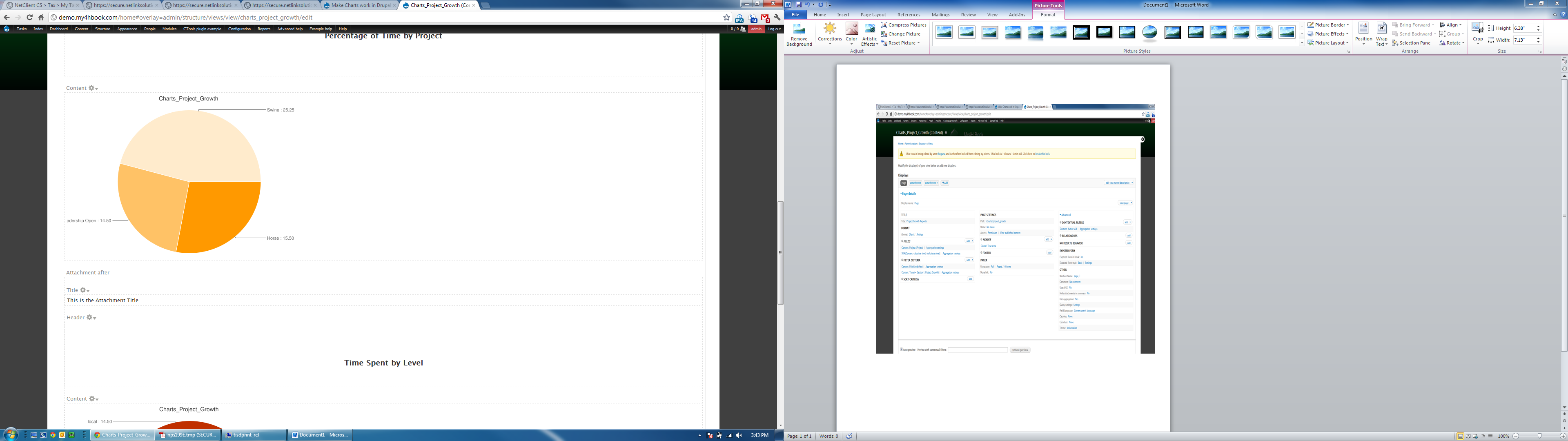
Next - I paid someone who knew php to get the labels workings correctly. It's not really a module I can contribute back or I would - because it was customized to fields I already had. But here is the whole module and some screen shots...
Comment #25
quicksketchI've updated the D7 version with these patches to get it moving:
#1579254: Charts implements hook_requirements incorrectly
#942684: Fix charts breakage due to #497118: Remove registry (for functions).
This issue with just a zip file is too sweeping to act upon. Could we make separate issues for all the changes being suggested? There's some good code in here but it needs to be broken up into smaller, reviewable chunks (and as a patch).
Comment #26
quicksketchIn the end I gutted most of the 7.x-1.x version and rewrote it as 7.x-2.x I'd recommend trying that version if you're needing charts in D7.