

Closed (won't fix)
Project:
Pathauto
Version:
5.x-2.x-dev
Component:
User interface
Priority:
Normal
Category:
Support request
Assigned:
Unassigned
Reporter:
Created:
13 Feb 2007 at 04:51 UTC
Updated:
20 May 2007 at 15:38 UTC
Jump to comment: Most recent file


Comments
Comment #1
vm commentedfor purpose of testing, could you please test in another theme ?
I just added path auto to my sandbox, with the garland theme and it worked perfectly well.
Comment #2
bacchus101 commentedYes, I tried garland and blue marine. Same issue. I am trying to reproduce it again on another installation at this time. I have a feeling this has to do with the category module but I am not sure how it relates. I have category and pathauto on the other install and they running fine. I am wondering it category pathauto blew something up? I tried removing both and putting them back without any luck.
This is defiantly an issue with module interaction.
Is there a db table that would control this function? I am going to dig a bit.....
Comment #3
vm commentedI avoid the category module for reasons of my own. That being said, it would explain why I cannot duplicate your situation.
Comment #4
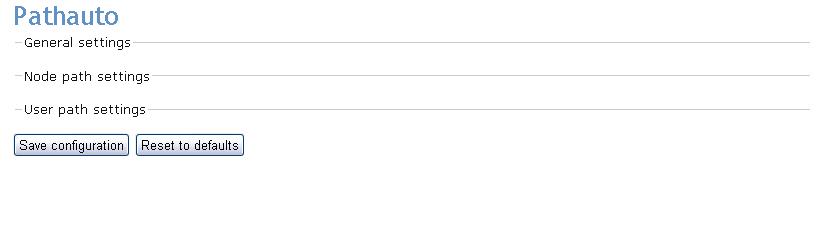
bacchus101 commentedI zapped all of pathauto in the mysql db and then did a clean install. Turned off everything but pathauto. Attached another screnshot.
All my other menus work so I am at a total loss as to what variable is causing this issue.
Comment #5
bacchus101 commentedScreenshot
Comment #6
bacchus101 commentedI can see from the page source that the menu sub info exists. It is just the the menu is collapsed. Is there something in pathauto_menu.inc that I can change to force the menus open when the page is rendered?
Comment #7
gregglesI believe this could be caused by having css/javascript files cached in the browser.
Was this an upgrade from 4.7? Can you try doing a "force refresh" by hitting ctrl+F5 or shift+F5 in your browser?
Thanks.
Comment #8
bacchus101 commentedThis is what I have done recently:
I created a new Drupal installation
Went into the db and cleaned out all the pathauto entries and used the db in the new install.
Installed just the lastest version of path auto
Cleared out browser cashe (in IE and Firefox)
Went to settings/admin/pathauto with it being the only third party module in the modules folder.
Same issue.
I have put 10 hours straight into this one little issue without any traction. I am quite sure it is a database entry and not a file conflict (as the db was the only thing that went from install to install)
Thanks for the help.
Comment #9
ideviate commentedi experienced same issue in admin/settings(for 4.7) it appeared to me when my connection was slow. it has never happened to me as a permanent issue.
Comment #10
gregglesbacchus101 - I'm sorry this problem has caused you so much trouble.
Do you experience it anywhere else in your drupal installation? For example, the admin/build/modules page should have a section for "Core - required" that is a collapsible fieldset which is collapsed by default. Are you able to expand it?
What about on node/add pages - can you expand the collapsible fieldsets there?
Also, did you try to do a "forced refresh" or clear your browser cache?
I can't reproduce the problem you describe, so I'll need you to help me debug it on your end. If you'd like to use IM to debug this send me a message with your contact details via http://drupal.org/user/36762/contact
Thanks!
Comment #11
bacchus101 commentedOk....thanks everyone for the help! I have a temporary solution gleaned from another thread: http://drupal.org/node/118697
Basically this issue manifested itself on another module so I went to the Drupal main troubleshooting forum. It is not pathauto specific.
Just so you know, I did clear my cache on both browsers and javascript is enabled. The field sets do open on 99% of other nodes/pages.
The 1%: It seems that with the pathauto module and the send module are the two modules that I am getting this behavior from currently. I followed the advice of another poster (agentrickard) and found in the source of the rendered page that collapse.js was loading twice on both of these administration pages:
The "solution" I found was to stop it from collapsing in pathauto.module
$form["general"] = array('#type' => 'fieldset', '#weight' => $group_weight,
'#title' => t('General settings'), '#collapsible' => TRUE,
'#collapsed' => True);
I just changed '#collapsed' => True); to '#collapsed' => FALSE); and now I can see the settings that I need.
I am not sure what it is about this module that causes collapse.js to load twice. I am yet to patch collapse.js until I get help finding a 5.x solution (There was a 4.7.3 patch posted but not committed to Head.)
Thanks again everyone for helping to troubleshoot. This module is so important to the smooth operation of my website that I thought I was going to lose it ;)
Comment #12
gregglesbacchus101 - I'm sorry this problem has caused you so much trouble.
Do you experience it anywhere else in your drupal installation? For example, the admin/build/modules page should have a section for "Core - required" that is a collapsible fieldset which is collapsed by default. Are you able to expand it?
What about on node/add pages - can you expand the collapsible fieldsets there?
Also, did you try to do a "forced refresh" or clear your browser cache?
I can't reproduce the problem you describe, so I'll need you to help me debug it on your end. If you'd like to use IM to debug this send me a message with your contact details via http://drupal.org/user/36762/contact
Thanks!
Comment #13
greggleswhoops - that last comment got posted twice somehow - sorry about that.
You said:
Is this the item you were referring to: http://drupal.org/node/87402 ?
Comment #14
bacchus101 commentedYes, that is it.
I don't think I fully understand how to implement that patch or if that patch would fix the larger issue.
Comment #15
gregglesbacchus101 - I got another idea: are you using any other modules that create collapsible fieldsets on the page? Any blocks for example with collapsible field sets?
Can you send a screenshot of your whole page?
The trick to me is that I don't have this problem on my installation (and nobody else has confirmed it) so I'm not sure what's causing it for you.
Thanks!
Comment #16
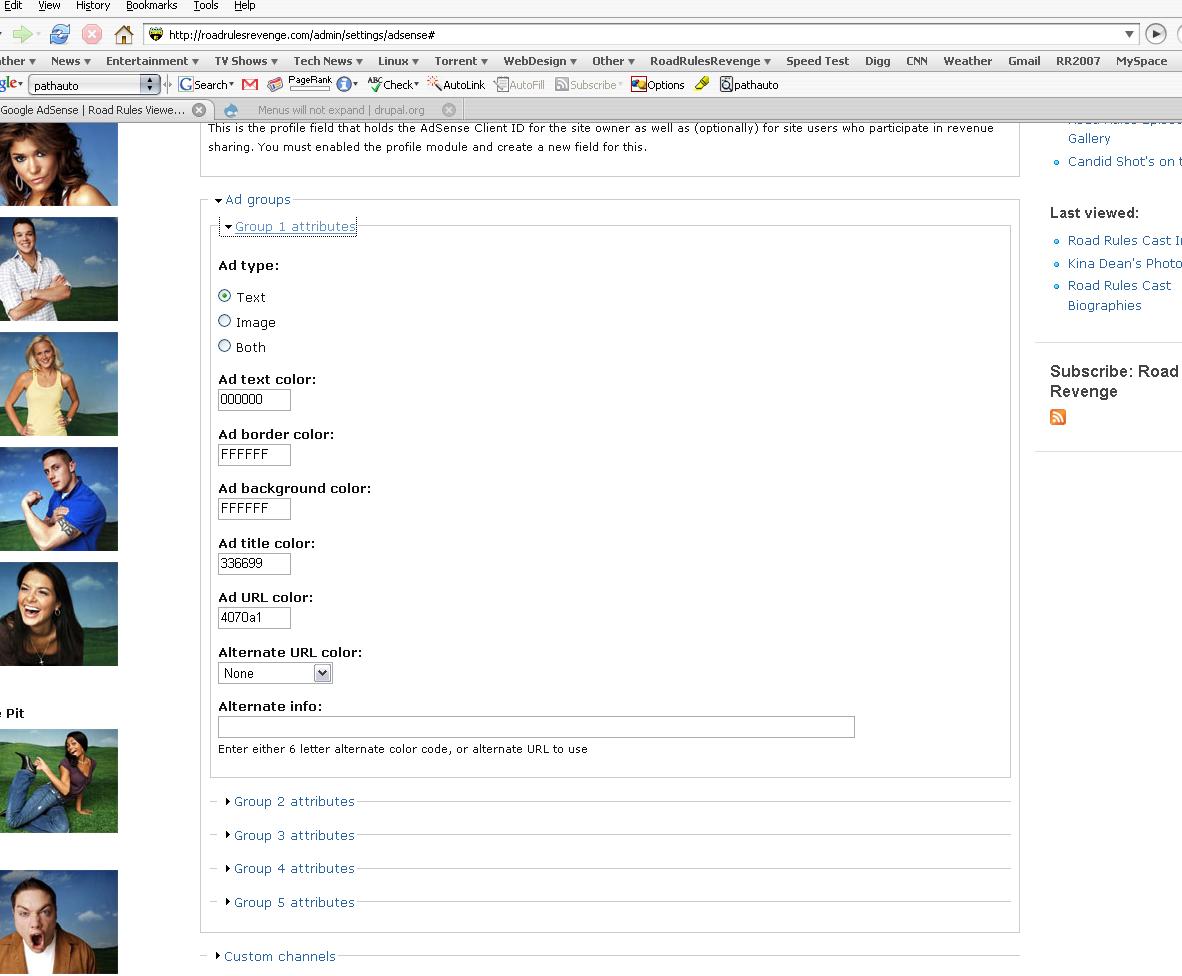
bacchus101 commentedHere is the adsense admin page. As you can see the collapsible menus are in place and work. This is the case with all the other module menus (Besides send/pathauto)
P.s. I also changed in send.inc (send module) to collapsed = FALSE and it fixed it so I could see that admin menu. Those are the only two exhibiting this behavior.
Comment #17
gregglesbacchus101 - thanks for the input, but I think I miscommunicated. I was hoping for a full screenshot (e.g. pearl cresent page saver) of the admin/settings/pathauto page.
Comment #18
bacchus101 commentedOk. I'll change the pathauto.module back to default and then get you a screenshot as soon as I have that set up.
BTW: agentrickard posted on that other thread and maybe you should have a look at it. He said that there needs to be a change in the module (because of an API difference) and that I should pass that info along to you.
http://drupal.org/node/118697
Comment #19
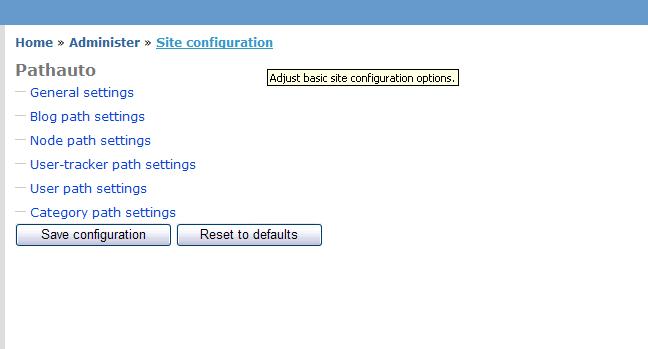
bacchus101 commentedHere is the pathauto page by default.
Comment #20
bacchus101 commentedHere is the pathauto page after I change the settings to collapse = False. You will notice that the menus can not be collapsed even though the setting was left at collapsible = TRUE
Comment #21
bacchus101 commentedI think you should just right this one up as an issue that is related to other modules and close it. I have 5 other drupal installs and will be implementing the same modules across all of them over the next few weeks. Hopefully if this comes up again I will have a better cause and effect for you to debug.
I really appreciate the help!
Comment #22
bacchus101 commentedBTW: I meant "write" ;)
Comment #23
gregglesOk - thanks bacchus101 for your help in finding this problem.
Comment #24
Legendary commentedHas this issue been resolved as I to am having it (all collapsed menus on all modules cannot be opened). I'm running Drupal in a sub-directory not sure how much difference that makes. At the moment this makes Drupal simply unusable.
Comment #25
gregglesThis is not a pathauto problem - this is a problem with the theme itself. See the thread at http://drupal.org/node/118697 for more details.